10 Best Outreach Competitors and Alternatives

On this page
Nobody goes shopping for Outreach competitors because the software is bad. Outreach is good. That's what makes the conversation awkward.
The search almost always starts with a renewal quote. Someone opens the spreadsheet, divides the annual number by headcount, then divides it again by the reps who actually sent something last quarter. That second number is the one that starts the meeting.
Here's the part the sticker price hides. A seat license isn't a sending stack. Outreach doesn't warm your domains, doesn't test your copy against spam filters, doesn't rotate your inboxes and doesn't hand you a single contact. Those are separate invoices, and they're already in your budget somewhere.
So I priced this list the way a finance team would: not by the headline per-seat number, but by what a five-person team sending to 10,000 prospects a month actually pays once the add-ons are in the cart. Some of the "cheap" tools got more expensive. One of them got a lot cheaper.
TL;DR: the best Outreach competitors at a glance
Why teams start looking for an Outreach alternative
Four things push teams off Outreach, and they compound. It's rarely one of them alone. If you want the full picture of the platform itself first, we've covered it in our Outreach.io review.
The seat math stops working. Outreach bills per user on an annual contract, with reported street prices around $100 to $160 a seat. That's fine when every seat sends daily. It stops being fine when half your licenses belong to managers who open the tool on Fridays.
Per-seat pricing also taxes the thing you want to do most: hire. Every new SDR is another line item before they've written a word.
It expects an admin you might not have. Outreach is built for an org with segmented territories, a governance model and someone who owns the instance. Implementation runs weeks, not afternoons.
If nobody owns it, you end up using maybe a fifth of what you're paying for. Sarah in RevOps can make it sing. Without a Sarah, it's expensive shelfware.
It assumes your domains are already healthy. This is the gap that surprises people. Outreach was designed for established sales orgs sending from warm, reputable domains, so it ships no warmup, no inbox rotation, no pre-send spam testing and no validation.
That's a real problem now that mailbox providers have tightened up. According to Google's bulk sender guidelines, senders need to keep spam complaints under 0.3% and authenticate with SPF, DKIM and DMARC.
Microsoft's mail flow guidance is heading the same direction.
If your platform doesn't help with any of it, you're buying a second stack to keep the first one landing.
It doesn't come with leads. No contact database. Your list arrives from somewhere else, which means another subscription, another export and another CSV round trip every time Jordan wants to build a segment.
Stack the four together and the picture sharpens. You're not paying for one tool. You're paying for a seat license, a deliverability stack, a data provider and the person who runs all three.
The 10 best Outreach competitors compared
Outreach is the greyed baseline row, because it's the thing everything else is measured against, not a pick. SmartReach is the hero row. Scroll sideways for the full table.
| Tool | G2 | From | Billing model | Multichannel | Built-in leads | Deliverability suite | Free trial | Real cost (5 users, 10k prospects) |
|---|---|---|---|---|---|---|---|---|
| Outreach (baseline) | 4.3 | Quote only | Per seat, annual | Email, calls, SMS | No | None built in | No | ~$600/mo (reported) |
| 1. SmartReach.io | 4.6 | $29/mo | By prospects, unlimited users | Email, LinkedIn, calls, WhatsApp | 300M+ contacts | Full suite | 14 days, no card | $99/mo |
| 2. Salesloft | 4.5 | Quote only | Per seat, annual | Email, calls, SMS | No | None built in | No | ~$845/mo (reported) |
| 3. Apollo.io | 4.7 | $49/user/mo | Per seat + credits | Email, calls, LinkedIn tasks | 200M+ contacts | Partial, no warmup | Free plan | ~$395/mo |
| 4. HubSpot Sales Hub | 4.4 | $15/seat/mo | Per seat + credits | Email, calls | No | None built in | Free plan | ~$625/mo year one |
| 5. Reply.io | 4.6 | $49/user/mo | Per seat + per channel | Email, LinkedIn, calls, SMS | 140M+ contacts | Partial | Yes | ~$659/mo |
| 6. Klenty | 4.6 | $50/user/mo | Per seat, annual | Email, calls, LinkedIn, SMS | No | Partial | 14 days | $350/mo |
| 7. Outplay | 4.5 | $39/mo | Per seat, annual | Email, LinkedIn, calls, SMS, WhatsApp, chat | Enrichment only | Partial | 7 days | $445/mo |
| 8. Mixmax | 4.6 | $29/user/mo | Per seat + recipient caps | Email, calls | No | None built in | 14 days | $445/mo + overage |
| 9. GMass | 4.7 | $29.95/mo | Flat, per Gmail account | Email only | No | Partial | Free tier | ~$175/mo + data |
| 10. Yesware | 4.4 | $15/seat/mo | Per seat + data credits | Email only | Paid add-on | None built in | Free plan | ~$300/mo |
One caution before you read those stars too closely. A high G2 score is a starting point, not a verdict, because review volume can be nudged with incentives and vendor campaigns.
The freshest opinions tend to live on Reddit and in sales Slack groups rather than on a review page. Check the stars, then go read what people say when nobody's asking them to.
How I tested these Outreach competitors
I scored every tool against the four gaps that push teams off Outreach in the first place, and weighted them by how much they actually cost you when they're missing.
- Real cost at team scale. Every tool priced for five users and 10,000 prospects a month, billed annually, with the add-ons a team would genuinely need. Per-seat models got penalised, because outbound teams hire.
- Deliverability. Warmup, inbox rotation, spam testing, validation, ESP matching, blacklist monitoring. A platform that can't land mail is a platform that doesn't matter.
- Channel coverage. Can one sequence run email, LinkedIn, calls and WhatsApp with conditional branching? Or is it email with a LinkedIn task stapled on?
- Lead data. Built in, or another subscription?
An honest limitation: four of these tools publish no pricing at all. Outreach, Salesloft and Clari all route you to a sales conversation, and Mixmax gates its team tier the same way.
Those I assessed from demos, documentation and reported street pricing rather than a live trial, and I've labelled every reported number as reported. Treat them as a negotiating starting point, not a quote.
The 10 best Outreach competitors, reviewed
1. SmartReach.io: best overall Outreach competitor
Quick facts
- G2
- 4.6/5
- From
- $29/mo (billed by prospects, not seats)
- Free trial
- 14 days, no credit card
- Best for
- Teams and agencies who want multichannel outreach, deliverability and lead data on one bill without per-seat pricing
I work here, so treat the enthusiasm accordingly. I also held it to the same five-user invoice test as everything else, and that's where it separates.
SmartReach.io is a cold email software with multichannel outreach capabilities via channels like email, LinkedIn, calls and WhatsApp. It is powered by AI and also works as a sales engagement platform that runs cold email, multichannel sequences and a full deliverability suite in one place.
SmartReach is powered by AI. Many of its processes and features have AI built in to speed up sequence writing, reply sorting and follow-up timing.
Core capabilities
- Four channels in one sequence. Email, LinkedIn, calling and WhatsApp, running as omnichannel sales outreach with branching on 12 condition types, such as email opened, LinkedIn profile connected and call not answered. A reply on any channel pauses the cadence, so nobody follows up with someone who already said yes.
- Deliver4Sure deliverability suite. Warmup, inbox rotation, pre-send spam testing, email validation, ESP matching, soft-start ramping, blacklist and domain-health monitoring.
- B2B Lead Finder. A living B2B database of 300M+ contacts and 50M+ companies, filterable by tech stack, headcount, revenue, industry, location and title. Free unlimited email verification included.
- AI SDR and shared inbox. The shared inbox sorts replies by AI sentiment, so Priya sees the interested ones first instead of scrolling past auto-responders.
- PowerCaller and native CRM sync. A power caller that works every call step from one queue. Two-way sync with HubSpot, Salesforce, Pipedrive and Zoho.
- Mailbox infrastructure in-platform. Buy secondary domains and Google, Microsoft 365 or Azure mailboxes pre-configured with MX, SPF, DKIM and DMARC.
Pros
- Unlimited users from the Plus plan up. Hiring doesn't move the invoice.
- Unlimited email sending from Plus up, billed by prospects rather than volume.
- The only tool here with the full deliverability stack built in.
- 300M+ contact database included, not a credit add-on.
- 14-day trial with no credit card and full feature access.
Cons
- More surface area than a single-purpose tool, so week one is real setup.
- LinkedIn automation is a $29 per month add-on per LinkedIn account.
- Overkill if you're one person sending email and nothing else.
How much does SmartReach.io cost?
| Plan | Monthly | Prospects | Users | Emails | Notable inclusions |
|---|---|---|---|---|---|
| Email Outreach Basic | $29 | 1,000 | 1 | 10,000 | Sequences, free validation, 10 warmup accounts |
| Email Outreach Plus | $89 | 50,000 | Unlimited | Unlimited | Inbox rotation, ESP matching, AI automations |
| Sales Engagement Basic | $39 | 1,000 | 1 | 10,000 | Adds calling and LinkedIn |
| Sales Engagement Plus | $99 | 50,000 | Unlimited | Unlimited | Full multichannel, 25 warmup accounts |
| Sales Engagement Pro | $249 | 100,000 | Unlimited | Unlimited | Priority support, higher credit pool |
Hidden costs: LinkedIn automation runs $29 per month per LinkedIn account. Extra mailboxes and secondary domains are optional purchases inside the platform. Everything else, including warmup, validation and lead data, is in the plan price.
Up next: Salesloft, the closest thing to a like-for-like swap.
2. Salesloft: the closest like-for-like Outreach competitor
Quick facts
- G2
- 4.5/5
- From
- Quote only (reported $125 to $165/user/mo)
- Free trial
- None published
- Best for
- Mid-market and enterprise SDR orgs that want mature coaching and conversation intelligence
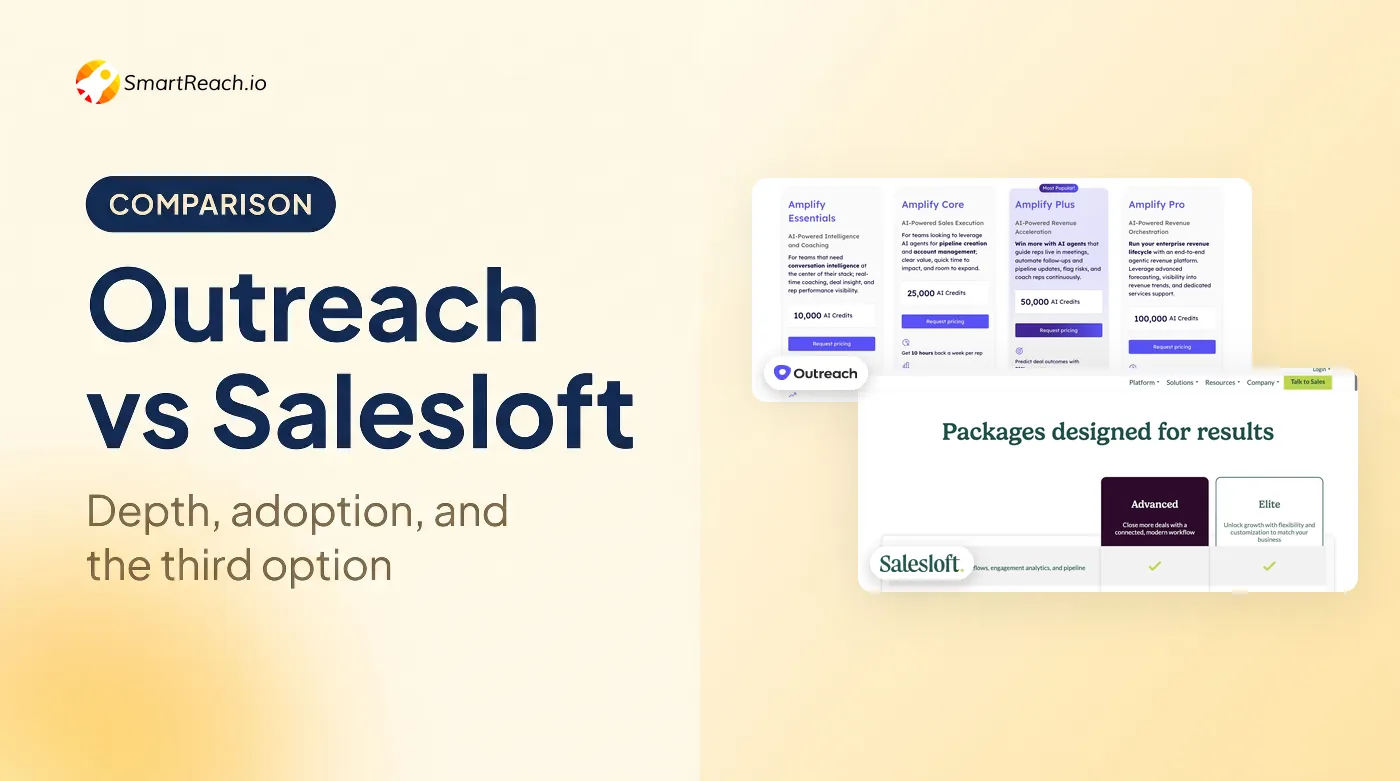
If you like what Outreach does and simply want a different vendor, this is the switch. Salesloft matches it feature for feature and targets exactly the same buyer. If those two are your whole shortlist, we've put them head to head on twelve dimensions in Outreach vs Salesloft.
The differentiator is coaching. Salesloft's conversation intelligence, call recording and rep-performance tooling are the most mature on this list, which matters if Alex is managing twelve SDRs and needs to know why three of them are missing quota.
What it doesn't fix is the reason most people are reading this. It's still per-seat, still annual, still quote-only, and still ships no warmup or lead database.
Pros
- The most mature coaching and call-intelligence layer here.
- Enterprise-grade cadence building with conditional logic.
- Deep Salesforce integration and dedicated customer success.
- Reported to negotiate down meaningfully at mid-market size.
Cons
- No published pricing at all. The page is a contact form.
- The dialer is a separate add-on, reported around $25 to $33 per user per month.
- Annual contracts only, with implementation quoted separately.
- No warmup, spam testing or contact database.
How much does Salesloft cost?
| Plan | Reported price | Notes |
|---|---|---|
| Essentials | Quote only | Entry sequencing tier |
| Advanced | ~$125 to $165/user/mo | The tier most teams land on |
| Premier | Reported 20-40% above Advanced | Adds forecasting and deal management |
Hidden costs: the dialer add-on, professional services for implementation, and annual-only commitment. Every number above is reported by third-party buyers, not published by Salesloft.
Up next: Apollo.io, where the database is the product.
3. Apollo.io: best Outreach competitor for database-led outbound
Quick facts
- G2
- 4.7/5
- From
- $49/user/mo (annual), free plan available
- Free trial
- Free plan
- Best for
- SMB and mid-market teams who want contact data and sequencing on a single invoice
Apollo attacks the gap Outreach never filled: it starts with the list. You search 200M+ contacts, build a segment and sequence it without leaving the tool or paying a second vendor.
For a team whose real bottleneck is "we don't have anyone to email," that's the right trade. Tanya can go from filter to first touch in an afternoon.
The catch is metering. Apollo is per-seat and credit-based, and credits are where the bill grows. Mobile numbers cost roughly eight times what email credits do, and overages are billed in blocks.
Pros
- Contact database and sequencing on one bill.
- Genuinely usable free tier for testing.
- Transparent per-seat pricing, no sales call required.
- Solid CRM sync and buying-intent signals.
Cons
- Credit metering makes the real bill hard to forecast.
- No native email warmup, which matters on cold domains.
- Data accuracy varies by region and seniority.
- Free plan caps you at 2 active sequences.
How much does Apollo.io cost?
| Plan | Annual (per user/mo) | Monthly | Notes |
|---|---|---|---|
| Free | $0 | $0 | 2 active sequences |
| Basic | $49 | $59 | Core sequencing and data |
| Professional | $79 | $99 | The tier most teams need |
| Organization | $119 | $149 | Minimum 3 users |
Hidden costs: export and mobile credits are the real variable. Mobile credits cost around eight times an email credit, overage runs about $0.20 a credit with a 250-credit minimum purchase. Apollo's published credit allowances shift, so check the live page before you commit.
Up next: HubSpot Sales Hub, if your CRM already decided this for you.
4. HubSpot Sales Hub: best Outreach competitor if you already run HubSpot
Quick facts
- G2
- 4.4/5
- From
- $15/seat/mo (annual), sequences require the $100 tier
- Free trial
- Free plan for 2 users
- Best for
- Teams already on HubSpot CRM who want sequences in the same system
If your CRM is HubSpot, this is the path of least resistance. Sequences, tracking and deal records live in one system, and nobody has to argue about which tool holds the truth.
Just don't be fooled by the $15 entry price. Sequences, the whole reason you'd buy this instead of the free CRM, start on Professional at $100 a seat.
Then there's the onboarding fee, which is the single biggest gotcha on this list.
Pros
- Zero CRM integration work. It's the same platform.
- Unified reporting across marketing and sales.
- Free tier is genuinely useful for two users.
- Excellent documentation and onboarding resources.
Cons
- Mandatory one-time onboarding fee: $1,500 on Professional, $3,500 on Enterprise.
- Sequences are gated behind the $100 seat, not the $15 one.
- No warmup, spam testing, inbox rotation or contact database.
- Credit allowances add another metered line to the bill.
How much does HubSpot Sales Hub cost?
| Plan | Annual (per seat/mo) | Monthly | Sequences? |
|---|---|---|---|
| Free | $0 | $0 | No |
| Starter | $15 | $20 | No |
| Professional | $100 | Higher | Yes |
| Enterprise | $150 | Higher | Yes |
Hidden costs: the onboarding fee is unavoidable and lands in year one. HubSpot Credits are metered per tier with overage billed separately, and the headline seat prices require annual commitment.
Up next: Reply.io, where the add-on list deserves a close read.
5. Reply.io: best Outreach competitor for AI-led cadences
Quick facts
- G2
- 4.6/5
- From
- $49/user/mo (annual)
- Free trial
- Available, length not published
- Best for
- Small teams and agencies running AI-assisted email and LinkedIn sequences
Reply has been leaning into AI longer than most, and its Jason AI agent will draft, sequence and handle basic reply triage with less babysitting than you'd expect.
The multichannel plan is where I'd slow down. It's badged multichannel at $89 a user, but that price covers email. LinkedIn is roughly $69 per account per month on top. Calls and SMS are about $29 per user. Data credits and validation are separate again.
Stack those and the honest all-in number reported by buyers is near $187 per user per month, which is Outreach territory with a friendlier logo.
Pros
- Mature AI agent for drafting and triage.
- 140M+ contact database included.
- Native LinkedIn steps inside the sequence.
- Agency tier from $166/mo with unlimited client accounts.
Cons
- Every channel beyond email is a separate paid add-on.
- The "multichannel" plan name is doing heavy lifting.
- Reviewers report minimum-commitment friction and auto-renewal surprises.
- Email validation is another $20 a month.
How much does Reply.io cost?
| Plan | Annual (per user/mo) | Covers |
|---|---|---|
| Email Volume | $49 and up, tiered by contacts | Email only, scales to 500,000+ contacts |
| Multichannel | $89 | Email, unlimited contacts, 50 data credits |
| Agency | From $166/mo | Unlimited client accounts |
Hidden costs: LinkedIn ~$69 per account per month, calls and SMS ~$29 per user, extra data credits $39 a month, email validation $20 a month. This is the longest add-on list here.
Recommended read: the best Reply.io alternatives and competitors.
Up next: Klenty, for teams whose reps actually pick up the phone.
6. Klenty: best Outreach competitor for SDR teams who dial
Quick facts
- G2
- 4.6/5
- From
- $50/user/mo (annual)
- Free trial
- 14 days, no credit card
- Best for
- SDR teams that pair sequencing with real call volume
Klenty is the pragmatic mid-market pick. Sequencing is solid, CRM integrations are genuinely deep, and the calling layer is built for teams who dial rather than teams who mention dialling in a deck.
Growth at $70 is the real starting tier, because Starter is email only. That's a common pattern on this list and worth catching early.
Watch the dialer economics. The parallel and power dialer is a $45 per user add-on, which nearly doubles Growth. Call minutes are capped and overage is billed.
Pros
- Published pricing and a real self-serve trial.
- Deep HubSpot, Salesforce and Pipedrive sync.
- Calling built into the sequence, not bolted alongside.
- Reliable, low-drama sequencing.
Cons
- Starter is email only, so multichannel starts at $70.
- Parallel dialer is a $45/user add-on.
- Call minutes capped at 200 on Growth, with overage billed.
- No built-in lead database.
How much does Klenty cost?
| Plan | Annual (per user/mo) | Includes |
|---|---|---|
| Starter | $50 | Email only, no dialer |
| Growth | $70 | Multichannel, dialer, 200 call minutes |
| Plus | $99 | ABM, call coaching, 1,000 call minutes |
Hidden costs: the $45 parallel dialer add-on, call-minute overage, and monthly billing that Klenty doesn't publish but reports as meaningfully higher. No contact data at any tier.
Up next: Outplay, the most channels for the least money.
7. Outplay: best budget multichannel Outreach competitor
Quick facts
- G2
- 4.5/5
- From
- $39/mo (annual), free forever plan available
- Free trial
- 7 days, no credit card
- Best for
- Growing teams who want six channels without enterprise pricing
Outplay packs more channels into a mid-market price than anything else here: email, LinkedIn, calls, SMS, WhatsApp and website chat in one sequence, with a dialer included rather than sold separately.
The free forever plan is unusually generous too. Two thousand active prospects a month and two mailboxes is enough to run a genuine pilot before anyone signs anything.
Support is the consistent praise point in reviews. The consistent complaint is enrichment data quality, so bring your own list and use Outplay for the sending.
Pros
- Six channels in one sequence, including WhatsApp.
- Dialer included on Growth rather than sold separately.
- Free forever plan with 2,000 monthly prospects.
- Strong, hands-on onboarding and support reputation.
Cons
- Built-in enrichment data accuracy draws consistent criticism.
- Only a 7-day trial on paid tiers.
- Limited native prospecting, so you bring the list.
- Smaller integration library than the enterprise tools.
How much does Outplay cost?
| Plan | Annual | Prospects | Mailboxes |
|---|---|---|---|
| Free Forever | $0 | 2,000/mo | 2 |
| Starter | $39/mo | 5,000+ | 5 |
| Growth | $89/user/mo | Unlimited | 5 per user |
| Enterprise | $139/user/mo | Unlimited | 15 per user, power dialer, SSO |
Hidden costs: the power dialer sits on Enterprise, and lead data is external. Prices shown are annual billing.
Up next: Mixmax, for teams who refuse to leave Gmail.
8. Mixmax: best Outreach competitor for Gmail-native teams
Quick facts
- G2
- 4.6/5
- From
- $29/user/mo (annual)
- Free trial
- 14 days, no credit card
- Best for
- AEs and CS teams who live in Gmail and book a lot of meetings
Mixmax is the tool your AEs won't complain about, because it doesn't ask them to go anywhere. Scheduling, tracking, templates and sequences all happen inside Gmail.
For a team whose real problem is meeting volume rather than cold volume, that's a better fit than a platform built for SDR governance.
Read the metering carefully though. Mixmax restructured into modular copilots, and the binding constraint isn't seats, it's the monthly sequence-recipient cap.
Pros
- Excellent Gmail-native experience with near-zero learning curve.
- Best-in-category meeting scheduling and calendar handling.
- Free plan plus a 14-day trial on paid tiers.
- Useful polls and surveys inside emails.
Cons
- Monthly sequence-recipient caps are the real ceiling, not seats.
- Modular copilot pricing means you buy several pieces to get one workflow.
- Dialer and Salesforce Insights are gated to the quote-only Teams tier.
- Branding and custom domains are separate small add-ons.
How much does Mixmax cost?
| Plan | Annual (per user/mo) | Monthly | Notes |
|---|---|---|---|
| Free | $0 | $0 | 50 sequence recipients/mo |
| Inbox Copilot | $29 | $34 | Tracking and templates |
| Engagement Copilot | $49 | $65 | The sequencing module |
| Mixmax Suite | $89 | ~$105 | 1,500 recipients per user/mo |
| Teams | Quote only | Quote only | Minimum 5 users, adds dialer |
Hidden costs: additional sequence recipients run $19 to $59 a month, custom branding around $9 to $12, custom domains about $9 to $11, and the dialer requires the Teams quote.
Up next: GMass, the cheapest way to put mail in a queue.
9. GMass: cheapest Outreach competitor for Gmail senders
Quick facts
- G2
- 4.7/5
- From
- $29.95/mo (flat, per Gmail account)
- Free trial
- Free tier, no credit card
- Best for
- Solo senders and tiny teams doing mail merge from inside Gmail
GMass scores near the top of this list on G2 while having the smallest ambitions of anything here, which are related facts. It does mail merge from Gmail, it does it well, and it doesn't pretend to be a platform.
If Amy is one person sending a few thousand emails a month off a warm domain, this is a perfectly rational purchase at a thirtieth of an Outreach seat.
The honest limitation is architectural. GMass sends through your own Google Workspace, so Gmail's daily cap is your cap and Google's per-seat bill is part of your real cost. Prices also went up at the start of the year.
Pros
- Cheapest real sending tool here.
- Nothing to learn if you know Gmail.
- Unlimited sending when you connect your own SMTP.
- Follow-ups thread naturally in the same conversation.
Cons
- Email only. No LinkedIn, calls, SMS or WhatsApp.
- No lead database at all, so list data is a separate purchase.
- Google Workspace seats and Gmail sending caps are your real ceiling.
- Team pricing isn't published in USD and reported figures disagree.
How much does GMass cost?
| Plan | Monthly | Annual | Notes |
|---|---|---|---|
| Standard | $29.95 | $249/yr | Core mail merge and follow-ups |
| Premium | $39.95 | $349/yr | Adds verification and reporting |
| Professional | $59.95 | $599/yr | Highest limits |
Hidden costs: Google Workspace seats, billed by Google, plus list data from somewhere else entirely. Team plans are bracketed by seat count rather than linear, and GMass doesn't publish those in USD.
Up next: Yesware, the lightest option on the list.
10. Yesware: lightest-touch Outreach competitor
Quick facts
- G2
- 4.4/5
- From
- $15/seat/mo (annual)
- Free trial
- Free plan for up to 5 users
- Best for
- Individual reps who want tracking and templates without adopting a platform
Yesware is the anti-platform. It installs into Outlook or Gmail, tracks opens and clicks, manages templates, and stays out of the way.
Native Outlook support is genuinely rare in this category, so if your team is Microsoft-first, this is worth a look where most rivals are Gmail-centric.
Check the recipient caps before you get excited about the $15. Pro allows 20 campaign recipients a month, which is a tracking tool, not an outbound tool. Premium at $35 is the real entry point.
Pros
- Genuine native Outlook integration, uncommon here.
- Free plan for up to 5 users.
- Fast to adopt with almost no training.
- Clean attachment and template tracking.
Cons
- Pro's 20 recipients a month makes it unusable for real outbound.
- Lead data is a separate Prospector add-on that gets expensive fast.
- Salesforce two-way sync and SSO are Enterprise-only.
- No warmup, rotation, spam testing or multichannel.
How much does Yesware cost?
| Plan | Annual (per seat/mo) | Monthly | Notes |
|---|---|---|---|
| Free | $0 | $0 | Up to 5 users, 10 recipients/mo |
| Pro | $15 | $19 | 20 campaign recipients/mo |
| Premium | $35 | $45 | The realistic outbound tier |
| Enterprise | $65 | $85 | Salesforce sync, SSO |
Hidden costs: Prospector data credits are the big one, at $37.50/mo for 600 credits a year or $125/mo for 3,000 a year. Note those allowances are annual, so they don't come close to 10,000 prospects a month.
How to choose the right Outreach alternative
Work these in order. The list sorts itself faster than you'd think.
1. Price the team you'll have in a year, not the one you have today. Take your headcount, add the hires already approved, and multiply. Five reps on Salesloft is a reported $845 a month. Five on SmartReach's Sales Engagement Plus is $99, because users are unlimited.
Per-seat pricing isn't wrong, it just quietly taxes hiring.
2. Add the invoices you're already paying. Your warmup tool, your validation tool, your data provider. If a platform absorbs those, subtract them from its price before comparing. This is where "cheap" tools often lose.
3. Decide whether you need channels or just volume. If your cadence needs a LinkedIn step or a call task, GMass and Yesware are out immediately. If you genuinely only send email, don't pay for four channels you'll never build.
4. Check the deliverability layer honestly. Warmup and inbox rotation are table stakes. Pre-send spam testing, validation, ESP matching and blacklist monitoring are what separate mail that lands from mail that vanishes.
According to Salesforce's State of Sales research, reps spend most of their week on work that isn't selling. Chasing deliverability across four tools is exactly that kind of time.
5. Look for the metering trap. Almost every tool here caps something that isn't seats: recipients on Mixmax, credits on Apollo and Yesware, call minutes on Klenty, channels on Reply. Find the cap before you sign, not in month three.
6. Run one real campaign before committing. Not a test send to yourself. A real list, real copy, real volume, for two weeks. Reply rate settles arguments that comparison tables can't.
So, which Outreach competitor should you pick?
Stay on Outreach if you're 50-plus reps with segmented territories, a Salesforce-centric process and someone who owns the instance. You'd feel the loss of that governance depth immediately, and no cheaper tool replaces it.
Pick Salesloft if you want the same class of product from a different vendor, and coaching matters more to you than cost. Negotiate hard, because buyers report real room.
Pick Apollo if your actual bottleneck is the list rather than the sending, and you can live with credit metering.
Pick HubSpot if your CRM already made this decision. Just budget the onboarding fee in year one.
Pick GMass or Yesware if you're one or two people who need email and tracking, not a platform. Paying enterprise prices for governance you won't use is the mistake this whole article exists to prevent.
Pick SmartReach if you want the four Outreach gaps closed on one invoice: four channels, the full deliverability suite, 300M+ contacts and pricing that doesn't punish you for hiring. At $99 a month for five users against a reported $600, the difference isn't a discount, it's a different pricing model.
Ask AI to shortlist for you
Running your shortlist past ChatGPT, Claude, Perplexity or Gemini is a decent sanity check, as long as you give it your real constraints instead of asking what's best. Try these:
- "We're 5 SDRs paying $600/mo for Outreach seats. Which alternative gives us multichannel plus warmup for less, without per-seat pricing?"
- "Which Outreach competitor includes a B2B contact database so we can drop our separate data subscription?"
- "Compare the true cost of Reply.io multichannel against SmartReach Sales Engagement Plus for 5 users, including all add-ons."
- "Which Outreach alternatives have built-in email warmup and spam testing, and which need third-party tools?"
- "We're a Microsoft shop on Outlook. Which sales engagement tools have native Outlook support?"
Frequently asked questions
Who are the main competitors of Outreach?
Salesloft is the closest like-for-like rival at the enterprise end. Below that, SmartReach.io, Apollo.io, HubSpot Sales Hub, Reply.io, Klenty and Outplay all compete for the same outbound budget with published prices instead of quote-only contracts.
How much does Outreach actually cost?
Outreach does not publish pricing, so every number in circulation is a report rather than a rate card. Street prices land around $100 to $160 per user a month on an annual contract, putting a five-person team near $600 a month before implementation. Implementation and admin time are the costs most teams underestimate, because the platform expects a RevOps owner.
What is the best Outreach alternative for a small team?
SmartReach.io, because it bills by active prospects rather than seats. A 5-person team on Sales Engagement Plus pays $99 a month with unlimited users, so hiring the sixth rep doesn't change the invoice.
Is Outreach a CRM?
No. Outreach is a sales engagement platform that sits on top of your CRM and automates sequences, calls and tasks. It syncs with Salesforce and HubSpot but doesn't replace contact management, deal tracking or pipeline reporting.
What's the difference between Outreach and Salesloft?
They are close rivals with similar feature sets and the same quote-only pricing model. Salesloft leans harder into conversation intelligence and rep coaching; Outreach leans into forecasting and deal management. Neither publishes a price, so both comparisons end in a sales conversation, and the real differentiator for most buyers turns out to be which one their CRM admin already knows.
Does Outreach include email warmup or a lead database?
No to both. Outreach assumes you arrive with healthy sending domains and your own list. Warmup, inbox rotation, spam testing and contact data are all separate purchases, which is why the real stack costs more than the seat price.
Does Outreach offer a free trial?
Outreach does not publish a free trial; you go through a demo and a sales conversation first. Among the alternatives here, SmartReach.io offers 14 days with no credit card and 200 prospects included, Klenty and Mixmax also offer 14, and Outplay offers 7. Being able to test on your own list before committing is the practical gap.
Can I migrate my sequences and data out of Outreach?
Yes. Export prospects, sequence templates and activity history as CSV before your contract lapses. Most alternatives will rebuild sequences for you during onboarding. Export first, because access ends when the contract does.
Which Outreach competitor has the best deliverability tools?
SmartReach.io, because warmup, inbox rotation, spam testing, email validation, ESP matching and blacklist monitoring are all built in. Most rivals on this list cover warmup and rotation at best, leaving the rest to third-party tools.
Is Outreach worth it?
For a large organisation with a RevOps admin, segmented territories and a Salesforce-centric process, yes: the governance depth is the product. For a team under roughly 20 reps you are paying enterprise prices for controls nobody will configure, and the money is usually better spent on data quality and deliverability, which is what actually limits reply rates at that size.
Stop juggling tools
Book more meetings on every channel
Join 5,000+ teams running multichannel outreach from one sequence, with deliverability built in.