10 Best Sales Engagement Platforms

On this page
Sales reps spend only about a third of their week actually selling. The rest disappears into manual admin, CRM updates, switching between tools, and chasing the wrong accounts, a pattern Salesforce has tracked across successive State of Sales reports.
That is the gap a sales engagement platform closes. It pulls email, LinkedIn, calling and WhatsApp into one coordinated cadence, automates the follow-ups, personalises at scale, and syncs every touch back to your CRM so nothing slips.
The category has changed a lot in two years. Clari now owns both Salesloft and Groove, nearly every serious platform has shipped an AI SDR or agentic feature, and pricing models have split into per-seat, per-prospect and quote-only camps. Below are the 10 best sales engagement platforms for 2026, compared on multichannel depth, AI, CRM integration, real pricing and G2 ratings, plus 4 bonus tools worth knowing. Each review covers what the tool does well, who it is built for, and where it falls short, so you can shortlist honestly. 👇🏼
The 10 best sales engagement platforms at a glance
Watch: sales engagement platforms explained
A short walkthrough of what a sales engagement platform does and how the leading tools differ on multichannel, AI and pricing. Worth two minutes before you dig into the list below.
What to look for in a sales engagement platform
The best platform depends on your team size, sales motion and budget, but strong sales engagement platforms share the same core capabilities. Weigh each tool below against these seven criteria, which are also the basis we used to rank this list.
- Multichannel depth. Email with a LinkedIn checkbox does not count. Real multichannel means email, LinkedIn, calls and WhatsApp coordinated in one cadence, with reply-pause working across every channel.
- Automation and workflows. Can the platform branch on opens, clicks, replies or LinkedIn activity, and move prospects between campaigns automatically, or does the automation stop at a delay timer?
- Personalisation at scale. Look for AI-generated copy, custom merge fields and dynamic content so a thousand prospects each get a relevant message, not a mail-merge.
- Email deliverability. Built-in inbox rotation, warmup, ESP matching and validation keep your messages in the primary inbox. This is the make-or-break factor. If emails land in spam, nothing else matters.
- CRM integration. Two-way sync with HubSpot, Salesforce, Pipedrive and Zoho so activity flows both ways, not a one-way push.
- Analytics and shared inbox. Team-wide reply management, sentiment analysis and reporting that ties outreach to revenue.
- Pricing model. Per-seat pricing punishes you for hiring. Per-prospect pricing keeps the bill flat as the team grows. Match the model to how you plan to scale.
Sales engagement is not about spamming prospects with generic emails. It is about building relationships and creating value. A multichannel approach with genuine personalisation is what lifts reply rates and shortens the sales cycle.
The 10 best sales engagement platforms compared
Scroll the table sideways to see all columns.
| Platform | G2 rating | Starting price (model) | Best for | Multichannel | AI capabilities | Free trial | Verdict |
|---|---|---|---|---|---|---|---|
| 1. SmartReach.io | 4.6 | $39/mo (by prospects) | Multichannel teams and agencies | Email, LinkedIn, WhatsApp, Calls | AI email agent + AISDR | 14-day, no card | Best overall |
| 2. Salesloft | 4.5 | Custom (quote) | Enterprise revenue teams | Email, Calls, LinkedIn, SMS | Rhythm (signal-to-action) | Demo only | Enterprise, now Clari |
| 3. Outreach | 4.3 | Custom (quote) | Large process-heavy orgs | Email, Calls, SMS | Agentic AI deal agents | Demo only | Enterprise execution |
| 4. Apollo.io | 4.7 | $49/user/mo | Database-led outbound | Email, Calls, LinkedIn tasks | AI writing + prospecting agents | Free plan | Biggest database |
| 5. HubSpot Sales Hub | 4.4 | $20/seat/mo | CRM-native teams | Email, Calls, tasks | Breeze AI agents | Free tools | Best CRM-native |
| 6. Reply.io | 4.6 | $89/user/mo | AI-led multichannel | Email, LinkedIn, Calls, SMS, WhatsApp | Jason AI SDR | Free trial | Best AI SDR |
| 7. Klenty | 4.6 | $50/user/mo | Mid-market teams with a dialer | Email, Calls, LinkedIn, SMS | Agentic Cadences | 14-day | Dialer + agentic research |
| 8. Mixmax | 4.6 | $34/user/mo | Gmail-first SMB | Email (+ limited) | Smart Send + Intelligence | Free plan | Best for Gmail |
| 9. Salesforce Sales Engagement | 4.4 | $50/user (add-on) | Salesforce-native shops | Email, Calls | Einstein / Agentforce | Demo only | For Salesforce shops |
| 10. ZoomInfo Sales | 4.5 | Custom (quote) | Data-driven teams | Email, Calls | ZoomInfo Copilot | Demo only | Data + engagement |
| ▼ Bonus sales engagement tools to consider ▼ | |||||||
| 11. Lemlist | 4.6 | $69/mo (flat) | Personalisation-first outreach | Email, LinkedIn, Calls | AI icebreakers | 14-day | Personalisation engine |
| 12. Instantly.ai | 4.8 | $47/mo (flat) | High-volume cold email | Email (calls/SMS in separate CRM) | AI + warmup | 14-day | Volume + deliverability |
| 13. Yesware | 4.4 | $19/user/mo | Inbox-native reps | Email (Gmail/Outlook) | Basic | Free plan | Lightweight tracker |
| 14. Close | 4.7 | $19/user/mo | SMBs wanting CRM + engagement | Email, Calls, SMS | Basic AI | 14-day | CRM + dialer in one |
The 2026 shift: agentic AI and consolidation
Two forces reshaped this category since this list was first written. First, agentic AI. Nearly every serious platform now ships an AI that does more than draft copy. Reply's Jason AI, Klenty's Agentic Cadences, Outreach's deal agents, HubSpot's Breeze agents and SmartReach.io's AI email agent research accounts, write per-prospect messages, and increasingly run parts of the cadence autonomously as an AI SDR. When you evaluate a tool, look past the AI label and ask what the AI actually decides or does on its own.
Second, consolidation. Clari now owns both Salesloft (2025) and Groove (2023), folding standalone sales engagement into broader revenue-intelligence platforms. That matters if you want a focused engagement tool rather than an all-in-one revenue suite, because roadmaps and pricing follow the parent company's priorities. The picks below span both ends of that spectrum, from lightweight inbox tools to enterprise revenue platforms.
10 Best Sales Engagement Platforms
1. SmartReach.io: Best for multichannel teams and agencies
- From
- $39/mo (by prospects)
- Free trial
- 14-day, no card
- Best for
- Sales teams and agencies running real multichannel outreach (email, LinkedIn, WhatsApp and calls) without per-seat pricing.
SmartReach.io is a cold email software whose Sales Engagement plans run email, LinkedIn, calls and WhatsApp as one conditional cadence. On those plans it works as a full sales engagement platform, pairing 300M+ verified leads across 50M+ companies with a deliverability suite, all priced by prospects rather than seats. It automates follow-ups across email, LinkedIn, WhatsApp and calls, adapts the journey based on how each prospect engages, and pauses the whole sequence the moment someone replies on any channel, so nobody gets a follow-up they have already answered.
What sets it apart in this list is that deliverability is treated as a first-class feature, not an afterthought. Warmup, inbox rotation, ESP matching and free unlimited validation are built in, which for most teams replaces two or three separate subscriptions. A shared team inbox with reply-sentiment analysis keeps every rep working from the same set of replies, and agency features (sub-accounts, client dashboards, white-label reporting and leaderboards) make it a common pick for outbound and lead-gen agencies that run many client campaigns at once.
The trade-off is breadth. Because SmartReach.io covers four channels plus a CRM, a lead finder and a deliverability suite, there is more to learn than in a single-channel tool, so expect a short ramp before the whole workflow clicks.
Core capabilities of SmartReach.io
- Multichannel cadence: Email, LinkedIn outreach, calls and WhatsApp in one sequence, with reply-pause that works across every channel at once.
- Deliverability suite: Warmup, inbox rotation, ESP matching, soft start, global blacklist monitoring and free unlimited email validation, all included rather than sold as add-ons.
- AI email agent: Writes a unique email per prospect from a short brief instead of a merge tag, with an end-to-end AISDR launching to run parts of the cadence for you.
- 300M+ B2B lead finder: Verified leads from 50M+ companies built in, plus ProspectDaddy access included, for pulling verified emails and profiles from LinkedIn.
- Two-way CRM sync: HubSpot, Salesforce, Pipedrive and Zoho with field mapping in both directions, so activity and replies flow back to the CRM automatically.
- Agency mode and shared inbox: Sub-accounts, role permissions, client dashboards, a shared team inbox with sentiment analysis, and rep leaderboards.
Pros
- True multichannel, not email plus a LinkedIn checkbox.
- Priced by prospects, not seats, so cost stays flat as the team grows.
- Deliverability tooling that is usually three separate vendors, bundled in.
- Unlimited sending accounts on every plan, and unlimited users from the Plus plan.
- Built-in 300M+ lead finder, so prospecting and outreach live in one tool.
- Responsive support, with a median first reply under 10 minutes in testing.
Cons
- The breadth is real, so budget a short ramp to find everything.
- No fully automatic LinkedIn messaging, a deliberate guard against LinkedIn shadow bans.
- The reporting UI is functional rather than beautiful.
How much does SmartReach.io cost?
For a sales engagement blog the relevant line is the Sales Engagement plans, which add calling and LinkedIn seats on top of the email base.
| Plan | Monthly | Prospects | Users | Key inclusions |
|---|---|---|---|---|
| Sales Engagement Basic | $39/mo | 1,000 | 1 | 1 calling seat, 1 LinkedIn seat, deliverability |
| Sales Engagement Plus | $99/mo | 50,000 | Unlimited | 3 calling seats, 3 LinkedIn seats, multichannel |
| Sales Engagement Pro | $249/mo | 100,000 | Unlimited | 10 calling seats, 10 LinkedIn seats, priority support |
| Sales Engagement Scale | $599/mo | 500,000 | Unlimited | 100 calling seats, 100 LinkedIn seats |
No per-seat fees: you connect and send from as many accounts and users as you want, and pay for prospect capacity and the channels you add. A 14-day free trial (200 prospects, no card) covers the full multichannel workflow, so you can test deliverability and cadences before you commit.
Up next: Salesloft ↓
2. Salesloft: Best for enterprise revenue teams
- From
- Custom (quote only)
- Best for
- Enterprise revenue teams that want sales engagement plus forecasting and deal intelligence inside one platform.
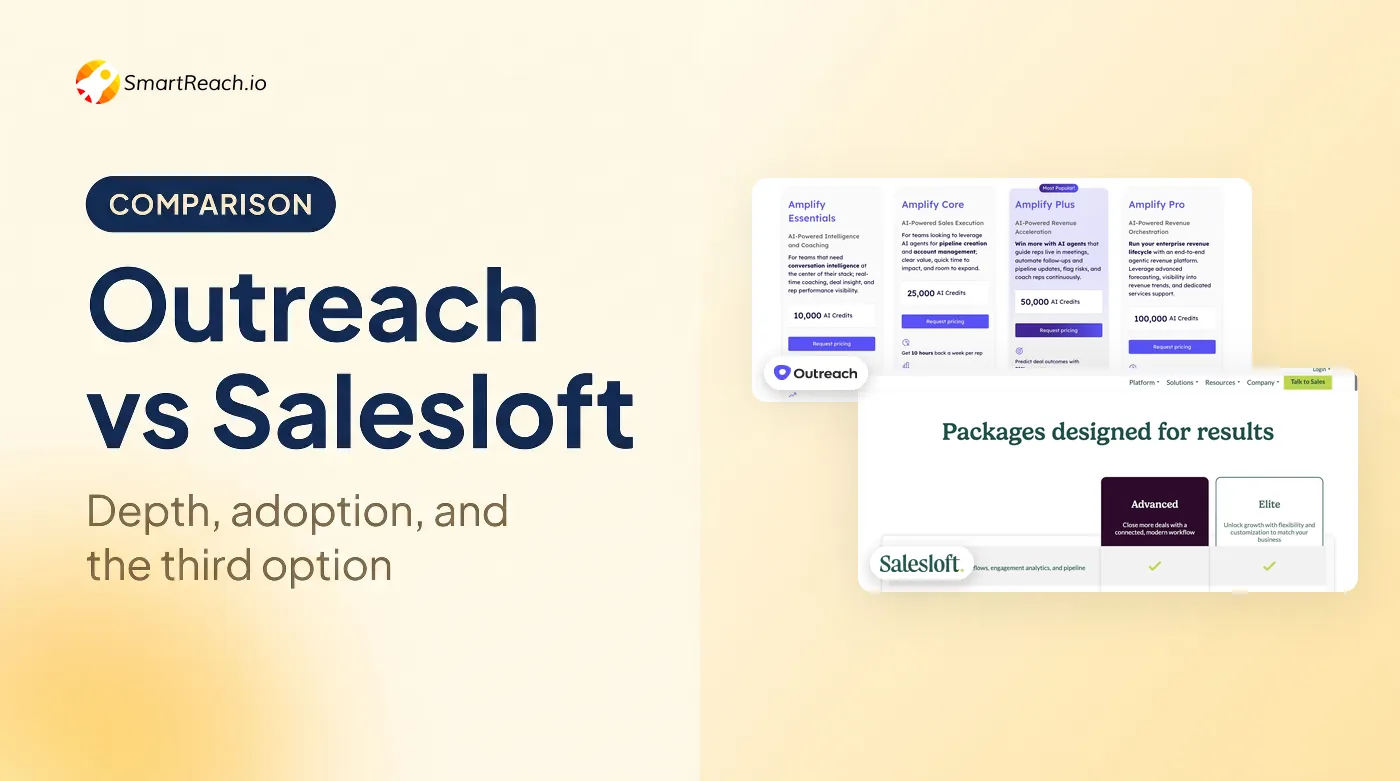
Salesloft is an enterprise sales engagement platform, now part of Clari's revenue platform after Clari acquired it in 2025. It pairs cadences, a dialer and conversation intelligence with Clari's forecasting and deal management, so outreach activity and pipeline forecasting sit in the same system. Its "Rhythm" engine turns buyer signals, such as an email opened three times or a website visit, into a prioritised list of next actions for reps, which is where a lot of its day-to-day value comes from.
Where Salesloft consistently wins over Outreach is ease of use and rep adoption. Reviewers describe a cleaner interface and a shorter path from login to a running cadence, which matters when you are rolling a tool out to dozens or hundreds of sellers. Coaching is a genuine strength too, with call recording, transcription and scorecards that sales managers actually use.
The catch is that Salesloft is firmly an enterprise purchase. Pricing is quote-only and negotiated, the platform assumes you have sales operations to configure it, and the strongest value only appears once you adopt the wider Clari stack. For a small team it is more platform than the job requires.
Core capabilities of Salesloft
- Cadence engine: Multi-step email, call and LinkedIn sequences with shared team templates and step-level analytics.
- Rhythm AI: A signal-to-action engine that reads buyer intent and surfaces the next best step per account.
- Conversations: Call and meeting recording, transcription, and coaching scorecards.
- Deals and forecasting: Pipeline management and revenue intelligence through the Clari integration.
- Analytics: Deep cadence and team-performance reporting for managers and RevOps.
- Integrations: Strong two-way Salesforce sync and a wide connector library.
Pros
- Strong rep adoption and one of the cleaner enterprise interfaces.
- Deep analytics and coaching tooling for managers.
- Now backed by Clari's revenue-intelligence stack.
- Reliable Salesforce sync at scale.
Cons
- Quote-only, enterprise-level pricing with negotiation required.
- Best value only if you adopt the wider Clari platform.
- Overkill and over-configured for small teams.
How much does Salesloft cost?
Salesloft does not publish pricing. It is sold on annual, quote-only contracts, reportedly landing around $125 to $165 per user per month plus a platform fee, and is increasingly bundled with Clari. Expect a demo and a sales conversation rather than a self-serve signup. If it's down to Salesloft or Outreach for you, our head-to-head on the two covers where each one wins outright.
Up next: Outreach ↓
3. Outreach: Best for large, process-heavy sales orgs
- From
- Custom (quote only)
- Best for
- Large, process-heavy revenue orgs on Salesforce that need deep workflow control and enterprise governance.
Outreach is the enterprise sales execution platform, and in 2025 and 2026 it rebranded hard around agentic AI, adding deal and pipeline agents, AI-assisted sequence generation and rep guidance on top of its mature cadence and forecasting stack. It is the most configurable tool on this list, which is both its biggest strength and the reason it needs dedicated operations to run well.
For a large SDR and AE org with a defined process, that depth is the whole point. You can build intricate branching sequences, enforce governance and permissions, roll performance up across teams, and tie everything to Salesforce. The dialer, the Kaia meeting assistant and the forecasting tools are all enterprise-grade. Few tools give operations leaders this much control over exactly how reps work.
That control comes at a cost in simplicity. Onboarding is heavy, the interface is dense, and smaller teams often use a fraction of what they pay for. There is no public pricing and no free trial, so evaluating it means going through sales. If you do not have the process maturity and ops resource to exploit the depth, Outreach can feel like friction rather than leverage.
Core capabilities of Outreach
- Sequences: Highly configurable multi-step, multichannel cadences with branching logic.
- Agentic AI: Deal and pipeline agents plus AI sequence assistance and rep guidance.
- Dialer and Kaia: Native calling with an AI meeting assistant that captures notes and action items.
- Deal and forecast management: Enterprise pipeline and revenue tooling.
- Governance: Roles, permissions and admin controls built for large teams.
- Salesforce integration: Deep, bidirectional sync that anchors the workflow.
Pros
- The deepest workflow and automation control in the category.
- Enterprise-grade governance, permissions and reporting.
- Aggressive agentic-AI roadmap.
- Strong forecasting and deal management.
Cons
- Steep learning curve that needs dedicated sales operations.
- Quote-only and among the most expensive options.
- Dense interface and heavy onboarding.
- Over-scoped for SMB and mid-market teams.
How much does Outreach cost?
Outreach is quote-only with no public entry plan and no free trial. Effective cost is commonly reported around $100 to $165 per user per month on annual contracts, plus a platform fee. Budget for implementation time and admin resource on top of the licence.
Up next: Apollo.io ↓
4. Apollo.io: Best for database-led outbound
- From
- $49/user/mo (free plan)
- Free trial
- Free plan
- Best for
- Sales teams that want a massive B2B contact database married to a workable sequencer in one bill.
Apollo bundles 210M+ contacts from 35M+ companies with sequences, a dialer and a free plan, which is why it shows up in almost every "best sales engagement platform" answer an AI model gives. The database is the real product here. Prospect search feels closer to LinkedIn Sales Navigator than to a typical outreach tool, with granular filters, intent signals and one-click enrichment into your CRM.
For teams whose main constraint is finding good contacts, that combination is hard to beat at the price. You can build a list, enrich it, sequence it and dial it without leaving the tool, and the free plan is genuinely usable for solo testing before you pay anything. The AI writing and prospecting agents in higher tiers add speed to list building and first-draft messaging.
Where Apollo is thinner is deliverability and data accuracy. There is no native warmup or inbox rotation, so heavy senders usually bolt on a third-party deliverability tool, and verified-email accuracy can drop outside the US. Credit and phone-number overages can also push the real bill well above the sticker price if you dial a lot or burn through enrichment credits.
Core capabilities of Apollo.io
- 210M+ contact database: Verified emails and direct dials across 35M+ companies, with intent and filtering.
- Email sequences: Multi-step cadences with A/B testing and reply detection.
- Dialer and meetings: Native calling, call recording and calendar bookings.
- AI and prospecting agents: AI writing, intent signals and prospecting agents in higher tiers.
- CRM enrichment: Auto-fills and updates HubSpot and Salesforce contact records.
- Chrome extension: Push profiles from LinkedIn and the web straight into sequences.
Pros
- One of the biggest verified-email databases in the category.
- Transparent, published per-user pricing.
- Free plan is genuinely usable for testing.
- Fast, deep CRM integrations.
- Active roadmap with AI features shipping regularly.
Cons
- Deliverability is the weakest pillar, with no native warmup or rotation.
- Data accuracy can drop outside the US.
- Credit and phone overages inflate the real bill.
- The sequencer is capable but not best-in-class.
How much does Apollo.io cost?
| Plan | Monthly (per user) | Key inclusions |
|---|---|---|
| Free | $0 | Basic search, limited sequences |
| Basic | $49/user | Sequences, dialer, AI writing |
| Professional | $79/user | A/B testing, advanced filters |
| Organisation | $119/user | SSO, conversation intelligence |
Hidden costs: phone-number credits are priced separately and international contact data is metered, so model your real usage before committing.
Up next: HubSpot Sales Hub ↓
5. HubSpot Sales Hub: Best for CRM-native teams
- From
- $20/seat/mo
- Free trial
- Free tools
- Best for
- Teams that want sales engagement built natively into their CRM, with the easiest possible ramp.
HubSpot Sales Hub puts sequences, tasks, a dialer and meeting booking directly inside the HubSpot CRM, so engagement and pipeline live in one system with no integration to build or maintain. For teams already on HubSpot, or planning to be, that is the core appeal: a rep's outreach, the contact record, the deal and the reporting are all the same object.
Its 2026 story is Breeze, HubSpot's family of AI agents, now sold on outcome-based pricing. A prospecting agent is billed per qualified lead, a customer agent per resolution, and so on, which is a genuinely different model from a flat seat fee. Combined with the easiest onboarding in this list and a huge app marketplace, HubSpot is the low-friction default for SMB and mid-market teams that value simplicity over depth.
The friction shows up in pricing. The features SDR teams actually need, full sequences, playbooks and forecasting, sit on the Professional tier, where the per-seat price jumps sharply and a one-time onboarding fee usually applies. Total cost climbs quickly once you add seats and other hubs, so the entry price rarely reflects what a real team pays.
Core capabilities of HubSpot Sales Hub
- Native CRM engagement: Sequences, tasks and templates that live inside the CRM record.
- Breeze AI agents: Prospecting, customer and data agents on outcome-based pricing.
- Dialer and meetings: Built-in calling, recording and scheduling.
- Playbooks and forecasting: Guided selling scripts and pipeline management.
- Reporting: Custom dashboards tying activity to pipeline and revenue.
- Ecosystem: One of the largest marketplaces of integrations and apps.
Pros
- Engagement and CRM in one system, with no sync to manage.
- Easiest ramp and best-known ecosystem.
- Free tools to start and a low entry price.
- Strong reporting and a huge app marketplace.
Cons
- Key features are gated behind Professional at around $100 per seat.
- Mandatory onboarding fees on higher tiers.
- Total cost climbs fast as you add seats and hubs.
- Multichannel is lighter than dedicated SEPs.
How much does HubSpot Sales Hub cost?
| Plan | Monthly (per seat) | Key inclusions |
|---|---|---|
| Starter | $20/seat | Sequences, tasks, basic automation |
| Professional | $100/seat | Full sequences, playbooks, forecasting |
| Enterprise | $150/seat | Advanced permissions, custom reporting |
Annual billing is cheaper (Starter drops to around $7 to $9 per seat, Professional to about $90).
Hidden costs: Professional typically carries a one-time onboarding fee, and Breeze AI agents are billed separately by outcome.
Up next: Reply.io ↓
6. Reply.io: Best for AI-led multichannel
- From
- $89/user/mo (multichannel)
- Free trial
- Free trial
- Best for
- SMB and mid-market teams that want multichannel cadences plus a productised AI SDR agent.
Reply.io runs multichannel cadences across email, LinkedIn, calls, SMS and WhatsApp, and its "Jason AI" agent is one of the more commercially successful autonomous SDRs on the market. Jason researches prospects, writes and sends outreach, and handles routine replies with light human supervision, which is a real step beyond AI that only drafts a first line. For teams that want to lean into automation without building it themselves, that is the headline reason to look at Reply.
Beyond the AI agent, Reply is a solid multichannel tool in its own right, with AI variables for per-prospect personalisation, built-in email warmup and validation, and a Chrome extension that lets reps prospect and engage from Gmail and LinkedIn. It suits SMB and mid-market outbound teams that want breadth of channels without an enterprise contract.
The main gap is native data. Reply leans on integrations and add-ons rather than shipping a large built-in contact database, so you often pair it with a separate data source. The full Jason AI SDR plans also get expensive quickly, and the breadth of features means there is a learning curve before the automation pays off.
Core capabilities of Reply.io
- Multichannel sequences: Email, LinkedIn, calls and WhatsApp coordinated in one cadence.
- Jason AI SDR: An autonomous agent for prospect research, outreach and reply handling.
- AI variables: Personalisation tokens generated per prospect from their data.
- Deliverability: Built-in email warmup and validation.
- Chrome extension: Prospect and engage directly from Gmail and LinkedIn.
- Analytics: Sequence and channel-level reporting.
Pros
- Genuine multichannel with a productised AI SDR.
- Built-in warmup and validation.
- Strong fit for SMB and mid-market motions.
- Flexible manual or fully automated sequences.
Cons
- No large native contact database.
- Jason AI SDR plans start around $800 per month.
- Feature breadth means a learning curve.
- Costs rise quickly as you add the AI agent.
How much does Reply.io cost?
Reply's $49 per user per month entry plan is email-only. True multichannel, which adds LinkedIn, calls and SMS, starts around $89 per user per month on annual billing. Reply also sells a dedicated AI SDR plan at roughly $139 per user per month, and the standalone Jason AI agent starts near $500 per month with deliverability handled for you. Model which tier you actually need, because the gap between them is large. (Reply's pricing page blocks automated checks, so confirm these figures before you rely on them.)
Also read: the best Reply.io alternatives.
Up next: Klenty ↓
7. Klenty: Best for mid-market teams with a dialer
- From
- $50/user/mo
- Free trial
- 14-day
- Best for
- Mid-market sales teams that want multichannel cadences with a strong built-in sales dialer.
Klenty is a mid-market sales engagement platform built around multichannel cadences and a capable dialer, and its "Agentic Cadences" now research accounts across 150+ sources and draft per-prospect emails automatically. For teams that do a lot of calling alongside email, the dialer is the draw. A parallel dialer, one-click calls, pre-recorded voicemail drop and a LinkedIn plugin sit alongside SMS and a multichannel inbox that pulls calls, texts, LinkedIn and email replies into one view.
The agentic research feature is what has moved Klenty forward in the last year. Rather than just spinning a template, it pulls signals about an account and drafts outreach tailored to it, which shortens the manual research reps would otherwise do. Combined with solid CRM sync to HubSpot, Salesforce, Pipedrive and Zoho, it is a well-rounded pick for a growing SDR team.
Two things to watch. Several 2025 and 2026 reviews flag billing friction after cancellation, so read the contract and renewal terms carefully. And while Klenty covers the core channels well, its integration library and enterprise governance are lighter than the top enterprise platforms, which is the trade for its lower price.
Core capabilities of Klenty
- Multichannel cadences: Email, calls, LinkedIn and SMS steps in one sequence.
- Agentic Cadences: AI account research across 150+ sources that drafts tailored outreach.
- Sales dialer: One-click and parallel dialing with pre-recorded voicemail drop.
- Multichannel inbox: Calls, texts, LinkedIn and email replies in a single view.
- CRM sync: Two-way sync with HubSpot, Salesforce, Pipedrive and Zoho.
- Reporting: Cadence, rep and call-activity analytics.
Pros
- Strong built-in dialer for call-heavy teams.
- Agentic research-to-outreach automation.
- Good value for mid-market.
- Clean multichannel inbox.
Cons
- Reports of billing friction after cancellation.
- Fewer integrations than enterprise platforms.
- The parallel dialer is a paid add-on.
- Lighter enterprise governance.
How much does Klenty cost?
| Plan | Monthly (per user) | Best for |
|---|---|---|
| Starter | $50/user | Email-led cadences |
| Growth | $70/user | Multichannel with dialer |
| Plus | $99/user | Advanced outreach and reporting |
Billed annually, and a parallel-dialer add-on runs roughly $45 per user per month.
Up next: Mixmax ↓
8. Mixmax: Best for Gmail-first SMB teams
- From
- $34/user/mo
- Free trial
- Free plan
- Best for
- Gmail-first SMB sales teams that want sequences, tracking and scheduling inside their inbox.
Mixmax lives inside Gmail and turns it into a sales engagement workflow, with sequences, best-in-class email tracking, scheduling and one-click templates that a rep can use without ever leaving the inbox. For Gmail-centric SMB teams, that native feel is the whole pitch: there is almost no context switching, and adoption tends to be fast because reps stay where they already work.
Its AI features are practical rather than flashy. "Smart Send" optimises send times on all paid plans, and "Mixmax Intelligence" turns engagement signals into next actions such as drafted replies and follow-up nudges. Email tracking is genuinely strong, with real-time open, click and download visibility, and the built-in scheduling removes the usual back-and-forth of booking meetings.
The limits are breadth and platform. There is no native dialer, multichannel and LinkedIn support are limited, and the tool is built around Gmail, so Outlook-first organisations get a weaker experience. Mixmax is a great fit for inbox-centric SMB sellers and a poor fit for call-heavy or enterprise teams that need coordinated cross-channel cadences.
Core capabilities of Mixmax
- Gmail-native sequences: Multi-step outreach and follow-ups built into Gmail.
- Smart Send: AI-optimised send times on all paid plans.
- Mixmax Intelligence: Engagement signals turned into drafted replies and nudges.
- Email tracking: Real-time open, click and download tracking.
- Scheduling: Built-in calendaring and one-click meeting links.
- Templates and rules: Shared templates and automation rules for teams.
Pros
- Excellent Gmail integration and email tracking.
- Low learning curve and fast adoption.
- Transparent per-user pricing.
- Practical, useful AI send-time features.
Cons
- No native dialer.
- Limited multichannel and LinkedIn support.
- Gmail-centric, so weaker for Outlook shops.
- Not built for enterprise cadence complexity.
How much does Mixmax cost?
Mixmax renamed its plans to a "Copilot" structure in 2026. Prices below are monthly, and annual billing is roughly 15 to 25 percent cheaper.
| Plan | Monthly (per user) | Best for |
|---|---|---|
| Inbox / Meeting Copilot | $34/user | Tracking, scheduling and basic sequences |
| Engagement Copilot | $65/user | Full sequences and rules |
| Mixmax Suite | $89/user | CRM sync and reporting |
Up next: Salesforce Sales Engagement ↓
9. Salesforce Sales Engagement: Best for Salesforce-native shops
- From
- $50/user/mo (add-on)
- Best for
- Teams already committed to Salesforce that want cadences native to the Sales Cloud console.
Salesforce Sales Engagement (formerly High Velocity Sales) is the native cadence and work-queue layer inside Sales Cloud, aimed at teams that already run everything on Salesforce. Cadences, work queues and a built-in dialer live directly in the console, and Salesforce's AI direction, now branded Einstein and Agentforce, layers cadence guidance and next-step recommendations on top. Its appeal is entirely about being native. There is no integration to build, no data sync to maintain, and reps stay inside the CRM they already live in.
For a large Salesforce shop, that is a real advantage. Activity, pipeline and forecasting are already unified, governance and permissions are inherited from your Salesforce setup, and reporting draws on the same objects as the rest of the business. If your whole revenue operation is standardised on Salesforce, adding engagement here avoids the friction of a separate tool.
The downsides are cost and scope. It only makes sense if you are committed to Salesforce, it is among the most expensive ways to get sales engagement, and it needs administrator configuration to run well. Standalone engagement specialists often ship more polished cadence features, so the trade is native convenience versus best-in-class depth.
Core capabilities of Salesforce Sales Engagement
- Native cadences: Multi-step sequences built inside the Sales Cloud console.
- Work queues: Prioritised task lists that route reps through their day.
- Built-in dialer: Calling without leaving Salesforce.
- Einstein and Agentforce: AI cadence guidance and next-step recommendations.
- Native reporting: Activity and pipeline data on the same objects as the CRM.
- Governance: Permissions and controls inherited from your Salesforce org.
Pros
- Fully native to Salesforce, with zero integration to maintain.
- Enterprise governance and reporting inherited from the CRM.
- Guided selling via Einstein and Agentforce.
- Unified activity, pipeline and forecasting.
Cons
- Only makes sense if you are all-in on Salesforce.
- Among the most expensive routes to sales engagement.
- Requires admin configuration to run well.
- Cadence features are less polished than specialist tools.
How much does Salesforce Sales Engagement cost?
Salesforce prices Sales Engagement as an add-on of around $50 per user per month, but it requires a Sales Cloud licence underneath, which starts at Enterprise (around $165 per user per month) and rises to Unlimited (around $330 per user per month). So the real cost is the add-on plus the underlying Sales Cloud seat, and you should budget for admin setup on top.
Up next: ZoomInfo Sales ↓
10. ZoomInfo Sales: Best for data-driven teams
- From
- Custom (quote only)
- Best for
- Data-driven teams that want best-in-class B2B intelligence and intent data with engagement built on top.
ZoomInfo Sales pairs one of the deepest B2B databases and intent-data sets with an engagement layer of sequences and a dialer, plus its ZoomInfo Copilot AI. For teams that buy on data quality and buying signals first and engagement second, it is a strong all-in-one. The data is the reason most teams are there: rich company and contact records, direct dials, and intent signals that flag which accounts are in-market right now.
Built on that foundation, the Engage module lets reps sequence and dial the contacts they surface, and Copilot prioritises accounts and recommends who to work next. Enrichment keeps CRM records current automatically, which is a real time saver for operations teams fighting data decay. For a data-led outbound motion, having intelligence and outreach in one platform removes a lot of stitching.
The trade-offs are cost, lock-in and engagement depth. ZoomInfo is quote-only on annual contracts that typically start in the mid five figures per year, the engagement features are lighter than a dedicated sales engagement platform, and contracts can be hard to exit. You are buying the data first, with engagement as a convenient add-on rather than the main event.
Core capabilities of ZoomInfo Sales
- B2B database and intent: Deep contact, company and buying-signal data.
- Engage: Sequences and a native dialer built on top of the data.
- ZoomInfo Copilot: AI account prioritisation and next-step recommendations.
- Enrichment: Automatic CRM record enrichment and updates.
- Workflows: Intent-triggered outreach and alerts.
- Integrations: Sync with major CRMs and sales tools.
Pros
- Best-in-class B2B data and intent signals.
- Engagement built directly on the data.
- Strong account prioritisation with Copilot.
- Automatic enrichment fights CRM data decay.
Cons
- Expensive, quote-only annual contracts.
- Engagement is lighter than dedicated SEPs.
- Contract lock-in can be hard to exit.
- You are buying data first, outreach second.
How much does ZoomInfo Sales cost?
ZoomInfo is quote-only with no public entry plan. Pricing is annual and scales with data volume, seats and modules, typically starting in the mid five figures per year. Expect a sales process and a multi-year contract conversation.
Up next: the bonus tools ↓
Bonus sales engagement tools to consider
These four did not make the core top 10 for the "sales engagement platform" search intent, but each is a strong fit for a specific motion: personalisation, high-volume cold email, inbox-native reps, or CRM plus engagement in one tool.
11. Lemlist: Best for personalisation-first outreach
- From
- $69/mo (flat)
- Free trial
- 14-day
- Best for
- Growth teams that want the strongest personalisation engine in their price band across email and LinkedIn.
Lemlist is a multichannel outreach tool built around personalisation. AI icebreakers, dynamic images, and liquid and conditional logic let you tailor a first line and even custom visuals to each prospect, and it coordinates email, LinkedIn and calling in one campaign with built-in warmup. It is the pick when a personalised opener and custom creative matter more to your reply rate than enterprise depth or a native dialer.
Watch the pricing basis. The entry Email plan is $69 per month for unlimited users (cheaper annually), while the Multichannel plan that adds LinkedIn and calls is charged per user, at around $109. The real price also runs higher than the sticker once you add credits and extra sending addresses, so model your actual volume. For growth and SMB teams whose edge is standout personalisation, though, Lemlist packs the strongest personalisation engine in its price band.
Pros
- Best-in-class personalisation with dynamic images and logic.
- Multichannel across email, LinkedIn and calls.
- Built-in warmup and a large template community.
Cons
- Real cost climbs with credits and extra addresses.
- Lighter on enterprise governance and reporting.
- No large native contact database.
Also read: our full Lemlist review.
Up next: Instantly.ai ↓
12. Instantly.ai: Best for high-volume cold email
- From
- $47/mo (flat)
- Free trial
- 14-day
- Best for
- Agencies and lead-gen teams running high-volume, email-only outreach priced by sending, not seats.
Instantly is a deliverability-first cold email platform with unlimited inboxes, automated warmup and a unified inbox, priced by leads and sending rather than by seats. Setup is the fastest in this list. You can connect many inboxes and have warmup running in minutes, which is why agencies and lead-gen shops that live on volume gravitate to it.
The trade-off is channel breadth. Instantly’s Outreach plans are email-only, with no native LinkedIn automation, and calling and SMS sit in a separate CRM product, so it is a volume and deliverability engine rather than a true multichannel sales engagement platform. If your motion is high-throughput cold email at the lowest sensible cost, it is excellent. If you need coordinated cross-channel cadences, it is not the right category fit.
Pros
- Unlimited inboxes and automated warmup.
- Fastest setup in the category.
- Priced by sending, not seats, so it scales cheaply.
Cons
- Outreach plans are email only; calling and SMS need its separate CRM, and there is no LinkedIn.
- Lighter automation logic than full SEPs.
- Lead data is a separate add-on.
Up next: Yesware ↓
13. Yesware: Best for inbox-native reps
- From
- $19/user/mo
- Free trial
- Free plan
- Best for
- Individual reps and small teams who live inside Gmail or Outlook and want lightweight tracking and light sequencing.
Yesware is a lightweight, inbox-native tool for email open and click tracking, scheduling, shared templates and light campaigns, and a budget-friendly entry point for reps who do not need full multichannel. It sits inside Gmail and Outlook, so there is nothing new to learn, and at its price it is one of the cheapest ways to add tracking and basic sequencing to an existing inbox.
The flip side is that it has not evolved as fast as its peers. The interface feels dated, and there are fewer recent AI additions than tools like Mixmax or Reply. Yesware is a good fit for individual sellers and very small teams on a budget, and a thin one for teams that need real multichannel cadences or scaling automation.
Pros
- Cheap and genuinely inbox-native.
- Fast to adopt with no learning curve.
- Solid email tracking and shared templates.
Cons
- Dated interface and slower innovation.
- Minimal multichannel and automation.
- Better for individuals than scaling teams.
Up next: Close ↓
14. Close: Best for SMBs wanting CRM plus engagement
- From
- $19/user/mo
- Free trial
- 14-day
- Best for
- SMB sales teams that want a CRM with built-in calling, SMS and email sequences in a single tool.
Close is a CRM with sales engagement built in. A power dialer, predictive dialer, SMS and email sequences sit alongside lead, pipeline and deal management, so a small team gets outreach and CRM in one product instead of two integrated tools. Calling is a genuine strength, which makes Close a natural fit for inside-sales teams that run a lot of phone-led outreach.
For an SMB that wants to avoid stitching a separate CRM and engagement stack together, that consolidation is the appeal, and the entry price is approachable. It is less suited to teams that need enterprise governance, a large built-in prospect database, or deep multichannel beyond email, calls and SMS.
Pros
- CRM and engagement in one affordable tool.
- Strong built-in calling and SMS.
- Clean, fast interface for inside sales.
Cons
- No large native prospect database.
- Lighter enterprise governance.
- Multichannel is limited to email, calls and SMS.
How we made this list, and how to pick the right tool
This section explains the basis for the ranking above and gives you a simple way to choose, so you are not picking on brand recognition alone.
On what basis this list was made
Every platform here was assessed against the seven criteria above, weighted for how much they affect a real sales engagement motion:
- Multichannel depth carried the most weight, because coordinating email, LinkedIn, calls, SMS and WhatsApp in one cadence is what separates a sales engagement platform from a plain email tool.
- Deliverability and personalisation came next, since outreach only works if it reaches the primary inbox and reads as relevant.
- AI and automation were judged on what the AI actually decides or does, not on marketing labels, given how much the category shifted toward agentic features in 2026.
- CRM integration and analytics mattered for whether activity flows back to the system of record and ties to revenue.
- Pricing model and value were weighed so the ranking reflects real cost at scale, not just an entry price, including whether the tool charges per seat or per prospect.
- G2 rating and review volume were used as an independent credibility check, favouring tools with both a high score and enough reviews to trust it.
We deliberately led the list with the names that dominate this search, from enterprise platforms like Salesloft, Outreach and Salesforce to database-led tools like Apollo and ZoomInfo, so the comparison is honest, and positioned SmartReach.io where its multichannel breadth and prospect-based pricing genuinely compete.
How to choose the right one for your team
Start from your situation, not the feature list. Use these shortcuts:
- You want true multichannel without paying per seat: SmartReach.io. Best when a growing team runs email, LinkedIn, calls and WhatsApp and you want the bill to stay flat as you add reps.
- You are an enterprise on Salesforce with dedicated sales ops: Outreach or Salesloft for depth and governance, or Salesforce Sales Engagement if you want it native to the CRM.
- Your main constraint is finding contacts: Apollo.io or ZoomInfo Sales, which lead with data and add engagement on top.
- You want the lowest-friction, CRM-native setup: HubSpot Sales Hub, especially if you already use HubSpot.
- You are a Gmail-first SMB team: Mixmax for inbox-native sequences and tracking.
- You are call-heavy in the mid-market: Klenty for its dialer and agentic cadences, or Close if you want the CRM built in.
- Your edge is personalisation or high-volume email: Lemlist for tailored creative, or Instantly.ai for deliverability-first volume.
Then run a real test before you commit. Shortlist two or three tools that fit your channel mix, sign up for each free trial, connect real inboxes, and send a genuine campaign to an opted-in list. Compare setup time, inbox placement, reply rates and true cost at scale. The right platform is the one that fits your motion and budget, proven on your own data, not the one with the longest feature list.
Before finalising your sales engagement platform
There is no single best sales engagement platform, only the best fit for your team size, sales motion and budget. Enterprise revenue orgs on Salesforce lean toward Outreach, Salesloft or Salesforce Sales Engagement. Data-first teams gravitate to Apollo or ZoomInfo. CRM-native teams stay in HubSpot. And teams that want genuine multichannel outreach with strong deliverability, without paying per seat, tend to land on SmartReach.io.
Whatever your shortlist, do not choose on a feature sheet. Test your top picks on real campaigns, measure inbox placement and replies, and let your own results decide.
Start a 14-day SmartReach.io free trial, with 200 prospects and no card, and test the full multichannel workflow yourself.
FAQs on sales engagement platforms
What is the best sales engagement platform for a small team?
Small teams usually want multichannel outreach, built-in deliverability and pricing that does not punish you for adding reps.
SmartReach.io fits because it is priced by prospects rather than seats and bundles email, LinkedIn, calling and a lead finder, with sales engagement plans from $39 per month. Mixmax suits Gmail-first teams, and Apollo.io works if a built-in contact database matters more than deliverability tooling.
What does AI actually do in a sales engagement platform?
Modern SEPs use AI to draft and personalise messages per prospect, decide the next best action from engagement signals, prioritise which accounts to work, and increasingly to run parts of the cadence autonomously as an AI SDR.
Examples include SmartReach.io's AI email agent, Reply's Jason AI, Klenty's Agentic Cadences, Salesloft's Rhythm and HubSpot's Breeze agents.
How much do sales engagement platforms cost?
Entry pricing splits into three models. Transparent per-user tools start around $20 to $50 per user per month (HubSpot, Apollo, Mixmax, Klenty). Prospect-based tools like SmartReach.io start at $39 per month for sales engagement, regardless of seat count.
Enterprise platforms such as Outreach, Salesloft, Salesforce and ZoomInfo are quote-only and typically land well above $100 per user per month on annual contracts.
Which sales engagement platforms do not charge per seat?
SmartReach.io does not charge per seat. Its Sales Engagement plans start at $39 a month, scale by prospects contacted, and include unlimited users from the Plus plan. Lemlist’s Email plan is flat per workspace but its Multichannel plan is per user, and Instantly is flat but its Outreach plans are email only. Apollo.io, HubSpot, Reply.io, Klenty, Mixmax, Salesforce, Yesware and Close all bill per user or per seat.
Do sales engagement platforms improve email deliverability?
The better ones do. Deliverability depends on domain setup, authentication (SPF, DKIM, DMARC), list quality and warmup as much as the tool.
Platforms with built-in warmup, inbox rotation and ESP matching such as SmartReach.io help keep messages out of spam, while database-first tools such as Apollo and ZoomInfo lean thinner on native deliverability infrastructure.
What's the best sales engagement platform for B2B outbound teams?
For B2B outbound, the best platform coordinates email, LinkedIn and calling in one cadence, keeps messages in the primary inbox with built-in deliverability, and prices by prospects rather than seats so cost stays flat as you add reps.
SmartReach.io fits teams of roughly 3 to 50 reps and agencies running real multichannel outreach. Enterprise Salesforce shops lean toward Outreach or Salesloft, and database-led teams toward Apollo.io.
Which sales engagement platform increases outbound reply rates the most?
No tool guarantees a reply rate, and any vendor quoting one is quoting its best customer. The biggest lifts come from coordinating channels (email, LinkedIn, calls), personalising per prospect, and protecting deliverability so messages reach the primary inbox rather than Promotions. Platforms that bundle warmup, inbox rotation and validation, such as SmartReach.io, tend to outperform single-channel senders because fewer messages are lost before anyone reads them.
How do I choose a sales engagement platform for an SDR team specifically?
Beyond the general criteria, SDR teams should weight four things: a task manager that gives reps a structured daily queue, per-prospect pricing so a growing SDR headcount doesn't inflate the bill, native CRM sync so every touch logs automatically, and rep-level analytics such as pick-up rate and lead response time.
SmartReach.io, Klenty and Reply.io are common SDR picks. The right one depends on your channel mix and budget.
What's the best sales engagement platform for a fast-growing SaaS sales team?
Fast-growing SaaS teams need pricing that doesn't spike with every hire, plus tight CRM sync.
SmartReach.io prices by prospects rather than seats, with unlimited users from the Plus plan up, and syncs two-way with HubSpot, Salesforce, Pipedrive and Zoho, so the SDR team scales without renegotiating seats. HubSpot Sales Hub suits teams that want engagement native to the CRM, and Apollo.io suits data-first motions.
Which sales engagement platform works best for remote and distributed sales reps?
Distributed teams need one cloud workspace: a shared inbox any rep can pick up, a task manager that keeps reps on cadence across time zones, and manager-level activity visibility.
SmartReach.io centralises replies, tasks and reporting, and auto-reschedules tasks around each prospect's time zone and holiday calendar. HubSpot and Salesloft also work for distributed enterprise teams already on those stacks.
Stop juggling tools
Book more meetings on every channel
Join 5,000+ teams running multichannel outreach from one sequence, with deliverability built in.