10 Best Email Finder Tools: What a Credit Buys

On this page
Every "best email finder tools" list ranks the same way: somebody runs a test list, counts the bounces, and crowns a winner on accuracy.
So I went looking at the part nobody audits. I opened all fourteen pricing pages, flipped every billing toggle to monthly, and read what a credit actually buys.
It turns out a credit isn't a unit. It's a word.
At one vendor a credit is a single email lookup worth less than a cent. At another it's a whole human being with a verified mobile number attached, and it costs fifty-eight cents. Same word on both pricing pages. Seventy-five times the price.
That gap is where budgets quietly disappear. Here are the 10 best email finder tools, priced on what you actually get, plus 4 bonus tools worth a shot. 👇🏼
TL;DR: the 10 best email finder tools at a glance
The 10 best email finder tools compared
Ranked in the order I'd recommend them, with the real cost per lookup alongside. Entry paid plan, monthly billing, list price, divided by the lookups you get.
Scroll the tables sideways to see all columns →
The 10 best email finder tools
| # | Tool | Entry plan (monthly) | What you get | Cost per lookup | Database | What the unit includes |
|---|---|---|---|---|---|---|
| 1 | SmartReach.io | $29/mo | 1,000 leads/mo | $0.029 | 300M+ / 50M cos | Verified lead + free unlimited verification + sending |
| 2 | Clearout | $23/mo | 3,000 credits/mo | $0.008 | No browse DB | Find or verify, shared pool, never expires |
| 3 | Hunter.io | $49/mo | 2,000 credits/mo | $0.025 | Domain-indexed | Find = 1 credit, verify = 0.5 |
| 4 | Snov.io | $39/mo | 1,000 credits/mo | $0.039 | 500M+ emails | Find = 1, verify = 1 (so 2 per contact) |
| 5 | Anymail Finder | from $29/mo | 400 credits/mo | $0.073 | Live lookup | Verified finds only, catch-all included |
| 6 | Apollo.io | $65/seat/mo | 2,500 credits/seat/mo | $0.026 | 240M+ / 30M cos | Reveal, per seat |
| 7 | Tomba | $89/mo | 5,000 finds + 5,000 verifications/mo | $0.018 | 450M+ / 80M domains | Valid email found = 1, failed or repeat search free |
| 8 | GetProspect | $49/mo | 1,000 valid emails | $0.049 | 780M / 47M cos | Valid emails, + 2,000 verifications |
| 9 | Lusha | $49.90/mo | 4,800 credits/yr | $0.125 | 300M+ verified | Contact reveal incl. phone |
| 10 | UpLead | $99/mo | 170 credits/mo | $0.582 | 200M+ / 200 countries | Full contact incl. mobile direct dial |
Plus 4 bonus email finder tools to give a shot
| # | Tool | Entry plan (monthly) | What you get | Cost per lookup | Database | What the unit includes |
|---|---|---|---|---|---|---|
| 11 | Prospeo.io | $37/user/mo* | 24,000 credits/user/yr | $0.019 | 280M leads / 143M emails | Find, per seat |
| 12 | FullEnrich | $55/mo | 1,000 credits/mo | $0.055 | 20+ vendors | Work email = 1, personal = 3, mobile = 10 |
| 13 | Wiza | $83/user/mo* | 2,500 exports/mo | $0.033 | 850M live | Unlimited reveals, export-capped, phones extra |
| 14 | Voila Norbert | $49/mo | 1,000 leads/mo | $0.049 | Not published | Lead only, verification billed separately |
*Prospeo and Wiza publish only a yearly-billed rate on their entry tiers. Every other figure is the list monthly price with the monthly toggle explicitly selected.
Read that cost column carefully, because it is not an apples-to-apples ranking. A Clearout credit is an email lookup. An UpLead credit is a human being with a mobile number. Comparing them straight is how people end up buying the wrong thing twice.
How I checked this
No 5,000-row bounce test here. Three other articles ranking for this term already ran one, and they each crowned a different winner, which tells you most of what you need to know about vendor-run benchmarks.
Instead I audited the money and the mechanics. For all fourteen tools I opened the live pricing page, switched billing to monthly where a toggle existed, and recorded the plan price, the included allowance, the database claims and the vendor's own definition of a credit from their tooltips and knowledge base.
Six things worth flagging before the reviews:
- Eight of fourteen pricing pages default to annual. Hunter, Snov.io, Anymail Finder, Apollo, Clearout, Lusha, Prospeo and Wiza all show a discounted rate until you click. Hunter's monthly Starter is $49, not the $34 the page opens on.
- Credits are quoted on four different clocks. Per month (Hunter, Clearout, Snov.io), per year (Lusha), per user per year (Apollo's annual view, Prospeo), or not as credits at all (Voila Norbert sells leads, Wiza sells exports).
- One vendor advertises "unlimited" and meters something else. Wiza promises unlimited email reveals on its entry tier, then caps exports at 2,500 a month, and charges separately for phone numbers.
- Four of the tools on this list are resold inside a fifth. FullEnrich's waterfall queries Hunter, Wiza, Snov.io and Anymail Finder among 20+ vendors. If you buy FullEnrich you are, in part, buying the others.
- Chrome extension ratings consistently beat G2 ratings. GetProspect is 4.8 with 1,300+ Chrome reviews and 4.0 with 43 on G2. Snov.io is 4.9 on Chrome and 4.5 on G2. The extension is where these products actually live.
- Prices geo-localise silently. Anymail Finder rendered in rupees for me with no currency selector in view.
Scored by Lancelot Dsouza, CMO at SmartReach.io. I run a company that competes with several tools on this list, so treat my SmartReach section with the scepticism you'd want. It gets a cons list like everyone else, and our cost per lead sits in the same table as everyone else's rather than in a separate one where it would look better.
The 10 best email finder tools reviewed
1. SmartReach.io: best overall for finding and sending on one bill
Quick facts
- G2
- 4.6/5 ★
- From
- $29/mo
- Free trial
- 14-day free trial, no card
- Best for
- Teams who'd rather not pay a finder bill, a verifier bill and a sender bill separately.
Declaring it up front: I work here. SmartReach.io is a cold email software with multichannel outreach capabilities via channels like email, LinkedIn, calls and WhatsApp. It also works as a sales engagement platform with a B2B lead finder built in, covering 300M+ contacts across 50M+ companies. The reason it leads this list isn't database size. GetProspect claims 780M and Wiza claims 850M.
It's the bill. Every other tool on this page sells you addresses and then leaves you to pay someone else to verify them and someone else again to send to them. Three subscriptions for one job.
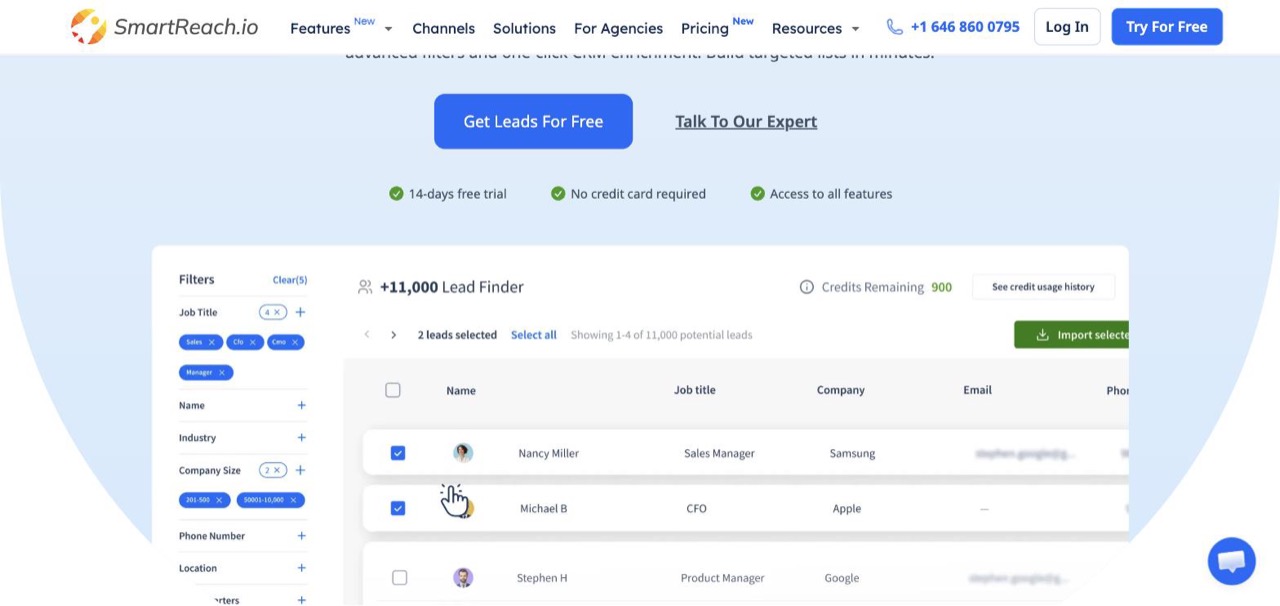
Filter by job title, industry, company size, phone number and location, then push straight into a campaign.
How the search works
You build a list in the web app by stacking filters: job title, industry, company size, location, revenue, team size and tech stack. Results come back as a table with name, job title, company, email and phone, and you select rows and import them straight into a campaign rather than exporting a CSV and re-uploading it somewhere else.
The Chrome extension covers the other half of the job. ProspectDaddy reads a LinkedIn or Sales Navigator profile, returns the verified business email, and builds an email-ready list you can push into a campaign or a CRM. It's free for the first 100 contacts a month, which is enough to test the whole workflow before you pay anything. Download ProspectDaddy from the Chrome Web Store →
Two things I genuinely haven't found elsewhere
- You only pay for verified leads. The platform runs a verification check before sending, so no third-party verifier draws down a second credit pool. Verification is free and unlimited on every plan, including the $29 tier. On Hunter that same verification costs half a credit each time. On Snov.io it costs a full one.
- Enrichment through other people's data. Prospect records enrich through the Clay integration, so you're not limited to one vendor's view of a contact.
The data and the plumbing
300M+ verified contacts from 50M+ verified companies, with the database refreshed continuously rather than shipped as a static dump. Two-way CRM sync covers HubSpot, Salesforce, Pipedrive and Zoho with field mapping in both directions, plus Zapier for everything else. The full list is on the integrations page.
Beyond the finder you get the whole outbound stack: multichannel cadences across email, LinkedIn, calls and WhatsApp in one sequence that pauses on reply across every channel, and a deliverability suite with warmup, inbox rotation, ESP matching and blacklist monitoring, none of it sold as an add-on.
Pros
- Finding, verifying and sending on one bill, so there's no second or third line item.
- Verification is free and unlimited, which is the hidden cost that bites everywhere else.
- Priced by leads and prospects, not seats. Adding reps doesn't move the invoice.
- ProspectDaddy adds a LinkedIn workflow on top of the database, included with your subscription.
- 50 free leads to test, then a 14-day trial with no card.
Cons
- If you only want a lookup tool, you're paying for a sending engine you won't touch. Clearout is cheaper for that job and I'd say so to your face.
- The database is strongest on US and Western European B2B. Coverage thins out in smaller markets, and GetProspect or Wiza will out-cover us on raw volume.
- Lead exports are capped by plan (1,000/mo on Basic, 2,000/mo on multichannel), so heavy list-builders need the add-on credits.
- Breadth means a learning curve. Budget an hour before it clicks.
- No published third-party accuracy benchmark, which is a fair thing to hold against us.
Pricing
| Plan | Monthly | Leads/mo | Users | Includes |
|---|---|---|---|---|
| Email Outreach Basic | $29/mo | 1,000 | 1 | Lead finder, free verification, sequences |
| Email Outreach Plus | $89/mo | 1,000 | Unlimited | + unlimited sending, AI automations |
| Sales Engagement Basic | $39/mo | 2,000 | 1 | + 1 calling seat, 1 LinkedIn seat |
| Sales Engagement Plus | $99/mo | 2,000 | Unlimited | + multichannel, 3 calling and LinkedIn seats |
Cost at scale (5 reps, 2,000 leads a month): $99/mo total on Sales Engagement Plus, because users are unlimited. The same team on Apollo Basic pays $325/mo before anyone sends an email.
Up next: Clearout ↓
2. Clearout: best cost per lookup, by a distance
Quick facts
- G2
- 4.6/5 ★
- From
- $23/mo
- Free trial
- 100 free credits, no expiry
- Best for
- Anyone who wants the most lookups per dollar and doesn't need a database to browse.
Clearout won the price column and it wasn't close. $23/mo buys 3,000 credits, which is $0.008 a lookup, roughly a third of Hunter's rate and a seventieth of UpLead's.
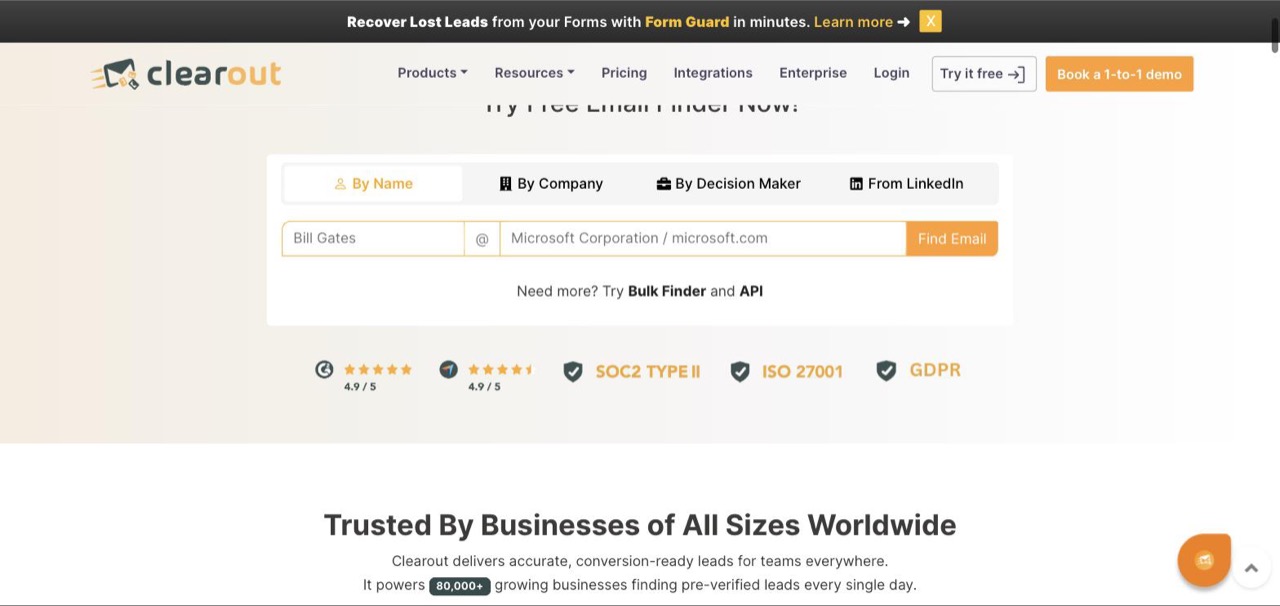
Four search modes, including a decision-maker lookup that finds the person for you.
How the search works
Four modes, and one of them is unusual. By Name is the standard person-plus-domain lookup. By Company returns addresses at a domain. From LinkedIn resolves a profile URL. And By Decision Maker takes a company and a role and works out who that person is before finding the address.
That last one matters more than it sounds. Every other finder on this list assumes you already know the name. Clearout will tell you the name. If you're prospecting into companies where you don't yet know who runs marketing, that mode is the difference between a tool and a research project. Bulk finder and API cover the same four modes at volume.
What most reviews miss: it's six products, one wallet
Clearout is usually written up as an email verifier that added a finder. It's actually six products sharing a single credit pool:
- Email Verifier (single, bulk or API, with a stated 99% accuracy)
- Email Finder (the four modes above)
- Form Guard (real-time email, phone and name checks on your web forms)
- Data Pulse (continuously re-verifies CRM contacts, described as a heartbeat monitor for your data)
- Prospect (list building and enrichment)
- ClearoutPhone (phone validation across 240+ countries)
One pool for all six is the trade. Run a big verification job or leave Form Guard on a high-traffic signup page, and your finder budget goes with it. At $0.008 a credit that's a fair deal, but it's the thing to model before you commit.
Integrations
This is where Clearout quietly out-guns the field. Named integrations include HubSpot, Zoho, Pipedrive, GoHighLevel, Apollo and CleverTap on the CRM side; Mailchimp, Lemlist, ActiveCampaign, MailerLite, SendGrid, Moosend, Klaviyo, Drip and GetResponse for sending; Zapier, Make, Pabbly and Integrately for automation; a Google Sheets add-on plus Gmail and Google Contacts; and roughly twenty form tools including Gravity Forms, WPForms, Jotform, Typeform-style builders and Unbounce.
Pros
- Cheapest credit here by a wide margin, and it isn't close.
- A decision-maker search mode that finds the person, not just the address.
- Credits never expire and roll over while your plan is active.
- 99% stated verifier accuracy, and verification is the company's original discipline.
- The widest integration list of any tool here, especially for web forms.
Cons
- No searchable contact database to browse. You bring the target list.
- One credit pool across six products, so heavy verification eats your finder budget.
- The interface is functional rather than pleasant, and it shows its age.
- Weaker LinkedIn workflow than Wiza or GetProspect.
- No mobile direct dials bundled with an email credit the way Lusha or UpLead do it.
Pricing: Free (100 credits, one time, no expiry) · Starter $23/mo (3,000 credits) · Pro $58/mo (10,000 credits) · Enterprise on request. A one-time pay-as-you-go option exists too.
Cost at scale (10,000 verified lookups): $58 on Pro, the cheapest route to that volume anywhere on this page. The same 10,000 on UpLead would cost roughly $5,800.
3. Hunter.io: best domain search, and the clearest credit maths
Quick facts
- G2
- 4.4/5 ★
- From
- $49/mo
- Free trial
- 50 free credits per month
- Best for
- Domain-first research, where you know the company before you know the person.
Hunter is still the tool most people name first, and its domain search remains the best version of that feature. Type a domain, get the addresses, the naming pattern behind them, and a confidence score on each.
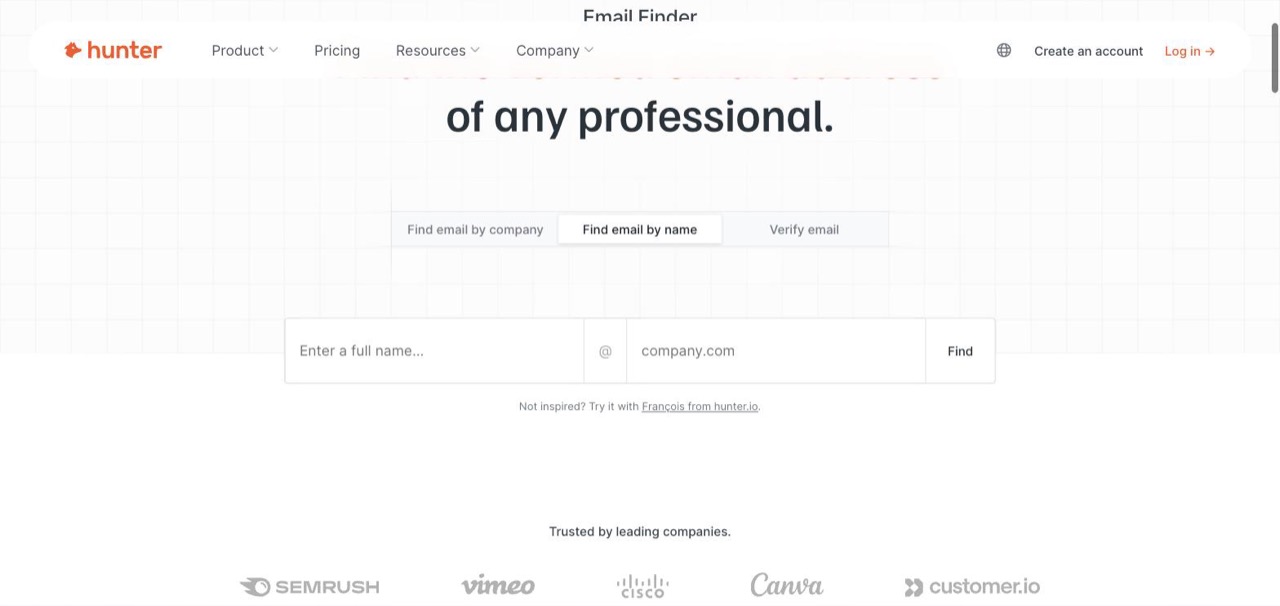
Three modes in one box, and the domain search is the one that built the brand.
What you actually get back
This is where Hunter separates from the cheaper tools. A domain search doesn't just return addresses. Each result carries a confidence score, the person's position, seniority and department, their social profiles, the verification status, and source citations showing where on the public web that address was seen.
Those citations are the part power users care about and nobody else on this list matches. When a prospect asks how you got their address, you can answer precisely.
The verifier returns the same rigour: validity status, SMTP checks, MX record verification, disposable and webmail flags, and the evidence behind the verdict.
The API is the real product
Hunter's API surface is the deepest here, and it's why so many other tools quietly sit on top of it (FullEnrich lists Hunter as one of its waterfall vendors). The endpoints:
- Discover finds target companies from natural language or filters
- Domain Search returns every address at a domain with the breakdown of personal versus generic
- Email Finder takes name plus domain
- Email Verifier validates with full evidence
- Leads and Sequences manage stored contacts and campaigns
- Lead, Company and Combined Enrichment expand an email or LinkedIn handle into a full person plus company profile including tech stack, headcount and financials
- Logo API, free, in exchange for a backlink
The credit rule, stated plainly
Hunter does something I want to praise because almost nobody else does it: the pricing page tooltip states the weighting outright. Find an email costs 1 credit. Verify one costs 0.5.
That transparency also exposes the real number. Verify what you find, and a usable contact costs 1.5 credits. Your $49 plan covers 1,333 of them, not the 2,000 on the card.
One more thing buyers miss: Hunter runs a second, separate product line called the Data Platform, an API-only tier with its own pricing. If someone quotes you a Hunter price, check which product they mean.
Pros
- Best domain search in the category, still, and the confidence scores are trustworthy.
- Source citations on every address, which no rival here provides.
- Publishes its credit weighting on the pricing page instead of burying it.
- The deepest API in this group, including free company enrichment endpoints.
- Unlimited users on all plans, which is rarer than it should be.
Cons
- Verification draws from the same pool, so real capacity is two thirds of the headline.
- The page defaults to annual, and the monthly price is 44% higher.
- Person-level search is weaker than the domain search it's famous for.
- No mobile numbers at all, where Lusha, UpLead and Prospeo all bundle them.
- The API-only Data Platform is a second product with a second bill.
Pricing: Free (50 credits/mo) · Starter $49/mo (2,000 credits/mo) · Growth $149/mo (10,000) · Scale $299/mo (25,000) · Enterprise custom.
Cost at scale (10,000 verified contacts): 15,000 credits, so Growth at $149/mo plus an overage, or Scale at $299/mo. Clearout does the same job for $58.
4. Snov.io: best all-rounder if you want to send from the same tool
Quick facts
- G2
- 4.5/5 ★
- From
- $39/mo
- Free trial
- Free plan available
- Best for
- Small teams who want finding, verifying and drip campaigns without buying two products.
Snov.io is the closest thing here to an all-in-one, and its credit rules are documented properly rather than hidden in support tickets.
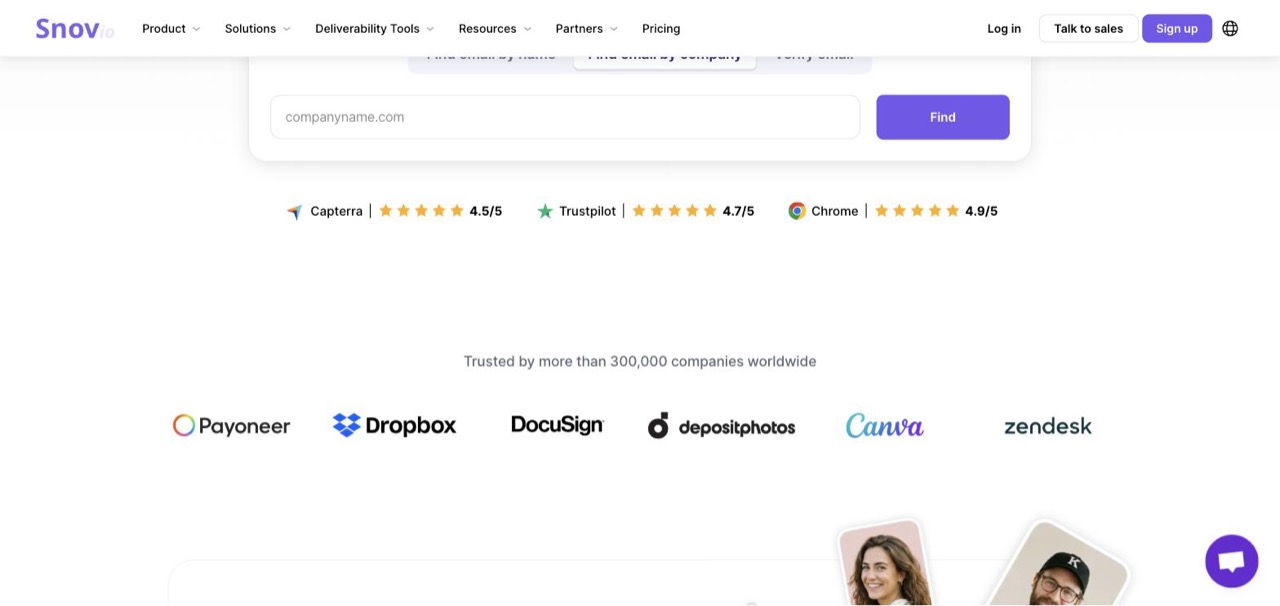
Snov publishes three separate ratings, and the Chrome extension scores highest of the three.
The bulk capability nobody mentions
Snov's domain search will process up to 20,000 domains in a single bulk job. That's the largest single-batch figure I found anywhere on this list, and it changes what the tool is for. If you have a list of 20,000 target companies and no contacts at any of them, this is the fastest route from company list to contact list in the category.
Four search routes: domain search, name plus domain, company name without the domain, and LinkedIn (filters, pasted URLs, or an uploaded file of profiles).
What comes back per prospect
More fields than most: name, LinkedIn profile, job title, country, state and city, then company name, website, LinkedIn page, size, location and HQ phone number, plus industry classification. The database is 500M+ verified email addresses with a stated 98% accuracy, and everything is pre-verified before delivery.
The credit rule, and why it's the most expensive here
Finding a prospect costs 1 credit. Verifying costs 1 credit, whatever the result. Nothing is charged when no address is found or when the address is dead, and unused credits roll over while you're subscribed.
Read that again. A found-and-verified contact costs 2 credits. Your $39 Starter plan covers 500 of those, not 1,000, which puts the true rate at $0.078 and moves Snov from mid-table to near the expensive end.
There's a second thing to watch that few reviews flag. Snov splits into three separate product lines (Sales Suite, LinkedIn Automation, and Phone and Data Enrichment) and they stack into separate bills. The $39 is the Sales Suite alone. If you've outgrown it, our Snov.io alternatives piece covers where people go next.
On integrations Snov claims connections to 5,000+ tools including HubSpot, Pipedrive and Clay, plus a REST Email Finder API against the same 500M database.
Pros
- Bulk domain search up to 20,000 domains in one job, the biggest batch size here.
- Finder, verifier and drip campaigns in one subscription.
- Doesn't charge when a lookup returns nothing, or for a dead address.
- Returns unusually rich company data alongside the contact, including HQ phone.
- Unlimited team seats on every paid tier.
Cons
- Verification costs a full credit, so a usable contact is 2 credits. Effective rate is $0.078.
- Three separate product lines that stack into a bigger bill than the headline.
- The page defaults to annual at $29.25/mo. Monthly is $39.
- Sending features are competent rather than best-in-class.
- The recipient cap (5,000 on Starter) is a second meter alongside credits.
Pricing: Starter $39/mo (1,000 credits, 5,000 recipients) · Pro S $99/mo (5,000 credits, 25,000 recipients) · Custom Ultra from 200,000 credits.
Cost at scale (10,000 verified contacts): 20,000 credits, so a Pro tier well above the $99 entry. Budget four times what the headline suggests.
5. Anymail Finder: best at cracking catch-all domains
Quick facts
- From
- $29/mo
- Free trial
- 100 free credits
- Best for
- Buyers who refuse to pay for a lookup that doesn't produce a usable address.
Anymail Finder's entire pitch is the billing rule, and its homepage says so plainly: every address is verified live, before you see it, and you only pay for safe-to-send emails.
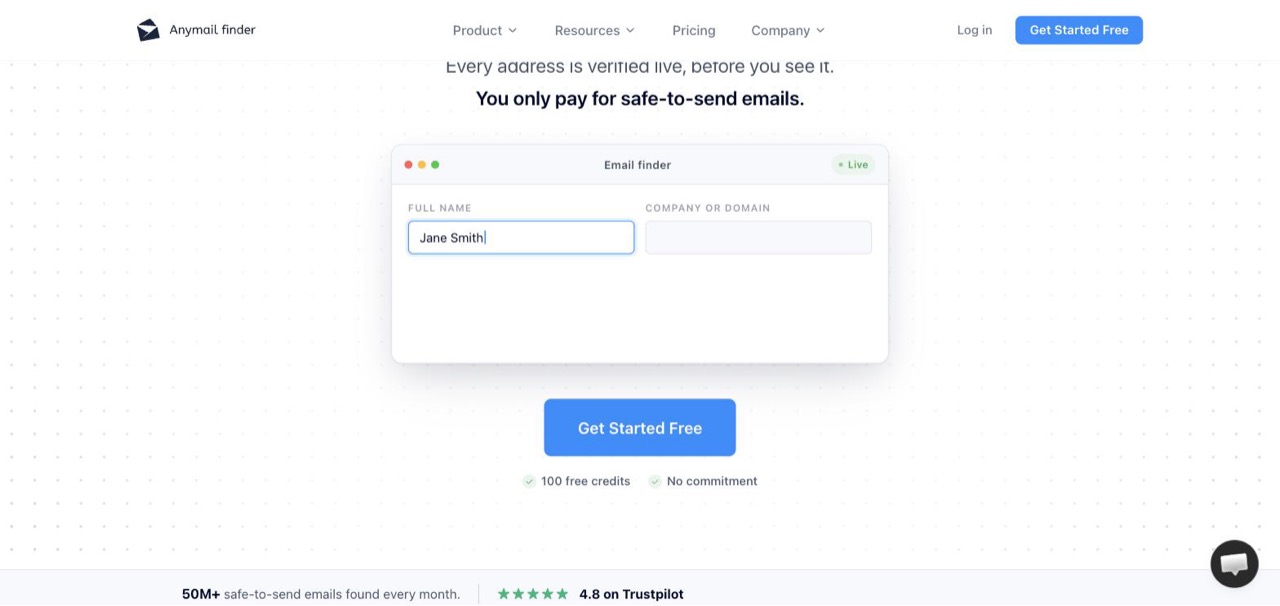
The billing rule is the product here, not a footnote on the pricing page.
The catch-all problem, and why this tool exists
Here's the technical detail that justifies its place on the list. Most email finders give up on catch-all domains, the ones configured to accept mail at any address so a standard SMTP check can't tell a real mailbox from a typo. That's a growing share of the market as companies move behind Google Workspace, Microsoft 365 and security gateways.
Anymail Finder verifies in real time against the recipient's mail server rather than matching against a stored database, and it specifically claims to resolve catch-all domains that others skip, including Google Workspace, Microsoft 365, Mimecast, Proofpoint and Barracuda. If your ICP sits behind enterprise mail security, this is the tool that keeps finding people when the cheap ones return blanks.
Five search modes: name plus company, domain, company name (resolving the domain for you), decision-maker role, and LinkedIn URL.
The benchmark, and how to read it
They publish a 14-tool benchmark on 5,000 B2B contacts claiming 86.4% coverage, 98.9% accuracy and a 0.9% false-positive rate, with a 97%+ accuracy guarantee on anything marked verified. They disclose that the benchmark is theirs and publish the anonymised dataset.
That disclosure is more than most vendors offer, and I'll credit it. It's still a vendor benchmark run by the vendor that wins it. Treat the direction as informative and the ranking as marketing.
For developers
The API detail is unusually good: no rate limits on concurrent searches, 2 to 5 second response times, a stated 99.95% uptime across API and app, synchronous returns for single lookups and webhook delivery for bulk jobs. Credits roll over, duplicate searches are free for 30 days, and they refund credits if a verified email later bounces.
Pros
- Resolves catch-all domains behind Google Workspace, Microsoft 365, Mimecast and Proofpoint.
- Charges only when it returns a verified, safe-to-send address, and refunds later bounces.
- Duplicate searches free for 30 days, which is unusually generous.
- No API rate limits and a published 99.95% uptime figure.
- 100 free credits to start, with no commitment.
Cons
- Highest headline rate of the mainstream finders on the entry tier at $0.073.
- Pricing geo-localises with no obvious currency switch.
- Its accuracy benchmark is self-published, and it wins its own test.
- No searchable database. It's a lookup engine, not a prospecting surface.
- No mobile numbers, no enrichment beyond the address.
Pricing: from $29/mo (400 credits/mo) on their stated US pricing, scaling through 1K, 2K and 5K monthly tiers, with yearly bundles up to 1.2M credits at a much lower unit rate.
Cost at scale: the per-credit rate improves sharply with volume, dropping roughly ten-fold between the smallest monthly tier and the largest yearly bundle. This tool rewards commitment and punishes dabbling.
6. Apollo.io: best database depth, if you can live with per-seat billing
Quick facts
- G2
- 4.7/5 ★
- From
- $65/seat/mo
- Free trial
- Free plan, 75 credits per seat
- Best for
- Teams who want to browse and filter a huge database rather than look up known contacts.
Apollo has the reviews and the database to match: 240M+ contacts across 30M+ companies, and over 600,000 companies using the platform. Prospect search feels closer to Sales Navigator than to a lookup tool, and that's the reason to buy it.
The free plan is genuinely usable, which is how most people end up inside Apollo.
It stopped being an email finder a while ago
Worth being clear about what you're buying. Apollo is a full go-to-market platform now: database, sequencer, dialer, meeting scheduler, deal management, conversation intelligence and AI research agents. The email finder is one feature inside it.
That's a strength if you want to consolidate and a real cost if you don't. You're paying platform prices for a lookup tool, and the deliverability tooling is thinner than what Clearout or SmartReach bundle.
The pricing needs care, and two things stack against you
It's per seat, so a five-person team on Basic is $325/mo, not $65. For a growing team that's the single biggest cost driver on this page.
And the annual view quotes credits per year while rivals quote per month, so "30,000 credits" sits next to Hunter's "2,000 credits" and looks twelve times bigger when it's actually about the same. Switch the toggle to monthly and it resolves to 2,500 credits per seat per month.
One genuine oddity on their own page: switch to monthly billing and the Organization tier still shows a monthly price while labelled Annual Only. Worth a support question before you commit.
Pros
- 240M+ contacts and 30M+ companies, one of the largest verified databases in the category.
- A free plan that's genuinely usable for solo testing at 75 credits per seat monthly.
- Sequencing, dialer, scheduler and CRM enrichment included, so it can replace two or three tools.
- Deep, fast HubSpot and Salesforce integrations with two-way sync.
- The largest review base here by a wide margin, so the ratings are well-tested.
Cons
- Per-seat pricing. The bill scales with headcount, not usage.
- Annual view quotes credits per year, which flatters the comparison against monthly rivals.
- The monthly tab lists Organization as Annual Only at a monthly price. That's a page contradiction.
- Data accuracy outside the US drops off, a consistent theme in its own G2 reviews.
- Deliverability tooling is thinner than dedicated outbound platforms.
Pricing: Free (75 credits/seat/mo) · Basic $65/seat/mo (2,500 credits/seat/mo) · Professional $99/seat/mo (4,000) · Organization $149/seat/mo, minimum 3 seats.
Cost at scale (5 reps): $325/mo on Basic, $495/mo on Professional, $745/mo on Organization. Compare that to $99/mo for five unlimited users on SmartReach.io or a flat $58 on Clearout.
7. Tomba: second-cheapest lookup here, and misses are free
Quick facts
- G2
- 4.7/5 ★
- From
- $89/mo
- Free trial
- Free: 25 to 75 searches per month, no card
- Best for
- Teams running bulk lookups who want to stop paying for the misses.
Tomba is an email finder and verifier that charges one credit per valid email found, nothing for a failed search, and nothing for a repeat search in the same month. Its Growth plan is $89/mo for 5,000 finder credits plus a separate 5,000 verification credits, which works out to about $0.018 a lookup. Only Clearout is cheaper on this page.
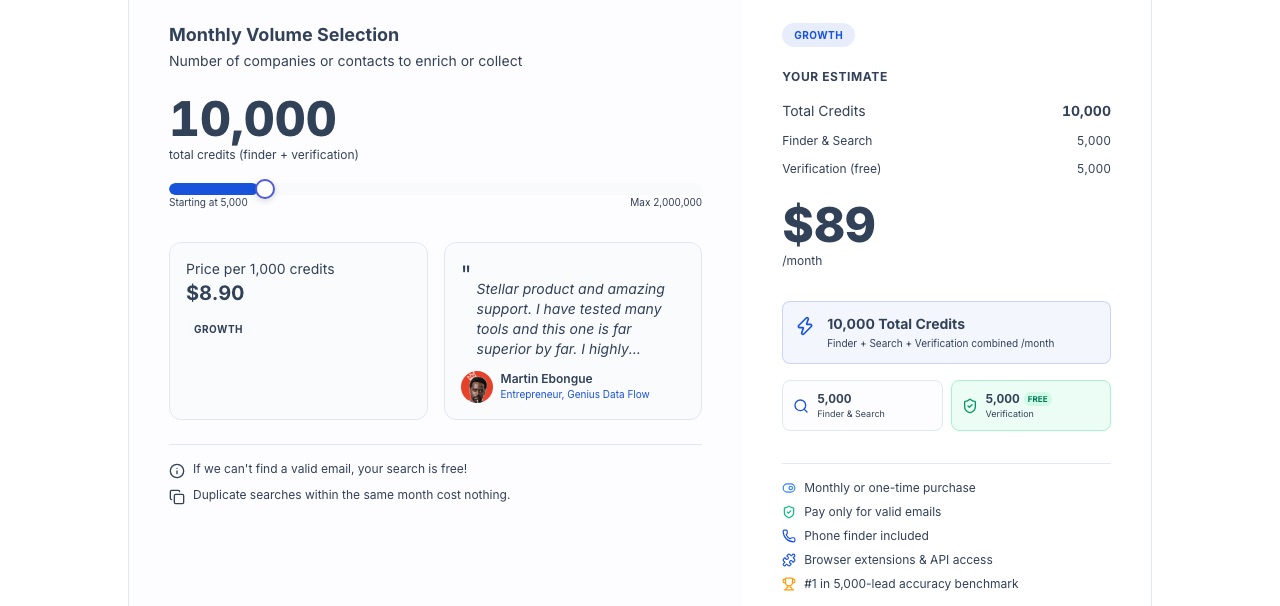
Two credit pools on one plan, and the two lines under the slider are the reason to look at it.
What a Tomba credit buys
This is one of the few pricing pages that answers the question this whole article is about. A valid email found is 1 credit. A verification is 1 credit, drawn from its own pool, so checking what you find doesn't eat into your finding budget the way it does at Hunter and Snov.io. A phone lookup is 5 credits. One credit reveals up to 50 companies.
Two rules in the fine print matter more than the price. If Tomba can't find a valid email, the search is free. And duplicate searches within the same month cost nothing, which quietly fixes the most common way credits leak: two reps looking up the same account.
The data and the reach
Tomba claims 450M+ contacts across 80M+ domains, a claimed 99% accuracy rate, and a bounce guarantee: if bounces exceed 5%, it refunds the credits. That guarantee puts it alongside GetProspect as one of the two vendors here that put credits behind their accuracy claim.
The search modes cover the usual ground: email finder by name and company, domain search with the source URLs each address was seen on, bulk CSV enrichment, a phone finder (global coverage outside the EU), and an AI company search that takes a plain-language description. Browser extensions ship for Chrome, Edge, Firefox, Safari and Opera.
The developer side is unusually deep for a finder at this price: a REST API, a CLI, an MCP server and SDKs in about ten languages, plus Google Sheets, Excel, Airtable, Zapier, Make, n8n, Pipedrive and HubSpot.
The dent
The numbers don't agree with each other. The homepage headline says 450M+ contacts while the page's own meta description says 280M+. Coverage is 81% in the hero and 76.9% in the FAQ. Even the free tier is 75 searches a month in the hero and 25 everywhere else. And the competitor table on the pricing page lists Hunter at $149/mo in one place and $99/mo in another. The self-published benchmark that ranks Tomba first (5,000 leads, one input file) gets the same treatment I gave Anymail Finder's: informative on direction, marketing on the ranking.
The other complaint in its 25 G2 reviews is plan limits. There's no cheap starter tier: after the free searches, the first paid step is $89.
Pros
- About $0.018 a lookup, second-cheapest on this page.
- Failed searches and same-month repeat searches are free.
- Verification has its own 5,000-credit pool, so verifying doesn't halve your finds.
- Credits refunded if bounces go over 5%.
- API, CLI, MCP server and SDKs, unusual depth at this price.
Cons
- No entry tier between the free searches and the $89 plan.
- Its own pages disagree on database size (450M+ vs 280M+) and coverage (81% vs 76.9%).
- Only 25 G2 reviews, so the 4.7 rests on a small base.
- Phone lookups cost 5 credits, and phone coverage excludes the EU.
Pricing: Free (25 to 75 searches/mo depending on which page you read, no card) · Growth $89/mo (5,000 finder credits + 5,000 verification credits, monthly or one-time purchase) · Scale (300,000 credits, self-serve) · Enterprise $2,499/mo on an annual commitment. Pay-as-you-go credits are valid for 12 months.
8. GetProspect: biggest database here, with a guarantee behind it
Quick facts
- G2
- 4.0/5 ★
- From
- $49/mo
- Free trial
- Free: 50 valid emails, 100 verifications
- Best for
- Buyers who want the plan to say what it gives and the vendor to refund credits when it's wrong.
Here's the thing that surprised me most in this whole exercise. GetProspect has the largest database on this list, and the smallest review base.
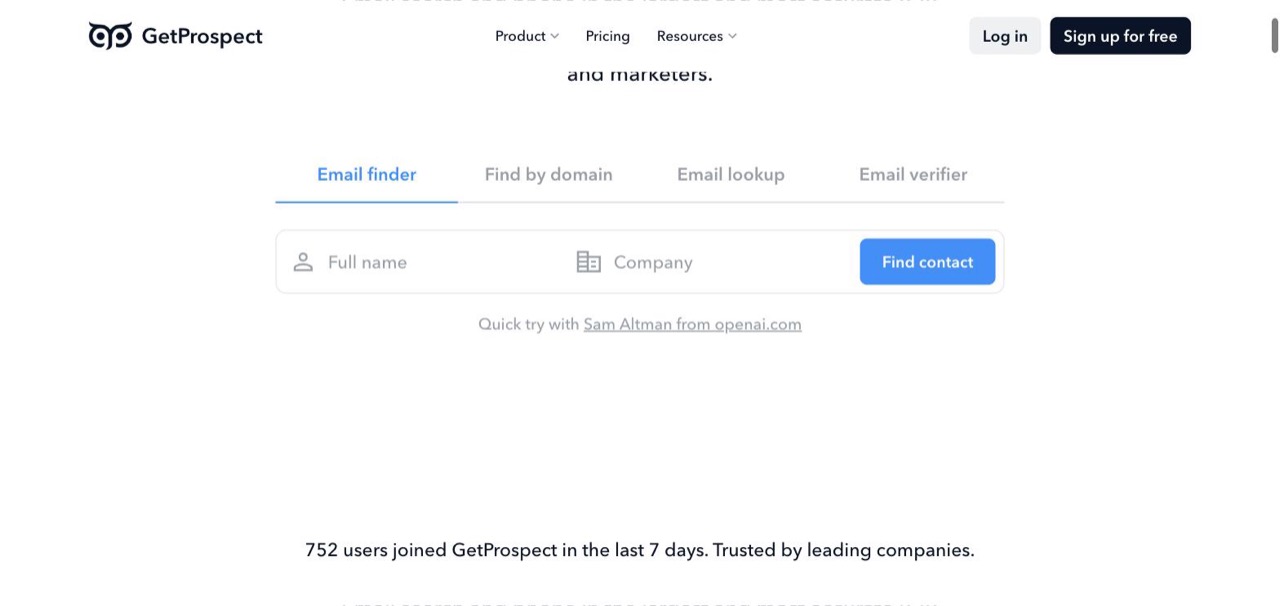
Four tools in one box, and the plan tells you how much of each you get.
The numbers
780M B2B contacts. 90M corporate emails. 47M international companies. 130M mobile phone numbers. That's larger than Apollo's 240M and larger than Snov's 500M, and only Wiza's live-verified 850M claims more.
Against that: 43 G2 reviews. Apollo has nearly ten thousand. The Chrome extension tells a different story again at 4.8/5 across 1,300+ reviews, so the product has real users who simply aren't reviewing it on G2.
I'd weight the database claim carefully for that reason. It's their number, not an audited one, and there's less independent signal here than anywhere else on this page.
The guarantee that no rival matches
GetProspect states 98% data accuracy or your credits back. The bulk verifier carries a separate 97% deliverability guarantee.
A refund-backed accuracy promise is materially different from a marketing percentage, and it's the strongest buyer protection I found in this category. Their own published test claims 84 valid emails found out of 100 contacts.
Metering in plain English
GetProspect skips the credit abstraction entirely. The plan says 1,000 valid emails, 2,000 email verifications and 5 phone numbers. No tooltip required.
Verification is metered separately from finding, at twice the volume, which is the ratio you'd actually want. That's a thoughtful default no rival copies.
Four search modes (Email finder, Find by domain, Email lookup, Email verifier), 17+ search filters, and 40+ data attributes appended on enrichment. The Chrome extension exports up to 2,500 leads at once from a Sales Navigator search, group or saved list, and strips emojis from names and "LLC" from company names on the way out.
Integrations are strong: native HubSpot, Salesforce, Pipedrive and Zoho, direct push to Outreach and Salesloft, a Google Sheets add-on, Zapier, plus a built-in CRM and a cold email sender if you want to stay in one place.
The dent
The phone allowance doesn't move between tiers. Starter gives 5 phone numbers. Growth, at double the price, gives the same 5. For a product sitting on 130M mobile numbers, that's a strange gate. If dials matter, this isn't your tool.
Pros
- 780M contacts and 130M mobiles, the largest claimed database on this page.
- 98% accuracy guarantee with credits refunded if it misses, which nobody else offers.
- Meters in valid emails, not credits. No arithmetic required.
- Verification budget is separate from and double the finding budget.
- Sales Navigator extension exports 2,500 leads in one go, with data cleaning built in.
Cons
- Only 43 G2 reviews, the thinnest independent evidence base here by far.
- Phone number allowance stays at 5 whether you pay $49 or $99.
- Mid-table on cost per email at $0.049.
- The database claim is self-reported and much larger than better-reviewed rivals.
- Brand recognition is low, which matters if you need internal buy-in.
Pricing: Free (50 valid emails, 100 verifications) · Starter $49/mo (1,000 valid emails, 2,000 verifications, 5 phones) · Growth 5k $99/mo (5,000 valid emails, 10,000 verifications, 5 phones). Annual billing drops Starter to $34/mo.
9. Lusha: best when you need the phone number and the timing
Quick facts
- G2
- 4.3/5 ★
- From
- $49.90/mo
- Free trial
- Free: 40 credits per month
- Best for
- Reps who work the phones as much as the inbox and want a reason to call today.
Lusha's credit is a whole contact, phone number included, which is why it sits near the top of the cost table at $0.125. If you're calling as well as emailing, that's one bill instead of two. Lusha also ships Engage, a sequencer included on every paid plan, though there is no warmup or inbox rotation behind it. Saleshandy versus Lusha weighs that against a tool built for sending.
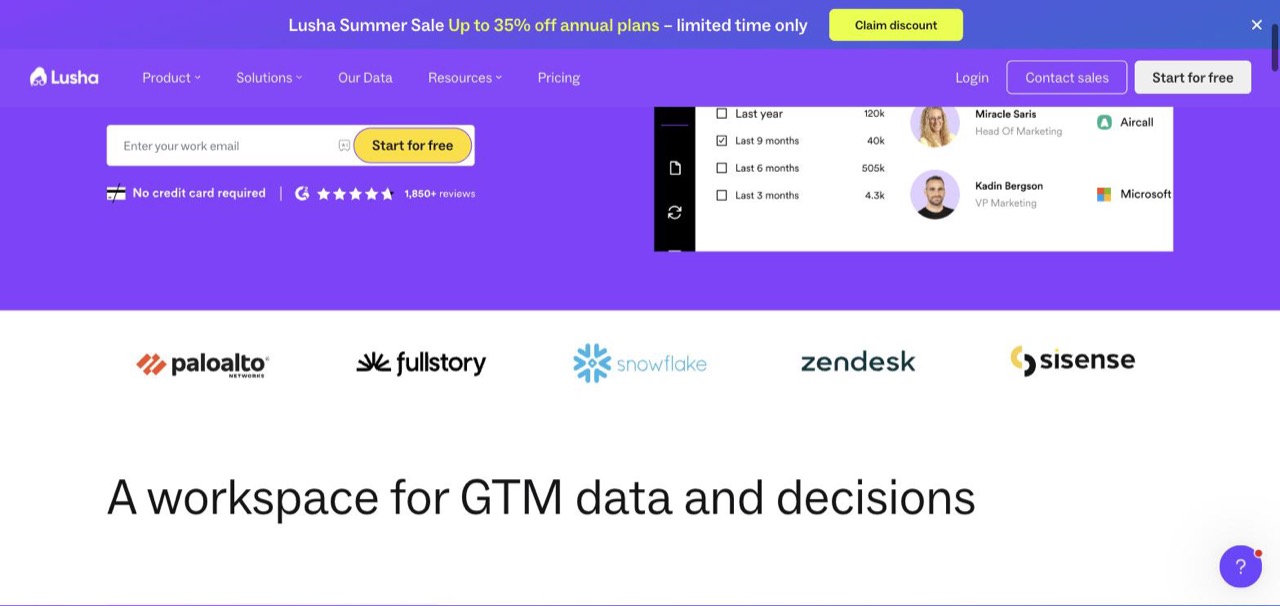
Job-change filters: 40,000 people who moved in the last nine months, ready to be called.
The feature that justifies the price
Right there in the screenshot: job-change tracking as a search filter. Pull everyone who changed roles in the last three, six, nine or twelve months, with counts attached (120,000 in the last year, 40,000 in the last nine months).
A new decision-maker in month one of a job is the warmest cold call there is. They're rebuilding a stack, they have budget, and they haven't got a preferred vendor yet. Lusha lets you filter for exactly that moment, and only Prospeo offers anything comparable.
Data and accuracy
Lusha publishes accuracy by data type rather than one blended number: 98% email accuracy, 85% US phone accuracy and 86% global phone accuracy, refreshed daily against 300M+ verified contacts.
Splitting email from phone is honest, and the gap between them (98% versus 85%) is the thing to plan around. Emails from Lusha are reliable. Roughly one dial in seven will be wrong.
The structural thing to notice
Lusha quotes credits per year. Starter is 4,800 credits a year, which is 400 a month. Next to Hunter's 2,000 a month, the number looks five times bigger than it is. It's also seat-limited: Starter is one seat, Pro is two, Premium is five.
Lusha has also shipped an MCP server, so you can connect Claude, ChatGPT or another assistant directly to the same verified data your team uses. Prospeo and FullEnrich have done the same. That's a genuinely new capability in this category and worth knowing about if you're building AI workflows.
It's the lowest-rated tool in my top ten on G2 at 4.3, with data inaccuracy the most common complaint theme. That's consistent with the 85% phone figure they publish themselves.
Pros
- Job-change filtering, which almost no other tool here offers as a search axis.
- Email and direct dial from a single credit.
- Publishes email and phone accuracy separately instead of blending them.
- An MCP server for connecting AI assistants directly to the data.
- A free tier of 40 credits a month, renewing.
Cons
- Credits quoted per year, which inflates the apparent allowance five-fold.
- $0.125 per contact, second-priciest here.
- 4.3 on G2, the lowest in this top ten, with accuracy the recurring complaint.
- Seat-limited: Starter is one seat, Pro is two.
- 85% US phone accuracy means roughly one dial in seven is wrong.
Pricing (list monthly): Free (40 credits/mo) · Starter $49.90/mo (4,800 credits/yr, 1 seat) · Pro $69.90/mo (7,200 credits/yr, 2 seats) · Premium $399.90/mo (40,800 credits/yr, 5 seats) · Scale custom.
10. UpLead: best data quality per record, at the highest price here
Quick facts
- G2
- 4.7/5 ★
- From
- $99/mo
- Free trial
- 7-day trial, 5 free leads
- Best for
- Small, high-value target lists where a wrong contact costs more than the credit did.
UpLead is the most expensive unit on this list by a distance, and it's also rated 4.7 on G2, the joint-highest score in this top ten. Both facts are related.
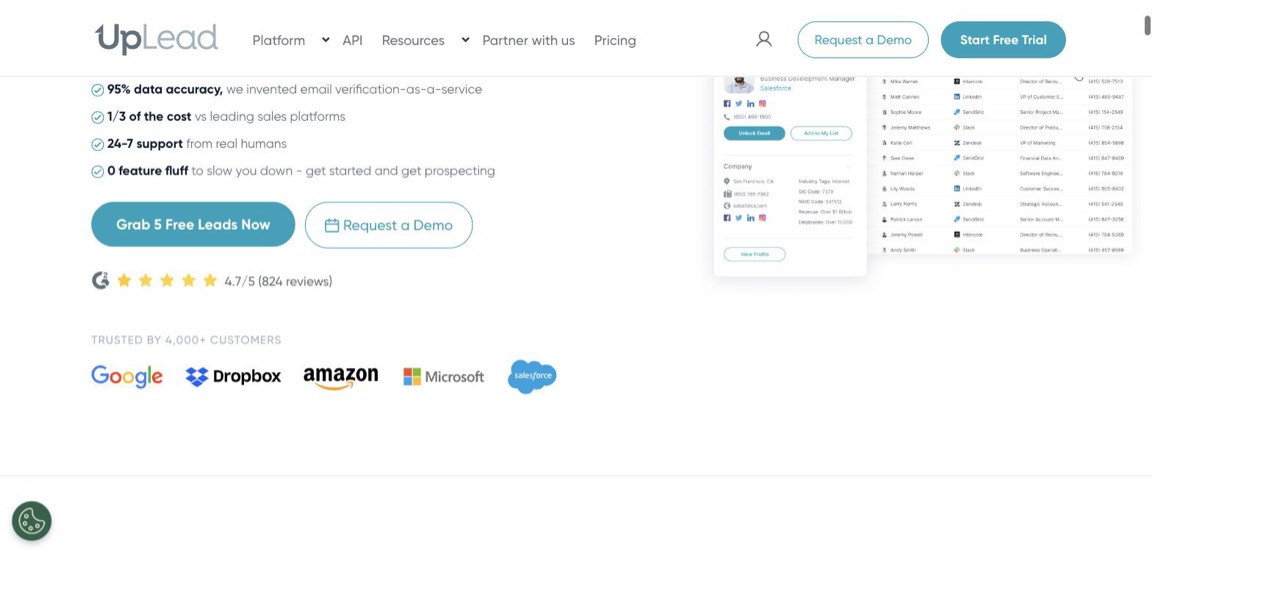
UpLead claims it invented email verification-as-a-service, and prices like it.
What one credit actually buys
Their tooltip defines it precisely: one credit releases a contact for download or CRM export and gives you their email plus their mobile direct dial. One credit equals one contact, verified in real time at the moment of reveal.
So $99/mo for 170 credits is $0.58 a contact. That's absurd if you're building a 10,000-row list. It's completely reasonable if you're going after 150 named accounts and a bounced email costs you a quarter's pipeline.
Pick your list size before you pick this tool. That's the whole decision.
The depth behind the price
200M+ business contacts across 200+ countries, 50+ search filters (job title, industry, location, management level and more), and 50+ data fields appended on enrichment. Technographics show you what a company runs, and intent data flags buying signals.
The verification is the origin story: UpLead claims it invented email verification-as-a-service, and every address is checked in real time before a credit is spent, backed by a 95% accuracy commitment. Integrations cover Salesforce, HubSpot, Zoho and Pipedrive natively, plus 1,500+ apps through Zapier, and there are API endpoints for company, person and prospect lookups.
Support is 24/7 from humans, which is genuinely rare at this company size and is a recurring theme in the reviews.
The tension in their own marketing
The homepage sells UpLead as "1/3 of the cost vs leading sales platforms." Against ZoomInfo-class contracts that's fair and probably understated. Against the email finders on this page it's the priciest per credit by roughly 7x, and 75x against Clearout.
Both things are true. Which one applies depends entirely on what you were going to buy otherwise, and that's a question worth answering honestly before you sign.
Pros
- Highest data quality reputation in this group, and 4.7 on G2 across 828 reviews backs it.
- Real-time verification at the point of reveal, with a 95% accuracy commitment.
- One credit gives email plus mobile direct dial, no separate phone charge.
- 50+ search filters and 50+ enrichment fields, the deepest attribute set here.
- 24/7 support from humans, which is rare at this size.
Cons
- $0.582 per contact. Seventy-five times Clearout's rate.
- Only 170 credits on a $99 plan, which runs out fast.
- The trial is 7 days and 5 leads, barely enough to judge.
- Top tier is annual-billing only with custom pricing.
- Database is 200M+, smaller than GetProspect or Wiza.
Pricing: Free Trial (7 days, 5 credits) · Essentials $99/mo (170 credits/mo) · Plus $199/mo (400 credits/mo) · Professional custom, annual only.
Cost at scale (10,000 contacts): roughly $5,800 at the Essentials rate. This tool is not built for that and doesn't pretend to be.
Plus 4 bonus email finder tools to give a shot
These didn't make the ten, but each does one thing worth knowing about.
11. Prospeo.io: verified mobiles with a 30% pick-up rate
Quick facts
- G2
- 4.6/5 ★
- From
- $37/user/mo billed yearly
- Best for
- Teams who want deep filters and mobile numbers that actually connect.
Prospeo lands at roughly $0.019 a credit, a hair behind Tomba for third-cheapest here, and backs it with 280M verified leads and companies, 143M verified email addresses and 98% data accuracy. 40,000 users across 15,000+ companies.
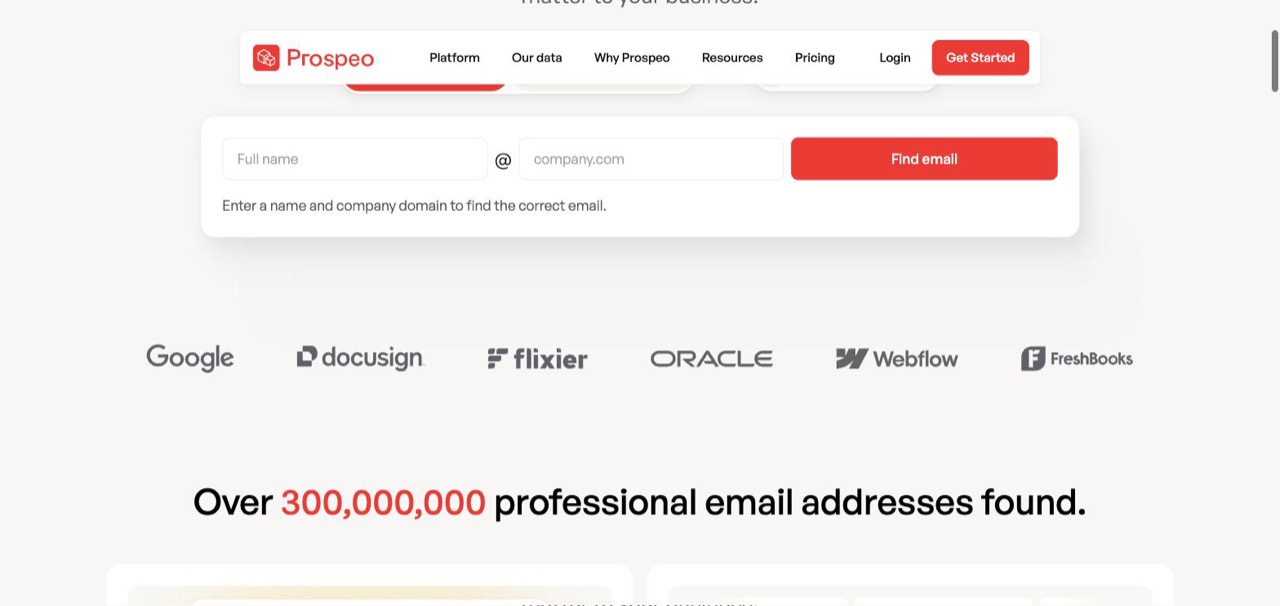
Prospeo counts what it has found rather than what it stores, which is an unusual way to size a database.
The number I'd actually buy on is a 30% pick-up rate on mobiles. Almost nobody publishes connect rates, because most are dismal. Lusha publishes 85% phone accuracy, which is a different and easier claim: the number is correct. Prospeo is claiming the person answers it.
Beyond that you get a job-change filter (like Lusha), intent-style filters covering buying intent, headcount growth in a specific department, and tech usage, plus a Chrome extension that works on any website as well as GitHub and Twitter. Data is GDPR compliant and refreshed weekly, there's an API with MCP documentation, and you only pay for verified emails and mobiles.
The unit problem shows up inside a single page here: the free tier is quoted as "100 credits per month" while every paid tier is quoted as "credits per user/year." Same page, two clocks, no explanation.
Pricing: Free (100 credits/mo) · Starter $37/user/mo billed yearly, list $49 (24,000 credits/user/yr) · Growth $74 (60,000/yr) · Pro $187 (180,000/yr). Per seat, and only the yearly rate is shown up front.
12. FullEnrich: the most honest credit table published
Quick facts
- G2
- 4.8/5 ★
- From
- $55/mo
- Best for
- Anyone whose single-vendor enrichment is leaving half the list unreachable.
FullEnrich is the highest-rated tool on this page at 4.8, and it earns its place on transparency and on a genuinely different architecture.
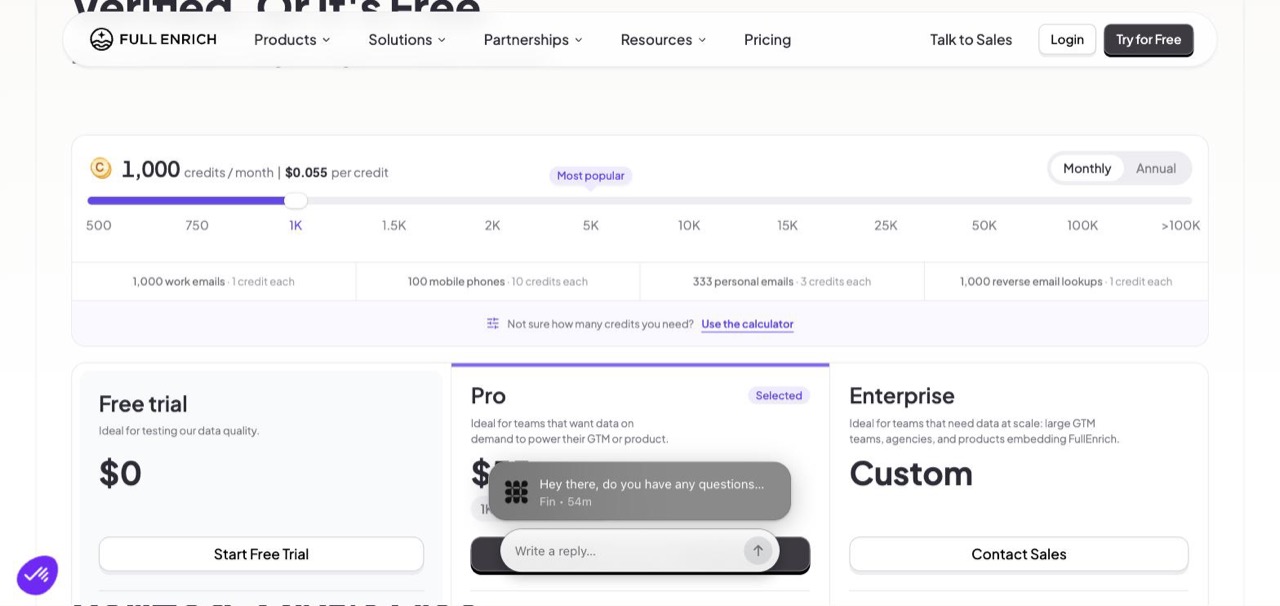
Work email 1 credit. Personal email 3. Mobile phone 10. Nobody else publishes this.
How waterfall enrichment works
Instead of one database, FullEnrich queries 20+ premium vendors in sequence until one returns a hit. The named list includes Clearbit, Hunter, Wiza, ContactOut, Snov.io, Anymail Finder, Crunchbase and Aviato.
Read that list again. Four of the tools I reviewed above are inside this one. If you buy FullEnrich you're buying Hunter, Wiza, Snov and Anymail Finder through a single interface instead of four subscriptions, which reframes the price entirely.
The results back the approach. FullEnrich claims an 80%+ find rate, with 77% email-and-phone discovery in the US and Canada and 71 to 84% across EMEA, LATAM and APAC. Their published case study: a 1,000-contact list that a single vendor enriched to 530 reachable contacts came back from the waterfall with 910 reachable, recovering 380 leads that one vendor had missed.
The quality line I keep thinking about
31.53% of the data we buy fails our verification. None of it reaches you, or your invoice.
That's a vendor admitting that nearly a third of what it purchases is junk, and eating the cost. Underneath it sits triple email verification through independent engines, catch-all resolution, deliverability confidence scoring with bounce probability, mobile-only phone validation (landlines are found but not charged), and carrier verification with owner-name matching.
The credit weighting on the pricing slider is the clearest evidence for the argument I opened with: a mobile number costs ten times a work email at the same vendor, under the same word, and you can only know that because FullEnrich chose to tell you.
Integrations: HubSpot, Salesforce, Zapier, Make, n8n, Clay, an API, and Claude through MCP.
Pricing: Free trial · Pro from $55/mo for 1,000 credits ($0.055 each), scaling to 100K+ · Enterprise custom.
13. Wiza: 850M contacts, verified at request time
Quick facts
- G2
- 4.5/5 ★
- From
- $83/user/mo billed yearly
- Best for
- Heavy LinkedIn users who export in bulk and distrust stale databases.
Wiza's pitch is a direct shot at everyone else on this list: other tools pre-load a database and hope it hasn't gone stale, while Wiza verifies contact data the moment you request it, against live sources, with no cached data.
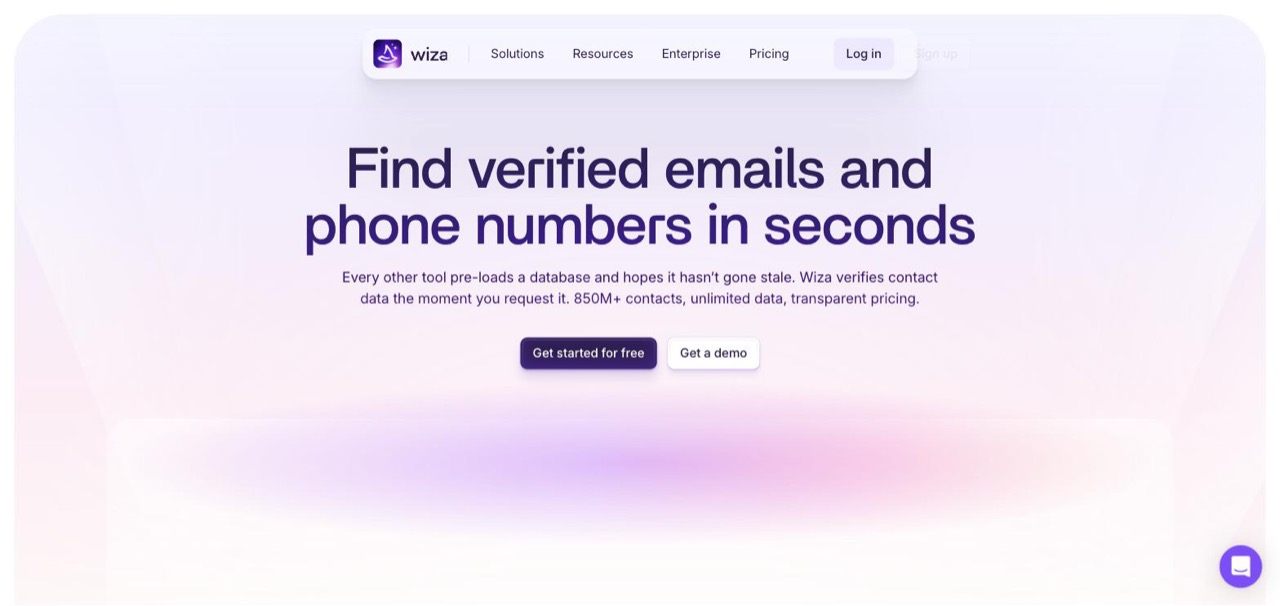
A fair criticism of the category, aimed squarely at the tools it competes with.
The line they use to justify it is a good one: on a pre-loaded database, half your list can be two job changes out of date. Their coverage is 850M+ contacts, the largest raw figure on this page, with a claimed 99%+ deliverability and a pay-only-for-valid-emails rule.
The Sales Navigator workflow is the draw. One-click bulk export from a Sales Nav search to CSV or straight into a CRM, with real-time verified email, phone, employer and job title on each row.
It advertises unlimited email reveals, which is true and also not the constraint. The constraint is 2,500 exports a month, and exports are how data leaves the product. Phone numbers are à la carte at $0.35 each on the Email plan, or bundled if you take Email + Phone at double the price.
Pricing: Free (20 valid emails, 5 phones) · Email $83/user/mo billed at $990/year · Email + Phone $166/user/mo billed at $1,990/year. Per seat, yearly rate only.
14. Voila Norbert: priced by leads, not credits
Quick facts
- From
- $49/mo
- Free trial
- 50 free leads
- Best for
- Small teams who want simple lead-based pricing and unlimited seats.
Norbert sells leads per month rather than credits, which sidesteps the whole problem. Valet is $49 for 1,000 leads a month, every tier includes unlimited team members, and you're never charged for duplicates.
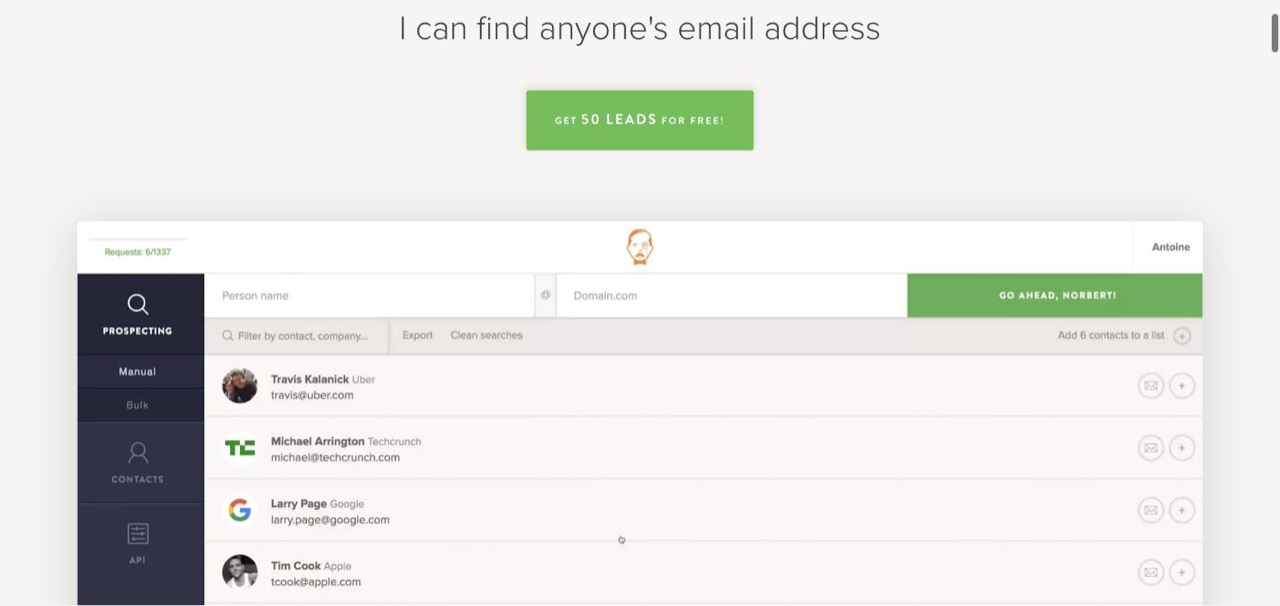
The product screenshots still show Travis Kalanick at Uber, which dates them by about a decade.
Two things to know before the simplicity sells you. First, the finder is priced by lead but verification and enrichment are separate bills: verification runs $0.003 an email dropping to $0.001 in bulk, and enrichment runs $0.04 an email dropping to $0.015, with a $4 minimum. So the $49 doesn't cover the full job the way SmartReach.io or Anymail Finder do.
Second, there's a Prospect Finder that searches by title, company and location, a Chrome extension for websites and LinkedIn, a stated up-to-98% success rate with certainty scores on each result, and an API in Node.js, PHP, Python and Ruby. Integrations cover Zapier, Salesforce, Pipedrive, HubSpot, Close.com, Mailshake, Drip, Reply, Mailchimp, SendGrid, Jotform and Formstack.
Honest note: those are the same four prices, the same four allowances and the same integration list this post carried years ago. Nothing has moved. The marketing screenshots haven't either. Read it as stability or as stagnation depending on your temperament, but the rest of the category has kept shipping.
Pricing: Valet $49/mo (1,000 leads) · Butler $99/mo (5,000) · Advisor $249/mo (15,000) · Counselor $499/mo (50,000), plus separate verification and enrichment charges.
Five traps to check before you pay
1. Find the monthly price, then read the review again
Eight of the fourteen pages I opened defaulted to annual. The gap isn't cosmetic: Hunter's Starter is $34 on the annual view and $49 monthly, a 44% difference. GetProspect is $34 annual and $49 monthly. If a comparison article doesn't say which one it quoted, assume annual and add a third.
2. Work out the verified cost, not the found cost
An unverified address is a bounce waiting to happen, and bounces are what mailbox providers judge you on. Google's sender guidelines ask bulk senders to keep spam complaints under 0.3%, and a dirty list is the fastest way past that line.
So the number that matters is find plus verify. On Hunter that's 1.5 credits. On Snov.io it's 2. On Voila Norbert it's a lead charge plus $0.003. On SmartReach.io, Anymail Finder and Wiza it's already included. Do that division before you compare anything.
3. Check what the credit contains
A Clearout credit is a lookup. An UpLead credit is a person with a mobile number. A FullEnrich mobile number is ten credits and a work email is one. These are not the same purchase, and the price gap between them is mostly rational once you see it.
Decide what you need first (work email only? phone too?) and only then compare rates within that bracket.
4. Count the seats
Apollo, Prospeo and Wiza all bill per user. A five-rep team on Apollo Basic is $325/mo, not $65. Clearout, Hunter, Snov.io, GetProspect and SmartReach.io don't charge by seat, so the same team pays the same as one person.
If you're hiring this year, that difference compounds faster than any credit rate.
5. Ask what happens on a catch-all
A growing share of your ICP sits behind Google Workspace, Microsoft 365, Mimecast or Proofpoint, where a standard SMTP check can't confirm a mailbox. Cheap tools return blanks or, worse, return guesses marked valid.
Ask the vendor directly how they handle catch-all domains and whether they charge for those results. Anymail Finder resolves them and bills only on a verified hit. Most of the rest go quiet on the question.
Pick by your actual situation
Stan is paying three bills
A finder subscription, a verifier, and outreach software on top.
SmartReach.io at $29/mo. One plan covers the 300M+ lead finder, free unlimited verification, ProspectDaddy and the sending. One line item instead of three.
Priya has a list and needs it clean
2,000 rows from a conference, no emails attached. She needs lookups and nothing else.
Clearout at $23/mo. 3,000 credits, no expiry, cheapest rate here. She'll spend under $25 and have budget left.
Jordan works Sales Navigator all day
Builds lists from saved searches, exports to CRM, repeats.
Wiza at $83/user/mo. One-click bulk export from a Sales Navigator search to CSV or straight into the CRM, verified at the moment you ask instead of pulled from a stale database. Read the 2,500 export cap first.
Tanya is going after 120 named accounts
Enterprise ABM. A wrong contact wastes a quarter, not a credit.
UpLead at $99/mo. 170 verified contacts with direct dials. The unit price is irrelevant at this list size.
Amy sells into hospitals and law firms
The mainstream databases keep returning blanks on her ICP.
FullEnrich at $55/mo, to waterfall a single lookup across 20+ vendors until one of them has the record. Or Anymail Finder, which is built for the locked-down mail security those sectors run.
Sarah is dialling, not emailing
Connect rate is her only metric.
Lusha for job-change triggers and 85% US phone accuracy, or Prospeo for a claimed 30% mobile pick-up rate at a third of the credit price.
Not sure whether you need a finder or a full platform? Our guides to B2B prospecting tools and sales engagement platforms cover the wider stack, and the best cold email tools roundup handles the sending side.
So which email finder tool should you buy?
If you're currently paying a finder, a verifier and an outreach tool separately, add those three numbers up before you renew any of them. That's the case for SmartReach.io, and I'd rather make it with arithmetic than adjectives: the finder, the free unlimited verification and the sending sit on one $29 plan, and the verification never draws down your lead allowance.
If you want the cheapest verified lookups and you already have your list, buy Clearout. Nothing else is close on price, the credits never expire, and the free 100 costs you nothing to test.
If you live inside LinkedIn, buy Wiza. The Sales Navigator export is the best here, and every record is verified at the moment you request it rather than served from a pre-loaded database.
If your prospects hide behind enterprise mail security, buy Anymail Finder, because it's the one built specifically for that problem.
If your list is short and expensive, buy UpLead and stop worrying about the unit price.
Whichever way you go, do the division first. The headline number on the plan card is almost never the number you'll actually get.
Email finder tools FAQs
What is the best email finder tool?
SmartReach.io if you want the finder, free unlimited verification and the sending on one $29/mo bill. Clearout is the cheapest pure lookup at $23/mo for 3,000 credits. UpLead has the best data quality at $99/mo for 170 contacts with mobile numbers.
What does one credit mean in an email finder tool?
Something different at every vendor. Hunter charges 1 credit to find and 0.5 to verify. Snov.io charges 1 for each, so 2 per contact. Anymail Finder only charges on a verified hit. FullEnrich charges 1 for a work email and 10 for a mobile number.
Do email finder tools charge for emails they can't find?
Some do, some don't, and they rarely lead with it. Snov.io and Anymail Finder both state they don't bill for a failed lookup. Anymail Finder goes further and resolves catch-all domains, billing only when it confirms a mailbox.
Which email finder has the biggest database?
GetProspect claims the largest at 780M B2B contacts and 47M companies. Wiza claims 850M contacts but verifies live rather than storing them. Snov.io lists 500M+ emails and Apollo.io 240M contacts. Database size and accuracy are separate questions worth testing individually.
Is there a free email finder tool?
Several. Hunter gives 50 credits a month, Lusha 40, Prospeo 100, Anymail Finder 100, and GetProspect 50 valid emails. SmartReach.io gives 50 free leads plus a 14-day trial with no card. Voila Norbert gives 50 free searches.
How accurate are email finder tools?
Vendors claim 97% to 99%, but every benchmark is vendor-run. The more useful question is whether a tool verifies before billing you. SmartReach.io, Anymail Finder and Wiza all charge only on a verified or valid result.
What's the difference between an email finder and an email verifier?
A finder guesses and confirms an address from a name and domain. A verifier checks an address you already have. Most tools do both from one credit pool, so a verification pass quietly halves the contacts your plan actually covers.
How much do email finder tools cost per month?
Entry paid plans run from $23/mo (Clearout, 3,000 credits) to $99/mo (UpLead, 170 credits). SmartReach.io starts at $29/mo with sending included. Watch for per-seat pricing at Apollo ($65/seat), Prospeo and Wiza, where the bill scales with headcount.
Should I buy an email finder or a tool that also sends?
If you're already paying for outreach software, a standalone finder adds a second bill. SmartReach.io bundles a 300M+ contact lead finder with multichannel sending and free unlimited verification from $29/mo, which removes one line item.
Want the rest of the stack? Start with what a cold email actually is, then personalising at scale and the reply-rate benchmarks you should be measuring against.
Stop juggling tools
Book more meetings on every channel
Join 5,000+ teams running multichannel outreach from one sequence, with deliverability built in.