Cold Email Workflow: The 5 Stages From List to Reply

On this page
Your cold email workflow is where deals quietly die, or where a small team out-punches a big one. The difference is rarely the copy.
Take Alex. He runs an eight-person SDR team that sends thousands of emails a month. Yet most of their week goes to everything around the sending: buying domains, scrubbing lists, chasing replies across three inboxes.
If that’s your week too, the problem usually isn’t the reps. It’s the process they’re stuck inside.
A cold email workflow is the full path an email takes from a raw lead to a booked reply. Below, you’ll get all five stages, what each one costs by hand, and which parts pay off once you automate them.
TL;DR for the cold email workflow
What is a cold email workflow?
A cold email workflow is the repeatable process that turns a name on a list into a reply in your inbox. It runs in five stages: build the list, set up sending infrastructure, write the emails, send them so they land, and manage the replies.
People mix up the workflow with the tool. Cold email software runs the workflow, but the workflow is the thing that makes or breaks your numbers. You can buy the best platform on the market and still get 1% reply rates if two of your five stages are broken.
Think of it like a factory line. Each stage feeds the next. A bad list wastes great copy. Perfect copy dies in spam if your sending setup is weak. So the goal isn’t to win one stage. It’s to keep the whole line moving without dropping prospects between steps.
What does a broken cold email workflow cost you?
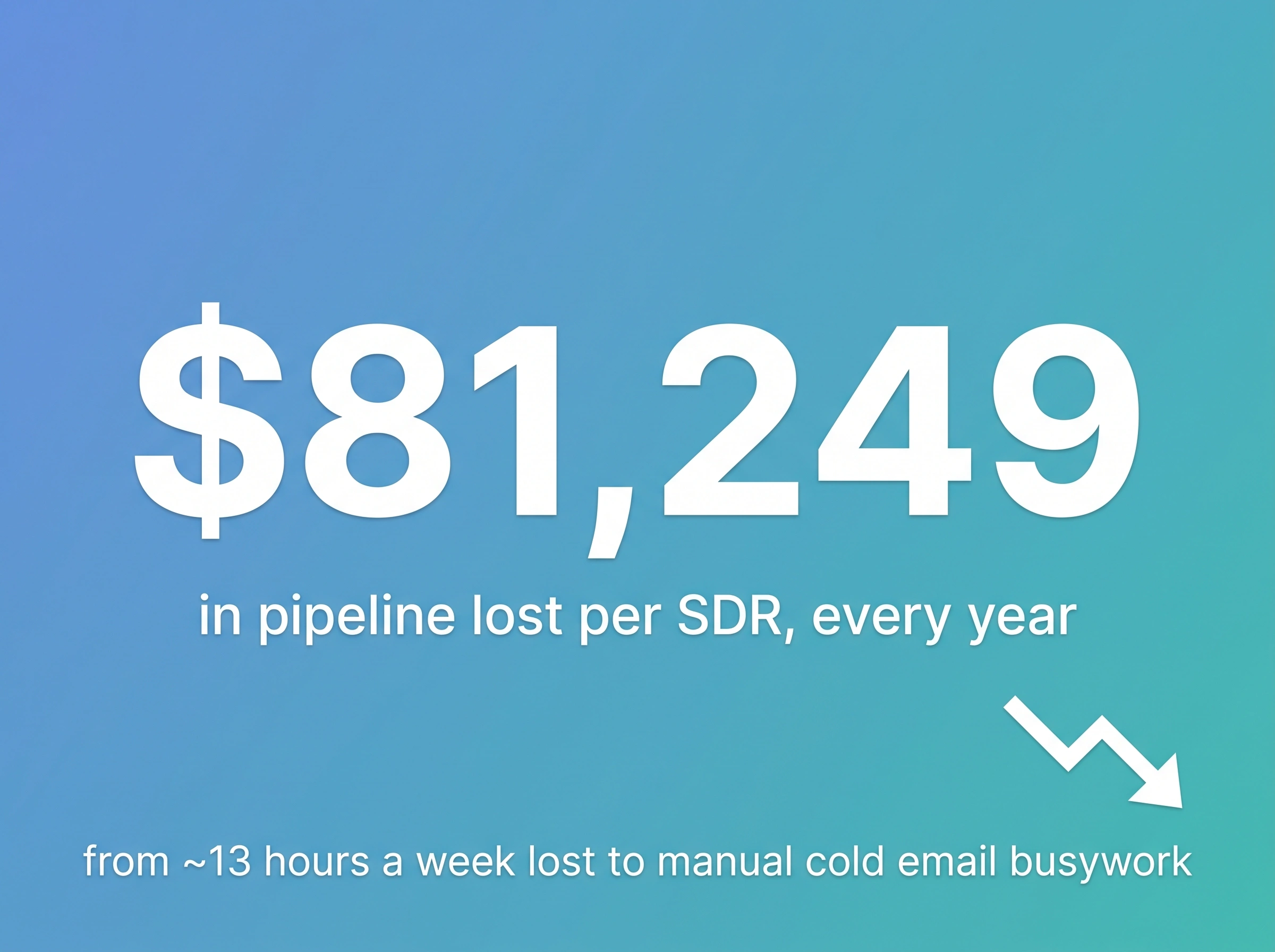
A manual, fragmented workflow can cost a single SDR around $81,249 in lost pipeline a year, mostly from selling time that never reaches a prospect.
Here’s the math. Between pulling lists, formatting them, drafting follow-ups, checking bounces, and hopping between inboxes, that’s roughly 13 hours a week on the workflow instead of selling. According to Salesforce’s State of Sales research, reps already spend less than a third of their week actually selling. The busywork eats a big slice of the rest.
Now put a dollar figure on it. Say a rep carries a $650,000 annual quota and loses 13 of 40 working hours a week to manual tasks. That’s about $81,249 in pipeline per rep, per year left on the table. Multiply by Alex’s eight reps and it’s most of a headcount, gone to admin.
Now, I’ll be honest: the exact figure depends on the quota you carry and how you count the hours, so treat it as directional, not precise. But even if you halve it, it’s real money walking out the door. And it compounds. A rep buried in setup sends fewer emails, later, and sloppier, which drags reply rates down on top of the lost hours.
What are the 5 stages of a cold email workflow?
The five stages are list building, sending infrastructure, email content, deliverability, and reply management. Each feeds the next, so your weakest stage caps the whole thing.
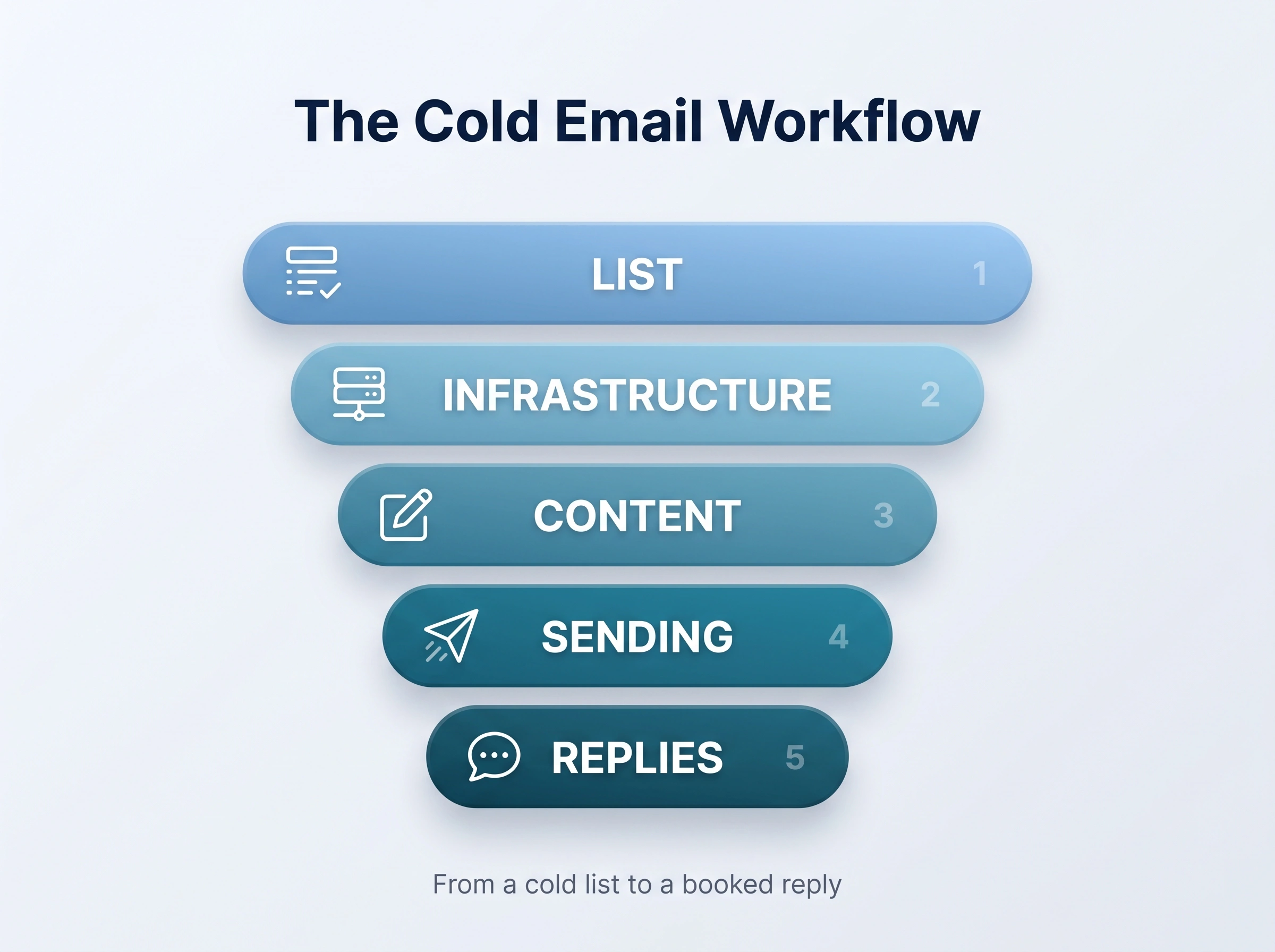
Get one right and the next gets easier. Get one wrong and it doesn’t matter how good the others are.
Stage 1: How do you build a clean lead list?
Start with a verified source, check every address before it sends, and sync to your CRM both ways. A clean list is the foundation the other four stages sit on.
Bad data means bounces. Bounces hurt your sender reputation, which lands your next batch in spam. So a clean list isn’t a nice-to-have.
A strong list-building step covers three things:
- A verified source. Pull contacts from a database with real filters (title, industry, company size, tech stack), not a scraped spreadsheet from years back.
- Verification before sending. Check that each address is live before it ever enters a campaign.
- CRM sync. Push and pull data both ways so reps don’t email someone sales is already talking to.
Better still, segment before you write. A list of “VP Sales at 50 to 200-person SaaS companies that just raised a round” earns a sharper email than a dump of 5,000 names. Tighter targeting is the cheapest reply-rate boost there is.
The sharpest lists lean on timing. A new VP in the seat, a fresh funding round, a job post hinting at a pain you solve, these trigger events give you a real reason to reach out now. Build the trigger into the list and stage three gets easier too.
Tools like SmartReach.io fold prospecting and verification into the same step, with a built-in B2B lead finder covering 300M+ verified contacts across 50M+ companies. But the principle holds no matter what you use: verify first, send second.
Stage 2: How do you set up cold email infrastructure?
Send from a few secondary domains, authenticate each with SPF, DKIM, and DMARC, and warm every mailbox for two to three weeks before real sends. Never send cold email from your main domain.
Why not your main domain? One spam complaint can poison the domain your whole company runs on. So you buy a few secondary domains, point them at your main site, and send from those instead.
Take Stan, a RevOps manager. He once spent two full weeks on this stage alone, buying domains, editing DNS records, and babysitting warmup, before his team sent a single email. That’s the tax of doing infrastructure by hand.
Each domain needs three DNS records so inbox providers trust it: SPF, DKIM, and DMARC. As of 2026, Gmail and Microsoft reject mail from domains without them. If that reads like a foreign language, our guide on how to set up SPF, DKIM, and DMARC walks through every record.
Then warm each new mailbox. Warmup slowly ramps sending so providers see a steady, human pattern, not a brand-new address blasting 200 strangers. Skip it and even a perfect email lands in spam.
The capacity math is worth knowing. Three secondary domains, three mailboxes each, sending 25 a day, gives you about 225 safe sends daily without ever touching your main domain. Need more volume? Add domains and mailboxes, don’t push one inbox harder.
Stage 3: How do you personalize emails at scale?
Build personalization into the workflow: merge tags for the basics, custom columns for the specifics, and AI to draft a first pass that a human approves before it sends. That’s how you stay personal without dropping to 20 emails a day.
Every SDR hits the same paradox. Personalize by hand and you barely send. Blast a generic template and you get ignored. The fix isn’t picking one.
McKinsey found that personalization done well can lift revenue meaningfully, while generic outreach quietly costs you. In practice, that looks like:
- Merge tags for the easy stuff (name, company, role).
- Custom columns for the specific stuff (a recent hire, a funding round, a trigger event).
- AI-assisted drafting to write a first pass per prospect, with a human reviewing before it sends.
- A/B tests on subject lines and openers so you learn what your market replies to.
Here’s what that looks like in practice. Amy, a senior SDR, stopped opening with “I hope this email finds you well” and A/B tested two openers that named a prospect’s recent product launch. Her reply rate roughly doubled, from a tired 3% to the 6 to 7% range, on the same list. Hard to say if a clean doubling holds in every market. The pattern behind it, specific beats generic, absolutely does.
The rule I’d stand behind: automate the drafting, never the judgment. A tool can write the email. Only you know if it should go out.
Stage 4: How do you land in the primary inbox?
Rotate across mailboxes, keep each under 20 to 30 sends a day, match your sending provider to the recipient’s, and auto-pause the moment something looks off. All of it protects one thing: your sender reputation.
You can nail stages one through three and still lose if your emails hit spam or the Promotions tab. Landing in the primary inbox is its own craft, with a few moving parts:
- Inbox rotation so sending spreads across several mailboxes instead of hammering one.
- Volume limits of roughly 20 to 30 emails per inbox per day, not hundreds.
- Send-time logic that respects the prospect’s timezone and skips weekends.
- Auto-pause triggers that stop a campaign the moment something looks off.
Once your reputation drops, every stage upstream is wasted effort. If you want the deep version, here’s how to keep your sender reputation high as you scale.
Stage 5: How do you manage replies and follow up?
Route every reply into one shared inbox, sort by intent so a “yes” surfaces first, and follow up automatically until someone answers. Most teams lose more deals here than anywhere else.
The reply came in. They just didn’t act on it fast enough. Speed is brutal in this stage. Harvard Business Review’s research on lead response found that firms contacting a lead within an hour were far likelier to qualify it than those who waited. Yet most replies sit for days in a mailbox nobody’s watching.
A working reply stage handles three jobs:
- A shared inbox so every reply across every mailbox lands in one view.
- Sentiment sorting that flags positive replies first, so a “yes” never gets buried under out-of-office notes.
- Smart follow-ups that keep going for the no-reply crowd and stop the second someone answers.
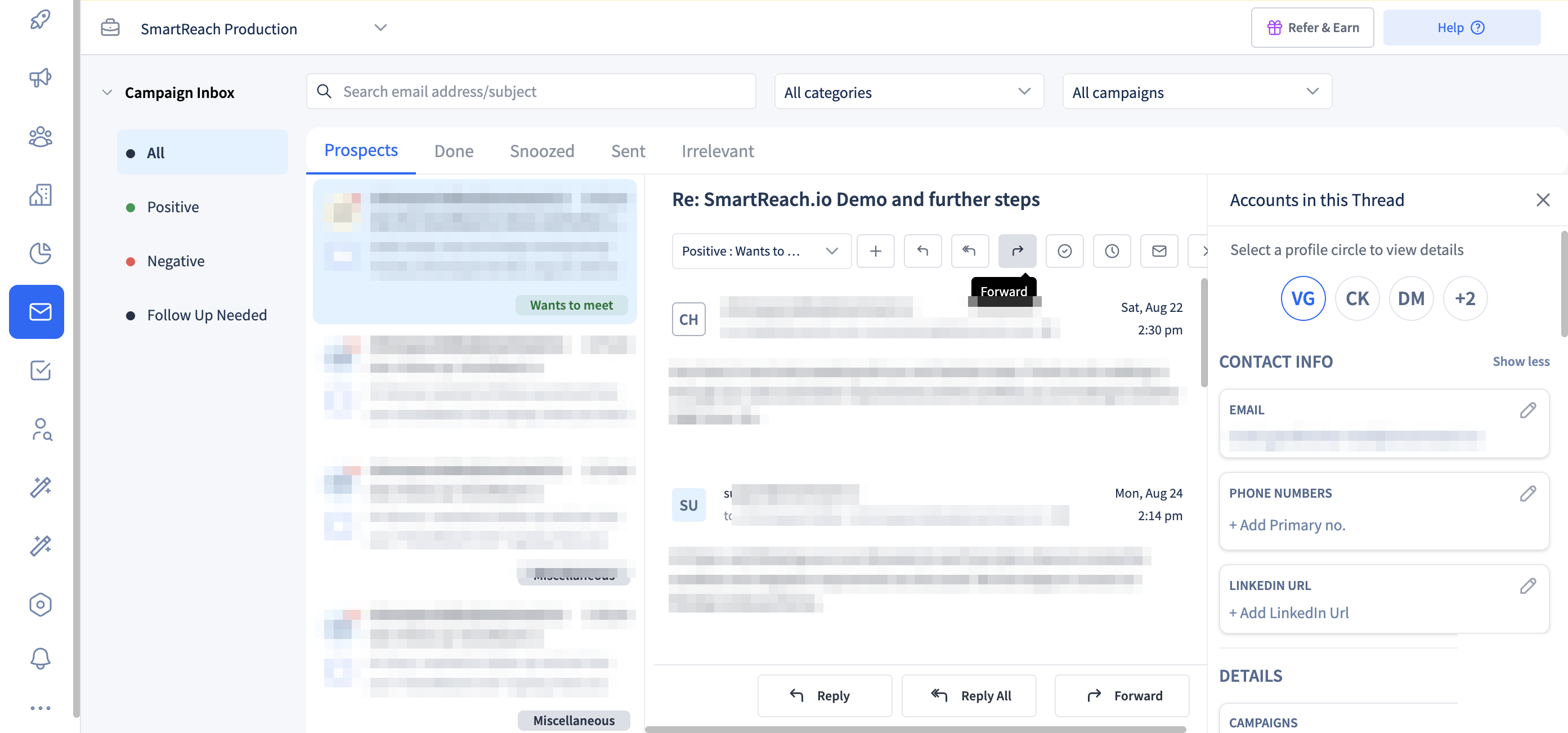 Stage 5 in practice. Every reply lands in one SmartReach.io inbox, pre-sorted by sentiment so the yes never waits.
Follow-up is where the pipeline actually lives. A simple cadence that works: email on day one, a short nudge on day three, a LinkedIn touch on day six, and a final email on day twelve. Four touches, each pausing the moment the prospect replies. Plenty of “no” replies are really “not yet.”
How do you automate a cold email workflow?
Automate the repetitive parts, list verification, warmup, inbox rotation, scheduling, follow-ups, and reply sorting, and keep humans on the decisions that book meetings. That split is the whole game.
But does more software actually fix it? Only if it removes handoffs instead of adding another login. Here’s the clean split:
Automate this
- List verification
- Mailbox warmup
- Inbox rotation
- Send scheduling
- Follow-up sequences
- Reply sorting
Keep human
- Who you target
- The final read on personalized copy
- How you handle a warm “yes”
The other reason to automate is the tool bill hiding inside the manual version. Stitch it together yourself and you’re paying for a lead database, a verification tool, a sending platform, a warmup add-on, an AI writer, and a reply tracker, six logins that don’t talk to each other.
| Cold email stack | Typical monthly cost | Hidden cost |
|---|---|---|
| Lead database | $99+ | Exports don’t sync |
| Email verification | $50+ | Manual re-checks |
| Sending platform | $80+ | Per-seat pricing |
| Warmup add-on | $40+ | Separate dashboard |
| Personalization AI | $60+ | Copy-paste between tools |
| Reply aggregator | $50+ | Another login |
| Six stitched tools | $570+/mo | 8 to 12 hrs/week reconciling |
An end-to-end platform collapses those six tools into one workflow. SmartReach.io, for example, runs all five stages in a single place starting at $29 per month, with no per-seat pricing and unlimited users and sending email accounts on every plan above Basic, so the cost scales with prospects, not headcount. The point isn’t the price, though. It’s that one connected workflow removes the handoffs where time and data leak.
Picture the after. Once Alex’s team moved all five stages into one workflow, the 13 hours of weekly busywork per rep dropped to a fraction of that. Warmup, rotation, and follow-ups ran on their own. Reps spent the reclaimed hours on live replies and calls. Same eight people, far more pipeline.
The feedback loop is the last automated piece. The campaign report in SmartReach.io puts prospects contacted, bounces, opens and replies on one screen with a sent-over-time chart underneath, so the weekly review takes minutes instead of a spreadsheet session.
- Open the campaign and go to Reports
- Read Email activity for contacted, bounced, opened and replied over the week
- Take the one number that moved the wrong way into the next workflow review
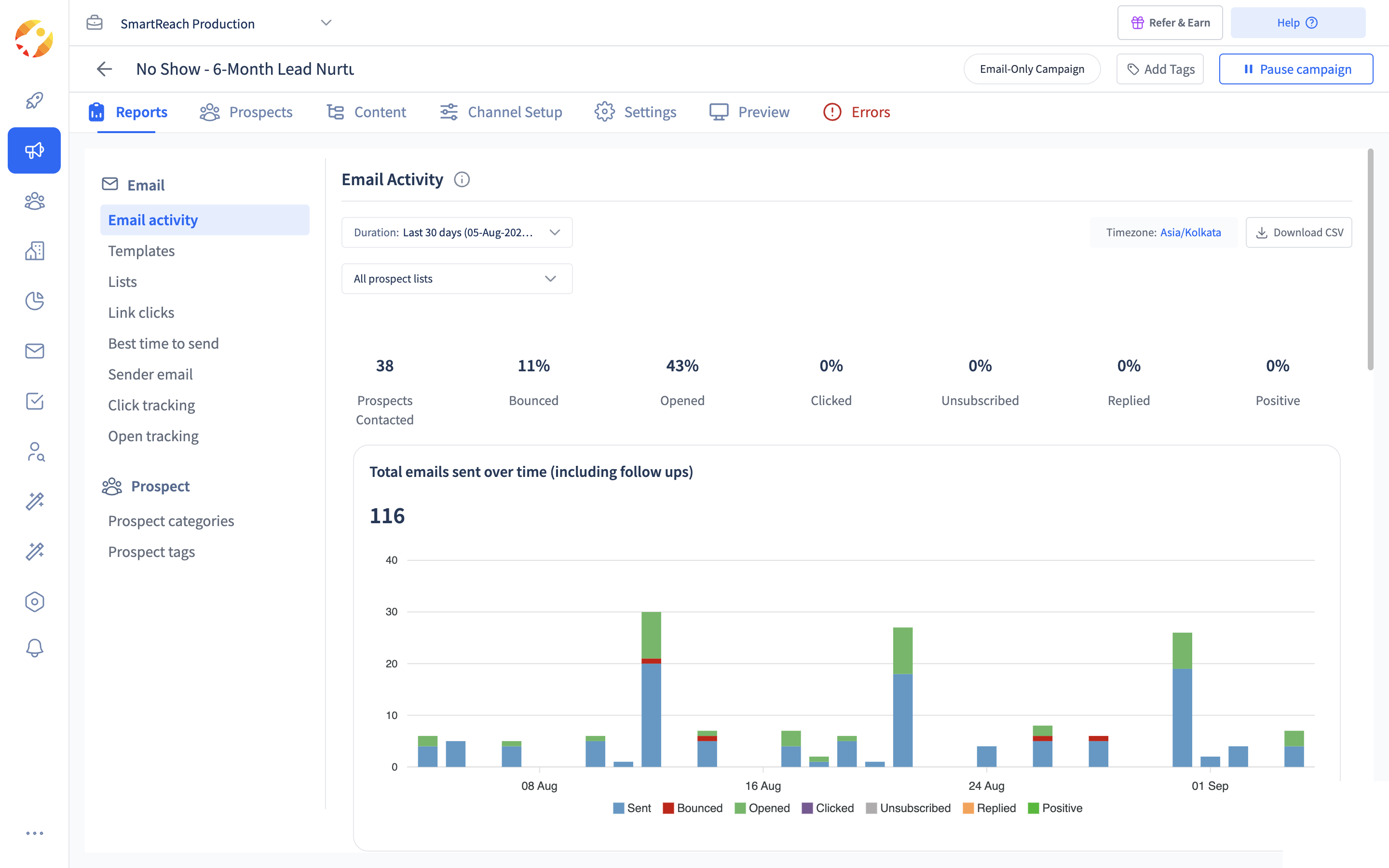 The Email Activity report for one SmartReach.io campaign. The whole workflow's health on one screen.
Watch two numbers weekly. Bounce rate creeping past 2 to 3 percent means a list problem back in stage 1. Opens sliding week over week means a deliverability problem in stage 4.
Cold email workflow checklist
So which stage is leaking your pipeline? Run this quick audit. If you can’t tick every box in a row, you’ve found your leak.
| Stage | Check these before you send |
|---|---|
| List | Every contact verified before it enters a campaign, and your CRM synced both ways so you don’t double-touch prospects. |
| Infrastructure | Sending from secondary domains (never your main one), SPF, DKIM, and DMARC set on each, and every mailbox warmed for 2 to 3 weeks. |
| Content | Personalization beyond the first name with a human reviewing AI drafts, and subject lines A/B tested against your own audience. |
| Sending | Volume capped near 20 to 30 per inbox per day with rotation on, and auto-pause set for bounces, replies, and spam signals. |
| Replies | One shared inbox for the whole team, with follow-ups running automatically and pausing on any reply. |
The workflow beats the tool
Here’s the takeaway worth keeping: the workflow decides your results, not the logo on the software. A great platform running a broken process still loses. A tight process makes an average tool look brilliant.
Start with your weakest stage. Fix that leak first, then move to the next. That beats ripping everything out at once, and it shows a win faster.
Frequently asked questions
What is a cold email workflow?
It’s the repeatable process that moves a prospect from a name on a list to a reply. It runs in five stages: building the list, setting up sending infrastructure, writing the emails, sending them so they land, and managing replies.
What are the stages of a cold email workflow?
Five: list building, sending infrastructure, email content, deliverability, and reply management. Each feeds the next, so a weak stage drags down the ones after it.
How long does it take to set up a cold email workflow?
By hand, infrastructure alone can take weeks because of DNS setup and mailbox warmup. Inside a platform with pre-authenticated domains and auto warmup, you can be sending in about two weeks once warmup finishes.
What parts of a cold email workflow should you automate?
Automate the repetitive work: list verification, warmup, inbox rotation, scheduling, follow-ups, and reply sorting. Keep humans in charge of targeting, final copy review, and handling warm replies.
How many emails can one workflow send per day safely?
Around 20 to 30 per inbox per day is the safe range in 2026. To send more, add mailboxes and rotate between them rather than pushing one inbox harder.
Stop juggling tools
Book more meetings on every channel
Join 5,000+ teams running multichannel outreach from one sequence, with deliverability built in.