ManyReach vs SmartReach: Best Cold Email Platform?

On this page
ManyReach vs SmartReach.io isn’t really one question. It’s two, because two very different people keep asking it. One wants to send a lot of cold email for as little money as possible. The other wants cold outreach to turn into booked meetings, predictably, across a team.
Same tools. Same comparison. Completely different “best” answer. Pick the wrong one and you either overpay for power you’ll never touch, or you outgrow a cheap tool three months in and have to migrate everything. So instead of marching through a feature checklist, let’s follow two real buyers and watch where each one lands.
TL;DR for ManyReach vs SmartReach.io
ManyReach vs SmartReach: meet the two buyers
First, Priya. She’s a solo founder who fires off around 3,000 cold emails a month between sales calls. No team, tight budget, email is her only channel. Her goal is simple: book a handful of demos a week without babysitting software. She wants something she can pay for and mostly forget.
Then there’s Marcus. He runs a 9-person outbound agency, juggling campaigns for a dozen clients at once. His team lives inside their outreach tool all day. He’s measured on reply rates and meetings booked per client, so he cares about deliverability at scale, multichannel reach, and not paying a fortune every time he adds a rep.
Two budgets, two team sizes, two definitions of “winning.” That’s the whole reason this comparison can’t end with a single trophy. Here’s the quick lay of the land before they start deciding. (ManyReach is a credit-based cold email tool. SmartReach.io is a cold email software with multichannel outreach capabilities via channels like email, LinkedIn, calls and WhatsApp. It also works as a sales engagement platform that runs every channel in one sequence, with deliverability tooling built in.)
| Factor | ManyReach | SmartReach |
|---|---|---|
| Pricing model | Pay-as-you-go credits (1 credit = 1 email) | Monthly plans priced by active prospects |
| Sending accounts | Unlimited | Unlimited inbox rotation |
| Users / seats | Unlimited | Unlimited users on Plus and up |
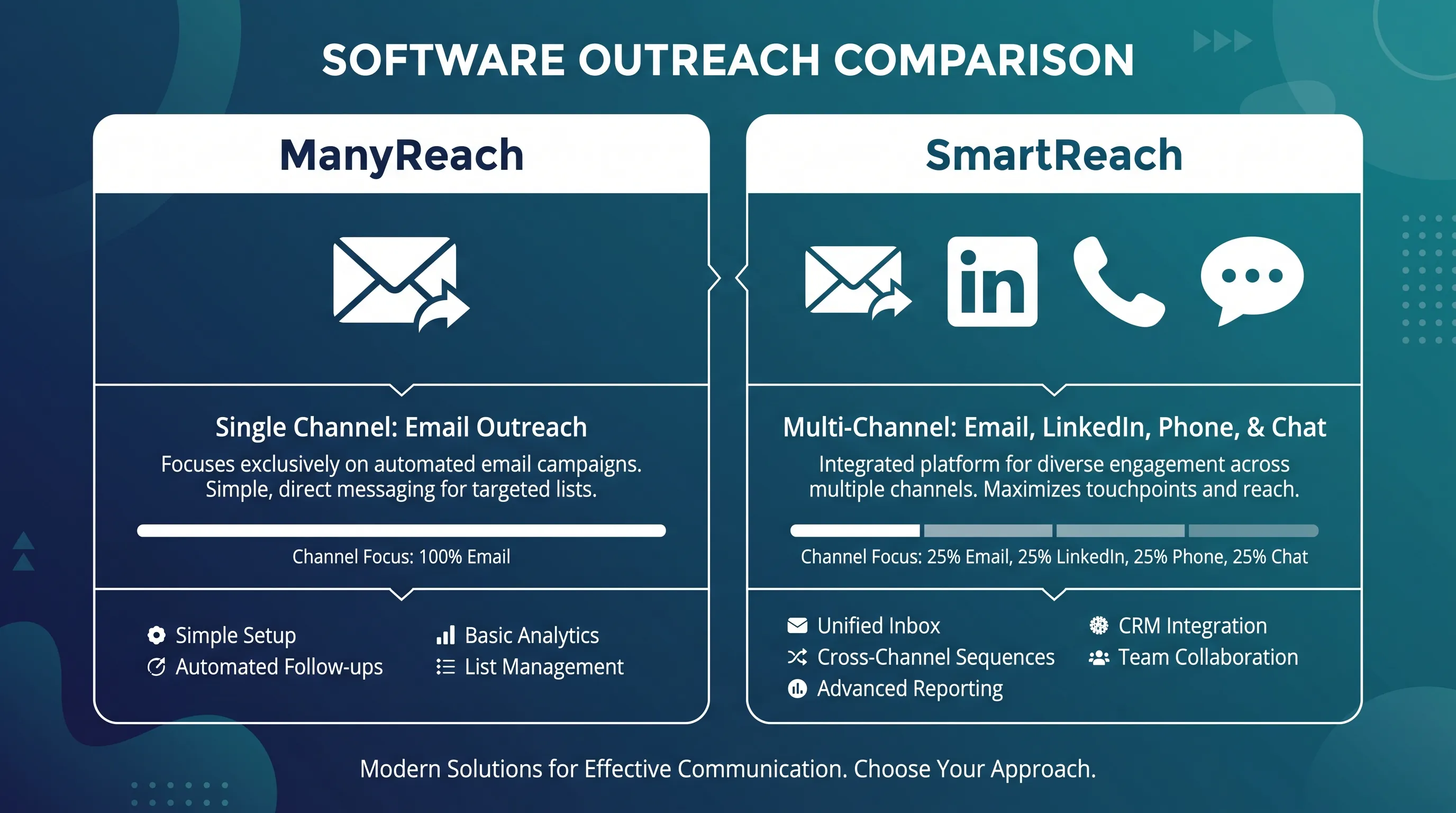
| Channels | Email only | Email, LinkedIn, calling, WhatsApp |
| Personalization | Merge tags, nested spintax, Liquid syntax, A/Z testing | Same basics, plus AI writing agents and enrichment |
| CRM sync | Built-in CRM, API, webhooks | Native HubSpot, Salesforce, Pipedrive, Zoho sync |
| Built-in lead data | No | B2B lead finder + free email verification |
Both are good tools. Keep that in mind as we go, because this isn’t a hit piece. It’s a fit question.
First, what are you actually paying for?
Before Priya or Marcus picks anything, they both hit the same wall: outreach pricing is confusing on purpose. The sticker number rarely tells the real story.
Almost every platform builds its price around four levers:
- Sending accounts: how many mailboxes and domains you can send from
- Users: how many teammates get a seat
- Prospects or contacts: how many people you can store and reach
- Emails per month: how many sends you’re allowed
The trick is that each vendor leans on a different lever. One sells seats but throws in unlimited sends. Another gives unlimited seats but caps your contact list. A third ignores seats and contacts and just bills per email. That’s why the “cheaper” plan can quietly turn expensive once your volume climbs. Read every price through those four levers, not as a single headline.
It helps to know your own numbers first. How many people will log in? How many contacts will you store? How many emails go out in a busy month, and from how many mailboxes? Priya’s answers are small and steady. Marcus’s are large and growing. Same four levers, wildly different totals. With that lens on, they see two very different deals.
Decision 1: How do you want to pay?
Priya reads “pay only for what you send” and immediately relaxes. ManyReach runs on credits: one credit equals one email, and credits never expire. She can start free with 250 credits, then pay around $99 for 10,000, with the per-email cost dropping to roughly $0.0009 once you buy in bulk (300,000 credits and up). Unlimited sending accounts and contacts come standard.
For a founder who sends in bursts, that’s close to ideal. Say she has a slow month and barely sends. She spends nothing new, and her credits are still sitting there next month. One catch she files away, though: warmup emails pull from the same credit pool (one credit covers 10 warmup sends), so her real budget is a little smaller than the number on the invoice. At her volume, that’s a rounding error, not a dealbreaker.
Marcus does different math. With nine people, per-seat pricing scares him, because every hire becomes another monthly line item. On a tool that charges, say, $50 a seat, his team alone would run $450 a month before he’s sent a single email. SmartReach prices by active prospects, not seats. On the Email Outreach plans, Basic is $29 per month for 1,000 prospects and 10,000 emails, while Plus at $89 per month jumps to 50,000 prospects, unlimited emails, and unlimited users. The Sales Engagement plans start at $39 per month and layer calling and LinkedIn on top, and annual billing trims the cost further.
| Entry pricing | ManyReach | SmartReach |
|---|---|---|
| Free option | 250 credits free | 14-day trial, up to 200 prospects |
| Starting paid | Around $99 per 10,000 emails | $29 per month (1,000 prospects, 10,000 emails) |
| Unlimited users | Yes | Yes, from the $89 per month Plus plan |
| Pricing basis | Per email sent (credits) | Per active prospect |
See the split? For one person sending occasionally, credits can absolutely win on price. For a growing team, unlimited-user pricing means adding a rep costs nothing extra, and unlimited emails mean a big campaign month doesn’t trigger a surprise bill. Honestly, we think seat-free pricing is underrated. Outbound teams grow, and per-seat tools quietly tax that growth.
Decision 2: One channel, or all of them?
This is where Priya and Marcus really part ways.
Priya only does email, so ManyReach’s email-only focus is a feature, not a flaw. A tool that does one thing well beats a bloated one she’ll never fully use. ManyReach keeps her in a single, clean workflow, and that suits how she works today. If her business stays solo and email keeps booking demos, she may never need anything more.
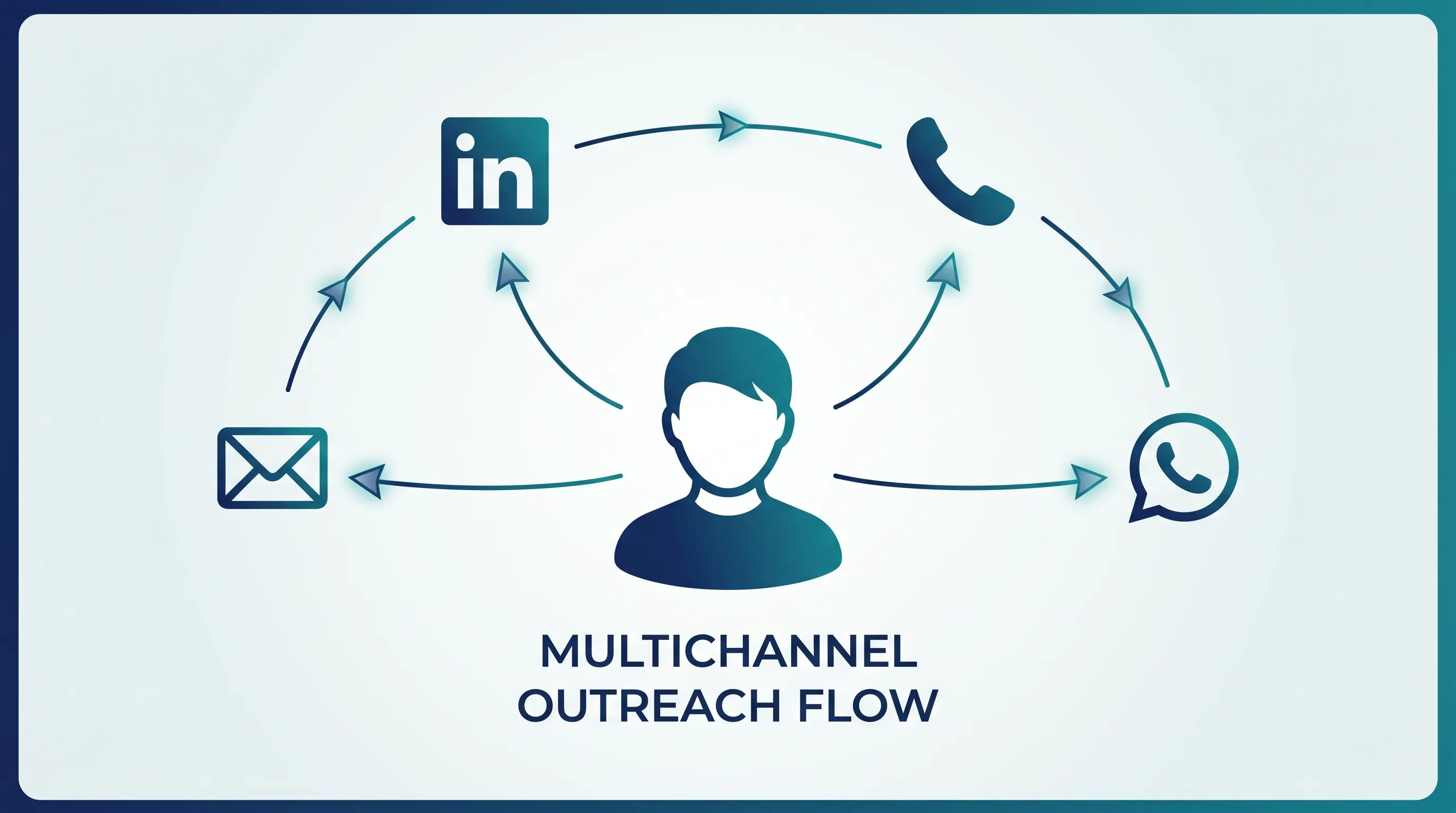
Marcus can’t live in one channel. His clients expect results, and cold inboxes are brutal. SmartReach is built email-first too, which is still its strongest muscle, but it wraps more around the email through its omnichannel platform. His team can run one prospect across several channels in a single sequence:
- Email as the backbone of the cadence
- LinkedIn, with complete automation now available at a reduced $29 per month, for connection requests and messages
- Calling, with a built-in dialer and call recording
- WhatsApp, for prospects who basically live on their phones
A sample multichannel cadence
- Day 1: a personalized email
- Day 3: a LinkedIn connection request
- Day 5: a follow-up email that references the LinkedIn touch
- Day 8: a quick call task for anyone who opened but didn’t reply
- Day 11: a WhatsApp nudge for the ones who went quiet
Five touches, four channels, one sequence.
The real win is what happens on a non-reply. A conditional multichannel drip can move a quiet prospect to LinkedIn or a call automatically, using 12 condition types, such as email opened, LinkedIn profile connected, call not answered and invalid email. A reply on any channel pauses the whole sequence, so nobody on Marcus’s team sends an awkward “did you get my email?” to someone who already said yes. Auto-stop on a booked meeting does the same thing.
Say one of his reps, working 400 accounts, watches email non-openers just sit there dead. Route them into a LinkedIn touch and a call task, and those same contacts start replying, with no extra manual work. That’s the difference a second and third channel make: you stop losing the people who’d never have answered an email alone.
Decision 3: How do you personalize without burning hours?
Both buyers know generic blasts get ignored. The question is how much personalization each tool gives them, and how much time it costs.
Here’s the fair part: ManyReach is genuinely strong on the fundamentals. Priya gets merge tags and variables, nested spintax for unique wording, Liquid syntax for dynamic content, plus A/Z testing and role-based variables to see which angle lands. Spintax alone is a quiet deliverability helper: by rotating words and phrases, no two sends look identical to a spam filter. For a solo sender, that’s a real personalization toolkit, not a token feature.
SmartReach matches all of that. Merge tags, custom columns, spintax: all there. Then it adds an AI layer for the part people actually dread, which is writing the thing:
- Smart Email AI Agent: writes hyper-personalized subject lines and bodies per prospect, pulling from company details, campaign goals, and enriched fields like job title, industry, and tech stack. No manual tag wrangling.
- AI Sequence Generator: builds a full multi-step sequence in seconds from a short brief, including follow-up timing and tone.
- AI SDR (upcoming): the next step, aimed at automating more of the research-to-message workflow end to end.
The difference is subtle but it matters at scale. Merge tags swap in a name; the Smart Email agent reads a prospect’s role and industry and writes a different opening line for a CFO than for a head of growth. Marcus likes that the agent runs in Copilot mode, where his reps approve drafts and it learns their tone from edits, or Autopilot, where it sends after validation. For a newer rep staring at a blank screen, that’s the gap between shipping a campaign today and stalling for a week.
Think about the time cost, too. Priya writing 200 personalized first lines by hand is an afternoon gone. A team of reps doing that across a dozen client campaigns is a full-time job nobody wants. That’s the chore the AI layer takes off the table.
Is AI copy a magic button? No. It still needs a real offer and human judgment behind it, and a lazy prompt produces lazy emails. But as a draft that’s 80% done, it buys back hours. So the honest read: ManyReach covers personalization well for a solo operator, while SmartReach goes further for teams writing at volume.
Decision 4: Will the email even land?
Both of them eventually hit the question that decides everything. You can write the sharpest email alive, but in the spam folder it’s worthless.
The fundamentals are covered on both sides: inbox rotation to spread sends across mailboxes, built-in warmup to build sender reputation, and sending limits to keep volume natural. A quick refresher on why each matters. Warmup slowly ramps a new mailbox by exchanging real-looking messages, so providers learn to trust it before you send cold. Inbox rotation splits your daily volume across many mailboxes, so no single address looks like a spam cannon. Sending limits cap how much each mailbox sends per day, keeping the pattern human.
SmartReach adds ESP Matching, which lines up sender and recipient providers (Gmail to Gmail, Outlook to Outlook) for a claimed 15% deliverability lift, plus continuous blacklist and domain-health monitoring. It also includes free, unlimited email verification, which trims bounces before they ever hit your reputation. That last point matters more than it sounds, because a high bounce rate is one of the fastest ways to tank a domain.
That’s where SmartReach’s domain and mailbox management earns its keep, and it’s the part Marcus cares about most. He can spin up secondary domains and mailboxes inside the platform, pre-configured with MX, SPF, DKIM, and DMARC, across SMTP, Google Workspace, Microsoft 365, and Azure. Rough costs:
| Provider | Domain + mailbox | Approx cost |
|---|---|---|
| SMTP | $5 + $3 | about $8 |
| Google Workspace | $5 + $4 | about $9 |
| Microsoft 365 | $5 + $4 | about $9 |
| Azure (tenant + 50 mailboxes) | $35 per month, dedicated IP | about $0.70 per mailbox |
That Azure number is the eye-opener for an agency. At about $0.70 per mailbox, scaling to hundreds of inboxes with a dedicated IP costs a fraction of buying them one at a time. A dedicated IP matters because your reputation isn’t sitting in a shared pool with strangers who might be spamming. Pair all of it with AI automations that pause and reschedule around out-of-office replies, and the infrastructure mostly runs itself. ManyReach handles warmup and sender rotation well, and most reviewers say their mail lands primary. It just doesn’t go as deep on managed domains and dedicated IPs. Fine for Priya’s volume. A real gap for Marcus’s.

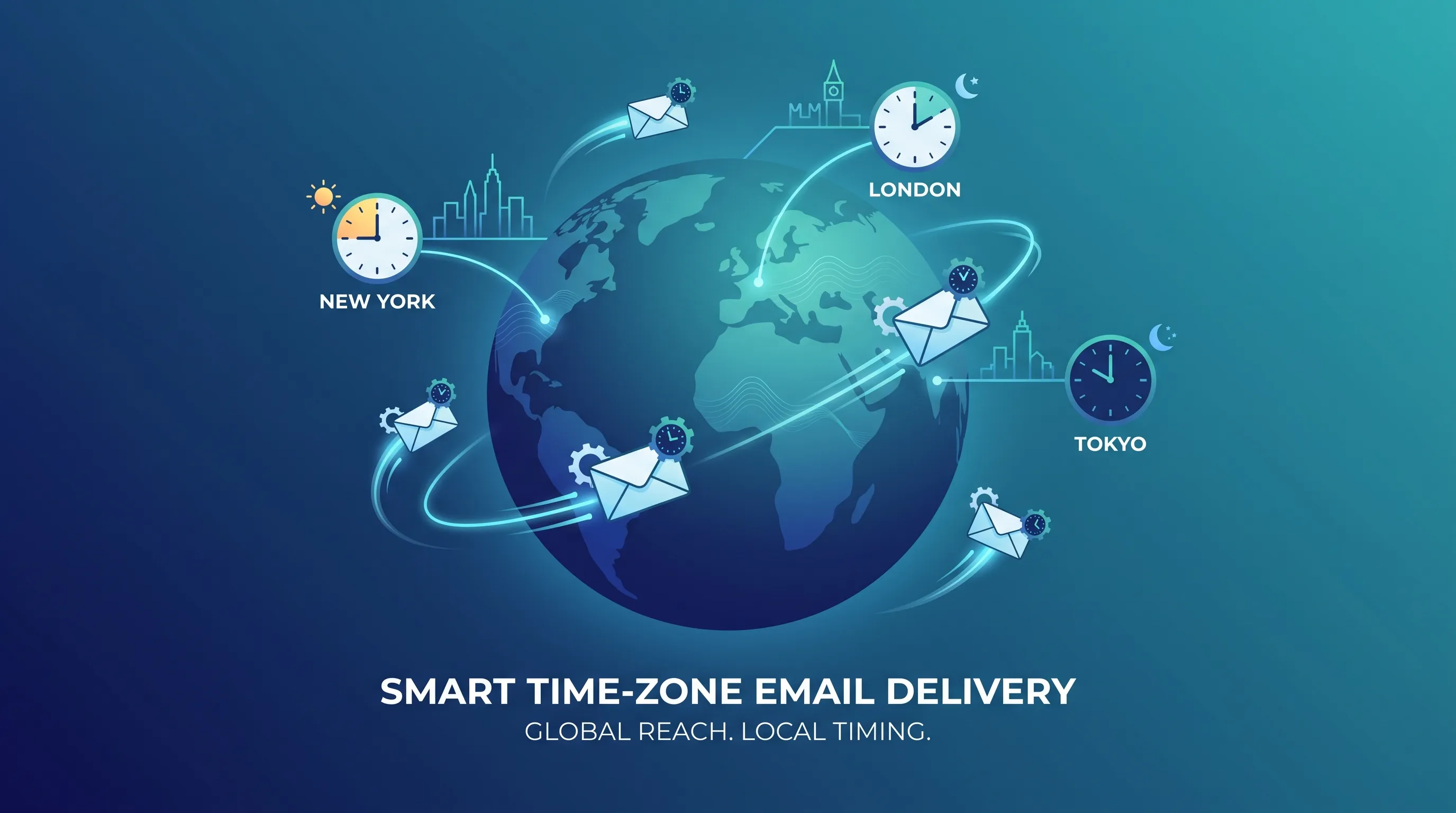
Decision 5: When do the emails actually go out?
People skip past scheduling, and it’s a quiet mistake. When you send matters nearly as much as what you send. A perfect email at 2 a.m. in your prospect’s time zone is a wasted email.
For Priya, mostly emailing one region, basic scheduling does the job, and ManyReach covers core scheduling and follow-up timing. For Marcus, running clients across continents, this is make-or-break. So let’s slow down on what SmartReach gives his team.
Time-zone-based sending. Emails go out by each prospect’s local time, not yours. A list spanning New York, London, and Singapore? Everyone gets reached during their own business hours, instead of three of those zones getting your message at breakfast and the other two at midnight.
Sending windows. You set the exact hours and days a campaign can fire, so outreach looks like a person at a desk, not a server running overnight. Steady, predictable volume also protects sender reputation, since providers notice when a mailbox suddenly dumps 500 emails at 3 a.m.
Holiday calendar handling. Dropping a “quick question” on a national holiday is a fast track to ignored or spam-flagged. The sending calendar can hold messages around holidays so timing stays respectful and relevant, which is doubly useful for an agency sending into different countries with different calendars.
Smart sending behavior. Throttling, randomized gaps between sends, and auto-stop when a meeting books all keep the cadence human and stop anyone from emailing a prospect who already converted. New mailboxes can also ramp volume gradually instead of going from zero to full blast on day one.
For Marcus, that’s the difference between half his sends landing at the wrong hour and his reply rates holding steady across every region. This granular, time-zone-aware control is where SmartReach pulls clearly ahead.
Decision 6: Does it fit the rest of your stack?
No outreach tool lives alone. The question both buyers eventually ask is what happens to a reply once it lands, and where the data goes.
For Priya, light is fine. ManyReach gives her a built-in CRM, a unified master inbox to manage replies, plus an API and webhooks if she ever wants to wire it into something else. As a team of one, she doesn’t need her outreach tool talking to a separate sales CRM, because she is the CRM.
Marcus is the opposite. His agency runs on client CRMs, and a reply that doesn’t sync is a lead that slips. SmartReach offers native two-way sync with HubSpot, Salesforce, Pipedrive, and Zoho, so a positive reply can update a deal stage without anyone copying and pasting. Its shared inbox gives the whole team visibility into prospect replies, so two reps never double-message the same person, and a manager can jump in when a hot lead needs a fast answer. For a busy agency, that team layer is the difference between organized outreach and chaos.
This is the kind of thing nobody thinks about during a demo and everybody feels in month two. If your replies need to flow into a CRM your team already lives in, it’s worth weighing heavily.
What buyers like Priya and Marcus say
Before either of them pays, they do what you’d do: read reviews. ManyReach holds about 4.4 out of 5 on G2 and 4.3 out of 5 on Trustpilot, which looks great.
On r/coldemail, one ManyReach user on a lifetime deal reported sender disconnects, a laggy app, and weaker deliverability than expected despite doing everything right. Across review sites, the themes repeat: people love the price and the ease of use, but flag thinner features versus rivals, slower support, and a UI that needs polish. A few also note ManyReach has no built-in B2B contact database, so you bring your own lists. Capterra and software directories echo the same split.
SmartReach reviewers tend to praise the multichannel cadences, the deliverability stack, and prospect-based pricing, while admitting the deeper feature set has a steeper learning curve than a single-channel tool. That’s a fair trade: more power, a little more setup. A few mention the first week takes some learning, which tracks for any platform doing this much.
The takeaway for both buyers? Don’t pick on a star average. Read for patterns, not scores. One angry review is noise; the same complaint showing up ten times is a signal. Match the tool to your workflow, then sanity-check it against real user threads.

The bottom line: which one is right for you?
By the end, the “best” tool sorts itself out, because Priya and Marcus were never the same buyer.
Priya leans
ManyReach
She’s solo, budget-conscious, email-only, and sending in bursts. Pay-once credits with nothing recurring fit her perfectly, and the simplicity is the whole point. She doesn’t need multichannel, native CRM sync, or AI writing agents yet, so she shouldn’t pay for them.
Marcus leans
SmartReach
He’s running a team that needs replies, not just sends. Multichannel cadences across email, LinkedIn, calling, and WhatsApp, a deep deliverability and domain stack, AI-assisted writing, time-zone-aware scheduling, native CRM sync, and pricing that doesn’t punish him for hiring all stack up for an agency.
Quick gut check for you. Are you sending email only, on a tight budget, mostly solo? Lean ManyReach. Do you run a team, need more than one channel, and want replies landing in your CRM? Lean SmartReach. And if cold email is one piece of a bigger outbound motion, SmartReach gives you room to scale without bolting on three more tools later.
Frequently asked questions
Is ManyReach or SmartReach better for cold email?
Both send strong cold email. ManyReach fits solo senders who want pay-as-you-go credits and email only. SmartReach fits teams wanting email plus LinkedIn, calling, and WhatsApp in one sequence, with deeper deliverability tools and prospect-based pricing.
Does ManyReach support LinkedIn or calling?
No. ManyReach focuses on email outreach only. For multichannel outreach across email, LinkedIn, calling, and WhatsApp in one cadence, you’d need a platform like SmartReach.
Does ManyReach offer email personalization?
Yes. ManyReach supports merge tags and variables, nested spintax, Liquid syntax, A/Z testing, and role-based variables. SmartReach offers the same basics plus AI writing agents and prospect enrichment for personalization at scale.
Does SmartReach sync with my CRM?
Yes. SmartReach offers native two-way sync with HubSpot, Salesforce, Pipedrive, and Zoho, plus API and webhook access. ManyReach includes a built-in CRM, API, and webhooks but no native sync to those major CRMs.
Is pay-as-you-go cheaper than a monthly cold email plan?
It depends on volume and team size. Credits can work out cheaper for an occasional solo sender. For a team sending consistently, prospect-based plans usually cost less than paying per email plus per seat, because SmartReach.io includes unlimited users and unlimited sending inboxes from $89 a month rather than charging for each rep who logs in.
Stop juggling tools
Book more meetings on every channel
Join 5,000+ teams running multichannel outreach from one sequence, with deliverability built in.