11 Best Multichannel Outreach Tools (Email, LinkedIn, Calls, WhatsApp)

On this page
McKinsey's B2B Pulse research found that B2B buyers now regularly use ten or more channels to interact with suppliers, up from five in 2016. Your prospects moved. Most outreach stacks didn't.
Here's my honest problem with most "multichannel outreach tools" lists, half the tools on them are email tools with a LinkedIn checkbox. A task reminder that tells your rep to go send a connection request isn't a channel. It's a to-do list.
So this list applies a stricter test. Which channels does the tool actually execute for you, does a reply on one channel pause the others, and what does the bill look like once real reps and real sending accounts are involved? I run outreach for a living and I've had hands on every tool here, either in our own testing for earlier guides or through live evaluation this year.
SmartReach.io opens the list because it's a cold email software where email, LinkedIn, calls and WhatsApp run as native steps of one sequence, and its Sales Engagement plans exist for exactly this job. The other ten picks each win a different scenario, LinkedIn-first sequences, enterprise cadences, database-led teams, and I've said plainly where each beats us. 👇🏼
TL;DR: the 11 best multichannel outreach tools at a glance
How I evaluated these multichannel outreach tools
Every tool on this list was scored on five criteria, with native channel execution weighted first. Why that one first? Ask any RevOps lead drowning in tool sprawl, the pain isn't finding outreach software, it's finding out three months in that "multichannel" meant task reminders. The five:
- Native channel execution. Does the tool itself send the email, the LinkedIn touch, the WhatsApp message, and place the call? A checkbox that creates a manual task scores as a task manager, not a channel.
- Cross-channel reply handling. When a prospect replies on LinkedIn, do the email and call steps stop? Sequences that keep emailing someone who already answered are how you burn goodwill at scale.
- True cost at scale. Entry pricing hides the real bill. I modelled each tool with 5 reps and multiple sending accounts, because per-seat and per-sender models multiply in ways a pricing page doesn't show.
- Deliverability and account safety. Email steps still need warmup, rotation and validation. LinkedIn steps need a safety model that won't get accounts restricted.
- Where it honestly fits. Every tool gets a best-for and a switch-if, competitors included.
Why does the channel bar keep rising? According to McKinsey's B2B Pulse research, B2B buyers now regularly use ten or more channels to interact with suppliers, up from five in 2016. An outbound cadence that lives on one channel is talking to a fraction of that journey.
Scored by Lancelot Dsouza, CMO at SmartReach.io. Yes, I work at the company ranked first. The rubric was identical for every tool, the cons on our own entry are real, and I've handed wins to rivals wherever they earned them, Skylead for flat all-in pricing, Salesloft for enterprise coaching, Apollo for database depth.
Multichannel outreach tools comparison (at a glance)
Scroll the table sideways to see all columns →
| Tool | G2 | From (model) | Native channels | Cross-channel reply-pause | Built-in dialer | WhatsApp steps | Free trial | Verdict |
|---|---|---|---|---|---|---|---|---|
| 1. SmartReach.io | 4.6 (60) | $39/mo (by prospects) | Email, LinkedIn, calls, WhatsApp | Yes, across all four channels | Yes (200+ countries) | Yes | 14-day, no card | Best overall |
| 2. Reply.io | 4.6 (1,200+) | $89/user/mo | Email, LinkedIn, calls, SMS, WhatsApp | Yes | Yes | Yes (tasks) | Yes | Best AI, per-seat |
| 3. Lemlist | 4.6 | $69/mo | Email, LinkedIn, calls | Partial | Via integration | On top tier | 14-day | Personalisation engine |
| 4. Klenty | 4.6 (370+) | $50/user/mo (annual) | Email, calls, SMS, LinkedIn tasks | Playbook-based | Yes | No | 14-day | CRM + dialer |
| 5. Apollo.io | 4.7 (8,000+) | $49/user/mo | Email, calls, LinkedIn tasks | Email-centric | Yes | No | Free plan | Biggest database |
| 6. Skylead | 4.5 | $100/user/mo (flat) | LinkedIn, email | Yes (LinkedIn + email) | No | No | 7-day | Flat all-inclusive |
| 7. Waalaxy | 4.5 | Free / €19/mo | LinkedIn, email | Yes (LinkedIn + email) | No | No | Free tier | Free entry point |
| 8. La Growth Machine | 4.6 | ~$70/mo per identity | LinkedIn, email, calls (+ X) | Yes (LinkedIn + email) | Task-based | No | 14-day, no card | Conditional workflows |
| 9. Salesloft | 4.5 | Custom (quote) | Email, calls, LinkedIn, SMS | Yes | Yes | No | Demo only | Enterprise, now Clari |
| 10. Outreach.io | 4.3 (3,000+) | Custom (quote) | Email, calls, SMS | Yes | Yes | No | Demo only | Enterprise execution |
| 11. Smartlead | 4.5 (450+) | $39/mo (flat) | Email; calls on $174+ plans | Not documented | Yes, from $174/mo | No | Free trial | Email volume + dialer |
Some tools you might expect here are excluded by definition, because every entry on this list must run at least two channels natively. Instantly is excellent email infrastructure and we rank it highly in the best cold email software guide, but its Outreach sequences are email only. Its calling and SMS live in a separate CRM, so it does not run two channels in one Outreach sequence. Smartlead used to sit alongside it, until its SmartDialer started running calls as native sequence steps on the $174 Smart plan and up. That clears the two-channel bar, so it is here at #11. HeyReach and Expandi go deep on LinkedIn but automate only that one channel, we cover them in the HeyReach alternatives guide. Amplemarket, Salesflow and MeetAlfred are also worth a look if none of the eleven below fit, though their pricing is quote-only or their review records are thinner.
Before the reviews, here is what a four-channel campaign actually looks like when one tool runs it. The walkthrough below is SmartReach.io, our own product, disclosed on screen and in the first minute: email steps, LinkedIn steps inside the same sequence, a built-in dialer, WhatsApp tasks, and the conditional branches that move a prospect between them.
The 11 best multichannel outreach tools: full reviews
1. SmartReach.io: Best for native email, LinkedIn, calls and WhatsApp in one sequence
Quick facts
- G2
- 4.6/5 (60 reviews, Sep 2026) ★
- Capterra
- 4.7/5 ★
- From
- $39/mo (by prospects)
- Free trial
- 14-day, no card
- Best for
- Teams and agencies that want all four channels (email, LinkedIn, calls, WhatsApp) as native sequence steps without per-seat pricing.
Let me answer the "email-only" framing you may have seen on competitor comparison pages, because it's wrong. SmartReach.io runs email, LinkedIn, calls and WhatsApp as native steps of a single sequence on its Sales Engagement plans, with reply-pause working across all four channels. A sequence can open with an email, follow with a LinkedIn touch, place a call through the built-in dialer, then send a WhatsApp message, and the moment the prospect replies anywhere, everything stops. That cross-channel pause is the single feature I'd tell you to test first in any trial, ours included.
The channel breadth sits on top of the deliverability suite the platform is known for, warmup, inbox rotation, ESP matching and free email validation, plus a built-in B2B lead finder with 300M+ verified contacts from 50M+ companies. Pricing scales by active prospects, and every plan above Basic includes unlimited users and unlimited sending email accounts, so hiring rep number six changes nothing on the invoice.
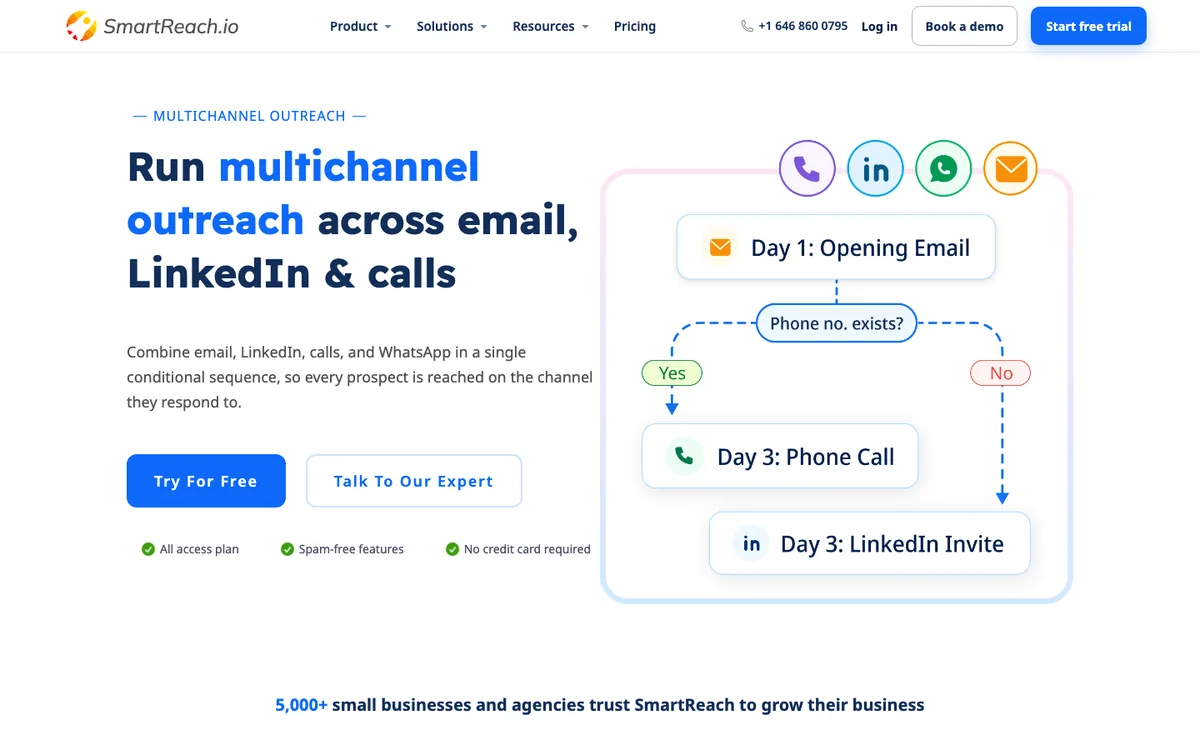 The four channels and the branch in one view. If a phone number exists the prospect gets a Day 3 call, if not a LinkedIn invite.
Here are the core multichannel capabilities of SmartReach.io 👇🏼
- Four native channels: Email, LinkedIn automation, calls and WhatsApp in one cadence on the multichannel outreach platform, with conditional branching between steps.
- Cross-channel reply-pause: A reply on any channel pauses the whole sequence, including replies from anyone else at the prospect's company.
- Built-in dialer: Cold calling with reach across 200+ countries, call notes and recordings logged against the prospect.
- Two LinkedIn modes: A semi-automated Co-pilot by default, plus full LinkedIn automation as a $29 per account add-on on Plus plans and above, so you choose the safety level.
- Deliverability suite: Warmup, inbox rotation, ESP matching, blacklist monitoring and unlimited validation included, with sending capped at 200 emails/day per account to protect domains.
- Agency mode: Sub-accounts, white-label client dashboards, role permissions and leaderboards.
Pros
- The only tool in this list running email, LinkedIn, calls and WhatsApp natively in one sequence.
- No per-seat pricing, plans scale by active prospects with unlimited users above Basic.
- Deliverability tooling that's normally three separate vendors, included.
- 300M+ contact lead finder bundled, no separate sourcing tool.
Cons
- The breadth brings a learning curve, budget 1 to 2 hours before you've found everything.
- Full LinkedIn automation is a paid add-on rather than bundled, a deliberate safety choice but still a line item.
- Reporting UI is functional rather than beautiful.
How much does SmartReach.io cost?
| Plan | Monthly | Prospects | Users | Multichannel |
|---|---|---|---|---|
| Sales Engagement Basic | $39/mo | 1,000 | 1 | 1 calling seat, 1 LinkedIn seat |
| Sales Engagement Plus | $99/mo | 50,000 | Unlimited | 3 calling seats, 3 LinkedIn seats |
| Sales Engagement Pro | $249/mo | 100,000 | Unlimited | 10 calling seats, 10 LinkedIn seats |
Email-only teams can start on the Email Outreach plans from $29/mo and upgrade when they add channels.
Cost at scale (5 reps, multichannel): ~$99/mo total on Sales Engagement Plus. The per-seat tools below run $250 to $500/mo for the same team.
Up next: Reply.io ↓
2. Reply.io: Best for AI-led multichannel cadences
Quick facts
- G2
- 4.6/5 ★
- From
- $89/user/mo (Multichannel)
- Free trial
- Free trial
- Best for
- Teams that want an AI SDR agent running cadences across email, LinkedIn, calls, SMS and WhatsApp, and accept per-seat pricing for it.
Reply.io covers the widest channel list here, email, LinkedIn, calls, plus SMS and WhatsApp tasks, wrapped in its Jason AI SDR agent. In testing, the AI Variables feature produced openers that read per-prospect rather than mail-merged, which is still rare. The catch hasn't changed since our earlier reviews, per-seat pricing climbs fast once you stack channels, and the LinkedIn integration needed a reconnect twice during my test window.
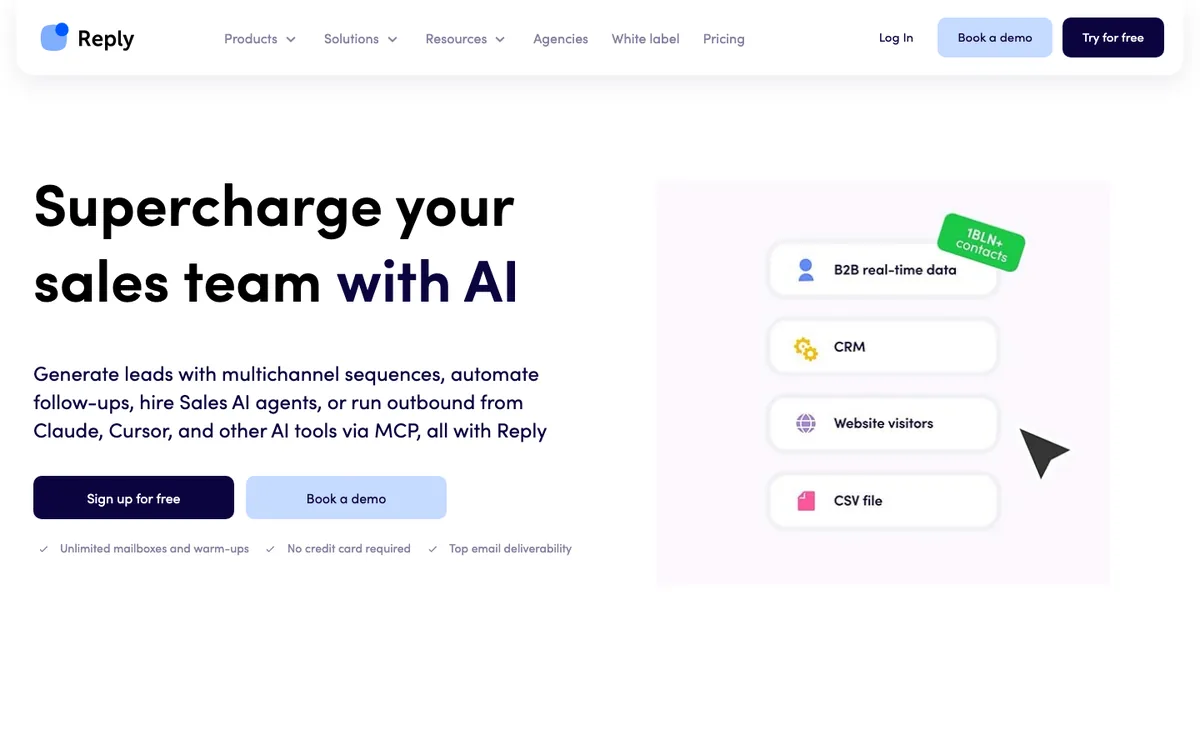 Reply.io leads with AI. Jason AI builds and runs the multichannel cadence from your data sources.
Here are the core capabilities of Reply.io 👇🏼
- Jason AI SDR: Generates and runs multichannel sequences semi-autonomously.
- Five channels: Email, LinkedIn, calls, SMS and WhatsApp in one cadence.
- Built-in B2B database: 140M+ contacts, credit-based.
- AI inbox triage: Auto-classifies replies by intent.
Pros
- Widest channel coverage in this list.
- Genuinely useful AI beyond subject-line generation.
- Strong analytics and A/B testing.
Cons
- Per-seat pricing, 5 reps on Multichannel is ~$445/mo.
- No built-in email warmup, relies on integrations.
- LinkedIn reliability hiccups surfaced in testing.
Up next: Lemlist ↓
3. Lemlist: Best for personalised email + LinkedIn + calls
Quick facts
- G2
- 4.6/5 ★
- From
- $69/mo
- Free trial
- 14-day
- Best for
- Teams whose pitch hinges on per-prospect personalisation, custom images and video inside a LinkedIn + email cadence.
Lemlist orchestrates email, LinkedIn and calls from one sequence builder and remains the leader in per-prospect image and video personalisation. A campaign can open with a profile visit, send a connection request, follow with an email carrying the prospect's logo rendered into a custom image, then queue a call. The multichannel tier also adds WhatsApp and SMS. The builder is fiddlier than it should be for branching logic, and there's no native spam test, but nobody else ships visuals like this out of the box.
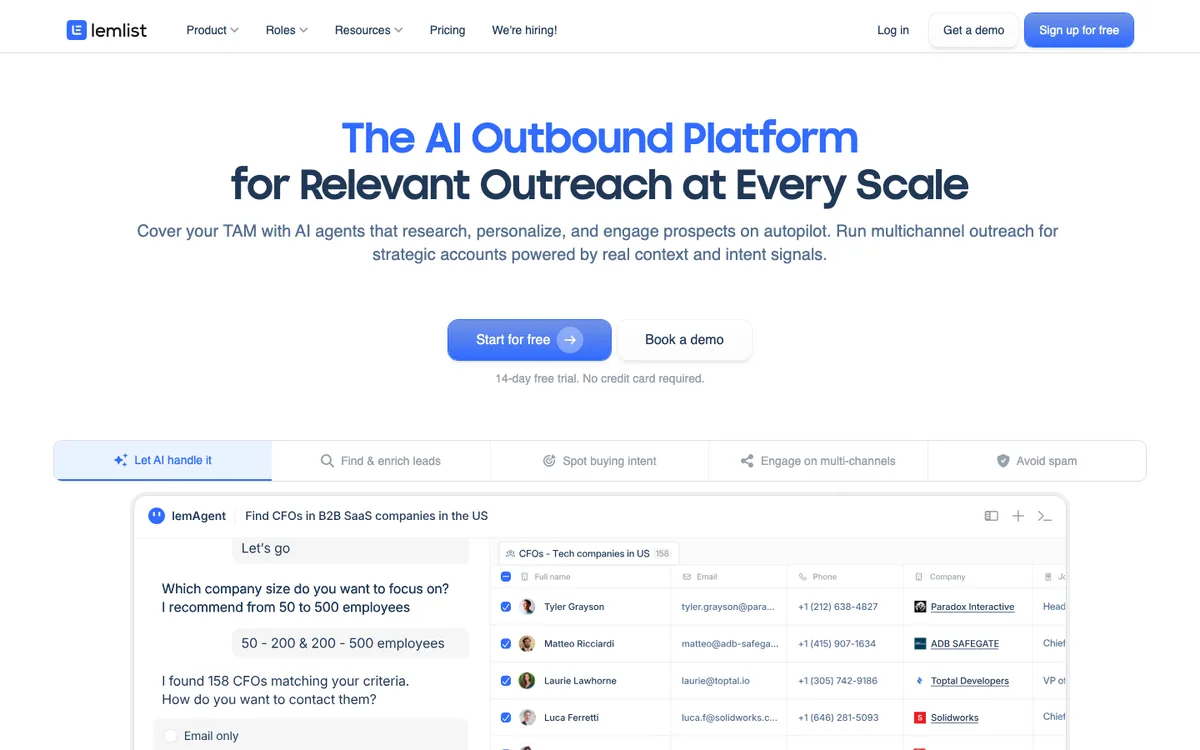 Lemlist's pitch is relevance at scale, AI research feeding multichannel steps.
Here are the core capabilities of Lemlist 👇🏼
- Image and video personalisation: Dynamic visuals rendered per prospect.
- Multichannel sequences: Email, LinkedIn and calls, with WhatsApp and SMS on the top tier.
- Lead database and warmup: 650M+ lead DB plus the Lemwarm warmup layer.
- Lemcal: Bundled meeting scheduler.
Pros
- Visual personalisation no rival matches out of the box.
- Real LinkedIn steps, not just task reminders.
- Active community and template library.
Cons
- Branching logic in the builder takes trial and error.
- No native spam test or built-in validation.
- Costs multiply per user on the multichannel tiers.
Up next: Klenty ↓
4. Klenty: Best for CRM-tied teams that also cold call
Quick facts
- G2
- 4.6/5 ★
- From
- $50/user/mo (annual)
- Free trial
- 14-day
- Best for
- SDR teams living inside HubSpot or Pipedrive that want email, a serious dialer and behavioural playbooks in one cadence.
Klenty pairs email sequences with one of the better native dialers in the category, plus SMS, and its behavioural playbooks move prospects between cadences based on engagement. The CRM sync remains the smoothest I've tested, bi-directional field mapping with HubSpot inside minutes. The multichannel gap is LinkedIn, steps are task-based rather than automated, so reps still execute LinkedIn touches by hand.
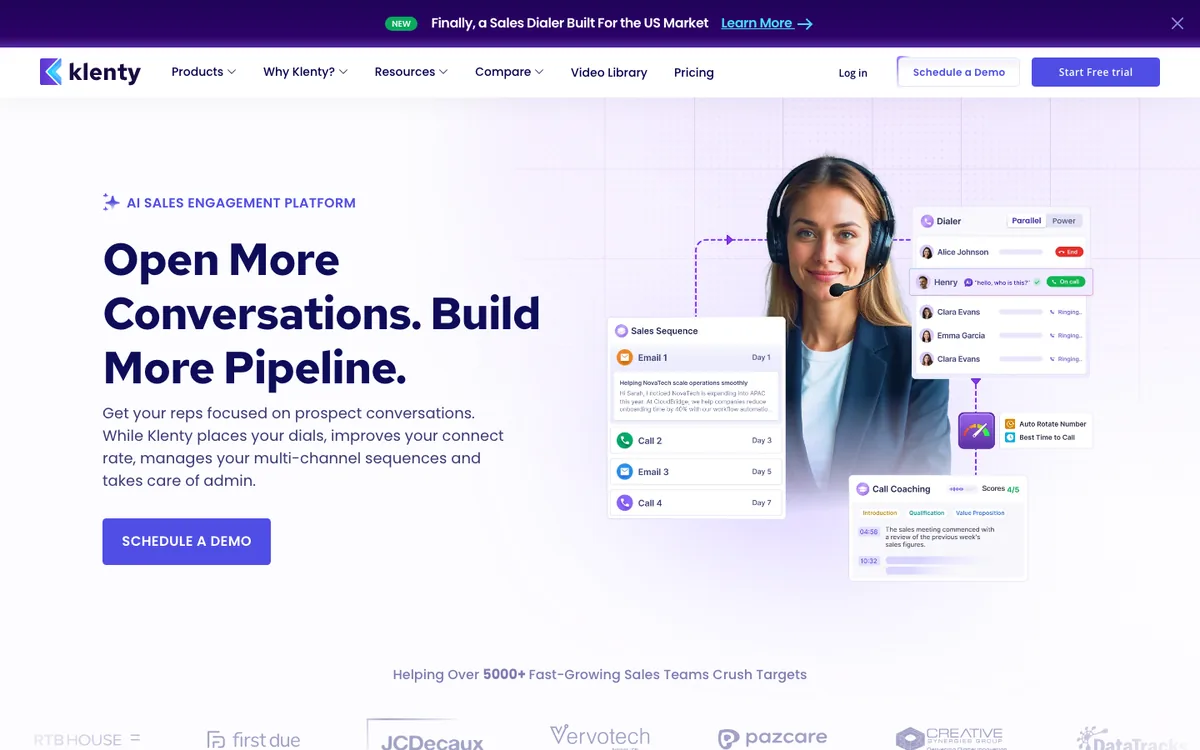 Email steps and dial sessions in one sequence, with call coaching layered on top. That's Klenty's version of multichannel.
Here are the core capabilities of Klenty 👇🏼
- Native dialer: Power dialing with recordings and dispositions in higher tiers.
- Behavioural playbooks: Auto-move prospects between cadences on engagement signals.
- Deep CRM sync: HubSpot, Pipedrive, Salesforce, Zoho.
- Agentic Cadences: AI-drafted steps and research.
Pros
- Best CRM sync experience in the group.
- Dialer quality above its price point.
- Playbooks reward teams with a defined sales motion.
Cons
- LinkedIn is tasks only, no native automation.
- Headline price requires annual billing.
- No WhatsApp channel.
Up next: Apollo.io ↓
5. Apollo.io: Best for database-led multichannel outbound
Quick facts
- G2
- 4.7/5 ★
- From
- $49/user/mo
- Free trial
- Free plan
- Best for
- Teams that want a 210M+ contact database married to sequences, calls and LinkedIn tasks in one bill.
Apollo bundles a 210M+ contact database with email sequences, a dialer and LinkedIn tasks, which is why it appears in nearly every outbound stack conversation. The database is the real product, prospect search feels closer to Sales Navigator than to an email tool. As a multichannel executor it's mid-pack, LinkedIn is task-based, and deliverability tooling is thinner than the dedicated senders, most serious users bolt on separate warmup.
 Apollo sells the database first. Sequences, calls and LinkedIn tasks ride on top of it.
Here are the core capabilities of Apollo.io 👇🏼
- 210M+ contact database: Verified emails and direct dials across 35M+ companies.
- Sequences + dialer: Email steps with native calling and recordings.
- LinkedIn extension: Push profiles into sequences from Chrome.
- Intent and AI: Buying signals and AI writing on higher tiers.
Pros
- Unmatched data depth for the price.
- Free plan is genuinely usable.
- Dialer included rather than an add-on.
Cons
- No native warmup or rotation, deliverability is DIY.
- LinkedIn is a task layer, not automation.
- Per-seat pricing compounds past 5 users.
Up next: Skylead ↓
6. Skylead: Best for LinkedIn + email sequences at one flat price
Quick facts
- G2
- 4.5/5 ★
- From
- $100/user/mo (flat, all features)
- Free trial
- 7-day
- Best for
- Teams that want LinkedIn and email coordinated in one smart sequence, with every feature included at a single flat price.
Skylead runs LinkedIn and email in one smart sequence with if/else branching, on cloud infrastructure with a dedicated IP per account, and puts every feature on a single $100/user plan. No tiers, no add-ons, connection requests, InMails, email steps, image and GIF personalisation, email discovery and verification all included. That honesty is rare in this category. The limits are the flip side, there's no dialer and no WhatsApp, and per-user pricing adds up across a bigger sender pool.
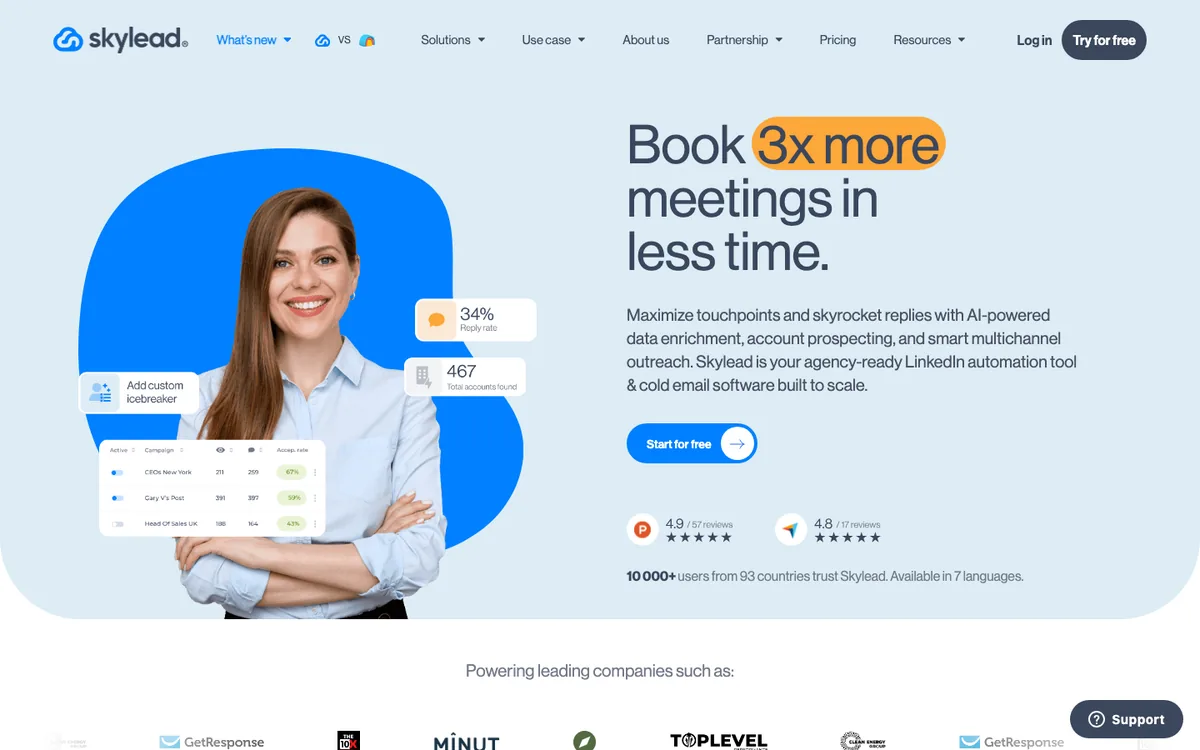 LinkedIn automation and cold email in one smart sequence, Skylead's whole pitch in a single hero.
Pros
- LinkedIn + email genuinely coordinated with if/else smart sequences.
- Dedicated IP per account, the safer cloud architecture.
- One flat price with everything included, no tier shopping.
Cons
- No calls and no WhatsApp, two channels is the ceiling.
- $100 per user compounds across senders.
- 7-day trial is the shortest in this list.
Up next: Waalaxy ↓
7. Waalaxy: Best for testing LinkedIn + email outreach on a free tier
Quick facts
- G2
- 4.5/5 ★
- From
- Free, then €19/mo
- Free trial
- Free tier + 14-day trial
- Best for
- Solo SDRs and founders who want to test a LinkedIn + email cadence before spending anything.
Waalaxy pairs LinkedIn and email sequences from prebuilt templates and is the only tool on this list with a genuine free tier. For a founder or solo SDR wondering whether a second channel is worth it, that's the cheapest possible experiment. The trade-off is architecture, Waalaxy is a Chrome extension riding your live LinkedIn session rather than a cloud tool with a dedicated IP, which is the weaker safety model, and there's no dialer or WhatsApp to grow into.
 Waalaxy leads with LinkedIn and adds email follow-ups, the entry-level two-channel motion.
Pros
- Real free tier, test LinkedIn + email before paying.
- Prebuilt sequence templates get a first campaign live fast.
- Email finder credits bundled on paid tiers.
Cons
- Chrome-extension architecture is the weaker LinkedIn safety model.
- Two channels is the ceiling, no calls or WhatsApp.
- Volume caps keep the free tier strictly a testing ground.
Up next: La Growth Machine ↓
8. La Growth Machine: Best for conditional LinkedIn + email workflows
Quick facts
- G2
- 4.6/5 ★
- From
- ~$70/mo per identity
- Free trial
- 14-day, no card
- Best for
- European SMB teams building branching LinkedIn + email workflows, with X touches on the side.
La Growth Machine builds visual, conditional workflows across LinkedIn, email and X, branching on whether a prospect accepted your connection request or opened your email. The workflow canvas is the draw, you design the logic like a flowchart, and it handles multi-identity sending (an identity is one LinkedIn account plus its email). Calls exist as task steps rather than a native dialer, and billing per identity means multi-sender setups need the math done upfront.
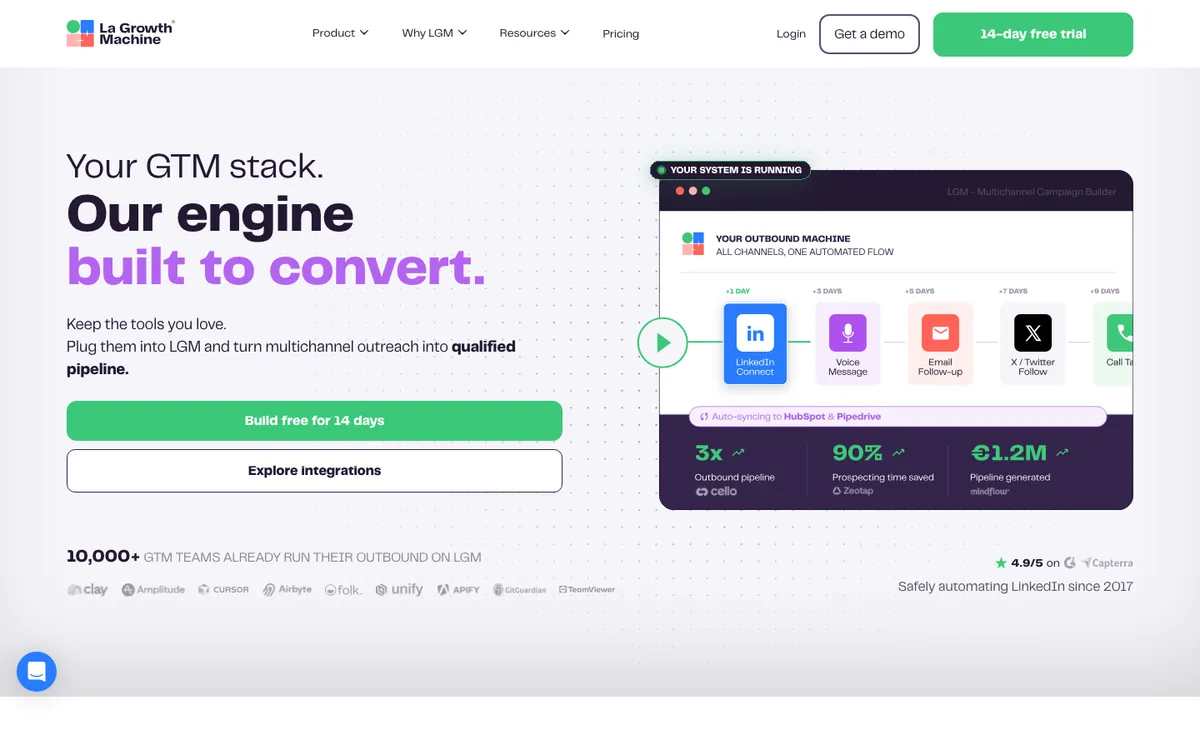 All channels, one automated flow. La Growth Machine's canvas is the clearest look at conditional multichannel logic.
Pros
- Best conditional branching canvas in the LinkedIn-first group.
- LinkedIn and email genuinely coordinated, not stitched.
- Voice notes and X steps add texture rivals lack.
Cons
- Per-identity billing compounds across senders.
- Calls are tasks, not a dialer.
- No WhatsApp channel.
Up next: Salesloft ↓
9. Salesloft: Best for enterprise revenue teams
Quick facts
- G2
- 4.5/5 ★
- From
- Custom quote
- Free trial
- Demo only
- Best for
- Enterprise revenue orgs that want cadences, a dialer, conversation intelligence and forecasting inside Clari's platform.
Salesloft runs enterprise cadences across email, calls, LinkedIn (via Sales Navigator integration) and SMS, now folded into Clari's revenue platform after the 2025 acquisition. Its Rhythm engine turns buyer signals into a prioritised task list, and the coaching layer (recording, transcription, scorecards) is a real strength. Pricing is quote-only, reportedly landing around $125 to $165 per user per month plus a platform fee, and I'll admit the uncertainty here, how pricing and roadmap evolve under Clari is genuinely hard to predict. Our Outreach vs Salesloft head-to-head covers where each enterprise option wins.
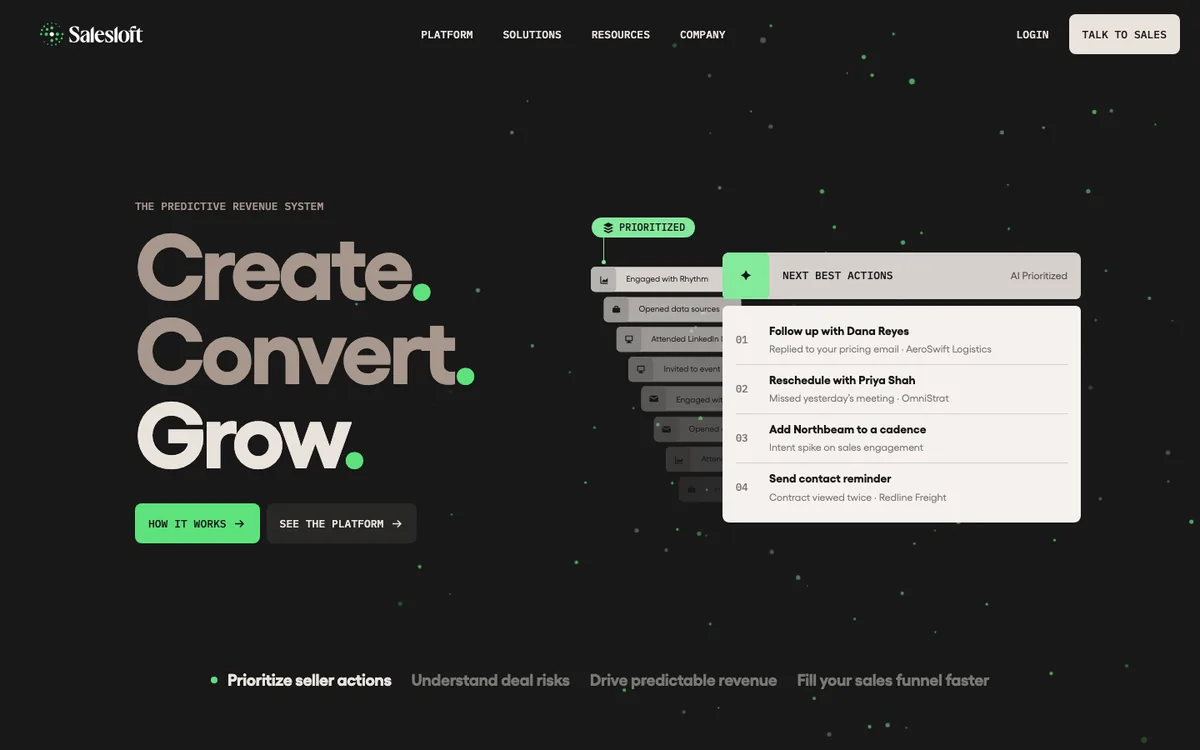 Salesloft frames outreach as prioritised seller actions. Cadences are one part of the Clari-era platform.
Pros
- Enterprise-grade cadences with real multichannel execution.
- The strongest coaching and conversation intelligence in this list.
- Rhythm prioritisation genuinely changes rep behaviour.
Cons
- Quote-only pricing with a platform fee, no self-serve.
- Assumes dedicated sales ops to configure it.
- Value concentrates once you adopt the wider Clari stack.
Up next: Outreach.io ↓
10. Outreach.io: Best for large Salesforce-anchored orgs
Quick facts
- G2
- 4.3/5 ★
- From
- Custom quote
- Free trial
- Demo only
- Best for
- Revenue orgs at 100+ users with Salesforce as the source of truth and a team to run the implementation.
Outreach executes email, calls and SMS in deep, governed sequences, with the tightest Salesforce integration in the category and agentic AI deal features layered on. Implementation is measured in weeks and there's no public pricing or free trial, so it's an enterprise purchase by definition. Under 50 users it's more platform than the job requires. At 200 users on Salesforce, it often wins by default.
 Outreach now sells AI agents for revenue teams. Sequences sit inside a much bigger enterprise platform.
Pros
- Unmatched sequence governance at enterprise scale.
- Deepest Salesforce integration here.
- Conversation intelligence built in.
Cons
- No public pricing, no trial, weeks-long implementation.
- No WhatsApp, and LinkedIn depends on Sales Navigator tasks.
- Heavy for anything under ~50 users.
Up next: Smartlead ↓
11. Smartlead: Best for high-volume email with calls on the upper plans
Quick facts
- G2
- 4.5/5 (451 reviews, Oct 2026) ★
- From
- $39/mo (flat), calls from $174/mo
- Free trial
- Free trial
- Best for
- Agencies and high-volume email teams that want calls inside the same sequence without paying per seat.
Smartlead is cold email infrastructure first, and it makes this list on one addition: SmartDialer, a power dialer whose calls run as steps in the same sequence as the emails, with parallel dialling and local-presence numbers. The catch is where it sits. Calling comes only with the Unlimited Smart plan at $174 a month and above, so Base ($39) and Pro ($94) are email only, and there is no LinkedIn or WhatsApp step on any plan. Underneath is the most sending-focused engine here: unlimited mailboxes and warmup, inbox rotation, white-label client workspaces at $29 each, and flat pricing that never counts users. Our Smartlead review covers the plans line by line, and the Smartlead alternatives guide covers what teams move to.
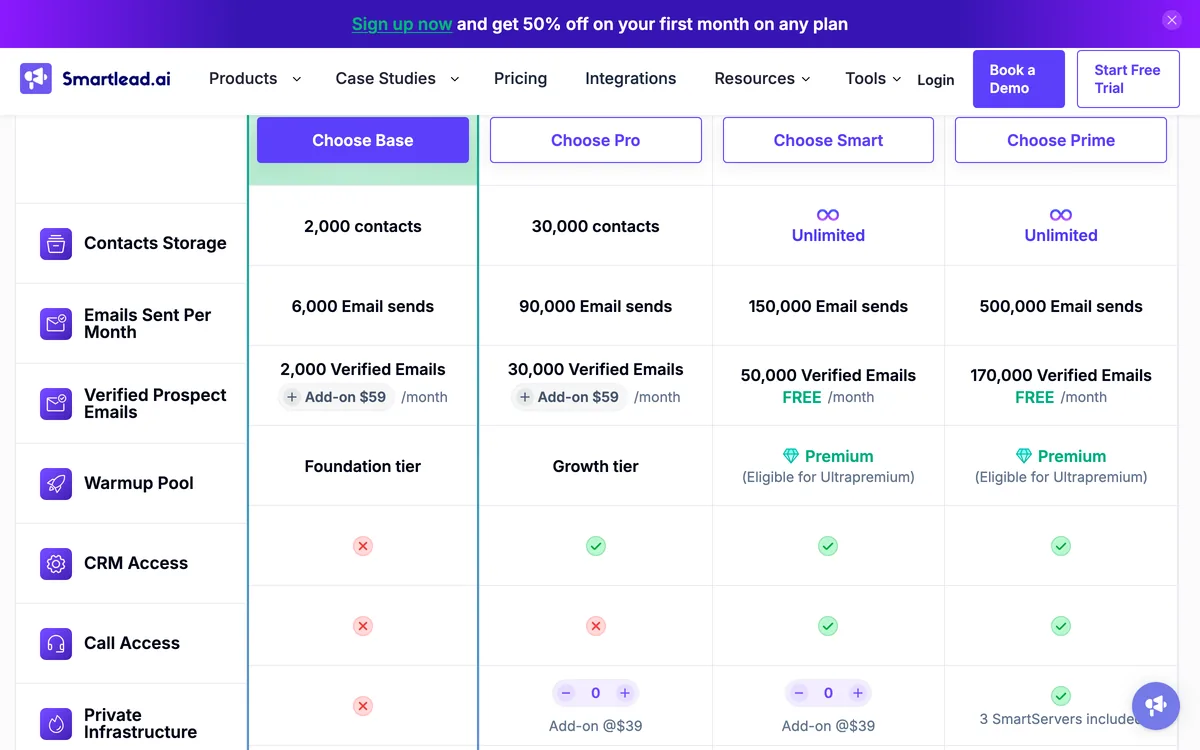 Call Access is the row that matters here: unticked on Base and Pro, ticked from the $174 Smart plan up.
Pros
- Calls run as native sequence steps, with parallel dialling and local-presence numbers.
- Unlimited mailboxes and warmup, built for email volume.
- Flat pricing by contacts and sends, never by seat.
Cons
- Calling only on the $174 Smart plan and above.
- No LinkedIn or WhatsApp step on any plan.
- Verified prospect emails are a $59 monthly add-on below Smart.
Which multichannel outreach tool fits your use case?
Not every team needs all four channels. Here's the shortlist by the channel mix you're actually adding.
Best for email + LinkedIn sequences
SmartReach.io, La Growth Machine, Lemlist. SmartReach.io runs both as native steps with cross-channel reply-pause and a choice of semi-automated or fully automated LinkedIn. La Growth Machine wins on branching workflow design, Lemlist on visual personalisation inside the same cadence. If LinkedIn is the lead channel, our guide to LinkedIn outreach automation tools ranks that category on safety in depth.
Best for teams that also cold call
SmartReach.io, Klenty, Salesloft. SmartReach.io's built-in dialer reaches 200+ countries and call steps sit inside the same sequence as email and LinkedIn, so a no-answer rolls the prospect to the next touch automatically. Klenty's dialer is excellent for CRM-tied teams, and Salesloft's calling plus coaching stack is the enterprise pick. If email volume is the job and you only want calls added, Smartlead's SmartDialer does that from its $174 plan.
Best for WhatsApp outreach
SmartReach.io, Reply.io, Lemlist. SmartReach.io includes WhatsApp steps on its Sales Engagement plans alongside the other three channels. Reply.io and Lemlist offer WhatsApp on their upper tiers. One honest caveat, WhatsApp response norms vary a lot by region and buyer type, it performs strongly in markets where business WhatsApp is normal and can feel intrusive where it isn't, so A/B it against your ICP before making it a core step.
Best for LinkedIn-first teams and agencies
SmartReach.io, Skylead, Waalaxy. SmartReach.io is the agency pick, white-label client dashboards, sub-accounts and prospect-based pricing that doesn't charge for extra users, with email, calls and WhatsApp ready when clients want them. Skylead suits teams running LinkedIn + email at a flat all-in price, and Waalaxy is the free way to validate the motion. If you only ever need LinkedIn, the pure specialists (HeyReach, Expandi) are covered in our LinkedIn automation guide linked above.
Best for enterprise cadences
Salesloft, Outreach.io. Both assume Salesforce, sales ops and an annual contract. Everyone else on this list will get a mid-market team live faster.
How to choose a multichannel outreach tool: a 5-step framework
Feature lists won't make this decision for you. Here's how I'd pressure-test any tool on this page, ours included.
1. Count the channels that are native
Ask the vendor to show each channel executing inside a live sequence. A LinkedIn step that creates a task for your rep is workflow software. If you're paying for multichannel, the tool should do the work.
2. Test cross-channel reply handling
Reply to your own test campaign on LinkedIn, then watch whether the email step still fires. This one test separates coordinated cadences from parallel campaigns wearing one UI.
3. Price it at your real team size
Per-seat at $89/user, per-sender at $79 to $99/account, or per-prospect regardless of team size. Model your actual reps and senders 12 months out. What does the invoice look like the day rep six joins? On per-seat tools that hire costs $1,000+/year before they've sent anything.
4. Deliverability still decides
Multichannel doesn't excuse weak email infrastructure, email remains the volume channel in nearly every cadence. Warmup, inbox rotation, validation and placement testing should be included, not integrations. Our email deliverability checklist covers what to verify inside the trial.
5. Check the LinkedIn safety model
Cloud execution with per-account limits beats browser extensions riding your live session. Ask where automation runs, what the daily caps are, and whether a semi-automated mode exists for accounts you can't afford to risk.
If you want a ready-made cadence to test with, our 7-touch multichannel sequence template is the one we hand new customers.
So, which multichannel outreach tool should you pick?
The honest answer depends on which channels earn replies from your ICP.
If LinkedIn is your only channel, you don't need a multichannel tool at all, pure specialists like Expandi and HeyReach go deeper on that one channel and we deliberately left them off this list. If you're an enterprise revenue org on Salesforce, Salesloft or Outreach win on governance. If the database is the bottleneck, Apollo solves sourcing and sending in one bill.
For sales teams of roughly 3 to 50 reps and agencies running genuinely mixed cadences, I'd pick SmartReach.io, and here's the reasoning, not just the badge. It's the only tool here where email, LinkedIn, calls and WhatsApp are all native steps of one sequence with reply-pause across all four. Deliverability infrastructure and a 300M+ contact lead finder are included rather than integrated. And there's no per-seat pricing, plans scale by active prospects, so the multichannel stack costs ~$99/mo where per-seat rivals run 4 to 5 times that. It also works as a full sales engagement platform on those plans, if that's the shortlist you started from, see the best sales engagement platforms guide for that lens.
Multichannel outreach tools FAQs
What is a multichannel outreach tool?
A multichannel outreach tool runs more than one outbound channel from a single sequence, so email, LinkedIn, calls and messaging touches reach a prospect as one coordinated cadence instead of three disconnected workflows. SmartReach.io is a cold email software that runs all four channels (email, LinkedIn, calls, WhatsApp) as native steps, with cross-channel reply-pause, from $39/month on its Sales Engagement plans.
Which tools run email, LinkedIn, calls and WhatsApp from one sequence?
Very few tools run all four natively. SmartReach.io covers email, LinkedIn, calls and WhatsApp in one sequence with reply-pause working across channels. Reply.io covers email, LinkedIn, calls plus SMS and WhatsApp tasks, and Lemlist covers email, LinkedIn and calls on its multichannel tier. Most other tools automate one channel and hand you task reminders for the rest.
How much do multichannel outreach tools cost?
Entry pricing splits into three models. Per-seat tools like Reply.io ($89/user/month) and Klenty ($50/user/month) multiply with headcount. Flat-but-per-user LinkedIn tools like Skylead ($100/user/month) and identity-based ones like La Growth Machine (~$70/identity) multiply with sender accounts. SmartReach.io prices by active prospects instead, from $39/month with no per-seat pricing, so the bill stays flat as reps or senders are added. Salesloft and Outreach are quote-only.
Do I need full LinkedIn automation or task-based LinkedIn steps?
Full automation sends LinkedIn touches for you and scales past what a rep can do manually, but carries account-restriction risk if limits are aggressive. Task-based steps are safer and keep a human in the loop. SmartReach.io offers both, a semi-automated Co-pilot mode by default and full LinkedIn automation as a $29 per account add-on on Plus plans and above, so you pick the risk level per campaign.
What's the difference between a multichannel outreach tool and a sales engagement platform?
The categories overlap heavily. Sales engagement platform is the enterprise-flavoured term for the same job, coordinating email, calls and social touches in one cadence with analytics on top. SmartReach.io is a cold email software, and on its Sales Engagement plans it works as a full sales engagement platform with email, LinkedIn, calls and WhatsApp in one cadence, which is why it appears on both shortlists.
Which multichannel outreach tool is best for agencies?
Agencies should weigh per-client cost and multi-account handling first. SmartReach.io includes sub-accounts, white-label client dashboards and prospect-based pricing with unlimited users, so onboarding a client never adds a seat fee. HeyReach's Agency plan bundles 25 LinkedIn senders at $999/month, which works for LinkedIn-only shops running many accounts. Per-seat tools get expensive the moment client managers and VAs need logins.
Can I add WhatsApp to my outbound sequence?
Yes, but only a handful of tools support it as a sequence step. SmartReach.io includes WhatsApp steps alongside email, LinkedIn and calls on its Sales Engagement plans. Reply.io and Lemlist also offer WhatsApp on their multichannel tiers. WhatsApp response norms vary by region, so test it against your ICP before making it a core step.
Which multichannel outreach tool is best for cold calling?
Look for a native dialer inside the sequence, not a separate telephony product. SmartReach.io includes a built-in dialer with calling reach across 200+ countries, with call steps sitting in the same cadence as email and LinkedIn. Klenty and Salesloft also ship strong native dialers. Apollo includes dialing, though deliverability tooling around it is thinner.
Stop juggling tools
Book more meetings on every channel
Join 5,000+ teams running multichannel outreach from one sequence, with deliverability built in.