10 OpenPhone (Quo) Alternatives for Your Business

On this page
OpenPhone doesn't exist under that name anymore. On 23 September 2025 it rebranded to Quo, raised $105 million, and kept the same product, apps and phone numbers.
What didn't change is the shape of the bill. Quo still charges per user, from $15 to $35 per user per month on annual billing, and bills international calls and texts by the minute and the message.
It's a good business phone for small teams that mostly take calls and texts. It's a weaker fit if your team makes outbound sales calls all day, because there's no power dialer, or if you need calls to sit in the same workflow as your email and LinkedIn outreach.
This guide compares the ten alternatives worth a real look, with pricing taken from each vendor's pricing page in October 2026 rather than a 2024 screenshot.
TL;DR: the 10 best OpenPhone alternatives
What is OpenPhone, now Quo?
OpenPhone, renamed Quo in September 2025, is a cloud VoIP phone system for small and growing teams. Each user gets a local or toll-free number that works from the desktop, web and mobile apps, with calling and texting to the US and Canada included.
According to Axios, the rebrand came with a $105 million raise, $96 million of it from General Catalyst's Customer Value Fund, when the company served around 90,000 customers. Existing accounts, numbers and apps carried over unchanged.
The 2026 product is built around three plans.
- Starter, $15 per user per month billed annually or $19 monthly. One number per user, US and Canada calling and texting, voicemail transcripts, API access and the Sona AI agent with 1,000 free credits (about 10 calls).
- Business, $23 annually or $33 monthly. Adds AI call summaries and transcripts on every call, IVR, HubSpot and Salesforce integrations, automatic call recording, analytics and live chat support.
- Scale, $35 annually or $47 monthly. Adds AI call tags, dedicated onboarding and inbound phone support.
Extra numbers are $5 per month each, automated SMS is $0.01 per segment, and Sona call bundles run from $25 per month for 40 calls to $199 per month for 600 calls.
Why teams look for an OpenPhone alternative
The reasons are consistent across 2026 reviews on Capterra, where Quo sits at 4.2 from 64 reviews.
Most of them come back to one question. Is your phone a customer line, or a prospecting tool? Quo is built for the first, and the friction shows up when a team tries to use it for the second.
- Per-user pricing on every plan. Every new hire adds $15 to $47 a month, and the AI summaries most teams want sit on Business, not Starter.
- No power dialer. Quo is built for answering and texting. Reps who dial through a list of 80 prospects a day click each number by hand.
- International is metered. Calls and texts outside the US and Canada are billed per minute and per message, for example $0.03 to $0.48 per minute to the UK and $0.07 to $0.09 per minute to India.
- Texting setup friction. US business texting needs A2P 10DLC carrier registration before messages flow, and reviewers report slow number porting and registration.
- AI is sold in bundles. The Sona AI agent covers about 10 calls free, then moves to paid call tiers with per-call overage.
- Support on complex issues. Reviewers praise day-to-day support but report slow resolution on porting, dropped calls and sync failures.
- Calls live apart from outreach. There are no email sequences, LinkedIn steps or WhatsApp steps, so outbound teams run their prospecting in a second tool.
- Short trial. Seven days is tight for testing number porting and carrier registration.
None of that makes Quo a bad phone system. It means the right alternative depends on which of those problems sent you looking.
How we evaluated these OpenPhone alternatives
Each tool was scored the same way, using each vendor's live pricing page in October 2026.
- Real cost for a five-person team, with seat minimums and add-ons included.
- Pricing unit, per user, per license, per account or usage-based.
- Outbound calling, and whether a power or predictive dialer is included, an add-on or missing.
- AI features, and whether transcription and summaries are on the base plan or metered.
- Texting and international reach, including carrier registration and per-minute rates.
- Channels beyond the phone, specifically email, LinkedIn and WhatsApp.
- User reviews on G2 and Capterra, read for the recent one and two-star pattern rather than the average alone.
Pricing and ratings checked October 2026. Phone vendors change prices often, so confirm on the live page before you buy.
OpenPhone alternatives compared at a glance
Quo sits at the top as the baseline, and SmartReach.io is the row to read first if your team makes outbound sales calls. Scroll sideways on mobile to see every column.
| Tool | G2 rating | Starting price | Pricing unit | Power dialer | Business texting | Channels | Free trial | Best for |
|---|---|---|---|---|---|---|---|---|
| Quo, formerly OpenPhone (baseline) | 4.7/5 | $15/user/mo | Per user | No | Yes, US and Canada | Calls, SMS | 7 days | The tool you're replacing |
| SmartReach.io | 4.6/5 | $39/mo | Active prospects, no per-seat pricing | No. PowerCaller, a power caller (click-to-dial queue) | No | Email, LinkedIn, calls, WhatsApp | 14 days, no card | Outbound sales calls inside a sequence |
| dialnote | 4.0/5 (1 review) | $19/mo | Flat per account, unlimited users from Team | No, inbound-focused | Not itemized | Calls, AI voice agent | 10 days, no card | Inbound calls and an AI receptionist |
| Dialpad | 4.4/5 | $15/user/mo | Per user | Sales plans only | Yes | Calls, SMS, video | 14 days, no card | AI recaps on every plan |
| Aircall | 4.4/5 | $30/license/mo | Per license, 3 minimum | Professional plan | Yes, 4,000/user/mo | Calls, SMS | Free access | CRM-synced sales and support |
| RingCentral RingEX | 4.2/5 | $20/user/mo | Per user | Via RingCX | Yes, 25 to 200/user/mo | Calls, SMS, video, fax | 14 days | Multi-site teams |
| Nextiva | 4.5/5 | $15/user/mo | Per user | Contact center Professional | Yes | Calls, SMS, video, chat | Demo only | Growing into a contact center |
| Grasshopper | 3.9/5 | $14/mo | Per account | No | Yes | Calls, SMS | 7 days, 50 minutes | Solopreneurs |
| GoTo Connect | 4.4/5 | Quote only | Per user | Contact Center plan | Yes | Calls, SMS, video | Ask sales | Desk phones, multi-location |
| Vonage | 4.3/5 | $19.99/line/mo | Per line | Not on core plans | Yes | Calls, SMS, video | Ask sales | Teams on Vonage APIs |
| Twilio | 4.4/5 (Capterra) | $0.014/min | Usage | Build your own | Build your own | Any, via API | Trial credit | Developers |
The 10 best OpenPhone alternatives
Every review below follows the same playbook. Quick facts, what the tool does well, where it beats Quo, honest pros and cons, real pricing, and a switch-or-stay verdict.
1. SmartReach.io
Quick facts
- G2
- 4.6/5 ★
- Capterra
- 4.7/5 ★
- From
- $39/mo, 1 calling seat included
- Free trial
- 14 days, no card
- Best for
- outbound sales teams that want calls in the same sequence as email, LinkedIn and WhatsApp
SmartReach.io is a cold email software built for outbound teams, and its Sales Engagement plans put calls through a built-in power caller in the same sequence as email, LinkedIn and WhatsApp. That makes it the OpenPhone alternative for teams whose phone is a prospecting tool rather than a customer line. It's rated 4.6 on G2 from 60 reviews and 4.7 on Capterra from 27 reviews as of October 2026.
The difference from Quo is the workflow around the call.
In Quo, a call is something a rep makes from a contact list. In SmartReach.io, a call is step three of a cadence. A sequence can open with an email, send a LinkedIn connection request, queue a call on PowerCaller, and follow up on WhatsApp, and a reply on any of those channels pauses every other step for that prospect. Nobody dials a lead who answered the email an hour ago.
Take Amy, a senior SDR working 60 accounts a week. On Quo she'd keep a call list in one tab and her email sequence in another, and check both before every dial. In SmartReach.io her call tasks arrive already filtered, so when a VP replies to Tuesday's email, Wednesday's call step for that prospect simply disappears from her queue. How many awkward "I just replied to you" calls does that save in a quarter?
The other difference is the bill. SmartReach.io has no per-seat pricing. Plans scale by active prospects, and every plan above Basic includes unlimited users and unlimited sending email accounts. Calling and LinkedIn seats are bundled into the plan rather than charged per user.
It also works as a sales engagement platform for teams replacing Outreach or Salesloft, and it syncs two-way with HubSpot, Salesforce, Pipedrive and Zoho.
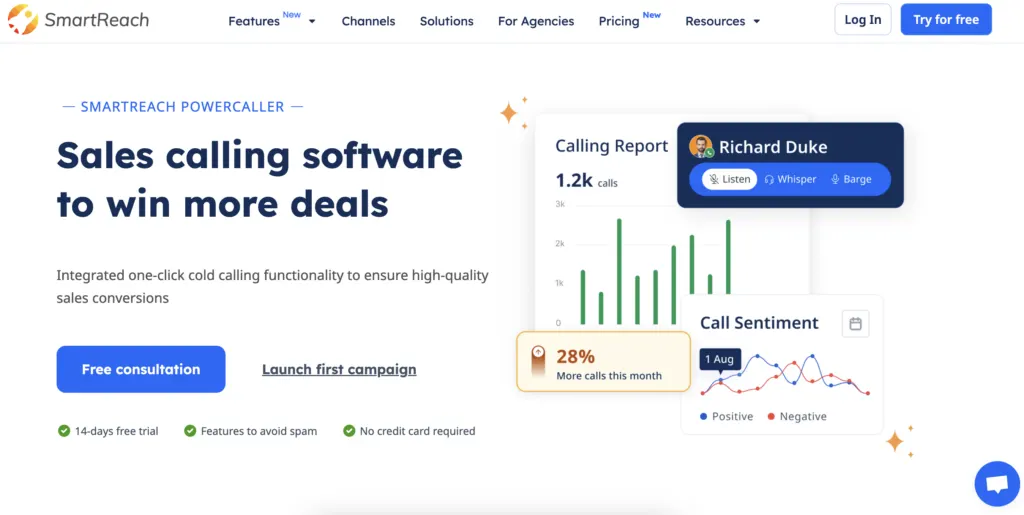 SmartReach.io's calling view, where call steps sit inside the outreach sequence.
What SmartReach.io's calling includes
- PowerCaller, the power caller. Works a day's call list from a single screen. Reps click to dial each prospect, log the outcome and notes, and move to the next call.
- Calls inside the cadence. Call steps sit in the same email, LinkedIn and WhatsApp sequence, with a reply-pause rule across every channel.
- Campaign call scripts. The pitch shows on screen during the call with merge tags filled in.
- Call recording, transcription and sentiment. Every call stored and searchable, tagged positive or negative and tied back to the account.
- Call dispositions and tasks. Tag the outcome and trigger the next step, with reminders, snooze and reschedule for callbacks.
- Reach across 200+ countries. Pick a calling number for the country you're dialing, with personalized caller ID per campaign and local calling on the Scale plan.
- Mobile calling app on every plan, and two-way CRM sync with HubSpot, Salesforce, Pipedrive and Zoho.
Pros
- A power caller that works a call queue from one screen, which Quo doesn't have at any price.
- Calls, email, LinkedIn and WhatsApp in one sequence with one reply-pause rule.
- No per-seat pricing, so adding a rep doesn't reprice the plan.
- Recording and transcription without an AI add-on bundle.
- 14-day free trial with no credit card, twice Quo's seven days.
Cons
- No business texting or SMS, so it won't replace Quo's shared text inbox.
- Built for outbound. There's no IVR or inbound call routing for a support line.
- Local calling sits on the Scale plan, not the entry tier.
- The feature range takes an hour or two to learn compared with a simple phone app.
Pricing of SmartReach.io
| Plan | Price (monthly) | Active prospects | Users | Calling seats | LinkedIn seats |
|---|---|---|---|---|---|
| Sales Engagement Basic | $39/mo | 1,000 | 1 | 1 | 1 |
| Sales Engagement Plus | $99/mo | 50,000 | Unlimited | 3 | 3 |
| Sales Engagement Pro | $249/mo | 100,000 | Unlimited | 10 | 10 |
| Sales Engagement Scale | $599/mo | 500,000 | Unlimited | 100 | 100 |
Email-only teams can start on Email Outreach plans from $29 per month. See every plan on the pricing page.
2. dialnote
Quick facts
- G2
- 4.0/5 (1 review) ★
- From
- $19/mo flat
- Free trial
- 10 days, no card
- Best for
- teams whose phone line is mostly inbound and who want a 24/7 AI receptionist without per-user pricing
dialnote is an AI-powered VoIP business phone system built around the calls that come in. Where Quo gives a small team a shared number and a tidy message thread, dialnote adds an AI voice agent that answers around the clock, qualifies the caller, books meetings and routes anything high-intent to a human. Plans are one flat monthly price per account, and Team and above include unlimited users.
One thing worth being straight about. dialnote is an inbound system. It runs the line your customers and prospects call, and it isn't a dialer for working a prospect list. If you're leaving Quo over outbound volume, SmartReach.io above is the tool built for that job. Teams often run both, dialnote on the inbound line and SmartReach.io on the outbound sequence.
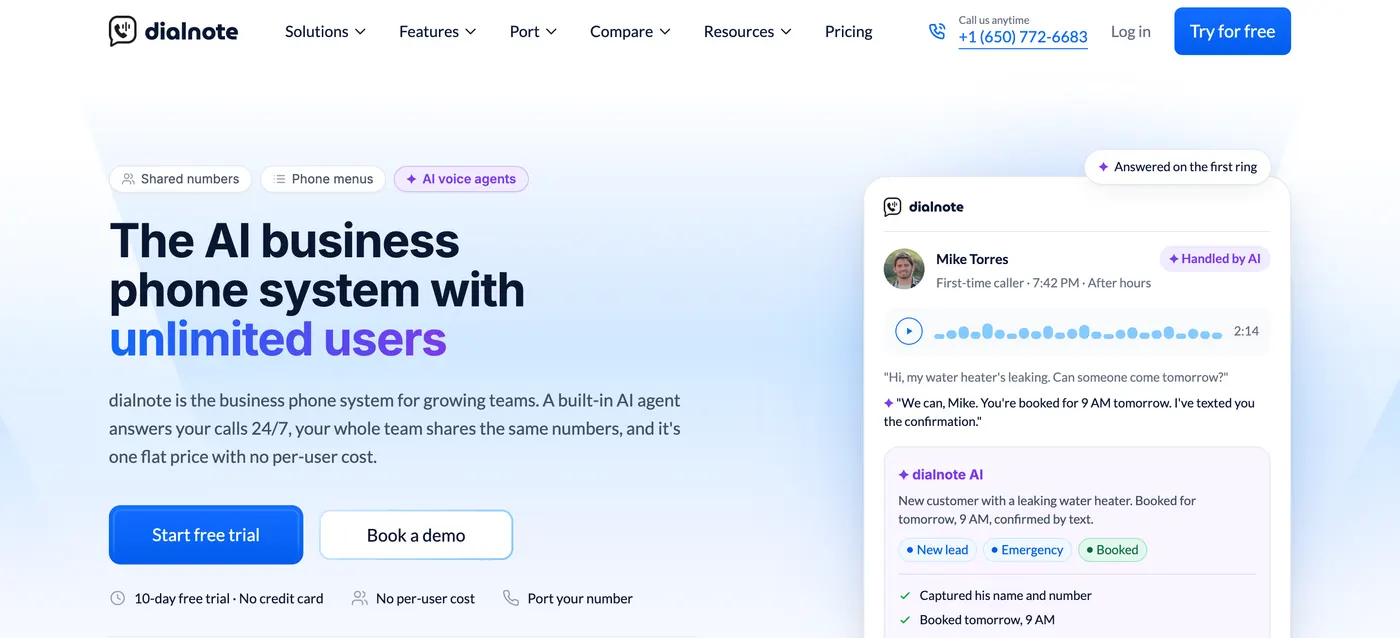 dialnote's homepage, where an AI agent answers after-hours calls and books the appointment.
Core capabilities
- AI voice agent that answers inbound calls 24/7, qualifies leads, books meetings, captures messages and transfers high-intent callers to a rep.
- Smart IVR and call routing with custom menus, business hours, fallback rules and sequential or simultaneous ring orders.
- AI call intelligence covering transcription, summaries, call tags, evaluations and automatic CRM updates in up to 14 languages.
- Shared numbers, shared contacts and internal threads for team handovers.
- Local, toll-free and international numbers, with free number porting.
- Integrations with HubSpot, Salesforce, Pipedrive, Zoho, Slack, Microsoft Teams, WhatsApp, Zapier and Calendly, plus API and webhooks.
Pros
- Flat pricing with unlimited users from Team, so headcount doesn't move the bill.
- An AI receptionist that handles after-hours calls instead of a voicemail box.
- Free number porting and a 10-day trial with no credit card.
Cons
- Inbound only. There's no power dialer for working a prospect list.
- Its G2 profile has a single review, so lean on the trial rather than the rating.
- Usage beyond the included minute pools is billed at $0.89 per minute.
Pricing of dialnote
- Solo: $19 per month
- Team: $49 per month, unlimited users
- Business: $99 per month, unlimited users
- Pro: $199 per month, unlimited users
Extra numbers are $5 per month each, and annual billing saves 20% when paid upfront.
3. Dialpad
Quick facts
- G2
- 4.4/5 ★
- Capterra
- 4.2/5 ★
- From
- $15/user/mo annual
- Free trial
- 14 days, no card
- Best for
- teams that want AI transcription and call recaps on the cheapest plan
Dialpad is the AI-first business phone on this list. Live transcription and Ai Recaps, its post-call summaries, are on every plan, including the $15 Standard tier. On Quo, AI summaries start on the Business plan.
It covers voice, SMS, video meetings and a contact center in one app, and its AI Agent handles inbound calls on a credit model.
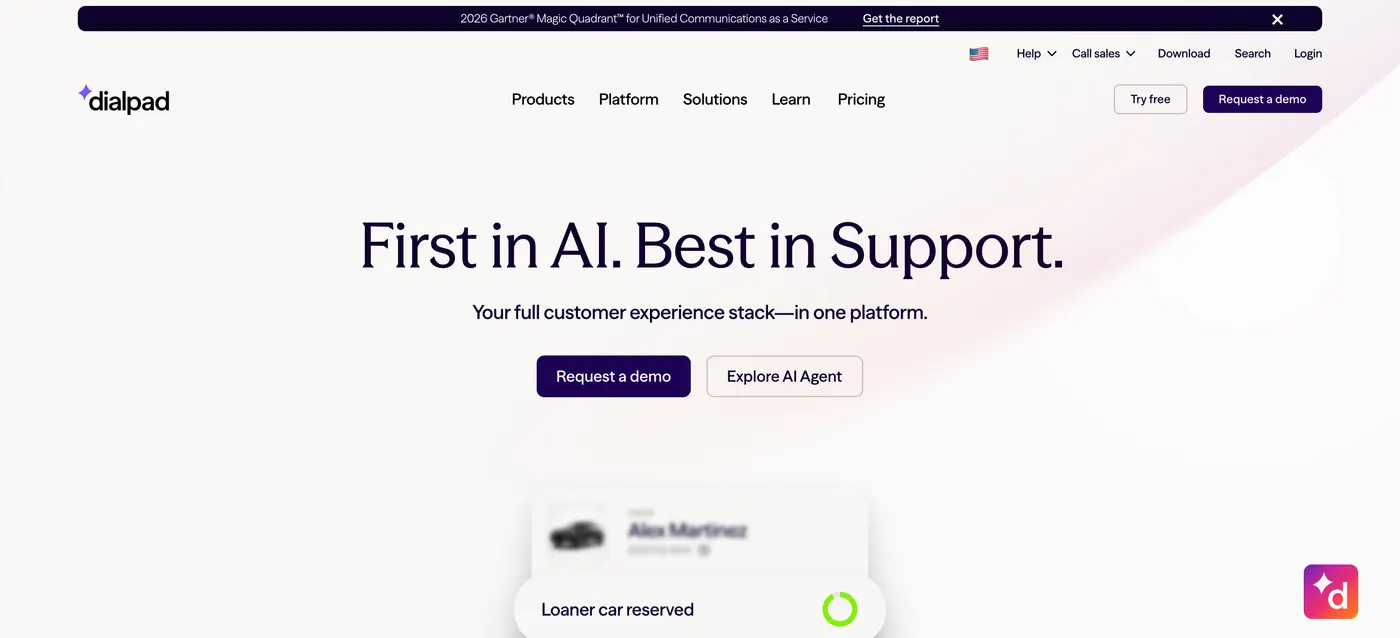 Dialpad's homepage, which leads with its AI Agent and customer experience stack.
Core capabilities
- Ai Recaps and live transcription on every call, every plan.
- Real-time coaching cards that surface talking points during a call.
- Voice, SMS, video and contact center on one platform.
- AI Agent for inbound calls, billed on credits.
- Integrations with Google Workspace, Microsoft 365, Salesforce and HubSpot.
Pros
- The strongest AI features at the lowest entry price here.
- 14-day trial with no credit card.
- Clean apps across desktop, web and mobile.
Cons
- Pro needs a three-user minimum and Enterprise a 100-user minimum.
- The outbound sales dialer sits on separate sales plans.
- Capterra reviewers report call-quality dips and slow support on billing issues.
Pricing of Dialpad
- Standard: $15 per user per month annually, $27 monthly
- Pro: $25 per user per month annually, $35 monthly, three-user minimum
- Enterprise: custom, 100-user minimum
4. Aircall
Quick facts
- G2
- 4.4/5 ★
- Capterra
- 4.2/5 ★
- From
- $30/license/mo annual
- Free trial
- Free access, 100 AI-agent minutes
- Best for
- sales and support teams that work out of their CRM or helpdesk
Aircall is the business phone for teams whose day runs in a CRM or helpdesk. Its integration catalogue covers Salesforce, HubSpot, Pipedrive, Zendesk and Intercom, and call data writes back to the record without anyone retyping it.
It also has what Quo lacks for outbound, a Power Dialer, from the Professional plan.
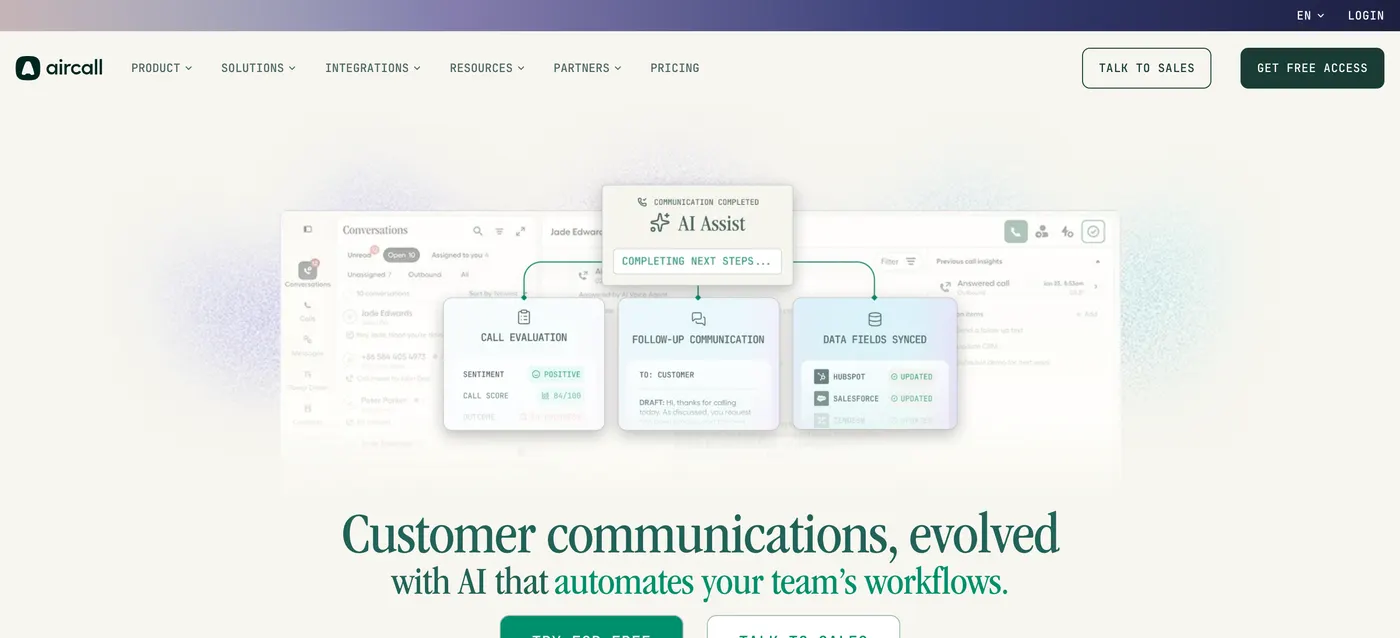 Aircall's homepage, where AI Assist scores calls and syncs data fields to HubSpot and Salesforce.
Core capabilities
- Power Dialer on Professional and above.
- Unlimited US and Canada calling on every plan.
- Call routing, queues, whisper and barge for team calling.
- AI summaries on Professional, with AI Assist Pro as a $49 per-user add-on and AI Voice Agents from $0.19 to $0.49 per minute.
- 100+ integrations across CRMs and helpdesks.
Pros
- A real power dialer, which Quo doesn't offer.
- Deep CRM and helpdesk integrations.
- Unlimited US and Canada calls and generous texting.
Cons
- Three-license minimum, so a solo user still pays for three.
- AI coaching and voice agents are paid add-ons.
- International calling goes through sales rather than a public rate card.
Pricing of Aircall
- Essentials: $30 per license per month annually, $40 monthly
- Professional: $50 per license per month annually, $70 monthly, adds the Power Dialer
- Enterprise: custom, 25-license minimum
For a deeper look, see our Aircall alternatives guide.
5. RingCentral RingEX
Quick facts
- G2
- 4.2/5 ★
- Capterra
- 4.2/5 ★
- From
- $20/user/mo annual
- Free trial
- 14 days
- Best for
- multi-site and enterprise teams that need phone, video, fax and an AI receptionist in one platform
RingCentral RingEX, the product formerly called RingCentral MVP, is the most complete unified communications suite here. Phone, video meetings, team messaging and fax sit in one app, and it scales from a small office to thousands of users across locations.
For outbound, RingCentral sells RingCX, a separate contact center with progressive, predictive and preview dialing.
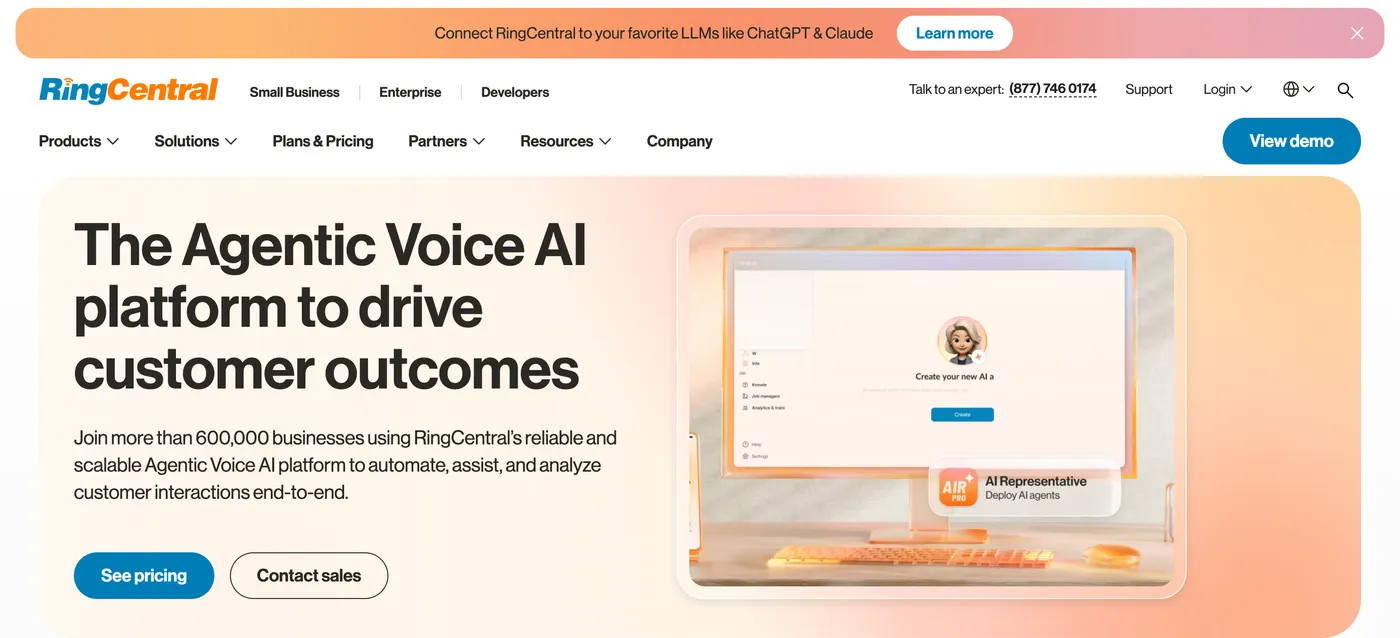 RingCentral's homepage, now positioned around agentic voice AI for more than 600,000 businesses.
Core capabilities
- Business phone with IVR, call queues and multi-level auto attendant.
- Video meetings and team messaging included.
- Business SMS, 25 to 200 texts per user per month by plan, with an SMS Booster add-on at $25.
- AI Receptionist from $39 and Conversational Intelligence from $60 as add-ons.
- Deep integrations with Salesforce, HubSpot, Microsoft Teams and Google Workspace.
Pros
- One platform for phone, video, messaging and fax.
- Strong multi-site and admin controls.
- 14-day trial for up to 20 lines.
Cons
- Texting allowances are low on the entry plan.
- AI features are add-ons rather than included.
- The admin console is heavier than Quo for a small team.
Pricing of RingCentral RingEX
- Core: $20 per user per month annually, $30 monthly
- Advanced: $25 annually, $35 monthly
- Ultra: $35 annually, $45 monthly
For more options, see our guide to RingCentral competitors and alternatives.
6. Nextiva
Quick facts
- G2
- 4.5/5 ★
- Capterra
- 4.6/5 ★
- From
- $15/user/mo annual
- Free trial
- Demo only
- Best for
- growing businesses that want a business phone today and a contact center later
Nextiva is a unified communications platform that grows into a contact center. The Core and Engage plans cover phone, video and messaging, and the contact center plans add predictive and progressive dialing for high-volume teams.
It carries the strongest Capterra rating on this list, 4.6 from 919 reviews.
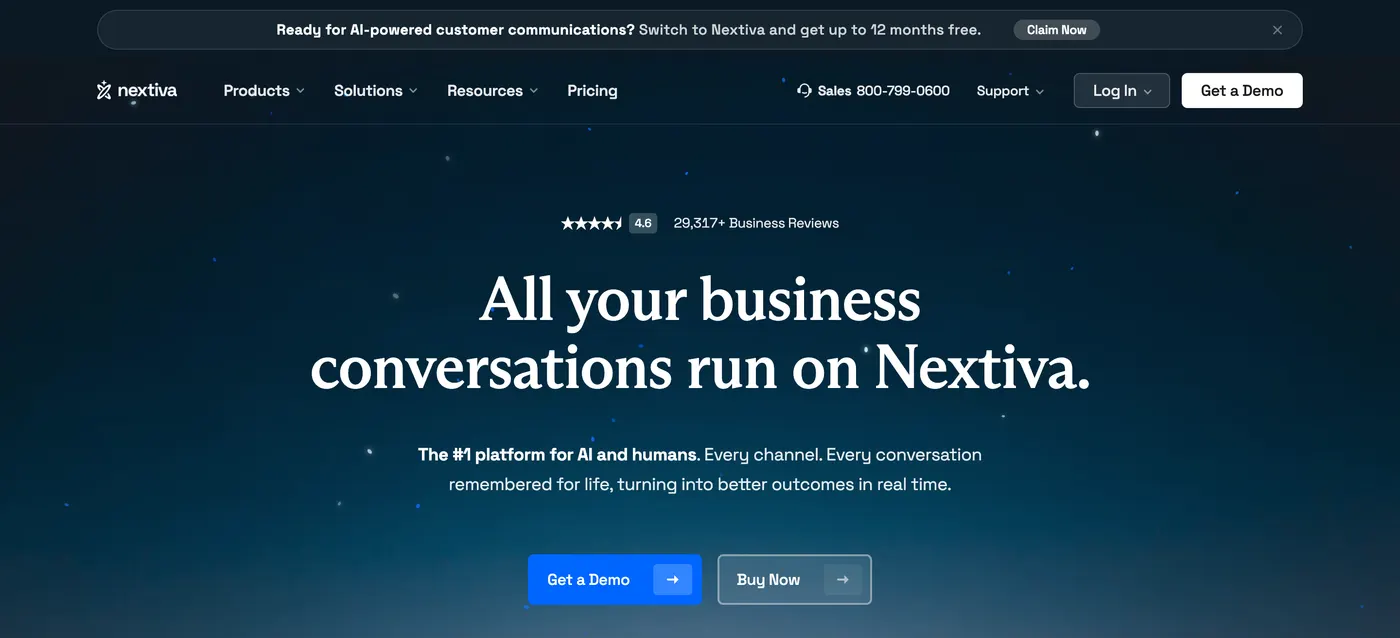 Nextiva's homepage, pitching every business conversation, calls to contact center, on one platform.
Core capabilities
- Voice, video, SMS and team chat on one platform.
- Call routing, IVR and call queues from the entry plan.
- AI transcription and summaries on the Scale plan.
- XBert AI Receptionist as an add-on, from $99 per month for 100 interactions.
- Contact center with a predictive and progressive dialer on the Professional tier.
Pros
- A clear upgrade path from business phone to contact center.
- High Capterra rating from a large review base.
- Core plan from $15 per user on annual billing.
Cons
- No self-serve free trial, only a demo.
- Engage doubles in price on monthly billing, from $25 to $50.
- The predictive dialer sits on a quote-only contact center plan.
Pricing of Nextiva
- Core: $15 per user per month annually, $23 monthly
- Engage: $25 annually, $50 monthly
- Scale: $75 per user per month
- Contact center: Essential from $75 per agent, Professional and Premium quote only
7. Grasshopper
Quick facts
- G2
- 3.9/5 ★
- Capterra
- 4.3/5 ★
- From
- $14/mo annual, per account
- Free trial
- 7 days, 50 minutes
- Best for
- solopreneurs and very small businesses that want a business number on their own phone
Grasshopper, owned by GoTo, is the simplest option here. It gives you a business number that rings on your existing mobile, with extensions, voicemail transcription and texting, priced per account rather than per user.
Its Spring 2026 update added AI call transcripts, summaries, sentiment insights and an AI receptionist.
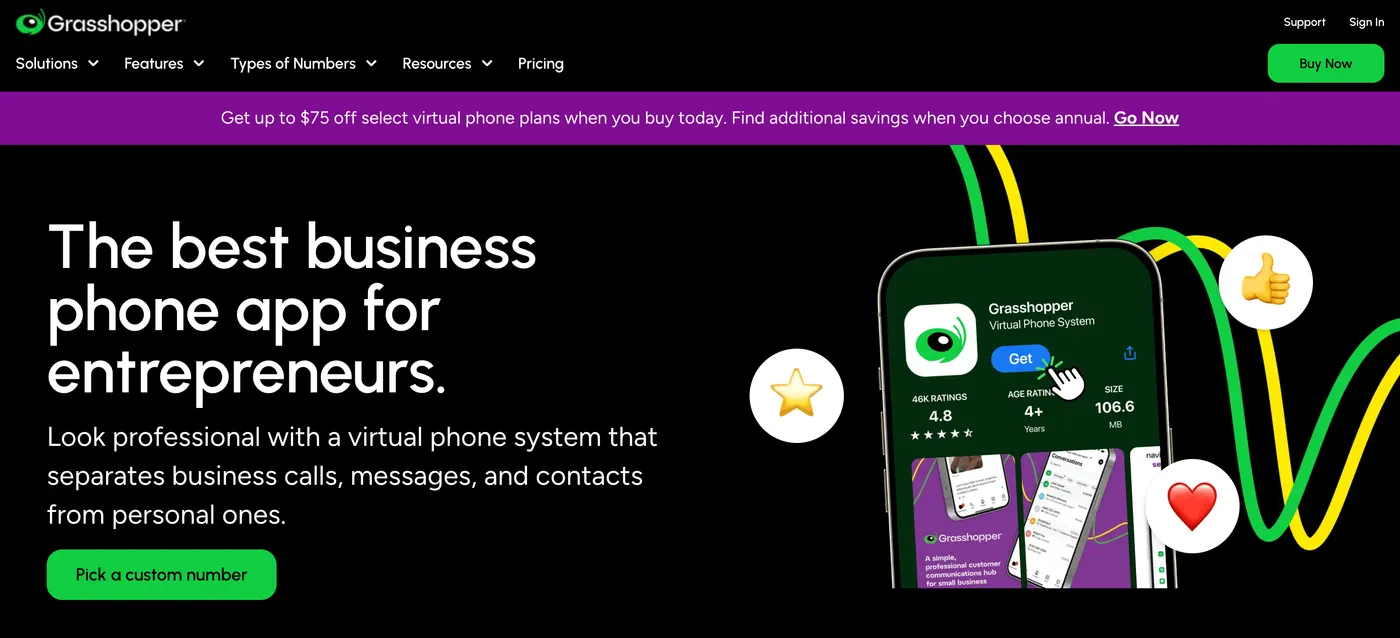 Grasshopper's homepage, aimed at entrepreneurs who want a business number on their own phone.
Core capabilities
- Business number on your own phone, with call forwarding to any mobile.
- Extensions for people or departments.
- Voicemail transcription and business texting.
- AI transcripts, summaries and an AI receptionist, added in 2026.
Pros
- The lowest entry price on this list for a solo user.
- Per-account pricing with unlimited users above True Solo.
- Very little to learn or configure.
Cons
- International calling needs a $500 deposit and a 60-day-old account.
- 10DLC texting registration costs $19.50 up front plus a monthly fee.
- The 7-day trial is capped at 50 minutes, and the G2 rating is the lowest here.
Pricing of Grasshopper
- True Solo: $14 per month annually, $18 monthly, 1 user and 1 number
- Solo Plus: $25 annually, $32 monthly, unlimited users, 1 number, 3 extensions
- Small Business: $55 annually, $70 monthly, unlimited users, 4 numbers
Grasshopper's pricing page is only visible from the US and Canada, so confirm these figures at sign-up.
8. GoTo Connect
Quick facts
- G2
- 4.4/5 ★
- Capterra
- 4.5/5 ★
- From
- Quote only
- Free trial
- Ask sales
- Best for
- businesses with desk phones, multiple locations or an IT team that buys through sales
GoTo Connect is the hardware-friendly choice. It supports desk phones alongside its apps, handles multi-location routing well, and bundles phone, video and messaging, with plans now running Phone System, Customer Experience, CX Complete and Contact Center.
GoTo's pricing page lists every plan as contact sales, so expect a quote rather than a checkout page.
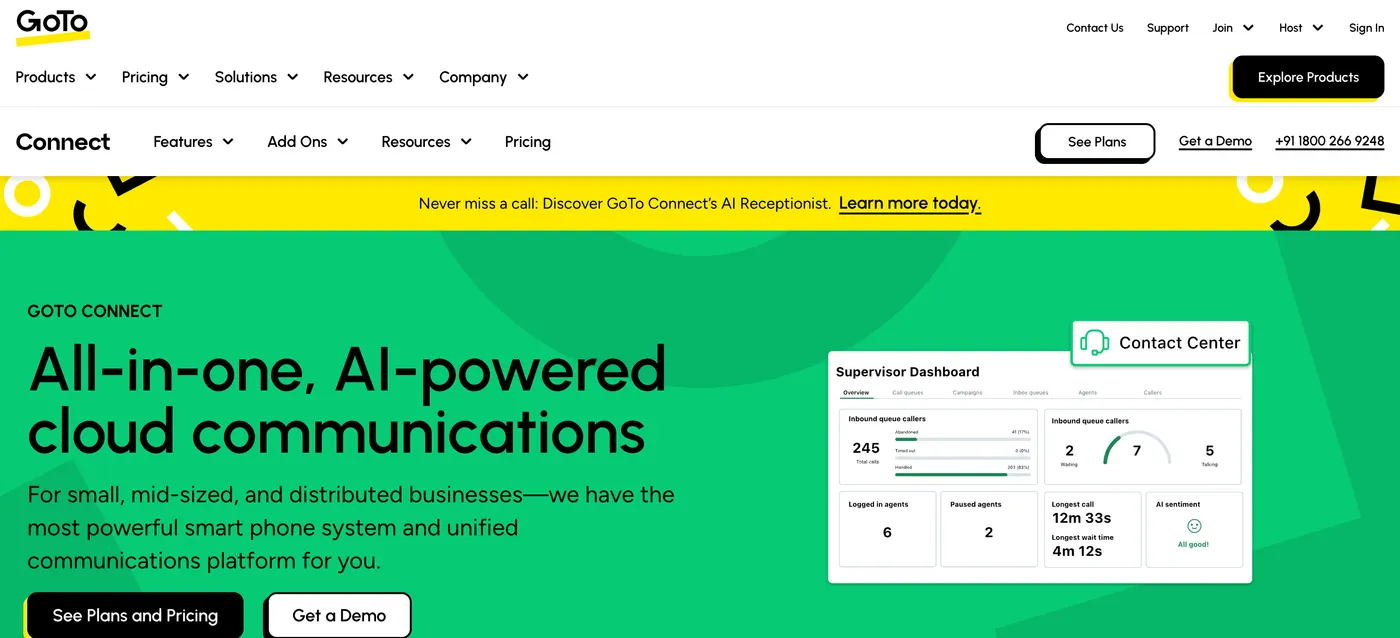 GoTo Connect's homepage, with the Contact Center supervisor dashboard and its AI Receptionist banner.
Core capabilities
- Cloud phone system with visual call-flow editing and desk-phone support.
- Video meetings and team messaging.
- AI Receptionist, AI meeting summaries and the Admin GoPilot assistant.
- Contact Center plan for queues and outbound dialing.
- Integrations with Salesforce, HubSpot and Microsoft Teams.
Pros
- Strong desk-phone and multi-site support.
- Solid Capterra rating of 4.5 from 671 reviews.
- One vendor for phone, meetings and contact center.
Cons
- No published pricing.
- Call summaries are an add-on on the lower plans.
- Heavier setup than an app-only phone like Quo.
Pricing of GoTo Connect
All plans (Phone System, Customer Experience, CX Complete and Contact Center) are quote only. Ask for per-user pricing at your team size and contract length.
9. Vonage
Quick facts
- G2
- 4.3/5 ★
- Capterra
- 4.0/5 ★
- From
- $19.99/line/mo monthly
- Free trial
- Ask sales
- Best for
- teams already building on Vonage APIs or wanting a large, Ericsson-backed vendor
Vonage Business Communications is a cloud phone system from a company that also sells communication APIs, and it has been owned by Ericsson since 2022. That pairing suits teams that want a ready-made phone system today and custom voice or messaging workflows built on the same vendor later.
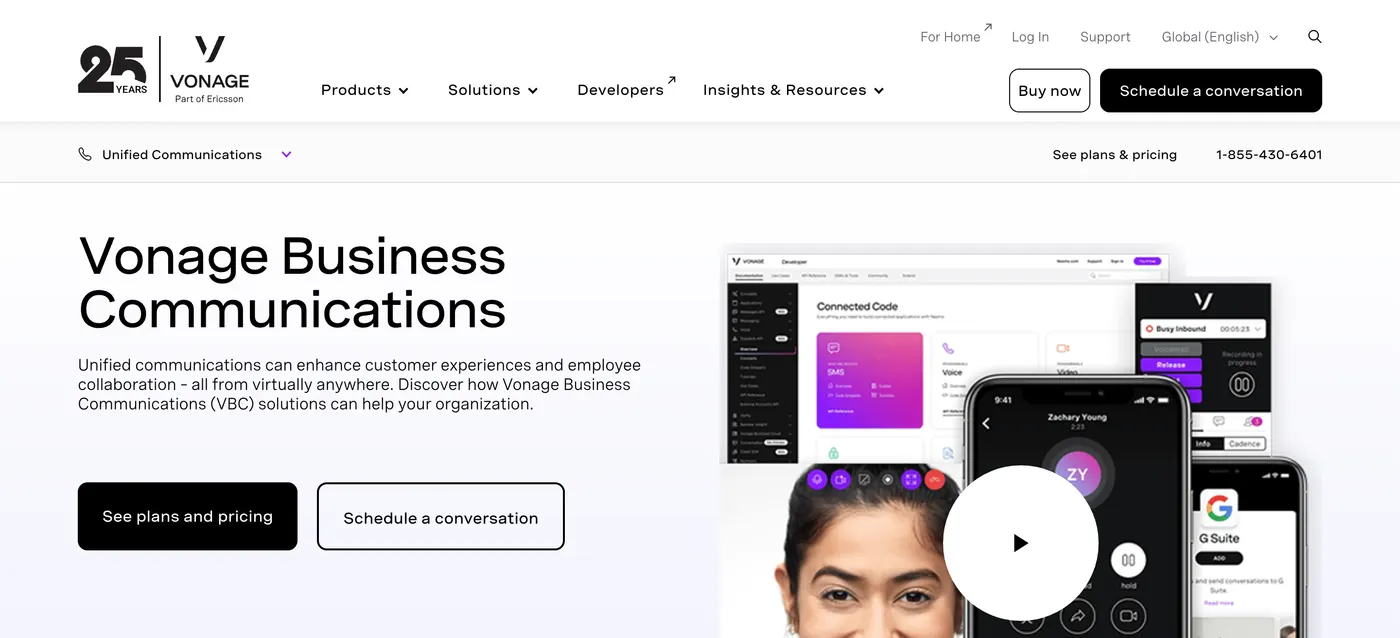 Vonage Business Communications, the unified communications product from Vonage, part of Ericsson.
Core capabilities
- Business phone with mobile and desktop apps, IVR and call groups.
- Video meetings and team messaging on the higher plans.
- Local and toll-free numbers.
- Vonage APIs for custom voice, SMS and video.
- CRM integrations including Salesforce.
Pros
- Phone system and developer APIs from one vendor.
- Backed by Ericsson.
- Lower prices on annual contracts.
Cons
- The lowest Capterra rating among the full phone systems here, at 4.0.
- Reviewers flag SMS delivery and reliability issues.
- No power dialer on the core plans.
Pricing of Vonage
- Mobile: $19.99 per line per month on monthly billing
- Premium: $29.99 per line per month
- Advanced: $39.99 per line per month
Annual contracts bring each tier down. Confirm current rates with Vonage sales.
10. Twilio
Quick facts
- Capterra
- 4.4/5 ★
- From
- $0.014/min US outbound
- Free trial
- Trial credit
- Best for
- developers and product teams building a custom phone or messaging system
Twilio isn't a phone app. It's the communications API that many phone apps are built on, and it suits teams with engineers who want full control over call flows, routing and data.
You pay only for usage, which makes it the cheapest option per minute and the most work to set up.
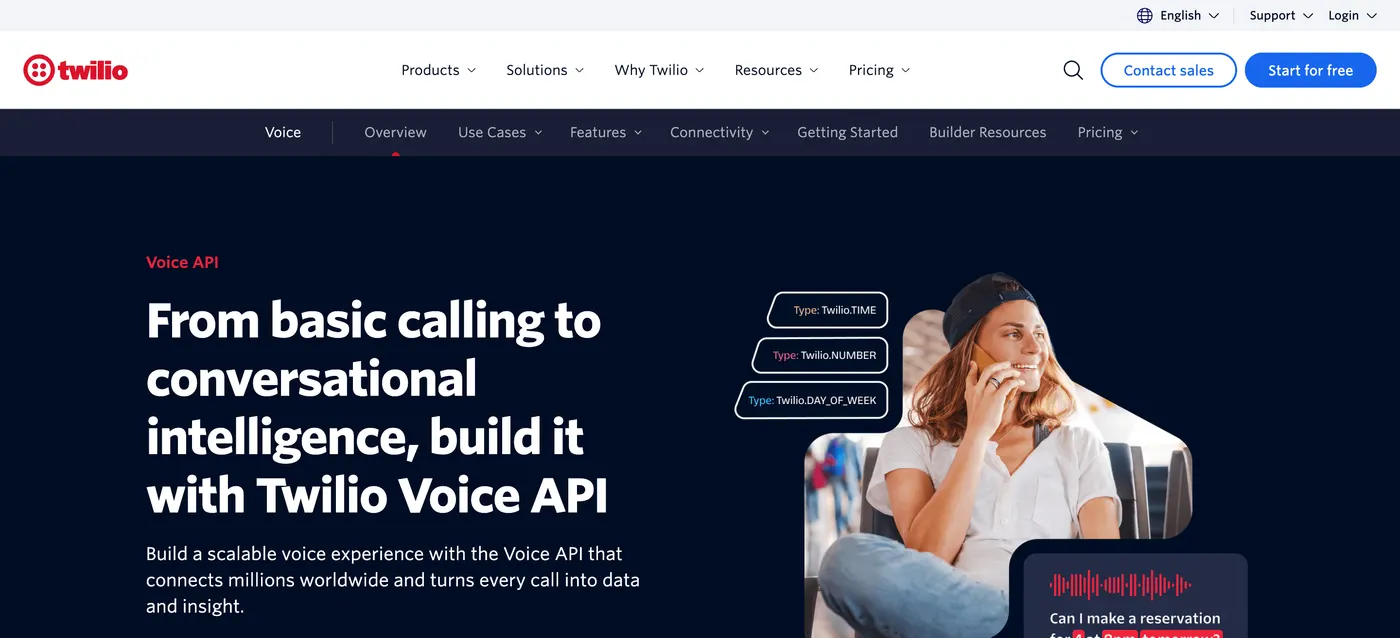 Twilio's Voice API page. It's a building block for developers rather than a ready-made phone app.
Core capabilities
- Programmable voice for inbound and outbound calls, IVR and routing.
- Programmable messaging for SMS and WhatsApp.
- Recording and transcription priced per minute.
- Global numbers and coverage.
Pros
- The lowest per-minute cost here.
- Total control over call logic and data.
- No per-user fees.
Cons
- Needs developers, there's no ready-made app for reps.
- Account verification and compliance steps add friction.
- Costs are harder to predict than a flat per-user plan.
Pricing of Twilio
US pay-as-you-go rates in October 2026.
- Local calls: $0.0140 per minute outbound, $0.0085 inbound
- Toll-free: $0.0140 per minute outbound, $0.0220 inbound
- Browser and app calls: $0.0040 per minute
- Recording: $0.0025 per minute, transcription $0.05 per minute
How to choose the right OpenPhone alternative
The right tool is the one that fixes your reason for leaving Quo. Work through these questions in order.
- Decide what your phone is for. If it's mainly inbound calls and texting customers, compare business phones like dialnote, Dialpad, RingCentral and Nextiva. If it's outbound prospecting, you need a dialer, which points to SmartReach.io or Aircall.
- Count the channels you need together. If calls are one touch in a sequence with email, LinkedIn and WhatsApp, only SmartReach.io keeps them in one workflow with a shared reply-pause rule.
- Price it for your real team. Multiply the per-user price by headcount, then add seat minimums, AI add-ons, extra numbers and texting fees. Aircall and Dialpad Pro both have three-user minimums.
- Check international costs. If you call outside the US and Canada, compare per-minute rates, and note Grasshopper's $500 international deposit.
- Plan for texting compliance. US business texting needs A2P 10DLC registration on every provider. Ask how long it takes and what it costs.
- Test on real calls during the trial. Port a spare number, make a day of real calls, and check call quality and CRM logging before you move your main line.
If you're comparing dialers specifically, our guide to the best cold calling software goes deeper on power and parallel dialers, and best business phone systems covers inbound-first options.
So which OpenPhone alternative is right for you?
- Outbound sales teams: SmartReach.io. A power caller, email, LinkedIn and WhatsApp in one sequence, and no per-seat pricing.
- Inbound lines with an AI receptionist: dialnote, flat-priced with unlimited users from $49 per month.
- AI transcription on a budget: Dialpad, with recaps on the $15 Standard plan.
- CRM-synced sales and support: Aircall, if you have at least three users.
- Multi-site teams: RingCentral RingEX or GoTo Connect.
- Growing toward a contact center: Nextiva.
- Solopreneurs: Grasshopper.
- Teams building on APIs: Vonage or Twilio.
The short version
OpenPhone, now Quo, is a solid business phone for small teams that take calls and texts. It charges per user, meters international usage, and has no power dialer or outreach sequences.
If inbound calling is your job, dialnote, Dialpad, Aircall, RingCentral and Nextiva are the closest upgrades. If you're a solo operator, Grasshopper costs less. If you build software, Twilio gives you the raw pieces.
For outbound sales teams, SmartReach.io is the pick. It's a cold email software whose Sales Engagement plans run calls through PowerCaller in the same sequence as email, LinkedIn and WhatsApp, from $39 per month, with unlimited users from the Plus plan up. Run a week of real calls in the trial and let the connect rate decide.
OpenPhone alternatives FAQs
What is better than OpenPhone?
It depends on the job. For outbound sales, SmartReach.io is the stronger pick because its Sales Engagement plans run calls through a built-in power caller alongside email, LinkedIn and WhatsApp in one sequence, from $39 per month with no per-seat pricing. For an inbound line with a 24/7 AI receptionist and flat pricing, dialnote fits better, and for a CRM-synced sales and support line, Aircall.
Is OpenPhone the same as Quo?
Yes. OpenPhone rebranded to Quo on 23 September 2025, alongside a $105 million funding round. Existing accounts, numbers and apps carried over and only the name and domain changed. Plans now run Starter, Business and Scale, from $15 to $35 per user per month billed annually, or $19 to $47 billed monthly.
Which OpenPhone alternative has a power dialer?
Quo has no power dialer, so outbound teams usually add one or switch. SmartReach.io does not sell one either. PowerCaller, the SmartReach.io power caller, comes with the $39 per month Sales Engagement Basic plan, up to 100 calling seats on Scale, and puts every call step in one click-to-dial queue. Aircall puts its Power Dialer on the Professional plan at $50 per license billed annually, with a three-license minimum.
Which OpenPhone alternative is the cheapest?
For a solo business line, Grasshopper's True Solo plan is the lowest at about $14 per month billed annually. For a team, Dialpad Standard and Nextiva Core both start at $15 per user per month on annual billing. Twilio is cheaper per minute at $0.014 for US outbound calls, but you build the phone system yourself.
Is OpenPhone a VoIP?
Yes. OpenPhone, now Quo, is a cloud VoIP phone system. Calls and texts travel over the internet through its desktop, web and mobile apps rather than a traditional phone line, and every plan includes one local or toll-free number per user with calling and texting to the US and Canada.
Does OpenPhone work without Internet?
No. Quo is VoIP, so every call and text needs a Wi-Fi or mobile data connection. On a weak connection, call quality drops first. Teams that work in low-signal areas often pick a provider with call forwarding to a regular mobile number, which Grasshopper and Nextiva both support, so calls still ring when the data connection drops.
Can I text with OpenPhone?
Yes. Quo includes business texting to the US and Canada on every plan, and automated SMS costs $0.01 per segment. US business texting needs A2P 10DLC carrier registration first, which adds a setup step and a small monthly fee. International texts are billed per message, for example $0.17 per text to the UK.
Does SmartReach.io replace OpenPhone for sales teams?
For outbound sales, yes. SmartReach.io is a cold email software whose Sales Engagement plans add calls, LinkedIn and WhatsApp steps to the email sequence, with call recording and transcription. It doesn't do business texting or inbound IVR, so a team that runs customer support on its phone line should keep a phone system next to it.
Stop juggling tools
Book more meetings on every channel
Join 5,000+ teams running multichannel outreach from one sequence, with deliverability built in.