Reply.io vs SmartReach.io: Which Sales Tool Is Right for You?

TL;DR
- SmartReach.io prioritizes email deliverability with features like inbox rotation, ESP matching, built-in warmup, and domain management across all plans, making it ideal for teams focused on reaching the inbox.
- Reply.io offers a broader, all-in-one platform with a long track record, a built-in B2B database, and an AI SDR named Jason, suitable for teams seeking comprehensive features and extensive team performance reporting.
- Pricing is a significant differentiator: Reply.io charges per seat (e.g., $99/user/month), while SmartReach.io offers unlimited users on a flat monthly plan (e.g., $99/month for Sales Engagement Plus), making SmartReach more cost-effective for scaling teams.
- SmartReach.io provides advanced sending controls, including automated time zone and holiday-aware delivery, granular sending windows, and per-account limits, to optimize outreach timing and effectiveness.
- For agencies, SmartReach.io offers dedicated client workspaces with isolated sending accounts and reporting, facilitating clean campaign management across multiple clients, which is a key advantage over Reply.io.
You’ve narrowed it down to two tools. Now comes the hard part: figuring out which one actually fits how your team runs outbound. So which one actually moves the needle for your team?
Reply.io and SmartReach.io both compete in the sales engagement space. Both handle cold email sequences, multichannel outreach, and team collaboration. But they’re built around different priorities, and that’s exactly what this comparison will show you. If you’re evaluating these platforms before making a purchase decision, this breakdown covers what matters most: deliverability, sending controls, personalization, pricing, and who each tool is really built for.
⚡ TL;DR
Reply.io is the broader all-in-one platform with a long track record, a built-in B2B database, and Jason, a premium AI SDR. SmartReach.io is built around email deliverability first: inbox rotation with ESP matching, built-in warmup, and domain management on every plan, plus tight sending controls like time zone and holiday-aware delivery. The biggest split is cost structure. Reply.io charges per seat (Multichannel runs $99/user per month, month-to-month), while SmartReach gives you unlimited users on a flat plan (Sales Engagement Plus is $99/month total). For a 5-rep team, that’s $495/month vs $99/month. Pick Reply.io for breadth and team-performance reporting; pick SmartReach for deliverability, sending control, and per-seat-free pricing as you scale.
A quick note on pricing context
Before comparing costs, it helps to understand how outreach platform pricing works. Sales engagement tools typically price around four variables:
- Number of sending accounts connected to the platform
- Number of users who can access the tool
- Number of active prospects you can store or reach at one time
- Number of emails you can send each month
Different platforms weight these differently. Some charge per seat (per user), others cap you on prospect volume, and some offer unlimited users with limits on email volume only. A number that looks cheaper on one platform can actually cost more once you account for your team size or contact volume. Keep this framework in mind as you review the pricing sections below.
What is Reply.io?
Reply.io is a sales automation platform that’s been on the market since 2014. It covers cold email, LinkedIn outreach, calls, and SMS in a unified multichannel sequence builder. The platform also includes Jason, an AI SDR that handles outreach steps autonomously based on configured rules, and a built-in B2B contact database for prospecting.
Reply.io has a strong reputation for its sequence logic and conditional branching. It’s well-suited for teams that want a single platform handling everything from prospecting to outreach to reply management. With over 1,375 reviews on G2 and a 4.6/5 rating, it has a large, established user base.
A quick caveat on review counts, since they come up in almost every comparison: a big tally isn’t the trust signal it once was. Ratings on sites like G2 can be incentivized, and some get bought for a few dollars each, so a long list of reviews doesn’t always mean a better product. That’s why a lot of buyers now cross-check with unfiltered communities like Reddit before they commit. Think about it: when did you last leave a G2 review for a tool you actually liked?
What is SmartReach.io?
SmartReach.io is a sales engagement platform built around a clear philosophy: get cold email right first, then expand into other channels. Its primary strength is email outreach, backed by infrastructure most platforms don’t match out of the box, including unlimited sending accounts, built-in email warmup, inbox rotation, and automated domain management.
Beyond email, SmartReach supports LinkedIn (including full automation, available at $29/month per account), calling, and WhatsApp. All channels work within the same conditional sequence builder, so you can run a unified multichannel workflow without stitching separate tools together. SmartReach serves over 3,000 businesses worldwide and carries a 4.6/5 rating on G2.
Reply.io vs SmartReach.io at a glance
Here’s the short version before we get into detail. Pricing below uses month-to-month billing, and the multichannel comparison lines up 1 Reply.io seat against SmartReach’s unlimited-user plan.
| Capability | Reply.io | SmartReach.io |
|---|---|---|
| Multichannel pricing | $99/user per month (1 user) | $99/month for unlimited users (Sales Engagement Plus) |
| Email infrastructure | Connect Google, Outlook/M365, SMTP | Built-in Google, Microsoft 365, Azure, and SMTP with automatic SPF/DKIM/DMARC |
| Hyper-personalized content | AI writing assistant at the email and template level | Smart Email AI Agent writes a unique email per prospect |
| Built-in email warmup | Available | Included on every plan (10 accounts up to unlimited) |
| Inbox rotation + ESP matching | Limited | Yes, routes Gmail to Gmail and Outlook to Outlook |
| Secondary domain management | Connect domains set up elsewhere | Create and manage mailboxes and domains inside the platform |
| LinkedIn automation | Separate add-on (~$69/user) | Add-on at $29 per LinkedIn account |
| Calling | Separate add-on (~$29/user) | Seats included on Sales Engagement plans |
| AI SDR | Jason, a separate premium product (~$500/month) | Launching soon at no extra cost |
| Time zone + holiday sending | Manual or per-campaign setup | Automated at the platform level |
| CRM integration | Native on most plans | Free on every plan except Basic |
| Shared inbox | Unified inbox across channels | Unlimited users, no per-seat fee |
Cold email and sequence building
Both platforms have solid sequence builders, but they take different approaches to automation.
Reply’s sequence builder is feature-rich and well-regarded. You can build branching sequences triggered by opens, clicks, replies, or inactivity. Template libraries cover common outreach scenarios, and A/B testing is available at the step level. The AI writing assistant helps craft individual emails quickly.
SmartReach’s sequence builder supports conditional branching across 15+ trigger types: email opens, link clicks, LinkedIn connection status, answering machine detection, and invalid addresses, among others. The event-driven logic means each prospect’s next step depends on their actual behavior rather than a static timer.

SmartReach’s AI Sequence Generator takes a different angle: you provide your target persona, value proposition, and campaign goal, and the AI builds an entire multi-step sequence from scratch. This cuts initial setup time when you’re launching multiple campaigns quickly. Reply.io’s AI writing support works at the individual email level and focuses more on copy quality than sequence architecture.
On plan limits: SmartReach’s Plus plan at $89/month includes unlimited users and unlimited sequences. Reply.io’s pricing is per seat, so the cost multiplies with team size.
Multichannel outreach: email, LinkedIn, calling, and more
Cold email alone doesn’t close most deals today. Both platforms go beyond email, but they’re structured differently.
Reply’s Multichannel plan starts at $99/month per user (month-to-month) and runs email, LinkedIn, calls, and SMS through one sequence builder. Worth knowing before you budget: LinkedIn automation and calling aren’t part of that base price. They’re separate add-ons, roughly $69/user for LinkedIn and $29/user for calling, so true multichannel costs climb well past the headline number. Reply.io also has Findy, a Chrome extension for prospecting directly from LinkedIn and Gmail, and Jason AI handles outreach steps autonomously.
SmartReach takes a modular approach. Email outreach starts at $29/month. LinkedIn automation, calling, and WhatsApp are added as channels when you need them. LinkedIn full automation (connection requests, messages, profile views) is available at $29/month per LinkedIn account, which is a meaningful cost difference if your team only runs email campaigns.

The multichannel workflow in SmartReach uses conditional logic across all channels. If a prospect doesn’t respond to your first email after three days, the sequence can automatically trigger a LinkedIn connection request as the next step. If they connect, a follow-up message can go out the next day. The system responds to what actually happens rather than running a fixed script.
SmartReach also includes a Power Dialer for calling steps. It supports multi-country calling with local number options and includes real-time coaching features during live calls. Calling seats are available on Sales Engagement plans (1 seat on Basic, 3 on Plus, 10 on Pro) and can be added at $19/seat/month. Reply.io also supports calling with call recording, but it’s a paid add-on (around $29/user) layered on top of the Multichannel plan rather than included.
For agencies managing multiple clients, SmartReach supports dedicated client workspaces with isolated sending accounts and reporting, which keeps campaigns and data cleanly separated across clients.
Personalization and email intelligence
Merge tags and custom columns are available on every serious outreach platform. The real differentiator is what happens when you want personalization that actually sounds human.
Reply includes an AI writing assistant for individual emails and templates covering common outreach scenarios. Jason, the AI SDR, can generate and send outreach automatically based on configured parameters. SmartReach supports spintax for natural message variation at scale alongside its own AI-powered features.
SmartReach invests in two specific features that go further than standard personalization.
Smart Email AI Agent. This generates hyper-personalized email content for each prospect using their enriched data: company name, job title, location, industry, revenue, and funding status. You configure the campaign goal, pain points, value proposition, and tone once. From there, the AI writes unique subject lines and email bodies for each contact individually. No generic merge tags. No copy-paste variations. The AI runs in two modes: Copilot (you review and approve before sending) and Autopilot (validates and sends automatically). The system adapts to your editing patterns over time. You can see exactly how this works in the SmartReach Help Center documentation on Smart Email.
AI Sequence Generator. Instead of building sequences step by step, this generates a complete multi-step sequence from your inputs. It handles structure, messaging, and follow-up timing automatically. You can read more about it in the SmartReach AI-powered features overview. For teams running 10+ simultaneous campaigns, this is a real time-saver.
The honest difference: Reply’s AI covers more of the sales workflow broadly. SmartReach’s AI is more focused on email content quality, inbox placement, and making each message feel individually written.
There’s also the cost angle on autonomous outreach. Jason, Reply.io’s AI SDR, is a separate premium product that starts at around $500/month on top of your plan. SmartReach is rolling out its own AI SDR soon, and it’s set to come at no additional cost to your existing plan. If autonomous outreach is on your roadmap, that’s a meaningful difference in what you’ll pay to get there.
Email deliverability and infrastructure
Deliverability is where outbound campaigns succeed or fail quietly. You can have great copy and a solid sequence structure and still get buried in spam. This is the area where SmartReach has invested most heavily.
Inbox rotation
SmartReach’s inbox rotation distributes campaign sends across multiple connected email accounts simultaneously. A key feature is ESP matching: the platform detects each recipient’s email provider and routes the email through a matching provider. Gmail to Gmail. Outlook to Outlook. Sending through the same provider as your recipient reduces spam flags and builds a more natural sending pattern. Sending limits per account are configurable, so no single mailbox hits the volume thresholds that trigger ESP alerts.
Secondary domain management
SmartReach has a dedicated secondary domain management system built directly into the platform. You can create and manage hundreds of Azure, Google Workspace, or Microsoft 365 mailboxes without leaving the dashboard. SPF, DKIM, and DMARC records are configured automatically. The Azure Tenant plan costs $35/month and includes 50 mailboxes plus a domain. Provider options include Azure, Maildoso, Google, and Microsoft 365.
Reply.io supports custom domains and multiple sending accounts, but configuration happens outside the platform. There’s no built-in domain marketplace or automated authentication setup.
AI email warmup
SmartReach’s AI email warmup runs automatically for all connected mailboxes. The system generates contextual conversations with verified accounts to build inbox reputation gradually, escalating sending volume over time to avoid triggering spam filters. It tracks where emails land (inbox, spam, or promotions) and reports on placement outcomes. Warmup accounts are included on all plans: 10 on Basic, 25 on Plus, 75 on Pro, and unlimited on Scale.
Reply.io includes warmup functionality, though the account limits and integration with campaign management are less prominent.
AI automations and reply handling
SmartReach’s AI automation layer handles tasks that typically fall to manual review: reply classification (interested, objection, not now, out-of-office), OOO detection and auto-rescheduling, and context-aware draft replies. The conditional multichannel drip system applies this logic across all channels, not just email.
Scheduling and sending controls
Timing affects reply rates as much as copy quality does. Sending a cold email at 2am in your prospect’s time zone, or during a major public holiday in their country, is a straightforward way to hurt open rates. SmartReach’s sending controls are among the most detailed in its category.
Time zone-based sending
SmartReach supports time zone detection at the prospect level. Emails go out during your recipient’s local business hours rather than your sending account’s location. For outbound teams reaching multiple geographies simultaneously, this is a practical necessity. A five-rep team selling to North America, Europe, and APAC needs each prospect to receive emails during their own working day. Reply.io supports time zone-based sending, though setup can require manual configuration per campaign.
Sending windows
SmartReach lets you define precise sending windows per campaign: specific hours and days of the week. You can set different windows for different prospect segments or campaign types. A campaign targeting founders might send Tuesday to Thursday, 9am to 11am in the recipient’s time zone. Reply.io supports configurable sending windows, though SmartReach’s implementation is more granular.
Per-account sending limits
SmartReach lets you cap daily sends per email account. Combined with inbox rotation, this means volume is spread evenly across all connected accounts without any single mailbox approaching the sending thresholds that trigger ESP-level review. Add more sending accounts and SmartReach redistributes volume automatically.
Holiday calendar handling
SmartReach includes a holiday calendar that pauses or delays sends around regional public holidays. If your campaign is targeting prospects in Germany, it won’t send emails on German public holidays. For outbound teams working international markets, this is typically managed manually or missed entirely. SmartReach handles it at the platform level. Reply.io doesn’t prominently feature automated holiday handling.
Smart sending behavior
Beyond scheduled windows, SmartReach adjusts step timing based on actual prospect engagement. Does that matter in practice? Significantly. If a prospect opens an email, the next follow-up can be timed based on that engagement signal rather than a fixed schedule, prioritizing sends where response probability is higher.
According to Salesforce’s State of Sales report, sales teams that use data-driven timing in their outreach consistently outperform those running fixed-schedule campaigns. When you’re running campaigns to tens of thousands of prospects across multiple time zones and sending accounts, manual scheduling doesn’t scale. SmartReach automates these decisions at the platform level, which is why operations-focused teams and agencies tend to favor it.
Analytics, reporting, and team visibility
SmartReach’s reporting covers sequence performance by step, open rates, click rates, reply rates, and bounce rates per campaign. You can view performance at the account level (which sending accounts are healthy) and the prospect level (where in a sequence individual contacts stalled). Client dashboards are available on higher plans (1 on Plus, 3 on Pro, 10 on Scale), which makes SmartReach’s reporting structure particularly useful for agencies.
Reply.io’s analytics lean more toward team performance. Managers can track individual rep activity, sequence completion rates, and pipeline-level reporting. For sales leaders managing a team of SDRs, Reply.io’s reporting gives more visibility into individual performance than SmartReach does at comparable price points. We can’t tell you definitively which tool’s reporting will fit your stack without knowing more about your setup, but it’s worth a closer look during any trial period.
SmartReach’s shared inbox consolidates all prospect replies across every connected email account into one team view. The reply classifier categorizes incoming messages automatically, so your team sees “interested” replies at the top rather than digging through the queue. Shared inbox access is included for unlimited users on Plus and Pro plans, so there’s no added cost as your team grows.
Reply.io’s unified inbox works across email, LinkedIn, and other connected channels, giving the full conversation history in one thread. For teams that heavily use multichannel sequences, this view is useful. Both tools handle this well; SmartReach’s advantage here is cost: unlimited users share the inbox without any per-seat fees.
CRM integrations and workflow fit
SmartReach integrates natively with HubSpot, Salesforce, Pipedrive, and Zoho CRM, and these come free on every plan except Basic. Only on the entry-level Basic plan is CRM integration a paid add-on ($29/month per CRM); on Plus, Pro, and Scale it’s included at no extra charge. SmartReach also connects with Zapier for broader automation. Reply.io has native integrations with HubSpot, Salesforce, Pipedrive, and Close, built into most plans rather than treated as optional add-ons.
For teams already running HubSpot or Salesforce as their primary CRM, both platforms work well. The difference is the seat math: with SmartReach you get native CRM sync free on every paid plan above Basic and you’re not paying per user, while Reply.io bundles CRM but charges per seat. For larger teams, that adds up fast.
One area where Reply.io has a distinct advantage is meeting scheduling. The platform includes a built-in meeting booker that integrates with calendars directly. SmartReach doesn’t have a native meeting scheduler, so teams typically use a third-party tool like Calendly alongside it.
Reply.io vs SmartReach: pricing breakdown
Here’s a practical comparison across common use cases. All prices below are month-to-month (the no-commitment rate you actually pay if you’re not locking in a year).
Reply.io (month-to-month):
| Plan | Price | Users | Includes |
|---|---|---|---|
| Email Volume | from $59/month | per seat | 1,000 active contacts, email sequences |
| Multichannel | from $99/month | per seat | email, plus LinkedIn (~$69/user) and calling (~$29/user) as add-ons |
| Agency | from $166/month | flat | annual billing only, no month-to-month option |
SmartReach Email Outreach (month-to-month):
| Plan | Price | Users | Active prospects | Emails/month |
|---|---|---|---|---|
| Basic | $29/month | 1 | 1,000 | 10,000 |
| Plus | $89/month | unlimited | 50,000 | unlimited |
| Pro | $199/month | unlimited | 100,000 | unlimited |
| Scale | $499/month | unlimited | 500,000 | unlimited |
SmartReach Sales Engagement (adds LinkedIn + calling, month-to-month):
| Plan | Price | Users | Active prospects |
|---|---|---|---|
| Basic | $39/month | 1 | 1,000 |
| Plus | $99/month | unlimited | 50,000 |
| Pro | $249/month | unlimited | 100,000 |
| Scale | $599/month | unlimited | 500,000 |
The structural difference matters for growing teams. SmartReach doesn’t charge per seat. Reply.io’s Multichannel plan at $99/month is per user, so a 5-person SDR team pays $495/month total before LinkedIn and calling add-ons. SmartReach’s Sales Engagement Plus plan covers the same team with unlimited users at $99/month flat.
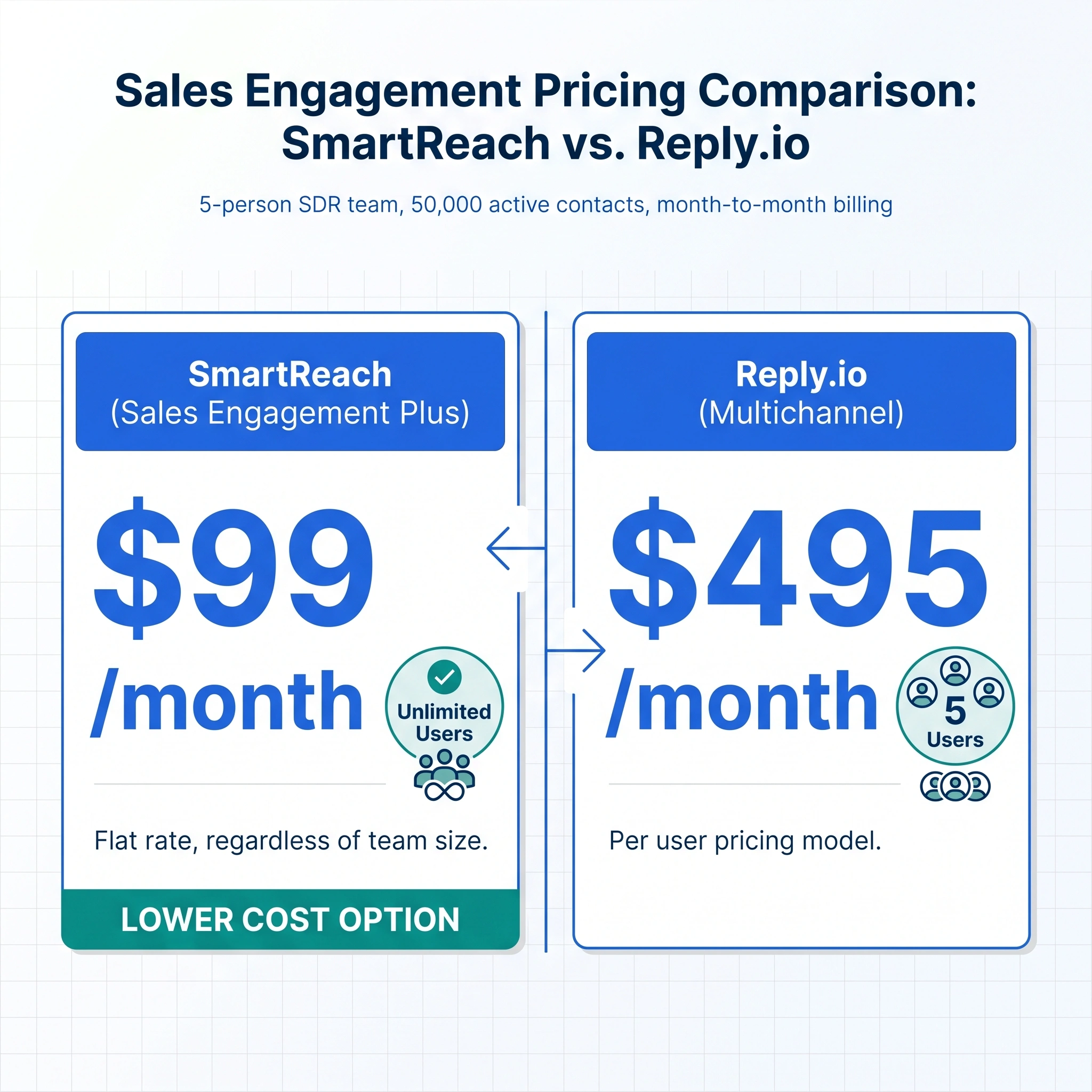
At the 50,000 active prospect level, SmartReach Plus runs $89/month for email outreach with unlimited users. The comparable Reply.io tier is priced per seat, so the gap widens with every rep you add. SmartReach also includes email verification credits, AI warmup, and spam test reports on all plans. In Reply.io, those are either add-ons or restricted to higher tiers.
Who should choose which?
Choose Reply.io
Breadth + AI SDR
A solid choice for teams that want a broad, all-in-one platform covering prospecting, outreach, and AI-driven sequence execution. It fits where Jason AI handling autonomous outreach makes sense, companies already running Reply.io happily, and smaller teams where per-seat pricing isn’t a scaling concern. If breadth of features and a large established user community matter, Reply.io delivers.
Choose SmartReach
Deliverability + scale
The better fit for outbound teams where email deliverability and inbox placement drive results. It shines for agencies managing multiple client accounts, growing teams where per-seat pricing makes Reply.io expensive at scale, and operations that need tight sending controls: time zone targeting, holiday calendars, smart scheduling, and per-account limits. Built for teams that treat cold email as infrastructure, not just a feature.
Making the call
Both platforms do sales engagement well. They’re genuinely competitive tools with different strengths.
Reply.io has more history and a broader toolset. It’s a reasonable choice for teams that want one platform covering everything from database to AI SDR, with strong team performance reporting built in.
SmartReach’s edge is in the fundamentals that produce reply rates: deliverability infrastructure, inbox rotation, domain management, smart scheduling, and time zone-aware sends. The pricing model, which doesn’t charge per seat, also makes it significantly more cost-effective for teams of more than two or three reps.
Quality in the inbox, not just volume out
If what lands in the inbox matters as much as the volume going out, SmartReach is built around that priority. Try it free, no credit card required.
Start free with SmartReach
No credit card required
FAQs
Is SmartReach better than Reply.io for cold email?
SmartReach has a stronger focus on cold email deliverability, with built-in inbox rotation, AI warmup, and domain management on all plans. For teams where inbox placement is the priority, SmartReach’s infrastructure gives it an edge.
How does SmartReach pricing compare to Reply.io?
SmartReach doesn’t charge per seat. On month-to-month billing, Reply.io’s Multichannel plan is $99/user, so a 5-person team pays $495/month. SmartReach’s Sales Engagement Plus plan covers unlimited users at $99/month flat for the same contact volume.
Does SmartReach support LinkedIn outreach?
Yes. SmartReach supports LinkedIn automation including connection requests, profile views, and messages. LinkedIn automation is available at $29/month per LinkedIn account.
Which tool is better for agencies managing multiple clients?
SmartReach supports dedicated client workspaces with separate sending accounts and reporting dashboards. This makes it a better fit for agencies that need clean separation between client campaigns.
Can SmartReach handle time zone-based email scheduling?
Yes. SmartReach detects each prospect’s time zone and sends emails during their local business hours. It also includes holiday calendar handling for international markets.