
AI outreach automation that writes the campaign and sorts the replies
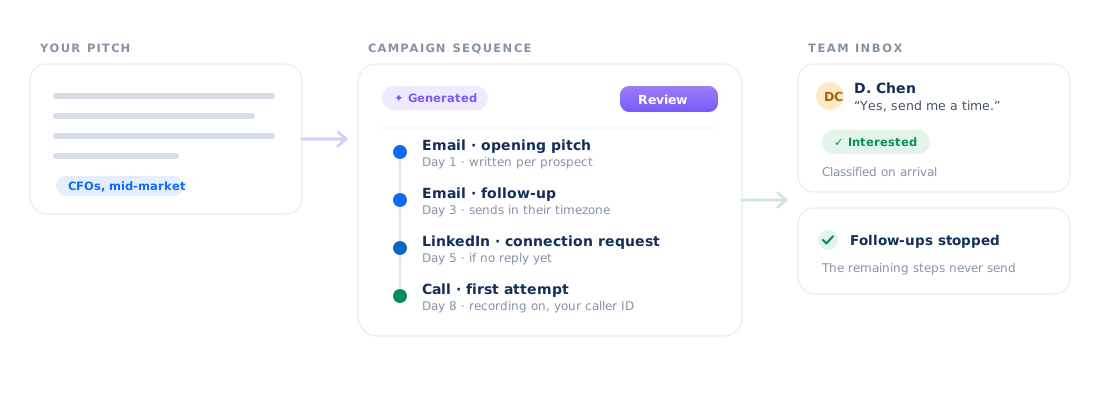
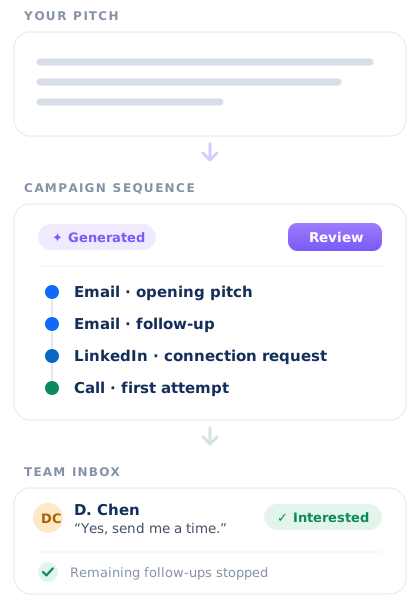
SmartReach is powered by AI that drafts your whole sequence, writes every email for the prospect it is going to, and classifies each reply before you open the inbox.
Three jobs you were doing by hand
Writing the sequence, personalizing every email in it, and reading what comes back. The AI does all three inside the campaign that sends, not in a separate tool you copy out of.
Describe the pitch. Get the whole sequence.
Tell SmartReach what you sell and who you are selling to, and the AI generates the complete campaign sequence: the opening email, the follow-ups, the LinkedIn touches and the call steps, with the waits already set between them. You get a draft to review, not a blank campaign builder.
Read the sequence generator guide →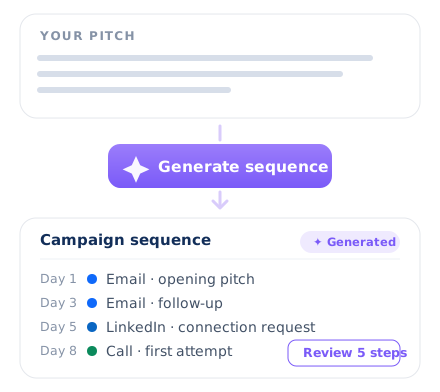
Every email written for one prospect.
The Smart Email AI Agent writes each email against the prospect it is going to, using the data on their record rather than a merge tag over a shared template. Spintax and generated icebreakers vary the wording across the campaign, so a thousand sends do not arrive as a thousand copies of one message.
See the Smart Email AI Agent →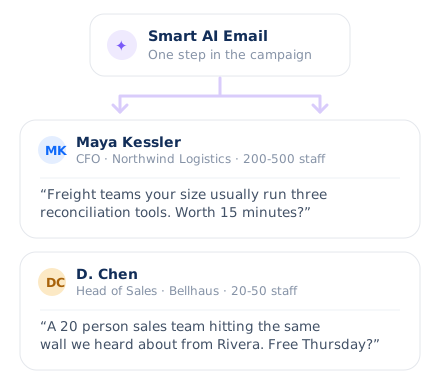
Replies sorted before you open the inbox.
Every reply is classified by sentiment and intent, so interested lands separately from an objection and separately from an out of office. An out of office reschedules that prospect's follow-up by itself. A real reply stops the rest of their sequence, and so does a booked meeting, including one booked by a colleague.
How the Team Inbox works →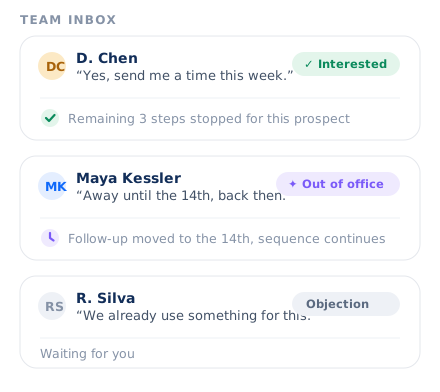
A whole campaign, written by AI. Approved by you.
No mode to switch on and no agent to configure. This is what runs, on the plan you are already paying for.
Runs on the credits already in your plan. No separate AI seat to buy. See what each plan includes
And the automation that is not AI
Some of this page is the AI. The rest is ordinary automation: rules you set once that keep running while you are asleep. Blurring the two is how software ends up claiming an AI that does not exist, so they are separated here.
Branches that read the prospect
A campaign forks on what the prospect did: replied, opened, or accepted the LinkedIn connection. Each branch runs its own steps, so one campaign covers what used to take several.
See multichannel sequences →LinkedIn touches that run themselves
Profile views, connection requests, messages and InMails run as steps inside the same sequence as the emails, on your own network accounts, without anyone sitting on LinkedIn to click them.
Browse LinkedIn automation →Calls queued, recorded, and logged
A call step drops the prospect into a task queue with the context attached. Calls carry recording and voicemail drop, go out on your caller ID, and log the outcome back against the campaign.
See cold calling software →Guardrails that pause before you notice
Blacklist monitoring pauses a campaign on its own if a sending domain lands on a blocklist, and sending follows each prospect's own timezone and holiday calendar rather than yours.
How deliverability works →Comparing the wider category first? Read the roundup of the top AI sales tools. Or see what SmartReach cold email software does end to end, and how deliverability keeps the sequences the AI writes out of the spam folder.
The AI is inside the tool that actually sends
A writing assistant hands you text and stops. Here the sequence the AI generates is the campaign that sends, the personalization happens against live prospect data at send time, and the classification runs on the replies coming back. Nothing gets copied between products, because there is only one product.
Before you ask
What does SmartReach's AI actually do?
Three things. It generates a complete campaign sequence from a description of your pitch, it writes each individual email against the prospect it is going to through the Smart Email AI Agent, and it classifies every reply by sentiment and intent so an out of office reschedules the follow-up instead of burning it.
Does the AI send emails without me seeing them?
No. The generated sequence arrives as a draft for you to review before the campaign runs, and you can edit any step, subject line or send delay. Nothing is locked once the AI has written it, and in copilot mode each individual email still lands in an approvals queue before it leaves your account.
What happens when a prospect replies?
The reply is classified by sentiment and intent, and it lands in the Team Inbox alongside your LinkedIn replies rather than in one rep's private mailbox. A genuine reply stops the rest of that prospect's sequence automatically, and so does a booked meeting, including a meeting booked by a colleague.
How does out-of-office rescheduling work?
An out of office is classified as exactly that rather than as a reply, so the sequence is not stopped by it. The follow-up for that prospect is rescheduled instead of being sent into an empty inbox, and the campaign picks up when they are back. A genuine reply still stops the sequence immediately.
Is the AI an extra subscription?
No. SmartReach.io runs the AI on the SmartReach credits already included in your plan, so there is no separate AI seat to buy and no per-user AI fee. Every plan carries a monthly pool of credits, each generation draws from it, and you can top up if you run out before the month does.
Which parts of this are AI and which are just automation?
Sequence generation, per-prospect email writing and reply classification are the AI. Conditional branches, LinkedIn actions, call queues, blacklist auto-pause and timezone-aware sending are ordinary automation: rules you set that then run without you. SmartReach.io keeps both on one platform, and this page separates them deliberately so you know which is which.
Can I try the AI before paying?
Yes. The SmartReach.io 14-day free trial includes the AI features along with everything else, with 200 prospects and no card required. You can generate a full sequence, watch replies get classified and see the approvals queue work before you decide on a plan, and nothing bills automatically when the trial period comes to an end.
How is this different from an AI writing tool?
A writing tool hands you text and stops. Here the sequence the AI generates is the campaign that sends, the personalization happens at send time against live prospect data, and the classification runs on the replies that come back. Nothing is copied between products, because there is only one product.
Let the AI write the first draft
Tell us how your team runs outreach today and we will show you which parts SmartReach automates, or start on the 14-day free trial with no card required.