
Which is better for cold email, Smartlead or SmartReach?

You’ve got two tabs open. One says Smartlead. The other says SmartReach. Both promise to fix your cold email problems, and both look pretty good on paper.
Picking the wrong cold email platform costs more than money. It costs months of wasted setup, burned domains, and a pipeline that never fills up. Stan, a sales ops manager running outreach for a 10-person SDR team, learned this the hard way. His team spent three months on a platform that couldn’t handle their sending volume or coordinate across channels. Deliverability tanked. Reply rates dropped below 1%. He had to rip everything out and start over.
This Smartlead vs SmartReach comparison isn’t going to give you the usual “it depends” answer. We’ll break down features, pricing, deliverability, multichannel support, AI capabilities, and integrations so you can make the right call for your team.
Both tools have real strengths. But they’re built for different types of outreach, and the differences matter more than most comparison posts admit. Let’s get into it.
What does each platform do?
Smartlead and SmartReach.io are both cold email outreach platforms built for B2B sales teams. They share common ground: unlimited email accounts, built-in warmup, campaign automation, and A/B testing. But they take fundamentally different approaches.
Smartlead is an email-first tool. It’s built for high-volume cold email campaigns with strong inbox rotation and a unified inbox called “Unibox.” It’s popular with agencies and solo operators who send tens of thousands of emails every month. Think of it as a specialized email machine.
SmartReach’s core strength is also cold email, that’s where it started, and it’s still what most teams use it for every day. The key difference is that SmartReach doesn’t stop there. It’s built as an all-in-one sales engagement platform that lets you reach the same prospect across email, LinkedIn, calling, and WhatsApp, all within a single conditional sequence. The idea is simple: more touchpoints across more channels means higher reply rates. Instead of hoping a prospect picks up your email, you meet them wherever they’re most likely to respond.
That difference in philosophy shapes everything, from feature design to pricing to how your team uses the tool day to day.
How do Smartlead vs SmartReach cold email features stack up?
Both platforms nail the basics: multi-step sequences, merge tag personalization, A/B testing, open and click tracking. But the details tell a different story.
Personalization depth
Smartlead offers spintax and standard merge tags for personalization. It gets the job done for typical cold email campaigns where you’re swapping in a prospect’s name, company, or job title.
SmartReach also supports spintax and standard merge tags, but it doesn’t stop there. On top of those basics, SmartReach offers conditional merge tags and custom columns that let you build sequences where entire paragraphs change based on prospect attributes. If a lead works in SaaS, they get one value proposition. If they’re in professional services, they get a different angle entirely. Your emails read like they were crafted individually, even at scale.
But the bigger upgrade is SmartReach’s AI-powered personalization layer. The Email Sequence AI Agent auto-generates complete multi-step sequences, subject lines, openers, follow-ups, based on your target audience and product context.
You give it your pitch and ICP, it builds the full campaign in minutes. And the Smart Email AI Agent goes a step further: it researches each individual prospect and writes hyper-personalized emails with custom icebreakers for every contact on your list, not just templates with names swapped in, but genuinely individual emails written at scale.
For SDRs who go beyond first-line personalization (and they should), this is a significant upgrade over anything Smartlead currently offers in this area.
Timezone-based sending and holiday calendar
This is one of the most important practical differences between the two platforms, and it’s barely mentioned in most comparisons.
Smartlead lets you configure sending windows, but it doesn’t automatically detect or adjust for a prospect’s local timezone. Your campaign goes out when you schedule it, regardless of whether it’s 3am or a public holiday wherever your prospect is sitting.
SmartReach handles this natively and automatically:
Timezone-based sending: SmartReach detects each prospect’s timezone and schedules emails to land during their local business hours. You could be running a campaign that hits prospects in New York, Berlin, and Sydney simultaneously. SmartReach sends each email at the right local time without you building separate regional campaigns.
Sending Holiday Calendar: SmartReach lets you configure a holiday calendar per campaign. When a send falls on a national holiday in the prospect’s region, it holds the email and sends it the next working day instead. The platform uses the prospect’s detected timezone to apply the right holiday exclusions, so a UK bank holiday doesn’t pause your emails to contacts in the US.
The practical impact here is real. Cold emails landing on holidays or outside business hours get buried. By the time the prospect is back at their desk, your message is five screens down in their inbox. SmartReach’s scheduling features protect that investment of time and copy.
| Scheduling feature | Smartlead | SmartReach |
| Custom sending windows | Yes | Yes |
| Timezone-based auto-sending | No | Yes, per prospect |
| Holiday calendar | No | Yes, per campaign, per region |
| Account-based domain send limits | No | Yes |
Sequence logic and automation
Smartlead supports multi-step email sequences with basic conditional branching. You set up follow-up steps, they send on schedule, and sequences pause when someone replies.
SmartReach does everything Smartlead does here and adds conditional multichannel drip campaigns on top. You can build if/then workflows that react to over 15 types of prospect behavior. Opened but didn’t reply? Trigger a LinkedIn connection request. Clicked a pricing link? Schedule a phone call the next morning. No engagement after three emails? Shift to a different angle or a different channel entirely.
This isn’t just extra complexity for its own sake. It means your sequence is always doing the most logical next thing based on what that specific prospect has actually done, rather than everyone getting the same follow-up on the same schedule regardless of whether they engaged.
A/B testing
Both platforms support A/B testing for subject lines and email copy. Smartlead uses spintax to create variations within a single email.
SmartReach offers structured A/B variants plus spintax, giving you more control over what you’re testing and cleaner data on what’s actually working.
Reply management
Smartlead pulls replies into its Unibox, which consolidates responses from all connected accounts. It works well for individual users managing their own outreach.
SmartReach’s Shared Inbox is built for teams. Every reply from every SDR’s campaign lands in one place. Managers can read all conversations, reassign leads, and step in when a deal needs escalation. Reply detection works across all connected accounts and domains, and campaigns auto-pause the moment someone responds from any address.
If you’re a solo operator, both handle replies fine. If you’re managing a team? SmartReach’s collaborative setup saves meaningful hours every week. Amy, a senior SDR managing a pod of junior reps, cut her weekly pipeline review time in half after switching, because everyone could already see the full conversation history in the shared inbox before the meeting started.
Team features
This is where the gap widens. SmartReach was built with teams in mind from day one, role-based access controls, shared inboxes, lead allocation, and 2FA security are core, not afterthoughts. Smartlead’s team features exist but feel more like add-ons than native functionality.
If you’re running five or more SDRs, SmartReach’s collaboration tools make a tangible difference to how smoothly the team operates.
Which platform handles deliverability better?
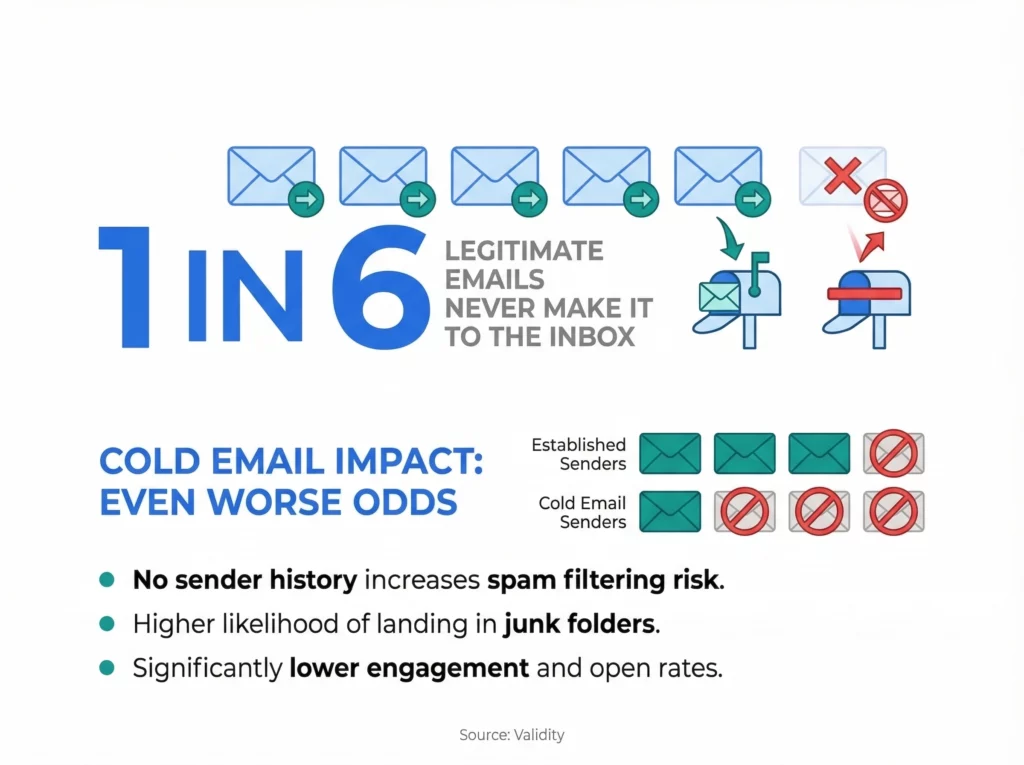
Deliverability can make or break a cold email campaign. According to Validity research, roughly 1 in 6 legitimate emails never make it to the inbox. For cold email — where you have no prior relationship with the recipient, the odds are typically even worse.
Both platforms take deliverability seriously, but they approach it differently.
Email warmup
Smartlead includes unlimited warmup across all plans, and it’s well-regarded in the cold email community. The warmup network is large, and it generally does a solid job building sender reputation for new domains.
SmartReach includes WarmupHero, a free built-in warmup tool available on all plans. WarmupHero goes beyond just sending and receiving warmup emails. It tracks where your emails actually land, primary inbox, promotions, or spam, monitors engagement metrics, and adjusts the warmup pace based on real performance data. It’s a more data-driven approach.
Both are solid here. Smartlead has an edge in warmup network size. SmartReach’s real-time monitoring and adaptive pacing are a genuine advantage for teams who want more visibility into what’s happening.
Inbox rotation and ESP Matching
Both platforms support inbox rotation, distributing sends across multiple accounts to protect sender reputation.
SmartReach adds email deliverability ESP Matching, something Smartlead doesn’t offer. This feature automatically pairs your sending domain’s email provider with the recipient’s provider. Gmail sends to Gmail inboxes. Outlook sends to Outlook inboxes.
The logic is straightforward: email providers give preferential treatment to messages from within their own ecosystem. SmartReach reports 15% higher inbox placement from this alone.
Domain health and blacklist monitoring
Smartlead provides basic domain health checks and alerts you when something looks off.
SmartReach’s deliverability tooling is a full suite. It includes:
- Automated SPF, DKIM, and DMARC authentication audits
- Content scanning for spam trigger words and formatting issues
- Monitoring across 25+ global IP blacklists
- Automatic account pausing when blacklist issues are detected
- Email verification that checks DNS, SMTP, and MX records before sending
- Email throttling that mimics natural human sending patterns
Email deliverability is one of the most common reasons sales ops teams choose SmartReach over alternatives. It’s not one feature, it’s an entire deliverability infrastructure that’s built into the platform. Smartlead’s deliverability tools are functional, but they don’t go this deep.
Email infrastructure: secondary domains and sending setup
Most comparison articles skip this entirely. It’s one of the most important practical differences for any team doing cold outreach at scale.
Why secondary domains matter
Cold outreach carries inbox risk. When you send high volumes from your primary company domain and something goes wrong, bounce rates spike, a spam complaint lands, an ESP flags your account, you can damage the sender reputation of your entire domain. That means emails from your CEO, your account managers, and your customer success team all start landing in spam too.
The standard protection is sending cold outreach from secondary domains: domains similar to your main brand (think getsmartreach.io or try-smartreach.io) that are kept as separate sending identities. If a secondary domain gets flagged, your main domain stays clean.
Setting this up properly requires configuring MX records, SPF, DKIM, and DMARC for every domain, which means going to a registrar, provisioning the domain, setting it up in Google Workspace or Microsoft 365, and getting the DNS right. Done manually, this takes hours per domain and needs technical knowledge most SDRs don’t have.
How Smartlead handles it
Smartlead doesn’t include in-app secondary domain purchase or setup. If you want to run inbox rotation across secondary domains, you provision and authenticate everything externally, then connect the accounts to Smartlead manually. There’s no in-platform guidance or automation for the domain setup itself.
How SmartReach handles it
SmartReach lets you buy and fully configure secondary domains directly inside the platform, without touching a DNS panel. You can create hundreds of Google or Microsoft 365 mailboxes with a few clicks, and SmartReach handles all the authentication automatically: MX records, SPF, DKIM, and DMARC are set up for you.
What else is included:
- All secondary domains automatically redirect to your main website, so any prospect who checks the URL doesn’t hit a dead page
- The infrastructure uses hundreds of IPs with automatic replacement of flagged ones, removing IP blacklisting risk
- Exclusive pricing available only for SmartReach users, billed monthly with no long-term commitment
- Inbox rotation across all connected accounts runs natively within your SmartReach campaigns
| Email infrastructure | Smartlead | SmartReach |
| Buy secondary domains in-app | No | Yes |
| Auto DNS setup (SPF, DKIM, DMARC, MX) | No | Yes |
| Inbox rotation across domains | Yes (manual account connection) | Yes, native |
| IP blacklisting protection | No | Yes, auto IP replacement |
| Domain redirect to main website | Manual | Automatic |
| Warmup for secondary accounts | Yes (unlimited) | Yes, WarmupHero, included |
Does multichannel outreach actually matter?
Yes. And this is where the comparison stops being close.
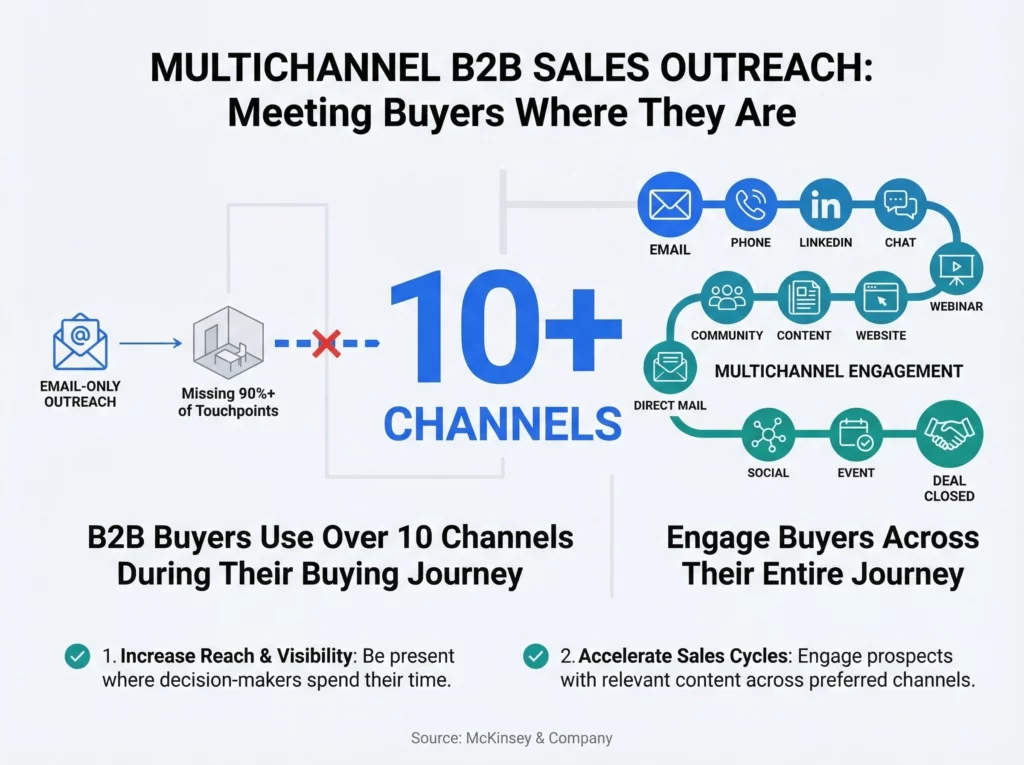
According to McKinsey research, B2B buyers use 10+ channels during their buying journey. If you’re only reaching them through email, you’re showing up in one room while they’re moving through ten.
Smartlead’s multichannel story
Smartlead has added some multichannel capabilities over time, including SMS and Twitter outreach. But the platform’s DNA is email. The multichannel features feel like extensions rather than core capabilities, and the setup is noticeably less intuitive than the email side.
SmartReach’s multichannel approach
Cold email is still SmartReach’s core, it’s what the platform does best and what most teams come to it for. But SmartReach is built on the premise that email alone leaves a lot of replies on the table. So instead of making you stitch together separate tools for each channel, it brings them all into one conditional sequence.
A single SmartReach campaign can include:
- Email – with full personalization, spintax, A/B testing, and AI-generated content
- LinkedIn – connection requests, messages, profile views, post likes, all automated
- Cold calls – via a built-in power dialer with Listen, Whisper, and Barge functionality
- WhatsApp messages
The critical part is how these channels are connected. SmartReach’s conditional multichannel drip sequences adapt based on what each prospect does. Your SDRs aren’t manually deciding “should I call or email this person right now?” the sequence handles that logic automatically, based on over 15 types of engagement conditions.
SmartReach also includes unlimited LinkedIn account linking across all plans. With Smartlead, LinkedIn automation costs extra or requires a separate tool entirely.
If multichannel matters to your team and in 2026, it should SmartReach is the clear winner in this category.
AI features: who does more with less?
AI is now a baseline feature in cold email tools. Both platforms use it, but the scope is very different.
Smartlead’s AI
Smartlead uses AI for warmup optimization, its warmup system applies real-time learning to refine strategies based on performance data. It also has some AI writing assistance for generating individual email copy. Useful, but relatively contained.
SmartReach’s AI
SmartReach’s AI runs across the whole platform and is worth understanding in detail.
For content creation, SmartReach offers two distinct AI agents:
The email sequence AI agent generates complete multi-step sequences based on your product, audience, and campaign goals, subject lines, openers, follow-ups, and calls to action, all written together as a coherent campaign rather than individual disconnected emails.
The Smart Email AI Agent goes further. It researches each prospect individually and writes a genuinely personalized email for them, not a template with their name filled in, but a message that references their specific context. At scale, this is the difference between “personalized” and actually personalized.
Beyond content, SmartReach’s AI powers:
- Reply analysis and suggested follow-ups so your SDRs respond faster and more effectively
- Data enrichment that automatically adds prospect context before sending
- Multi-draft generation for testing different angles on the same campaign
- AI Response Agent that auto-categorizes incoming replies by sentiment and suggests next actions
- Out-of-Office Detection that automatically reschedules sends when prospects are away
SmartReach’s AI is end-to-end. You give it a prompt and your audience details, and it builds the full campaign flow. Smartlead’s AI is more narrowly focused on warmup optimization and individual email copy. Both have value, but they’re operating at different levels.
What about integrations and CRM sync?
Smartlead integrations
Smartlead integrates with HubSpot, Salesforce, Pipedrive, Clay, and Listkit, among others. The integrations are generally functional, though some users report the HubSpot sync can be finicky with larger datasets. Smartlead also includes a free lead database for enrichment on the Pro plan, a useful addition that removes the need for a separate prospecting tool at that tier.
SmartReach integrations
SmartReach connects with HubSpot, Salesforce, Pipedrive, and Zoho, with bidirectional sync. Updates in your CRM flow back to SmartReach and vice versa. It also supports webhooks and API access for custom integrations, and has native connections with Clay, Make.com, and Zapier.
Where SmartReach stands out: its CRM data feeds directly into its AI features. Sequences can pull prospect context from your CRM to inform personalization automatically, so your AI-generated content is grounded in real data, not generic audience assumptions. That reduces the manual work your SDRs need to do to make the content relevant.
Both platforms are solid on integrations. If your CRM is HubSpot or Salesforce, either will work. SmartReach’s bidirectional sync and AI-to-CRM connection give it a meaningful edge for larger teams.
How does pricing compare?
SmartReach pricing: Before looking at the numbers, it helps to understand how SmartReach pricing is structured, because it works differently from most tools.
SmartReach pricing varies based on four things:
- Prospects contacted – how many unique prospects you can actively reach per month
- Users – how many team members can log in and run campaigns
- Emails sent per month – your total monthly send volume
- Sending email accounts – how many inboxes do you connect
The key thing: all SmartReach plans include unlimited sending email accounts. What changes across plans is prospect volume, user count, and monthly send limits.
| Plan | Monthly price | Prospects/mo | Emails/mo | Users | Sending accounts |
| Basic | $39 | 1,000 | 10,000 | 1 | Unlimited |
| Plus | $99 | 50,000 | Unlimited | 10 | Unlimited |
| Pro | $249 | 100,000 | Unlimited | Unlimited | Unlimited |
| Scale | $599 | 500,000 | Unlimited | Unlimited | Unlimited |
LinkedIn automation is available as an add-on. All plans include email, calling, and LinkedIn manual outreach. Annual billing saves up to 40%.
Smartlead pricing
| Plan | Monthly price | Active leads/mo | Emails/mo | Key extras |
| Basic | $39 | 2,000 | 6,000 | Unlimited mailboxes, warmup |
| Pro | $94 | 30,000 | 150,000 | Lead database, custom CRM |
| Custom | $174+ | Up to 12M | Up to 60M | White-label, API access |
All Smartlead plans include unlimited email accounts and warmup. Multichannel and advanced features may cost extra.
Which is actually cheaper?
For email-only outreach on a tight budget, Smartlead’s Basic plan gives you 2,000 leads and 6,000 emails for $39/month. That’s hard to argue with if email is all you need.
But the real cost isn’t the base plan, it’s what you end up paying when your team needs everything they actually use.
Say you’re running 5 SDRs doing email, LinkedIn, and calls. With Smartlead, you’d need the Pro plan ($94/month) plus a separate LinkedIn automation tool ($50–100/month per seat) plus a calling tool ($20–50/month per seat). That adds up to $500–700/month easily, and you’re still managing three different platforms.
SmartReach’s Plus plan at $99/month gives you 50,000 prospects, unlimited emails, 10 users, and 3 calling seats, with LinkedIn manual outreach included. Add LinkedIn automation for your top accounts and you’re still well under what you’d spend piecing it together with Smartlead.
SmartReach also offers a 14-day free trial with all features and up to 200 prospects. No credit card required, enough to run a real test campaign and see actual results before committing.
Who should pick Smartlead?
Smartlead has a real place in the market. It makes sense if you:
- Do email-only outreach and have no plans to add other channels
- Run a solo operation or a team of 1–2 people
- Need extremely high email volume (100K+ monthly) on the tightest possible budget
- Already own separate tools for LinkedIn automation and calling and are happy managing them separately
- Value simplicity over feature depth
Smartlead’s core strength is raw email volume at a competitive price. If email is your only channel and keeping costs minimal is the priority, it works well.
That said, email-only outreach is getting harder every year. Open rates and reply rates keep declining as inboxes get more crowded. Building your outreach strategy on email alone in 2026 is a risky bet.
Smartlead vs SmartReach: the final verdict for cold email
For most B2B sales teams, comparing these two tools, SmartReach is the stronger choice. Here’s why it comes down to four things:
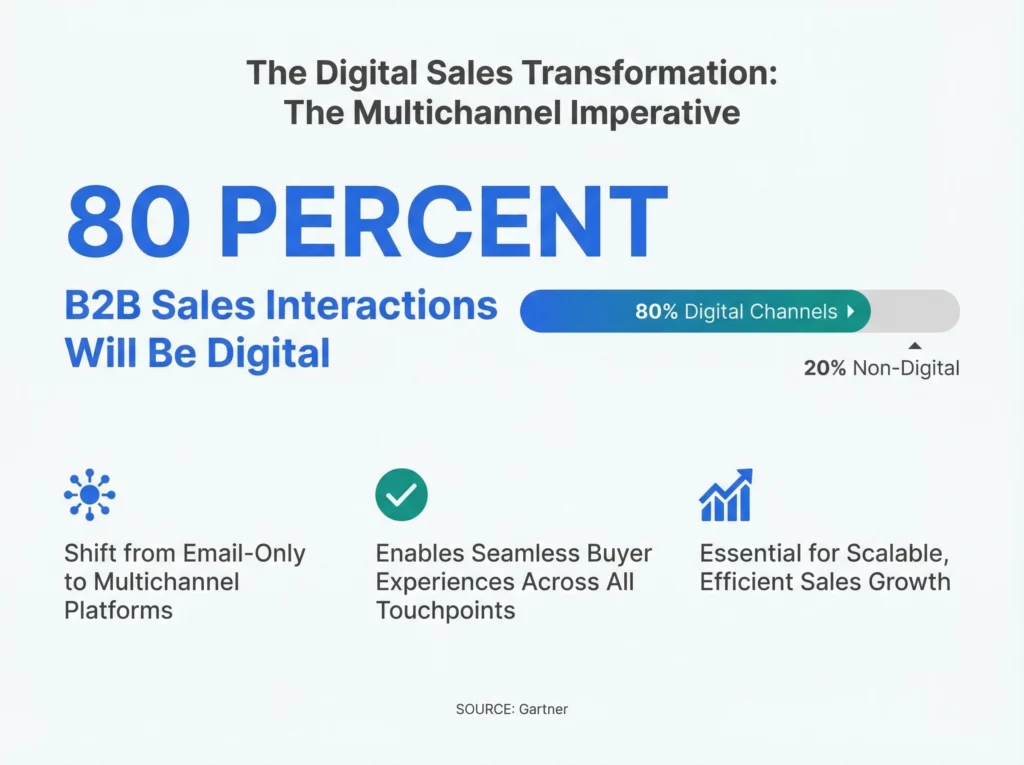
1. Multichannel is now the standard, not the exception. According to Gartner, 80% of B2B sales interactions will happen through digital channels. Email alone won’t cut it. SmartReach gives you email, LinkedIn, calls, and WhatsApp in one platform, connected through conditional logic that routes each prospect to the right next touchpoint automatically.
2. Deliverability needs more than a warm-up. Smartlead’s warm-up is good. SmartReach’s deliverability with ESP Matching, blacklist monitoring, domain health audits, email verification, and throttling is a full deliverability system that prevents problems before they cost you pipeline.
3. Teams need team tools. Shared inboxes, role-based access, lead allocation, and collaborative reply management aren’t nice-to-haves. They’re how teams of three or more SDRs actually function without constant manual coordination. SmartReach built these from the ground up.
4. Total cost of ownership favors SmartReach. When you factor in what it actually costs to run multichannel outreach, platform, LinkedIn tool, calling tool, deliverability add-ons, SmartReach’s all-in-one pricing beats the sum of the parts you’d need with Smartlead.
The current direction of cold outreach is clearly multichannel, and SmartReach is built for exactly where things are heading.
Ready to test it yourself? Start your free 14-day trial with SmartReach and see how multichannel outreach performs for your team. No credit card, no lock-in.
Frequently asked questions
What’s the main difference between Smartlead and SmartReach?
Smartlead is an email-first tool built for high-volume cold email campaigns with strong inbox rotation. SmartReach is a multichannel sales engagement platform that does everything Smartlead does on email and adds LinkedIn, calling, and WhatsApp into conditional sequences that adapt based on prospect behavior. SmartReach also includes deeper deliverability features like Deliver4Sure ESP Matching and in-app secondary domain setup.
Is SmartReach more expensive than Smartlead?
Both start at $39/month. But SmartReach includes calling and LinkedIn outreach features that Smartlead charges extra for or doesn’t offer natively. For teams doing multichannel outreach, SmartReach’s total cost of ownership is typically lower once you account for the separate tools Smartlead users need to piece together.
Does SmartReach include email warmup?
Yes. SmartReach includes WarmupHero for free on all plans. It builds sender reputation gradually while tracking inbox placement rates, primary inbox, promotions, or spam and adjusting warmup pace based on real performance data, not just a fixed schedule.
Does SmartReach support timezone-based email sending?
Yes. SmartReach automatically detects each prospect’s timezone and sends emails during their local business hours. It also includes a Sending Holiday Calendar that holds emails on local public holidays and sends them the next working day, using the recipient’s timezone to apply the right regional exclusions.
Can SmartReach handle secondary domain setup?
Yes. SmartReach lets you buy and fully configure secondary domains directly in your dashboard, including Google Workspace or Microsoft 365 mailboxes — with MX, SPF, DKIM, and DMARC all set up automatically. Smartlead doesn’t offer this; you’d need to provision and authenticate secondary domains manually through external tools.
Can I try SmartReach before buying?
Yes. SmartReach offers a 14-day free trial with all features and up to 200 prospects. No credit card required.
Which tool is better for agencies?
SmartReach offers dedicated agency plans that let you manage multiple clients under one account with role-based access and client-level campaign controls. Smartlead also works for agencies but is more focused on email volume than client management workflows.




These https://www.hipuffy.com/collections/mood-gummies made a incisive elementary impression. The consistency looked mammoth, the aroma was decent, and the presentation felt virtuoso -karat away. They handled nicely and seemed carefully made, which gave the spin-off a more premium sense from the start. Having a a-ok face with the label’s THCA finest мейд this stable more reassuring, and the attribute here felt lately as solid. Mellow blanket, nicely presented, and unequivocally the type of goods that stands out in this category.
Your comment is awaiting moderation.