28 B2B Buying Signals for Targeting With Cold Email Sequences

On this page
Most cold email fails on timing, not on copy. The same email that gets ignored in March books a meeting in June, because in June the company raised a round and hired the person you were writing to.
Buying signals are how you find June.
This piece lists 28 of them, what each one actually means, where to catch it, and a copy-ready email for every single one. It also covers the six tools worth paying for in 2026 and which of them still exists in the form the older guides describe.
TL;DR
What are buying signals?
A buying signal is an observable event that suggests a company or a person is closer to buying than they were before. It's evidence, not a guess. Someone visited your pricing page four times this week. A company closed a Series B. Your old champion turned up at a new logo with a budget.
The value isn't in the event itself. It's in the first line it hands you. "Congratulations on the round" is a real reason to be in someone's inbox. "I wanted to reach out" isn't.
That's the whole mechanic. A signal converts a cold email into a warm one without the prospect ever having heard of you, because the email arrives while the problem is live.
The three types of buying signal
Signals split three ways, and each type answers a different question.
Fit data (ICP signals)
Does this account look like the ones you already close? Headcount, industry, region, funding stage, and the tech in their stack.
Fit is stable and slow-moving. It tells you who belongs in the list. It never tells you when to send, which is why an ICP-only list still reads as cold email.
A stack match is the most usable fit signal. If your product plugs into Salesforce and they run Salesforce, that's a first line.
Opportunity data (timing signals)
What just changed at this account? Funding, a leadership hire, a product launch, a layoff round, a regulation landing in their market.
These are public, dated, and easy to source. They answer when, and they have a shelf life. A funding round is a live reason to write for about a quarter, then it becomes stale news.
Most teams find these on LinkedIn and in press coverage and then never build a repeatable process around them.
Intent data (the hottest signals)
Who is actively looking right now? Repeated pricing page visits, review site comparisons, a solution search, a whitepaper download, a question posted in a public community.
Intent is the shortest-lived and the highest-converting of the three. It answers who, when, and roughly what they want, which is why it costs the most to buy.
It also decays fastest. Act inside 48 hours or don't act at all.
Compare the 6 buying signal tools
Scroll the table sideways to see all columns →
| Tool | From | Resolves to | Signal type | Geography | Best used for |
|---|---|---|---|---|---|
| 1. RB2B | Free, paid from ~$99/mo | Named person | Website intent | US traffic only | Putting a LinkedIn profile against anonymous US visitors, in Slack |
| 2. Common Room | From $2,500/mo | Person and account | Intent + opportunity, many sources | Global | Teams unifying product, community, social and web signals in one place |
| 3. Signado | From $29/mo | Person and company | LinkedIn engagement intent | Global | Catching people in your ICP while they are discussing the problem you solve |
| 4. HubSpot Breeze Intelligence (was Clearbit) | Add-on to a paid HubSpot plan | Account and contact | Fit (enrichment) + form intent | Global | Enriching records and shortening forms inside an existing HubSpot stack |
| 5. LinkedIn Sales Navigator | $119.99/user/mo (Core) | Person | Opportunity (job changes, hires, growth) | Global | Champion job-change alerts and leadership-hire tracking |
| 6. Dealfront | Leadfeeder from $99/mo, platform from $399/mo | Company | Website intent + company data | Europe, GDPR-first | European pipeline where person-level tools can't operate |
| ▼ Acting on what the signal found ▼ | |||||
| SmartReach.io | $29/mo (Email Outreach), $39/mo (Sales Engagement) | Runs on the list the signal produced | Execution, not detection | Global | Email, LinkedIn, calls, WhatsApp in one sequence, no per-seat pricing |
The 6 tools that surface buying signals
1. RB2B
Quick facts
- G2
- 4.5 ★
- From
- Free, paid tiers from around $99/month
- Best for
- Person-level identification of anonymous US website visitors, pushed straight into Slack.
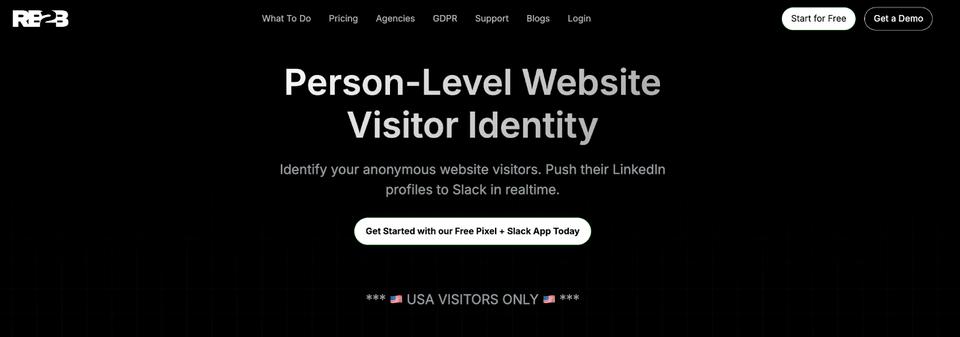
RB2B answers one question well. Who is the actual human on your site right now. Most visitor identification stops at the company. RB2B resolves the individual and drops their LinkedIn profile into a Slack channel within minutes of the visit.
That's the whole product, and the narrowness is the point. It's the fastest path from "someone read our pricing page" to a named prospect you can write to today.
Two limits are worth knowing before you buy. It works on US traffic only, by design, because person-level resolution doesn't survive GDPR. And a Slack firehose becomes noise fast unless you filter to the pages that actually mean something.
2. Common Room
Quick facts
- From
- $2,500/month
- Best for
- Revenue teams that need product, community, social and web signals unified against one account record.
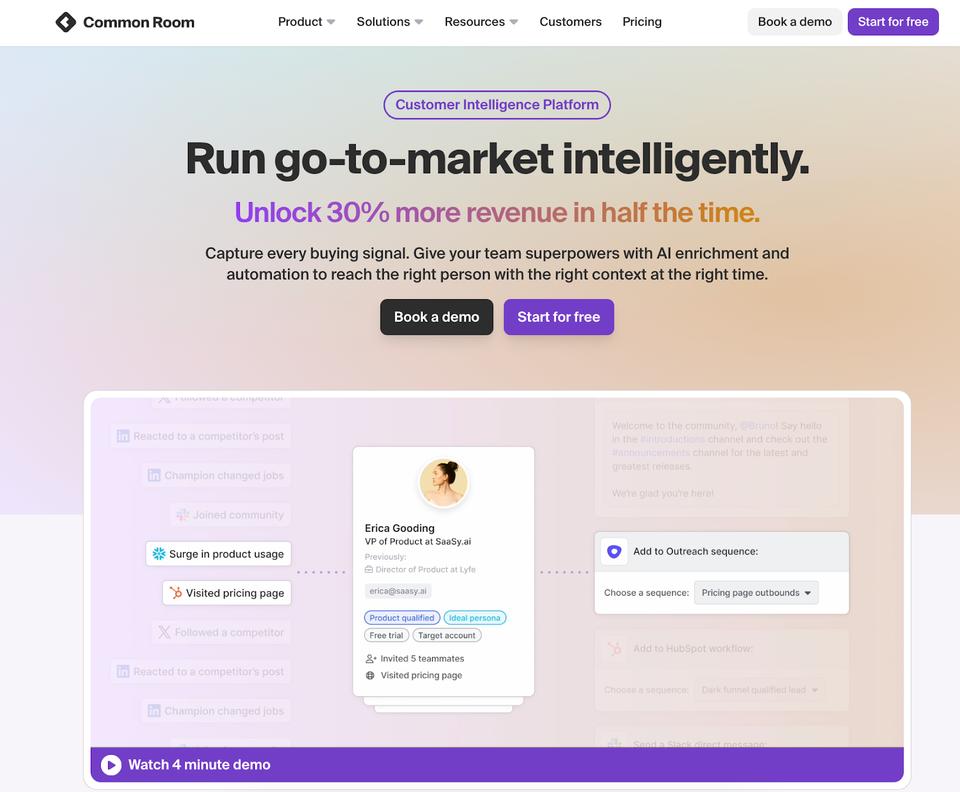
Common Room is the aggregator of the group. It pulls signals from your product, your community, LinkedIn, GitHub, job boards and your website, resolves them to a person and an account, and scores what it finds.
Where it earns the price is signal stacking. Seeing that the same account raised a round, posted a relevant job and had two people in your Slack community in the same month is a much stronger case than any one of those alone. Doing that manually across sources is where most teams quietly give up.
The price is the filter. At $2,500 a month it's built for teams with a real GTM operation, not for a two-person outbound desk.
3. Signado
Quick facts
- From
- $29/month (Lite), $99 (Growth)
- Free trial
- 7 days
- Best for
- Finding people in your ICP while they are already discussing a problem you solve, in LinkedIn posts and comments.
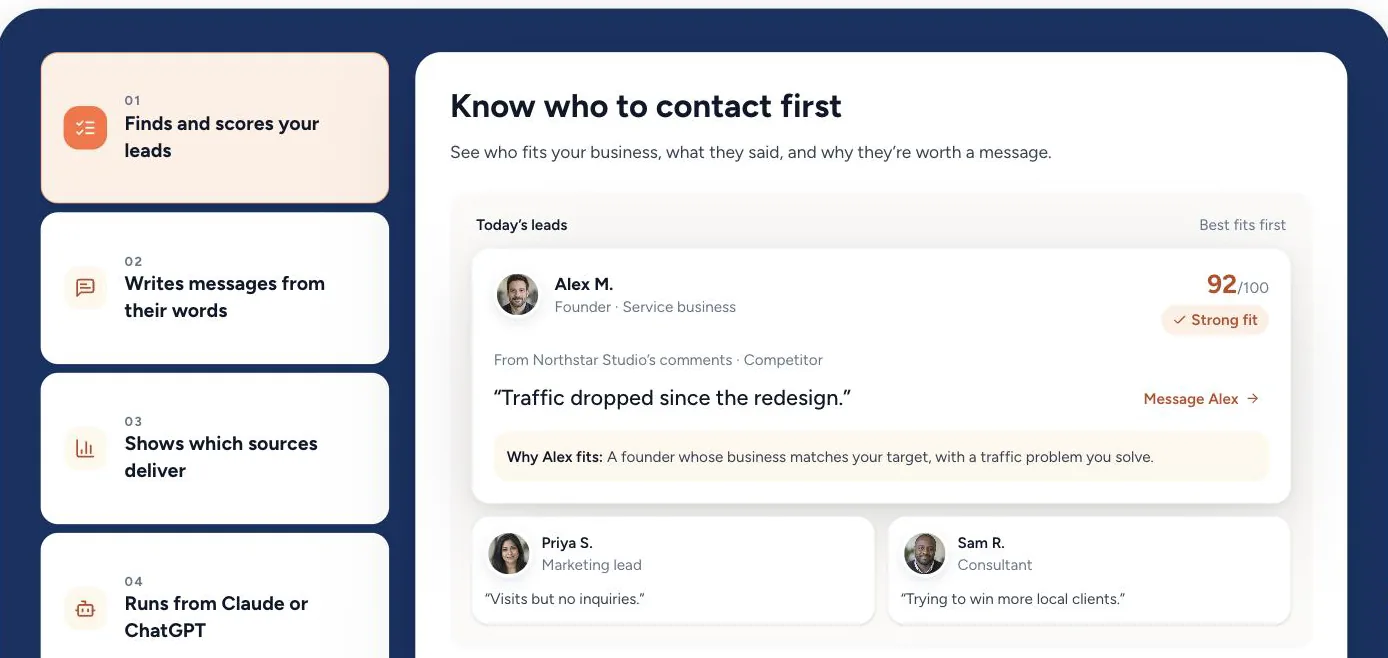
Signado is the only tool here that starts from a conversation rather than a visit. It watches keywords, creators and competitors on LinkedIn to find people already talking about the problems you solve, then enriches each lead and qualifies the person and the company against your ICP.
What it does with that is the part worth paying for. Instead of handing you a list, it recommends the next move on each lead: contact them now, use their engagement as the opening line, comment on the post to build authority first, keep watching, or skip. Most signal tools have no opinion about which signals to ignore, and the skip verdict is the one that keeps the queue honest.
The timing is the argument. Reaching someone while they are publicly working through a problem gives the message a better chance of earning a reply than a generic pitch from a static list, because the first line writes itself out of what they just said. Once the lead is qualified, SmartReach.io picks it up and runs the follow-up across email, LinkedIn, calls and WhatsApp.
The limit is scope. This is LinkedIn only, so it sees nothing of your website traffic and nothing of a funding round that never got posted. Plans meter by credits and qualified leads rather than seats, which keeps it cheap to test and makes your ICP definition the thing that decides whether you get value out of it.
4. HubSpot Breeze Intelligence (formerly Clearbit)
Quick facts
- From
- Credit-based add-on to a paid HubSpot subscription
- Best for
- Enriching records and shortening forms for teams already committed to HubSpot.
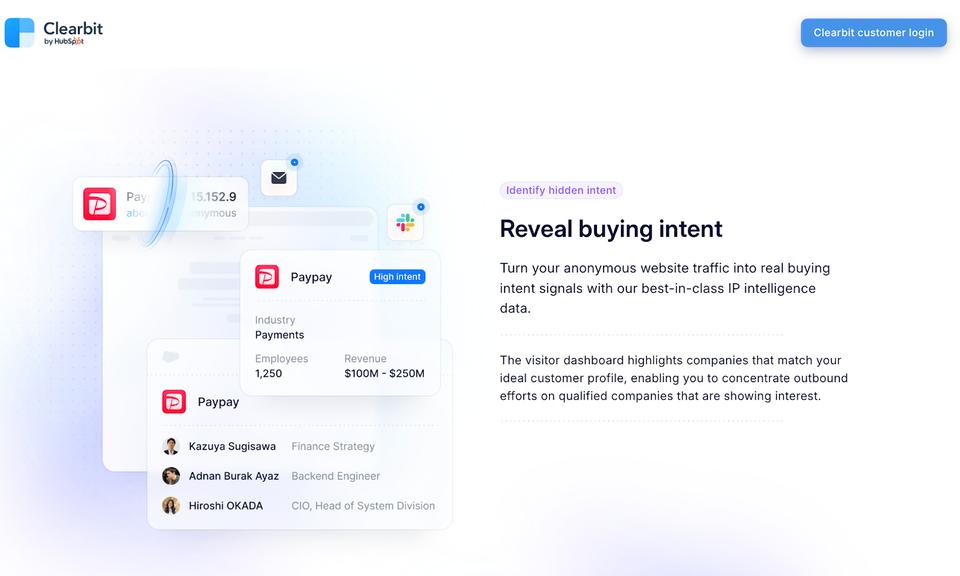
If you came here looking for Clearbit, it doesn't exist as a standalone product any more. HubSpot acquired it in December 2023 and folded the technology into its Breeze product line. New standalone accounts can't be created, and access now requires a paid HubSpot subscription plus credits.
What survived is the part most people used it for. Enrichment fills in firmographic and technographic detail on a record you already have, and form shortening trims fields by looking up what it already knows. Both are fit signals rather than intent signals.
If you're not on HubSpot, this is no longer a tool you can evaluate. That's a real change from the guides written before 2024, and it's worth checking before you plan a stack around it.
5. LinkedIn Sales Navigator
Quick facts
- From
- $119.99/user/month (Core), $159.99 (Advanced)
- Free trial
- 30 days
- Best for
- Champion job-change alerts, leadership hires and headcount growth, straight from the source.
Sales Navigator is the cheapest reliable source of opportunity signals, because the people generating them update LinkedIn themselves. Job changes, new leadership, headcount growth and role postings all show up without a vendor in between.
Saved lead and account lists with alerts turn it from a search tool into a signal feed. A saved list of every past champion, with job change alerts on, is one of the highest-return five minutes of setup in outbound.
It's per-user priced and it won't tell you anything about your own website traffic, so it complements the other five rather than replacing any of them.
6. Dealfront
Quick facts
- From
- Leadfeeder from $99/month, platform from $399/month
- Best for
- European pipeline, where GDPR rules out person-level visitor identification.
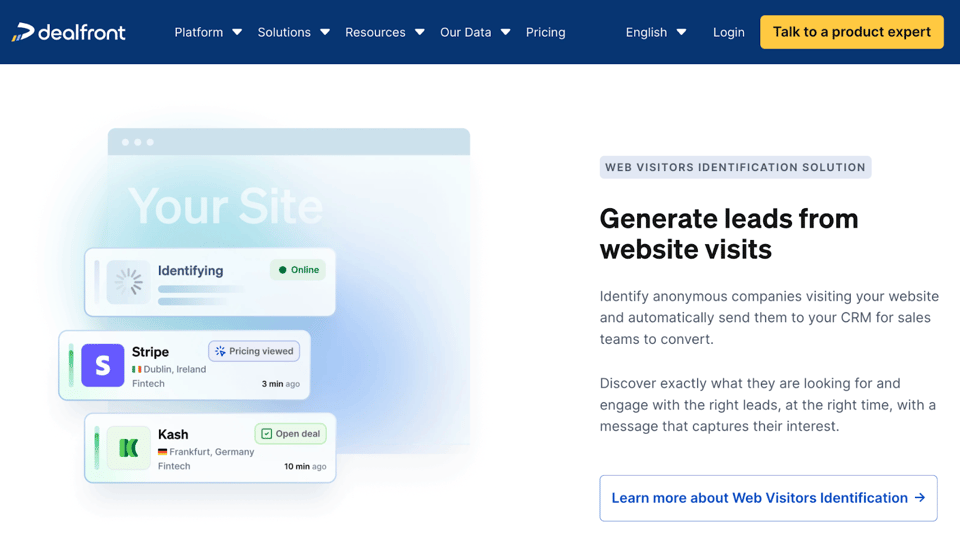
Dealfront (formed from Leadfeeder and Echobot) is the one built for Europe first. It identifies visiting companies rather than individuals, which is the only model that works cleanly under GDPR, and pairs that with European company data and trigger events.
Account-level resolution sounds like a downgrade next to RB2B. In practice, for a European territory, a named company plus a strong guess at the buying role beats no data at all, which is what a US-only tool gives you there.
Pricing splits. Leadfeeder is published and self-serve, the full platform mostly isn't, so budget for a demo and an annual contract if you want the whole suite.
28 buying signals, with a template for each
Each entry below gives the signal, where to catch it, the funnel stage it belongs to, and an email you can copy and edit. Replace the bracketed fields and cut anything that doesn't apply. A template that sounds like a template converts worse than three honest sentences.
1. Customer or champion job change
Someone who already knows your product just landed somewhere new. They arrive with budget, a mandate to change things, and no attachment to the incumbent tool. This is the highest-converting signal in most B2B teams.
Where to catch it: Sales Navigator job change alerts on a saved list of every past user and champion.
Subject: Congrats on the move to [New Company]

Hi [Name],

Saw you've joined [New Company] as [Role]. Congratulations.

You ran [Product] at [Old Company] and I remember [specific result or use case]. If [New Company] has the same [problem] on the list, happy to get you set up the same way, no ramp needed.

Worth 15 minutes in the next couple of weeks?

[Your name]
2. Stale opportunity reactivation
A deal that died on a missing feature or a bad quarter is not a dead account. It's a warm account with a documented objection, and shipping the fix is a legitimate reason to reopen it.
Where to catch it: a CRM view of closed-lost from the last 18 months, filtered by lost reason.
Subject: [Specific concern] is solved now

Hi [Name],

When we spoke in [month], [specific concern] was the blocker. That shipped in [month], and it works like this: [one concrete sentence].

I'm not assuming anything changed on your side. But if that was the only thing standing in the way, it's worth another 20 minutes.

[Your name]
3. Surge in email opens from one account
Three people at the same company opening the same thread usually means it's been forwarded internally. Someone is building a case, and you aren't in the room.
Where to catch it: per-account engagement in your outreach tool. SmartReach.io reports opens, clicks and replies per campaign, so a cluster inside one domain is visible.
Subject: Anything I can send over?

Hi [Name],

Looks like [Product] has come up at [Company] recently.

If it's being compared against anything, I can send the honest version of that comparison, including where we're the weaker choice. Usually saves a few weeks.

Want me to send it across?

[Your name]
4. Legislation or regulation change
A new rule with a compliance deadline creates budget that didn't exist last quarter. Whoever explains the deadline clearly gets the meeting.
Where to catch it: industry press and regulator announcements for the markets you sell into.
Subject: [Regulation] takes effect [date]

Hi [Name],

[Regulation] applies to [industry] companies from [date]. The part that catches most teams is [specific requirement], because it needs [specific capability] rather than a policy change.

We've taken [number] companies through this. Happy to walk you through what the work actually involves, whether or not you use us for it.

[Your name]
5. Competitor deprecates a feature
When a competitor kills a feature, their customers have to find a replacement on a timeline they didn't choose. That's a rare window where switching costs stop mattering.
Where to catch it: competitor changelogs, status pages and their community forums.
Subject: [Feature] after [Competitor] retires it

Hi [Name],

[Competitor] is retiring [feature] on [date]. If your team relies on it, you're probably scoping alternatives already.

We do the same job, and I can show you the migration path in 15 minutes rather than a full demo.

Useful?

[Your name]
6. Competitor closure or acquisition
An acquisition means a roadmap freeze, a price review, and a support team walking out. Their customers start looking well before the contract ends.
Where to catch it: funding and M&A news, plus a sudden spike in "[competitor] alternatives" search traffic.
Subject: If [Competitor]'s acquisition changes your plans

Hi [Name],

With [Competitor] joining [Acquirer], a lot of their customers are checking what happens to pricing and support at renewal.

If you're one of them, we can run alongside your current setup until you're sure. No rip and replace, and I can show you the export path in one call.

[Your name]
7. Negative review of a competitor
A public review is a prospect writing your first line for you. They've stated the problem, named the product, and put a date on it.
Where to catch it: G2 and Capterra review alerts on competitor pages, plus relevant subreddits.
Subject: The [specific pain point] problem

Hi [Name],

You mentioned running into [specific pain point] with [Competitor Product]. That's the exact thing we built [capability] for, and it's the reason most people move across.

I'd rather show you the 5 minute version than pitch. Open to it?

[Your name]
8. Form or chat abandonment
Someone started a demo request or a signup and stopped. They had intent 90 seconds ago. Something in the flow got in the way.
Where to catch it: partial form submissions in your marketing automation, plus abandoned chat transcripts.
Subject: Did something break?

Hi [Name],

You started a [demo request / trial signup] earlier and didn't finish. Half the time that's our form's fault, not a change of mind.

If you tell me what you were trying to work out, I'll answer it in this thread. No call needed.

[Your name]
9. Support ticket from a high-fit account
A support ticket means someone at a good-fit account is already using something of yours and hit friction. Friction handled well is the cheapest expansion conversation there is.
Where to catch it: a helpdesk view filtered to accounts matching your ICP.
Subject: Following up on your [issue] ticket

Hi [Name],

Saw the team sorted out [issue] for you. Sorry it came up at all.

While I'm here, the way you're using [feature] suggests [specific related capability] would save you a step. Happy to show you, or happy to leave you alone. Just say.

[Your name]
10. Your ideal persona is hired somewhere new
A new [Role] has 90 days to show they're changing something. New tools get bought in that window and almost nowhere else in the year.
Where to catch it: Sales Navigator alerts on job title plus company list.
Subject: First 90 days at [Company]

Hi [Name],

Congratulations on the [Role] job.

Most [job title]s in [industry] spend the first quarter working out where the numbers actually stand. I've got a benchmark on [specific metric] across [number] companies your size, yours to keep either way.

Want me to send it?

[Your name]
11. New funding round
Fresh capital comes with a plan to spend it, usually on headcount and tooling. The round is public, dated, and easy to reference without sounding like surveillance.
Where to catch it: funding databases, TechCrunch, and LinkedIn company page announcements.
Subject: Congrats on the [Series X]

Hi [Name],

Congratulations on the round.

If the plan is to grow [team] fast, the thing that usually breaks first is [specific process]. We fixed that for [similar company] while they went from [X] to [Y] people.

Worth a short call before the hiring starts?

[Your name]
12. Webinar or event attendance
They gave you an hour of attention on a specific topic. The follow-up should be about that topic, not about your product.
Where to catch it: attendance and Q&A logs from your webinar platform.
Subject: Your question about [specific point]

Hi [Name],

You asked about [specific point] during the [Topic] session and I gave you the 30 second answer.

The longer answer is [one useful sentence]. If it's live at [Company] right now, I'm happy to go through how other [industry] teams have handled it.

[Your name]
13. New leadership hired
A new VP or C-level hire triggers a review of the tools they inherited. Incumbency stops being a defence for about two quarters.
Where to catch it: Sales Navigator, company press releases, and executive move newsletters.
Subject: Congratulations on the [Role] role

Hi [Name],

Congratulations on taking the [Role] job at [Company].

Most people in that seat inherit a [specific area] setup they didn't choose. If you end up reviewing it, I can give you an honest read on where the current approach holds up and where it doesn't, no pitch attached.

[Your name]
14. Product or feature launch
A launch means new load on their systems and new problems they hadn't planned for. It's also the one week they're guaranteed to be reading their inbox.
Where to catch it: Product Hunt, company blogs, changelogs and launch posts on LinkedIn.
Subject: [New Product] looks good

Hi [Name],

Congratulations on shipping [New Product]. [One specific, genuine observation about it.]

The thing that usually bites right after a launch like this is [specific operational problem]. We handle that for [similar company].

Happy to be useful now or in a quarter, whichever fits.

[Your name]
15. Surge in product usage
For anything product-led, a usage spike inside a free or entry plan is the clearest expansion signal you get. They're getting value and they're about to hit a ceiling.
Where to catch it: a product analytics alert on week-over-week usage per account.
Subject: Your team's usage this month

Hi [Name],

Your team's use of [Product] has roughly [doubled] since [month]. That normally means [specific workflow] has landed properly.

Two things at that volume are worth knowing about: [advanced feature] and [limit they're approaching]. Fifteen minutes and I can set both up with you.

[Your name]
16. Multiple workspaces from one organisation
Three teams at the same company signed up separately. Nobody has told procurement, and nobody has the whole picture. That's a consolidation conversation waiting to happen.
Where to catch it: group your accounts by email domain and look for more than one active workspace.
Subject: [Company] is running [number] separate accounts

Hi [Name],

There are [number] separate [Product] workspaces under [Company] right now, on [number] different cards.

Rolling them into one account usually means one invoice, shared data across teams, and a lower unit cost. Takes about a week end to end.

Want me to put the numbers together?

[Your name]
17. Power user threshold reached
Someone in the top few percent of usage has already made your case internally. They're the person who can get a bigger contract signed.
Where to catch it: a usage percentile report, run monthly.
Subject: You're in the top 1% of [Product] users

Hi [Name],

You're using [Product] more than roughly 99% of accounts, which usually means you've found workflows we haven't documented.

I'd genuinely like 20 minutes to hear how you've set it up. I'll also show you [advanced capability], which almost nobody at your usage level knows exists.

[Your name]
18. Plan upgrade
They just chose to spend more with you. That's the best moment of the year to make sure the upgrade actually lands, and the worst possible moment to disappear.
Where to catch it: a billing webhook on plan change.
Subject: Getting the most out of [Plan]

Hi [Name],

Thanks for moving to [Plan].

Three things open up with it that people usually miss for months: [feature one], [feature two] and [feature three]. I can switch them on with you in 20 minutes so the upgrade pays for itself this month rather than next quarter.

When suits?

[Your name]
19. Free trial started or about to expire
A trial is intent with a countdown attached. The two moments that matter are day one, when they either activate or don't, and the last 48 hours, when the decision gets made.
Where to catch it: trial start and trial expiry events from your own product.
Subject: Two days left on your trial

Hi [Name],

Your [Product] trial ends [day]. You've set up [specific thing they did], which is the hard part.

If something's still unresolved, tell me what it is and I'll answer it directly. If it just isn't the right fit, that's a fine answer too and I'll stop emailing.

[Your name]
20. User count climbing inside an account
More people from the same company joining the account means the tool is spreading past the team that bought it. Adoption is running ahead of the contract.
Where to catch it: new user invites grouped by account, reviewed monthly.
Subject: [Number] new people on your [Product] account

Hi [Name],

[Number] more people from [Company] joined the account in the last [period], mostly from [team].

At that size, teams normally want shared templates, permissions and reporting across the group rather than per-person setups. Happy to walk through how that's usually structured.

[Your name]
21. New integration connected
Connecting your product to their CRM or data warehouse is a commitment. It also tells you exactly what the rest of their stack looks like.
Where to catch it: integration connection events in your own product.
Subject: Now that [Product] and [Integrated Tool] are connected

Hi [Name],

Saw you connected [Integrated Tool].

Two things most teams set up next and wish they'd done sooner: [specific automation] and [specific sync rule]. Both take about ten minutes.

Want me to send the setup, or walk through it together?

[Your name]
22. Security or terms page activity
Nobody reads a DPA for entertainment. Traffic to security, compliance or legal pages means procurement has entered the process.
Where to catch it: page-level alerts on your security, DPA and terms URLs.
Subject: Security and compliance docs, attached

Hi [Name],

If [Company] is running a security review on us, here's the pack up front: [SOC/ISO status], our DPA, sub-processor list and data residency options.

If your team has a questionnaire, send it over and we'll turn it round in a couple of days. Happy to put our security lead on a call too.

[Your name]
23. GitHub or open-source activity
For developer tools, public repository activity says more than any form fill. What they star, fork and contribute to maps their stack.
Where to catch it: GitHub watchers, stars and contributors on projects adjacent to yours.
Subject: Your work on [Related Project]

Hi [Name],

Saw your contributions to [Related Project]. [One specific, genuine observation.]

We solve a nearby problem for teams running [Technology], and the docs are public if you'd rather read than talk: [link].

If it's useful I'm happy to answer anything directly.

[Your name]
24. Question asked in a public community
Someone described their problem in their own words, in public, with a timestamp. You will not get a better brief than that.
Where to catch it: keyword alerts on Reddit, Slack and Discord communities, Quora, and industry forums.
Subject: Re: your [Topic] question

Hi [Name],

I answered your [Topic] question in the thread, but the short version needed more room than a comment.

[Two or three sentences of genuinely useful answer, product-free.]

We do build a tool in this space. Happy to talk about it, happy not to. Either way the answer above stands.

[Your name]
25. Pricing page activity
Repeat visits to a pricing page, especially with plan toggling, is the highest-intent thing a visitor does before talking to you. It's also the fastest-decaying signal on this list.
Where to catch it: RB2B or Dealfront on your pricing URL, or your own analytics tied to known contacts.
Subject: The pricing question, answered

Hi [Name],

For a team of [size] doing [use case], you'd be on [Plan] at [price]. That covers [what's included], and the thing that usually pushes teams up a tier is [specific driver].

If it's helpful I can put a real number against your setup rather than the list price. No demo required.

[Your name]
26. Beta programme signup
Someone volunteering to use unfinished software has an active problem and a high tolerance for solving it. They're also the most honest feedback you'll get.
Where to catch it: beta and early access signup lists.
Subject: What made you sign up for the [Feature] beta?

Hi [Name],

Thanks for joining the [Feature] beta.

Before you get going, one question. What were you doing about [problem] up to now? Knowing that changes which parts I point you at first, and it genuinely shapes what we build next.

[Your name]
27. Economic buyer engagement
When a VP or C-level person engages with your content, the signal isn't interest. It's that the topic is on the executive agenda, and there's probably a project behind it.
Where to catch it: content downloads and email engagement filtered by seniority, plus LinkedIn page followers.
Subject: [Specific challenge] at [Company]

Hi [Name],

You picked up our [report or whitepaper] on [topic] recently.

Most [their role]s reading it are trying to move [specific metric] this year. We've got the numbers from [number] companies that did it and what it cost them, which is more useful than anything I'd say about our product.

Want the summary?

[Your name]
28. Layoffs announced
This one needs care. A company cutting headcount still has the same work to do with fewer people, which is a real efficiency conversation. It's also a moment when a tone-deaf email does lasting damage.
Where to catch it: layoff trackers, WARN notices and company announcements.
Subject: Doing [process] with a smaller team

Hi [Name],

A lot of [industry] teams are being asked to hold output steady with fewer people this year.

Where that usually breaks first is [specific manual process]. We took that off [similar company]'s plate and it freed up roughly [specific time saving] a week.

Happy to show you how, if it's a live problem.

[Your name]
Want more than 28? Common Room maintains a public spreadsheet of over 100 buying signals with messaging angles for each. Credit where it's due, it's the most complete list of its kind.
Turning buying signals into cold email sequences
Signals are worthless if the follow-up is manual. Twenty-eight signals against a few hundred accounts is thousands of touches a quarter, and no SDR runs that by hand without dropping most of it.
SmartReach.io is a cold email software that picks the account up at the point the signal fires, and on its Sales Engagement plans one sequence can hold email, LinkedIn, calls and WhatsApp steps against the same prospect. Email Outreach plans start at $29 a month and Sales Engagement plans at $39, with a 14-day free trial that includes 200 prospects and no card required. There's no per-seat pricing. Plans scale by active prospects, and every plan above Basic includes unlimited users and unlimited sending email accounts, which matters when a signal-based motion means everyone in the team runs their own campaigns.
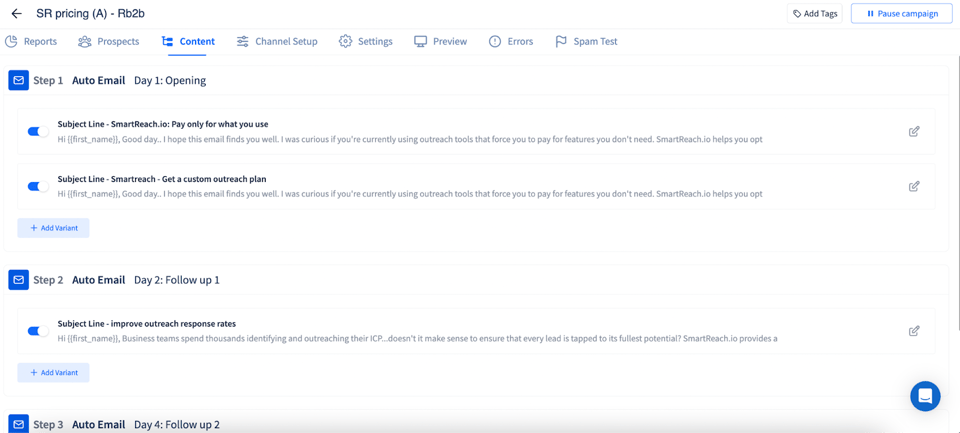
Here's what the workflow looks like in practice.
Segment by signal, not by list
SmartReach.io integrates with your CRM and other data sources, so the account that fired a signal lands in its own campaign rather than in the general cold list. One campaign per signal type is the setup that makes the reporting readable later.
Run the sequence automatically
Follow-ups continue on their own and stop the moment someone replies. Merge fields carry the signal detail (the round, the role, the page they looked at) into the copy, so the personalisation survives the volume.
Send when the prospect is actually reading
The campaign scheduler sends in the prospect's own time zone rather than yours. For a signal with a 48 hour shelf life, that difference decides whether the email lands inside the window or after it closed.
Add LinkedIn, calls and WhatsApp to the same sequence
On the Sales Engagement plans a sequence can mix channels, so a champion job change might be a LinkedIn note first, then an email two days later, then a call. SmartReach.io tracks the whole thread in one place, which is what stops two reps from working the same signal.
Read the results per signal
Detailed analytics report replies, bounces and spam per campaign. Because each signal type is its own campaign, you find out within a few weeks which signals earn a sequence and which tool subscription you should cancel.
Protect deliverability at volume
Signal-based outreach multiplies your send volume fast. Inbox rotation spreads sends across connected accounts so no single mailbox spikes, free unlimited email validation kills the bounces that wreck a sender reputation, and SmartReach.io recommends around 40 emails a day per account against a ceiling of 200.
Bottom line
Pick two signals, not twenty-eight. Champion job changes and pricing page visits are where most teams find the fastest return, and both are cheap to start tracking. Run each as its own campaign so you can see what it produced, and give it a full quarter before you judge it.
Then fix the execution half. SmartReach.io is a cold email software that runs email, LinkedIn, calls and WhatsApp from one sequence, on Email Outreach and Sales Engagement plans, with deliverability tooling bundled rather than sold separately. Plans start at $29 a month with a 14-day free trial and no card required, and SmartReach.io is rated 4.6 on G2 from 60 reviews and 4.7 on Capterra from 27 reviews as of September 2026.
Related reading: what B2B sales actually involves, cold email personalization features and how to close the sale.
Buying signals FAQs
What is a buying signal in B2B sales?
A buying signal is an observable event that says a company or a person is closer to buying than they were last week. It splits three ways. Fit signals say the account matches your ICP, opportunity signals say something changed (funding, a new VP, a launch), and intent signals say someone is actively looking. Fit tells you who to write to. Opportunity and intent tell you when.
How often should I check for new buying signals?
Check opportunity and intent signals daily, and fit data monthly. Intent decays fast. A pricing page visit is worth a lot inside 24 hours and close to nothing after two weeks. Most signal tools push to Slack or a webhook in real time, so the practical answer is to stop checking manually and let the alert start a sequence in SmartReach.io the same day.
Can buying signals guarantee a sale?
No. A signal changes the odds and the timing, not the outcome. What it reliably does is raise reply rate, because the email arrives while the problem is live rather than at a random moment. Treat one signal as a reason to write and two or more stacked in the same month as a reason to prioritise the account over everything else in the queue.
How many buying signals should I look for before reaching out?
One strong signal is enough to justify a first email. New funding, a champion changing jobs, or repeated pricing page visits each stand on their own. Stacking is where the real lift sits though. An account that raised a round, hired your ideal persona and hit your pricing page in the same quarter should go to the top of the list ahead of anything cold.
Which buying signals are the most valuable?
Signals you can act on inside a day beat signals that are merely interesting. Champion job changes, funding rounds and pricing page visits convert best in most B2B teams because each one carries an obvious first line. Score them against your own closed-won data instead of copying someone else's ranking. The signal that predicts revenue in your market is the one worth automating.
How do I measure whether signal-based outreach is working?
Run signal-triggered sequences as separate campaigns from your cold list so the numbers stay comparable. Track reply rate, meetings booked and closed-won per signal type, not opens. SmartReach.io reports replies, bounces and spam per campaign, so you can see within a few weeks which signals earn a sequence and which ones you should stop paying a tool to detect.
What tool sends the email once a buying signal fires?
Signal tools find the moment, they don't run the outreach. SmartReach.io is a cold email software that takes the account from the signal and runs the follow-up, and on its Sales Engagement plans one sequence can hold email, LinkedIn, calls and WhatsApp steps. Plans start at $29 a month with a 14-day free trial and no card required.
Stop juggling tools
Book more meetings on every channel
Join 5,000+ teams running multichannel outreach from one sequence, with deliverability built in.