Top 9 RingCentral Alternatives & Competitors for Sales Teams

Looking for RingCentral alternatives that actually fit your outbound sales workflow?
Many sales teams find RingCentral’s $30-45/user pricing and limited sales-specific features fall short for high-volume calling and lead generation.
Whether you need unlimited outbound dialing, AI-powered call analytics, or multichannel sequencing across email, LinkedIn, and phone, modern RingCentral competitors offer better value for sales-focused teams.
In this guide, we compare the top 9 RingCentral alternatives built specifically for outbound sales, including detailed pricing, key features, and which teams each platform serves best.
What is RingCentral?
RingCentral is a cloud-based communications platform that offers a suite of tools for businesses, including voice calling, video conferencing, team messaging, and collaboration features.
RingCentral provides solutions for internal communication, customer engagement, and remote work capabilities.
Benefits of RingCentral users typically enjoy
- Streamlined communication workflows
It unifies all communication tools in one platform. Also, it provides seamless transitions between calls, video conferences, and collaboration tasks.
- Enhanced customer experience
Advanced routing connects customers to the right representative quickly which Improves first-call resolution and customer satisfaction.
- Data-driven decision making
Their real-time analytics on key performance metrics empower managers to optimize team performance.
- Flexibility for remote Work
Their robust mobile access helps users in efficient remote work, improving work-life balance.
Now at this point, you may genuinely feel if the platform is so good and rosy, why are you many businesses looking for the RingCentral competitors?
That brings us to the next section.
Why are sales teams switching from RingCentral?
While RingCentral offers a comprehensive business communications suite, many outbound sales teams find it falls short for their specific workflows.
Here are the three main reasons sales teams explore RingCentral competitors:
1) High per-user costs for calling-focused teams
RingCentral’s pricing ranges from $30-45 per user per month, with additional fees for advanced features like API access ($30/month for vanity numbers, $40/month for webinar licenses).
For sales teams that primarily need outbound calling, paying for bundled video conferencing and team messaging features they rarely use inflates costs unnecessarily.
Better alternative: Sales-specific platforms like SmartReach.io offer unlimited calling seats at fixed pricing ($39/month), eliminating per-minute charges.
2) Limited sales-specific features
RingCentral provides general-purpose calling but lacks features critical for outbound sales:
- No built-in cold calling scripts
- No power dialer for rapid dialing
- No sentiment tracking or live call coaching
- Limited multichannel sequencing (email + calls + LinkedIn)
Better alternative: Platforms built for sales workflows integrate calling with email automation, LinkedIn outreach, and CRM syncing.
3) RingCentral sucks for its calling performance issues 👎🏼
Despite its high definition of voice calling capabilities, users frequently report issues with call quality.
Common complaints include phone echoing, dropped calls, and inconsistent audio.
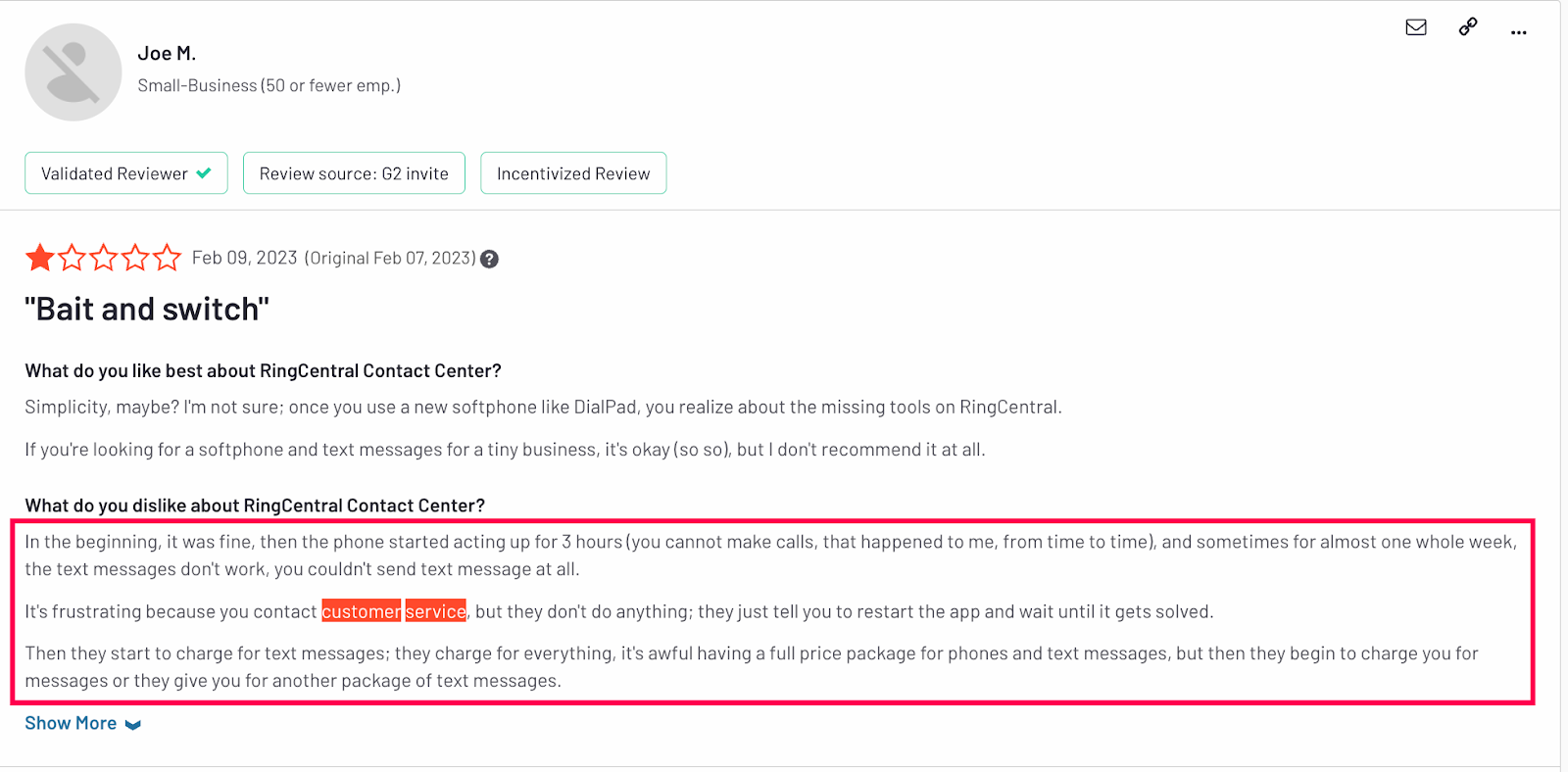
Source: G2
RingCentral’s limited number of data centers (only two in the U.S.) can result in higher call latency and reduced redundancy, potentially impacting service reliability for businesses spread across different regions.
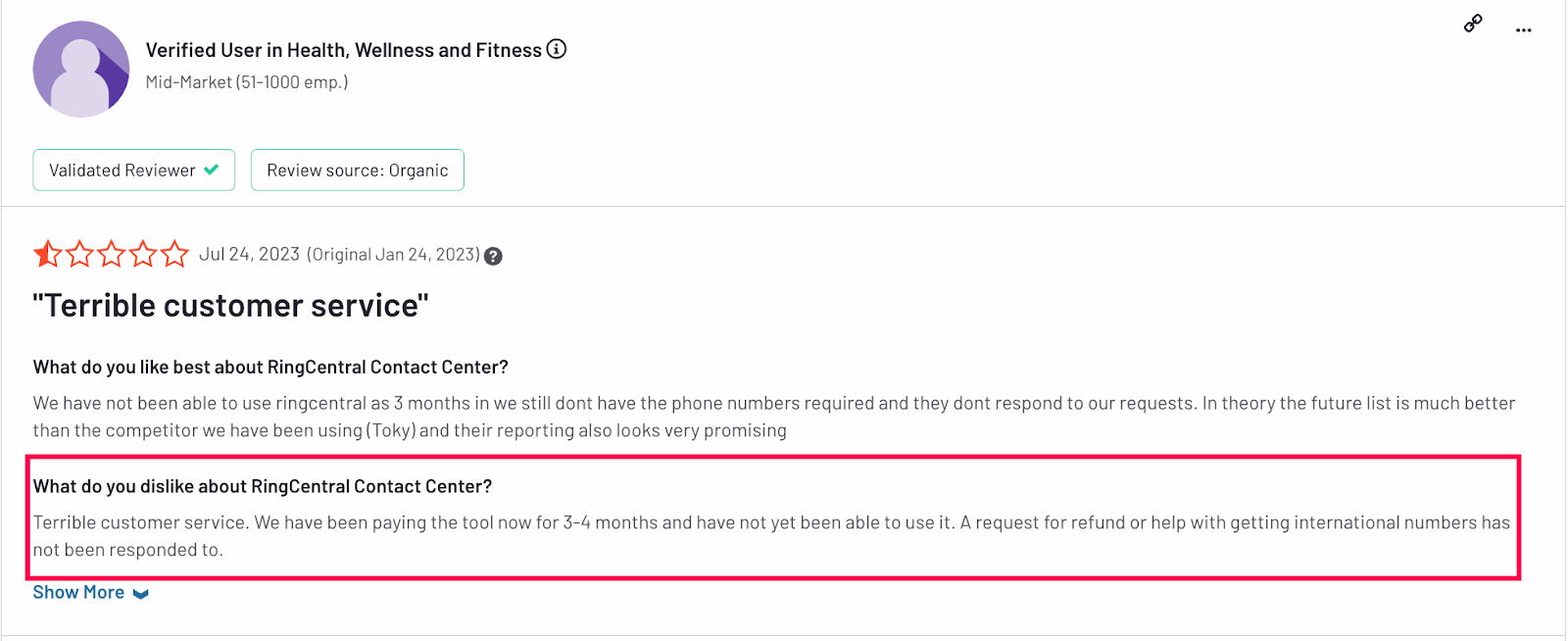
4) RingCentral has terribly bad customer service 👎🏼
Many users express frustration with RingCentral’s customer support.
Source: G2
Long wait times, difficulty reaching account managers, and slow response to critical issues are frequently cited problems.
Even some customers report waiting weeks for resolution to their queries, significantly impacting business operations and user satisfaction.
5) Inconsistent Call Quality for Global Teams
Despite HD calling capabilities, users report call quality issues, particularly echo, dropped calls, and latency. RingCentral operates only two U.S. data centers, which can impact international call reliability.
Better alternative: Competitors like SmartReach.io offer global calling to 200+ countries with local numbers to improve answer rates.
What are the best RingCentral alternatives?
Here are the 7 best RingCentral alternatives for multiple use cases, that we will talk about in this article –
- dialnote.com – Best RingCentral alternative for inbound business calling
- SmartReach.io – Best RingCentral alternative for outbound sales teams
- Dialpad AI – Best RingCentral alternative for AI workflow
- Nextiva – RingCentral alternative widely known for its VoIP Phone system
- Google Voice – Best for the Google Workspace users
- Grasshopper – Good option for small businesses
- Vonage – Regarded as a good alternative for its calling performance
Now let’s learn about them one by one.
RingCentral Alternative #1: dialnote
Best for: Businesses seeking unlimited calling with AI-powered inbound automation
dialnote.com is a modern AI-powered VoIP business phone system that disrupts traditional pricing models with its flexible dual-pricing structure.
Unlike RingCentral’s expensive per-user plans, dialnote offers both seat-based and unlimited seat options, perfect for businesses that need scalability without breaking the bank.
Built for the modern workforce, dialnote combines enterprise-grade calling capabilities with intelligent AI automation.
The platform’s standout feature is its AI voice agent that handles inbound calls 24/7, capturing leads, scheduling appointments, and transferring high-value conversations to human team members automatically.
Key Features for Business Calling
AI-Powered Inbound Management
- AI Voice Agent: Instant answers, lead qualification, calendar booking, and transfers.
- Smart Routing & IVR: Custom menus, ring orders (sequential/simultaneous), and business hours with fallbacks.
- Voicemail Transcription: Text conversion for quick review.
Calling & Number Management
- Numbers: Toll-free, local, international with free porting.
- Unlimited US/Canada Calls: Includes Zone A (US, UK, Germany, France, etc.).
- Shared Numbers & Recording: Team access, manual/auto options.
- Hold/Transfer: Seamless intra-team handling.
Productivity & Collaboration
- Snippets & Internal Threads: Pre-written responses and in-app team chat.
- Shared Contacts & Notes: Centralized management with permissions.
- Group Calling/Messaging: Efficient coordination.
AI Intelligence Layer
- Transcription & Summarization: Auto-notes in 14 languages.
- CRM Auto-Updates: Sync call data, tags, and evaluations.
- Knowledgebase & Actions: Query responses, lead capture, SMS, dispositions.
Integrations
- CRMs: HubSpot, Salesforce, Pipedrive, Zoho (bi-directional).
- Tools: Slack, Email, Zoom, Teams, WhatsApp; Zapier, Make, n8n; Calendly, Shopify, Square, Stripe, DocuSign, QuickBooks; API/Webhooks.
Why dialnote beats RingCentral
1. Scalable Pricing
Unlimited Seats: Micro ($49/mo), Growth ($99), Pro ($199).
Seat-Based: Essentials ($15/seat/mo), Plus ($25 per month), Enterprise ($30 per month).
A 20-person team starts at $49/mo vs. RingCentral’s $600–900.
2. 24/7 AI Automation
Zero wait times for routine calls (e.g., 300/500 monthly handled automatically, saving 100 agent hours). Qualifies leads, books meetings, and supports 14 languages.
3. Cloud-First for Remote Teams
Unlimited users on select plans; mobile/desktop apps; shared numbers (10+ members); user groups; no desk phones needed.
4. Seamless integrations & workflows
Native CRM sync (logs, notes, triggers); real-time notifications (Slack/Teams); no-code automations (Zapier). Ends manual entry.
5. AI analytics
Auto-tags by topic; performance scoring; sentiment analysis; reports on volume, duration, and rates for coaching insights.
6. Effortless setup
3-minute launch: Drag-and-drop IVR, pre-built AI templates, intuitive UI—no weeks of training.
Pros of dialnote ✅
- Dual pricing for cost predictability.
- Included AI agent for inbound efficiency.
- Transparent costs with bundled features.
- Multi-language support and free porting.
- Advanced routing and shared access.
- 20+ integrations for streamlined ops.
- AI insights for optimization.
Cons of Dialnote ❌
- No video conferencing: Focuses on voice/calling; but provides native integration with Zoom
- Unlimited calls to US/CA: Calls to UA/CA have an upper limit (Check their fair use policy). Most tools offering unlimited have an upper limit, after which your charged.
dialnote Plans and Pricing
dialnote offers two pricing tracks to accommodate different business models:
Option 1: Unlimited Seats Pricing (For teams with many users, low call volumes)
| Plan | Price/Month | Phone Numbers | AI Features |
|---|---|---|---|
| Micro | $49 | 2 (Zone A, one toll-free) | – |
| Growth | $99 | 3 (Zone A, one toll-free) | + AI CRM updates, AI transcription, summarization |
| Pro | $199 | 5 (Zone A, one toll-free) | + AI call tags, evaluation |
Option 2: Seat-Based Pricing (For predictable monthly costs)
| Plan | Price/Seat | Phone Numbers |
|---|---|---|
| Essentials | $15 | 1 (Zone A, toll-free incl.) |
| Plus | $25 | 1 (Zone A, toll-free incl.) |
| Enterprise | $30 | 1 (Zone A, toll-free incl.) |
Pricing Comparison: dialnote vs. RingCentral
| Feature | dialnote (Unlimited Seats – Growth) | RingCentral (Standard) |
|---|---|---|
| Pricing Type | Unlimited Seat | Seat based |
| Cost for 20 users | $99/mo | $600/mo ($30/user x 20) |
| Included Minutes | Unlimited Calling US/CA | Unlimited Calls US/CA |
| AI Voice Agent | ✅ Included (+ $30 for 30 AI mins) | ❌ Not included |
| AI Action | ✅ Included | ❌ Not included |
| CRM Integrations | ✅ Native (HubSpot, Salesforce, etc.) | ✅ Native |
| Call Recording | ✅ Automatic | ✅ Automatic |
| Voicemail Transcription | ✅ Included | ✅ Included |
| IVR/Auto-Attendant | ✅ Included | ✅ Included |
| Setup Fees | $0 | $0 |
| Contract | Month-to-month | Annual commitment typical |
Savings Example: A 20-person team saves $6,012/year ($501/mo x 12) by switching from RingCentral Standard to dialnote Growth.
Dialnote offers 70% cost savings compared to RingCentral while delivering:
- AI-powered inbound automation that works 24/7
- Flexible pricing (seat-based or unlimited seats) to match your business model
- Transparent costs with no hidden fees
- Fast setup and intuitive interface (vs. RingCentral’s steep learning curve)
- Deep CRM and workflow integrations out of the box
RingCentral Alternative #2: SmartReach.io
- G2 Rating: 4.7/5
- Best for: Outbound-led teams looking for lead generation solution
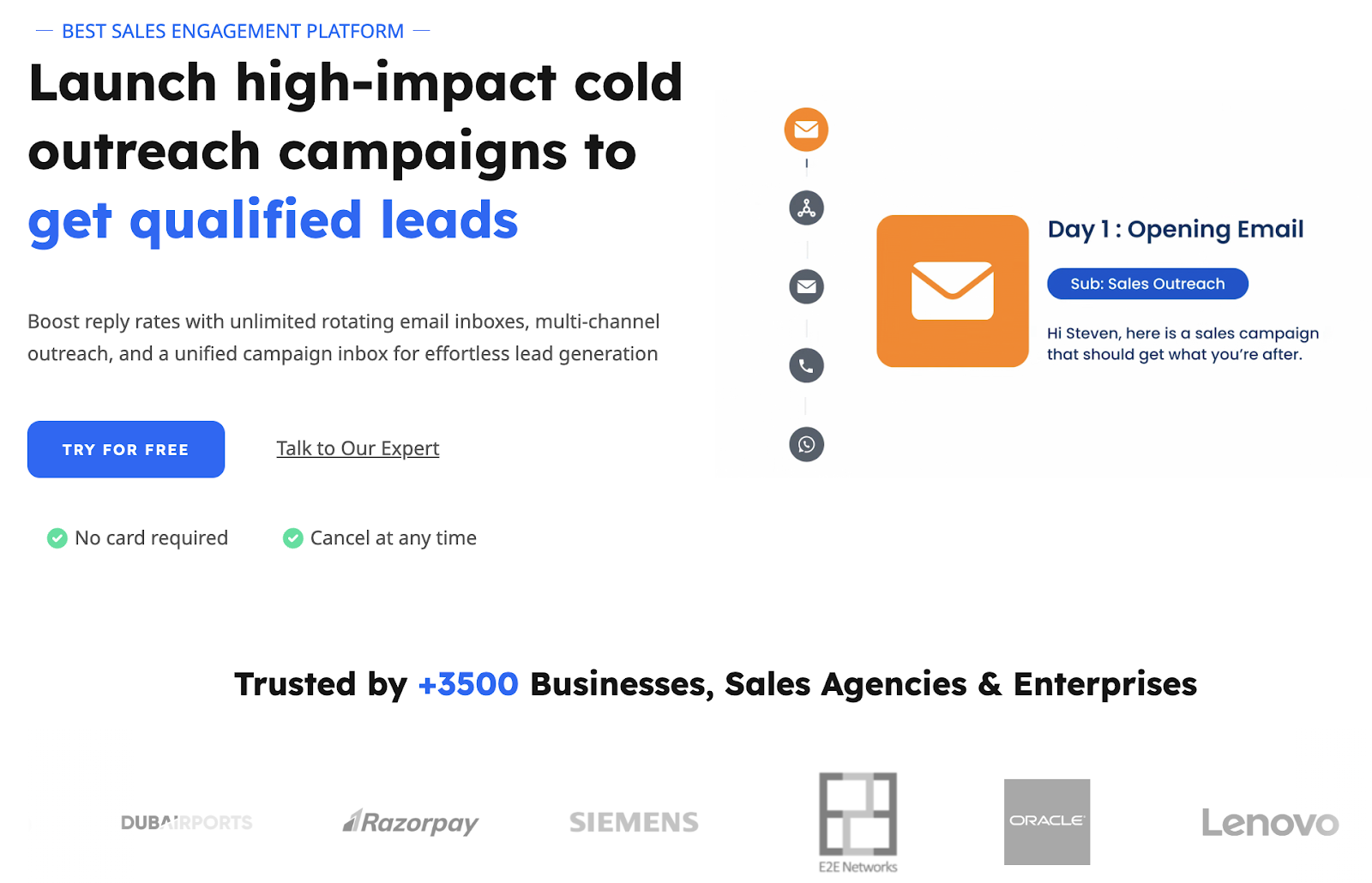
SmartReach.io is an AI-enabled sales engagement platform built specifically for outbound sales automation, not just calling, but multichannel prospecting across cold email, LinkedIn DMs, WhatsApp, cold calling, and SMS.
Unlike Dialnote (which excels at inbound call management) and RingCentral (a general business communications platform), SmartReach.io is purpose-built for sales teams who need to reach out proactively and close deals faster.
If your business relies on outbound prospecting to generate pipeline, SmartReach.io is your unfair advantage.
Key Features for Outbound Sales Calling
PowerCaller: AI-Powered Outbound Calling Suite
SmartReach.io’s calling software, PowerCaller, includes features specifically designed to maximize outbound sales efficiency:
- Global Calling: Reach prospects in 200+ countries (including US, UK, EU) with local numbers to boost answer rates
- Personalized Caller ID: Display recognizable local numbers to increase trust and pickup rates
- Calling Scripts: Save and reuse proven sales scripts tailored to each prospect or campaign
- Call Forwarding & Transferring: Seamlessly route calls to the right team member mid-conversation
- Task Management: Automated reminders and scheduling for follow-up calls
- Sentiment Tracking: Measure prospect responses (positive, neutral, negative) to refine your pitch
- Live Coaching (Whisper, Barge-In): Managers can listen to live calls, whisper guidance, or take over when needed
- Call Recording: Review calls to train reps and improve performance
- Detailed Reporting: Track metrics like connection rates, call duration, average talk time, calls dialed, calls connected, and sentiment scores, by campaign and rep
Unlimited Outbound Calling at a Fixed Cost:
- SmartReach.io’s $39/month multichannel plan includes unlimited calling seats
- No per-minute charges, no overage fees, just predictable pricing
- Perfect for high-volume outbound teams who make 50-200+ calls/day
Multichannel Outbound Campaigns (Beyond Calling)
SmartReach.io is not just a calling tool, it’s a multichannel sales engagement platform:
- Cold Email: Unlimited email sending with unlimited email account integrations
- LinkedIn Outreach: Automate LinkedIn connection requests and DMs
- WhatsApp Messaging: Reach prospects on WhatsApp with automated sequences
- SMS Messaging: Send text messages as part of your outreach cadence
- Cold Calling: Layer calls into your email/LinkedIn sequences for 2x engagement
Why Multichannel Matters:
Studies show that using 3+ channels (email + LinkedIn + calls) increases response rates by 100-300% compared to email alone.
Sales-Centric Analytics & Reporting
SmartReach.io provides real-time insights into outbound calling and multichannel campaign performance:
Call Metrics:
- Connection rates (how many prospects answered)
- Average call duration
- Calls dialed vs. calls connected
- Call sentiment analysis (positive/neutral/negative)
- Campaign-level and rep-level breakdowns
Multichannel Metrics:
- Email open rates, reply rates, bounce rates
- LinkedIn connection acceptance rates
- WhatsApp message delivery and read rates
- SMS delivery and reply rates
Sales Pipeline Tracking:
- Lead qualification status
- Deals created from outreach campaigns
- Revenue attribution by campaign
- CRM sync for automatic data updates
This data helps sales managers identify top performers, coach underperformers, and optimize campaigns in real time.
In this list of the RingCentral competitors, SmartReach.io stands out for its advanced outbound calling features and collaboration tools, making it particularly suitable for sales teams looking to boost their productivity and conversion rates.
SmartReach plans and pricing
SmartReach offers a 3 tier pricing plan for email users, multichannel users and agencies.
All the plans include unlimited sending email integration, unlimited campaign users, unlimited emails and unlimited free email validation per month.
The current SmartReach pricing model looks like this.
| Plans | Basic | Growth | Scale | Scale Pro |
| Email outreach | $26/month | $79/month | $179/month | $449/month |
| Multichannel outreach | $35/month | $89/month | $229/month | $539/month |
| Agency plan | Talk to sales | |||
With $539 per month you would get unlimited calling seats, add unlimited email accounts, unlimited linkedin accounts and you can contact upto 500,000 prospects.
If you are looking for only calling related plan, feel free to reach our support by clicking here.
*Note: Additional discounts available for users looking for higher number of seats.
Overall, SmartReach.io is a great solution to any outbound team looking for solid engagement and conversion from their outreach.
With one SmartReach.io subscription plan, you get the functionalities of a calling software + cold email software + email verification service – all under a single platform at no additional costing.
Still not sure if SmartReach.io works for your outbound sales process?
Start your 1st campaign with SmartReach.io today for FREE. (No Credit card required for sign-up)

______________________________
RingCentral alternative #3: Dialpad AI
- G2 Rating: 4.4/5
- Best for: Streamlined AI workflows
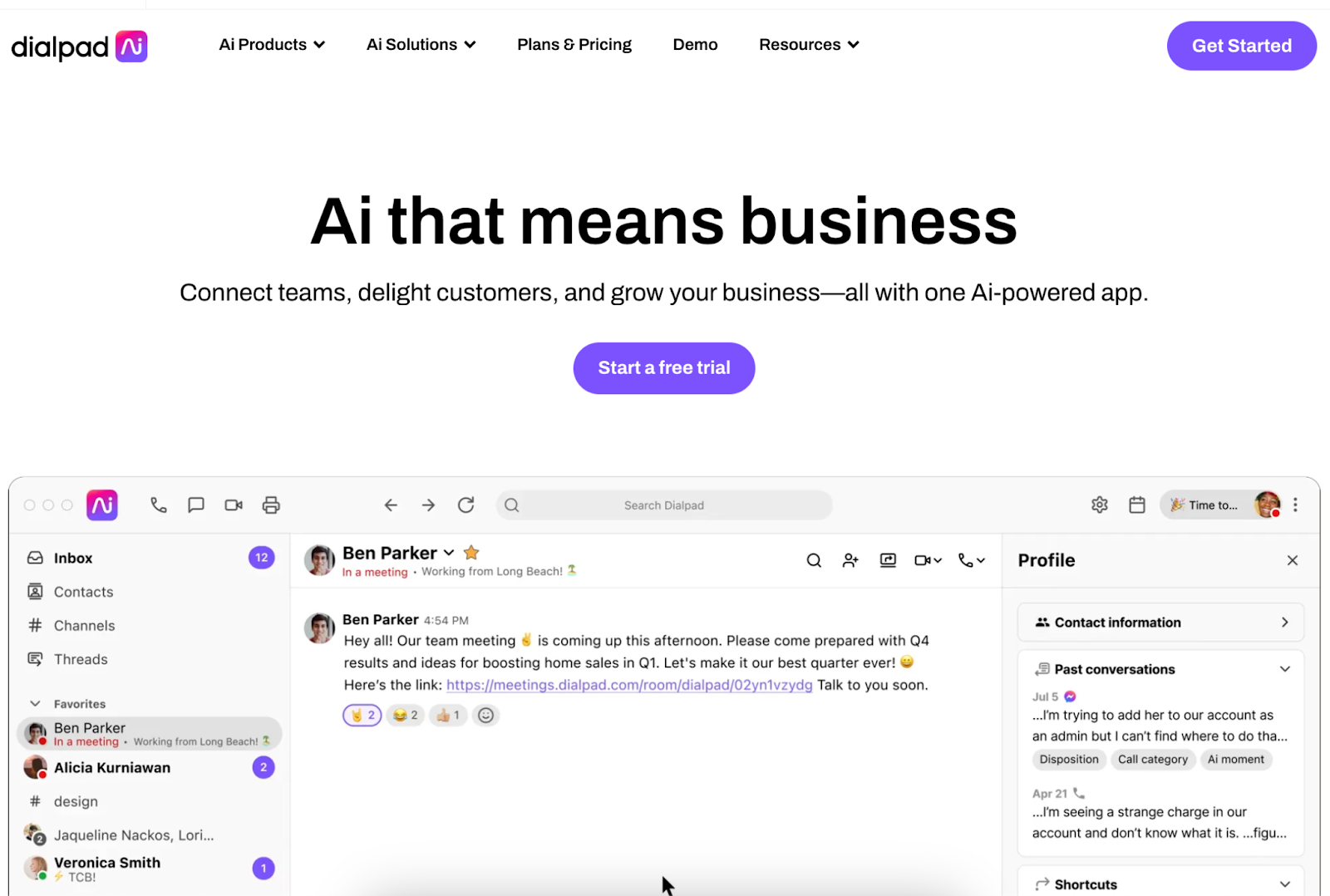
Dialpad AI is a comprehensive unified communications platform that use artificial intelligence to enhance business conversations. It offers voice, video, messaging, and contact center solutions in one integrated system.
Dialpad’s standout feature is its AI-powered Voice Intelligence, which provides real-time transcription, sentiment analysis, and coaching for customer interactions.
The RingCentral competitor platform is designed to scale with businesses of all sizes and integrates seamlessly with popular workplace tools.
Pros of Dialpad AI ✅
- AI-powered insights: Dialpad’s Voice Intelligence provides real-time transcriptions and post-call analytics, offering valuable insights into customer interactions. This feature helps sales teams identify key moments in conversations and improve their performance over time.
- Seamless integrations: The platform offers robust integrations with popular CRM systems and productivity tools, allowing for streamlined workflows. Users can access customer information and log call details directly within their existing software ecosystem.
- User-friendly interface: Dialpad’s intuitive design makes it easy for teams to adopt and use effectively.
- Flexible deployment: Dialpad offers both cloud-based and on-premises solutions, catering to businesses with different infrastructure needs and security requirements.
Cons of Dialpad AI ❌
- Complex pricing structure: Dialpad has a complex pricing with various add-ons and features. Some users report that costs can escalate quickly when scaling up or adding advanced features.
- Limited AI accuracy: Dialpad AI transcription and analysis sometimes misinterpret complex industry jargon or heavy accents.
- Limited video conferencing capacity: Compared to some other RingCentral competitors in the list, Dialpad’s video conferencing participant limit is lower, which may not suit larger organizations or those hosting webinars.
- Occasional audio quality issues: Some users report intermittent audio quality problems, particularly in areas with less stable internet connections. This can impact call clarity in certain situations.
- Steep Learning curve for AI features: While powerful, the AI capabilities can be overwhelming for some users. It may take time to fully use these features and integrate them into daily workflows.
Dialpad AI plans and pricing
Dialpad provides plans based on 4 feature bundles. Here’s how it looks like –
| Business Communications | AI Meetings | AI Contact Centers | AI Sales |
| Starts at $27/user/month | $0 user/month | Starts at $95/user/month | Starts at $70/user/month |
Note: Annual billing discounts available. Prices may vary based on number of users and specific requirements.
_________________________
RingCentral alternative #4: Nextiva
- G2 Rating: 4.5/5
- Best for: Voice-over-internet-protocol (VoIP) phone service
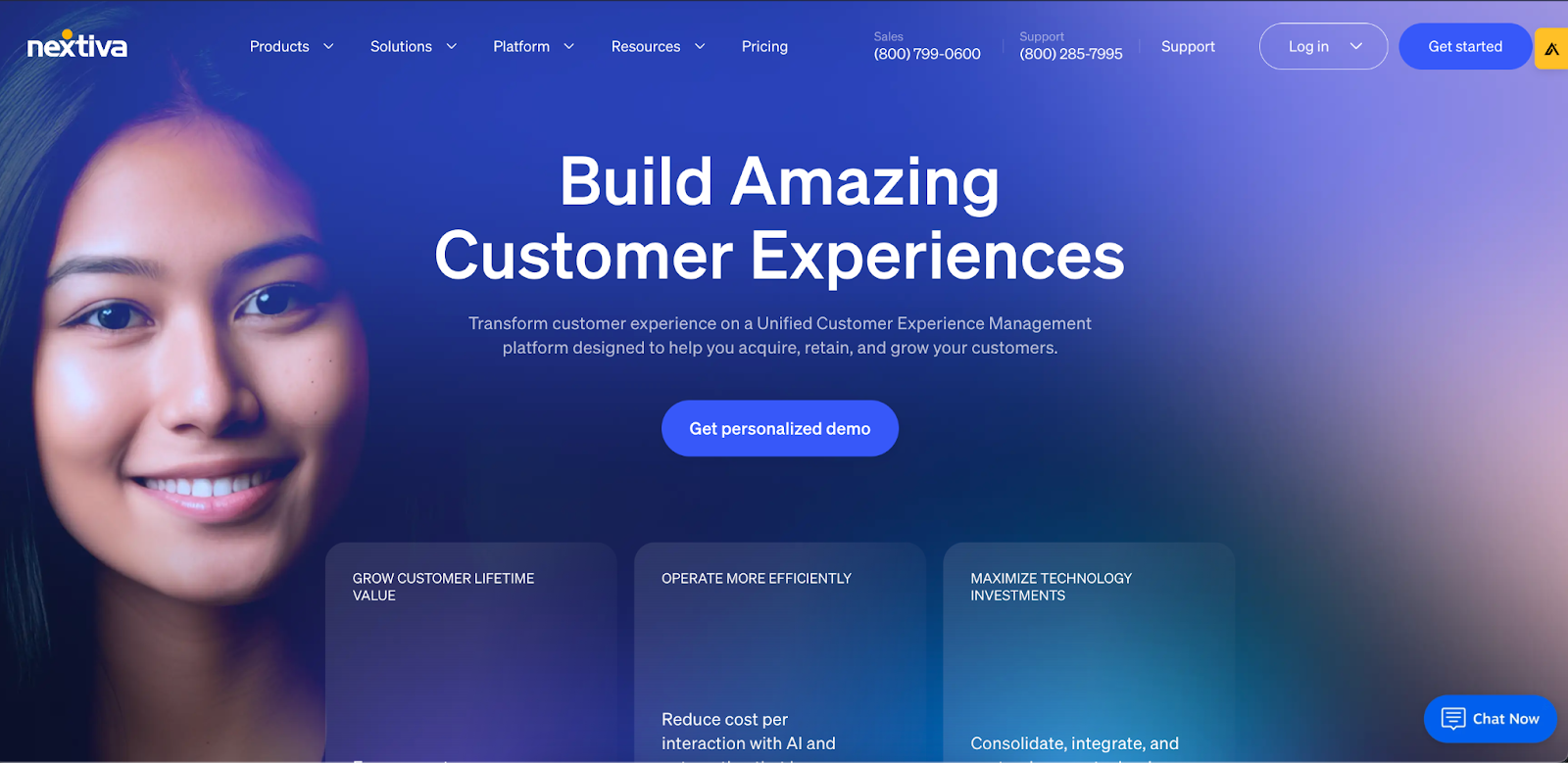
Nextiva is one of the best RingCentral competitors. The platform is widely known for its VoIP and unified communication feature set.
It offers voice calling, video conferencing, team messaging, and customer service tools in one integrated solution.
Nextiva’s strength lies in its focus on customer experience, offering advanced analytics and CRM integrations to help businesses manage customer interactions effectively.
The platform is suitable for businesses of all sizes, from small startups to large enterprises.
Pros of Nextiva ✅
- Excellent call quality: Nextiva is widely praised for its consistently high call quality and reliability. The platform uses advanced routing algorithms to ensure clear voice communication, even in challenging network conditions.
- Comprehensive analytics: Nextiva’s advanced reporting and analytics tools provide deep insights into call patterns, team performance, and customer interactions.
- Scalability: The platform offers flexible plans that can easily scale with your business growth. Nextiva’s ability to handle both small teams and large enterprise deployments makes it a versatile choice for evolving companies.
- Strong customer support: Nextiva is known for its exceptional customer service, offering 24/7 support through multiple channels. Their responsive team and extensive knowledge base help resolve issues quickly, minimizing downtime.
Cons of Nextiva ❌
- Complex UI: Nextiva’s interface feels overwhelming for new users. The abundance of options and settings may require a steeper learning curve compared to the other RingCentral alternatives in this list.
- Mobile app limitations: Nextiva’s mobile app lacks certain features available on the desktop version. This can be a drawback for teams heavily reliant on mobile communications.
- Pricing structure: Nextiva’s plans is more expensive than some competitors, especially for smaller businesses. The cost may be justified by the feature set, but it can be a barrier for budget-conscious start-ups.
- Integration challenges: While Nextiva offers various integrations, some users find that setting up and maintaining these integrations can be complex, requiring technical expertise or support from Nextiva’s team.
Nextiva plans and pricing
Nextiva offers 2 types of pricing tiers, one for the small businesses and the other for the enterprises.
| Small Business | Enterprise |
| Starts at $20/user/month | Starts at $120/agent/month |
______________________
RingCentral alternative #5: Google Voice
- G2 Rating: 4.1/5
- Best for: Calling solution for Google workspace users
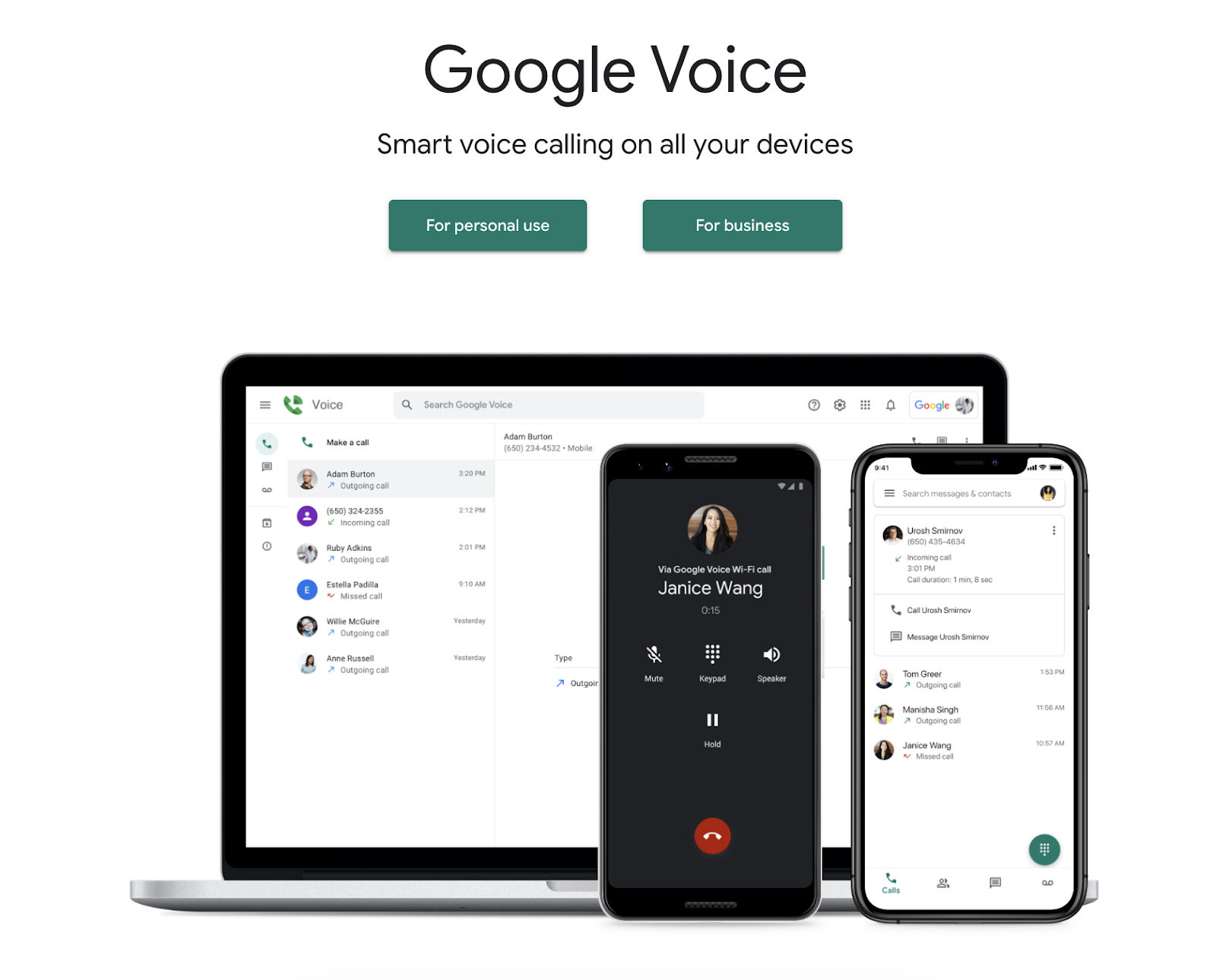
Google Voice is a cloud-based phone system that integrates with the Google Workspace ecosystem. It is currently one of the cheapest RingCentral competitors for business phone extension services.
It offers essential VoIP features like call forwarding, voicemail transcription, and multi-device ringing.
Google Voice is particularly useful to businesses already invested in Google’s productivity tools.
It provides a straightforward approach to business telephony, leveraging Google’s robust infrastructure for reliability and performance.
Pros of Google Voice ✅
- Easy integration with Google workspace: It works flawlessly with other Google apps, allowing for easy scheduling, contact management, and communication within the ecosystem.
- Intuitive UI: The platform maintains Google’s signature clean and user-friendly design, making it easy for teams to adopt and use effectively.
- Affordable pricing plans: Google Voice offers straightforward, affordable pricing plans, making it an attractive option for small to medium-sized businesses.
- AI-powered features: The system includes AI-driven spam filtering and voicemail transcription, enhancing productivity and reducing unwanted calls.
Cons of Google Voice ❌
- Limited advanced calling features: Compared to dedicated VoIP providers, Google Voice lacks some advanced call management features like call queues or sophisticated IVR systems.
- Limited calling customization: The platform offers limited options for customizing call flows or creating complex routing rules, which may not suit larger enterprises.
- Browser dependency: Some features are only fully accessible through the Google Chrome browser, which is inconvenient for users of other browsers.
- Limited international coverage: Google Voice’s availability and feature set vary significantly outside the United States, potentially causing issues for global teams.
- Basic reporting capabilities: The analytics and reporting tools are relatively basic compared to the other RingCentral competitors in the market.
Google Voice plans and pricing
They offer 3 pricing plans such as –
| Starter | Standard | Premier |
| $10/user/month | $20/user/month | $30/user/month |
_______________________________
RingCentral alternative #6: Grasshopper
- G2 Rating: 4/5
- Best for: Budget conscious small business users
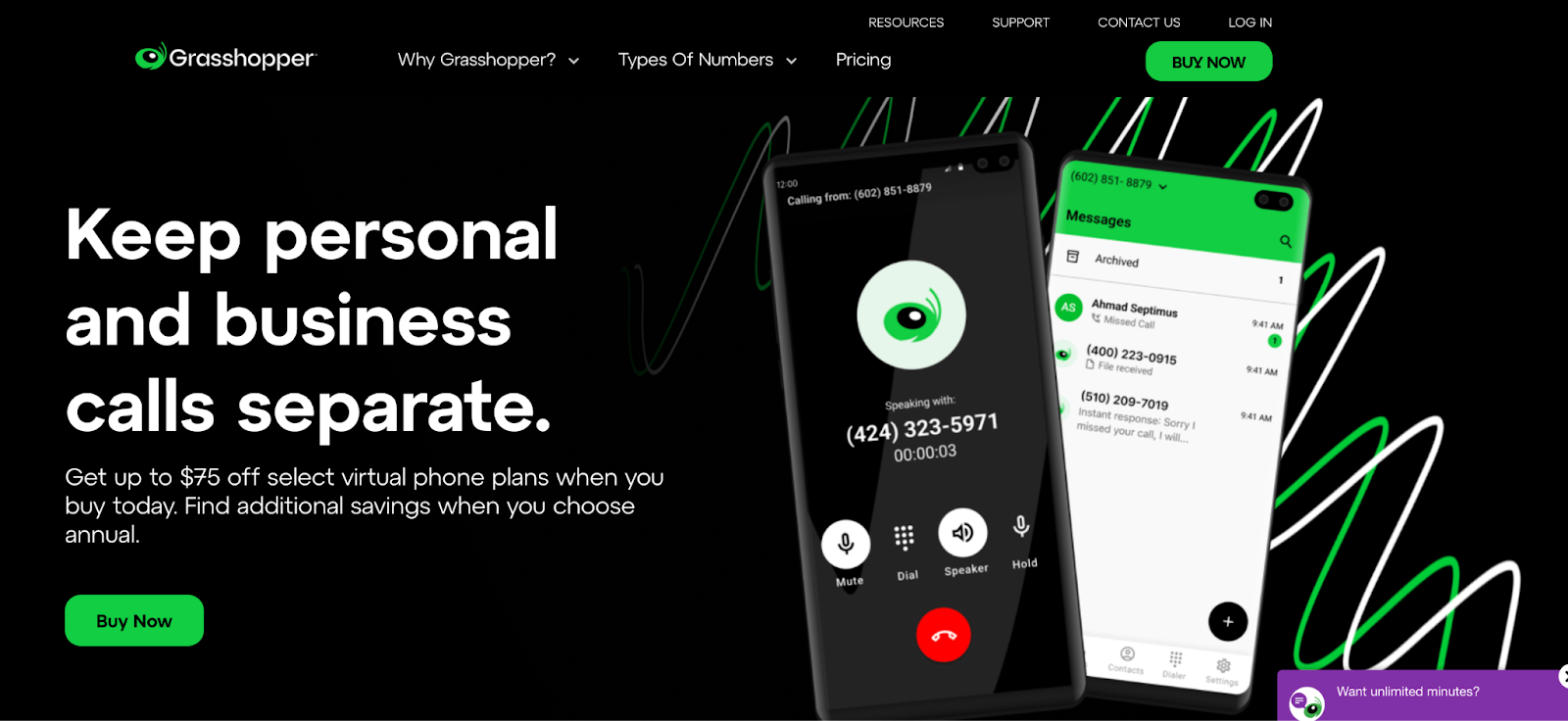
Grasshopper is a virtual phone system tailored for small businesses, entrepreneurs, and startups.
It allows users to add a professional business line to their existing phones, offering features such as call forwarding, custom greetings, and voicemail transcription.
Grasshopper’s focus on simplicity and mobility makes it an ideal choice for solopreneurs and small teams who need a professional phone presence without the complexity of a full-fledged VoIP system.
Pros of Grasshopper ✅
- Easy setup and management: It can be set up quickly without technical expertise, making it accessible for non-technical users.
- Flexible call routing: Grasshopper offers customizable call forwarding options, allowing users to route calls to different devices or team members based on schedules or availability.
- Professional business identity: The platform provides features like custom greetings and a virtual receptionist, helping small businesses project a more professional image.
- Mobile app availability: Grasshopper’s mobile application offers nearly all desktop features, enabling true on-the-go business management.
Cons of Grasshopper ❌
- Limited scalability: As businesses grow, they may outgrow Grasshopper’s feature set, necessitating a switch to a more comprehensive system.
- Lack of advanced integrations: The platform offers limited integration options with CRM and other business tools compared to more full-featured VoIP systems.
- No video conferencing: Grasshopper focuses on voice communications and does not offer integrated video conferencing capabilities unlike the other RingCentral competitors.
- Very basic reporting features: The analytics and call reporting capabilities are relatively simple, which may not suffice for businesses requiring detailed insights.
- Potential for higher costs: While initially affordable, costs can add up quickly for businesses requiring multiple extensions or heavy usage.
Grasshopper plans and pricing
They offer 3 flat-rate pricing plans such as –
| Solo | Partner | Small Business |
| $26/user/month | $44/user/month | $80/month |
*Note: All plans include unlimited minutes and texts within the US and Canada.
______________________
RingCentral alternative #7: Vonage
- G2 Rating: 4.3/5
- Best for: Business calling solution
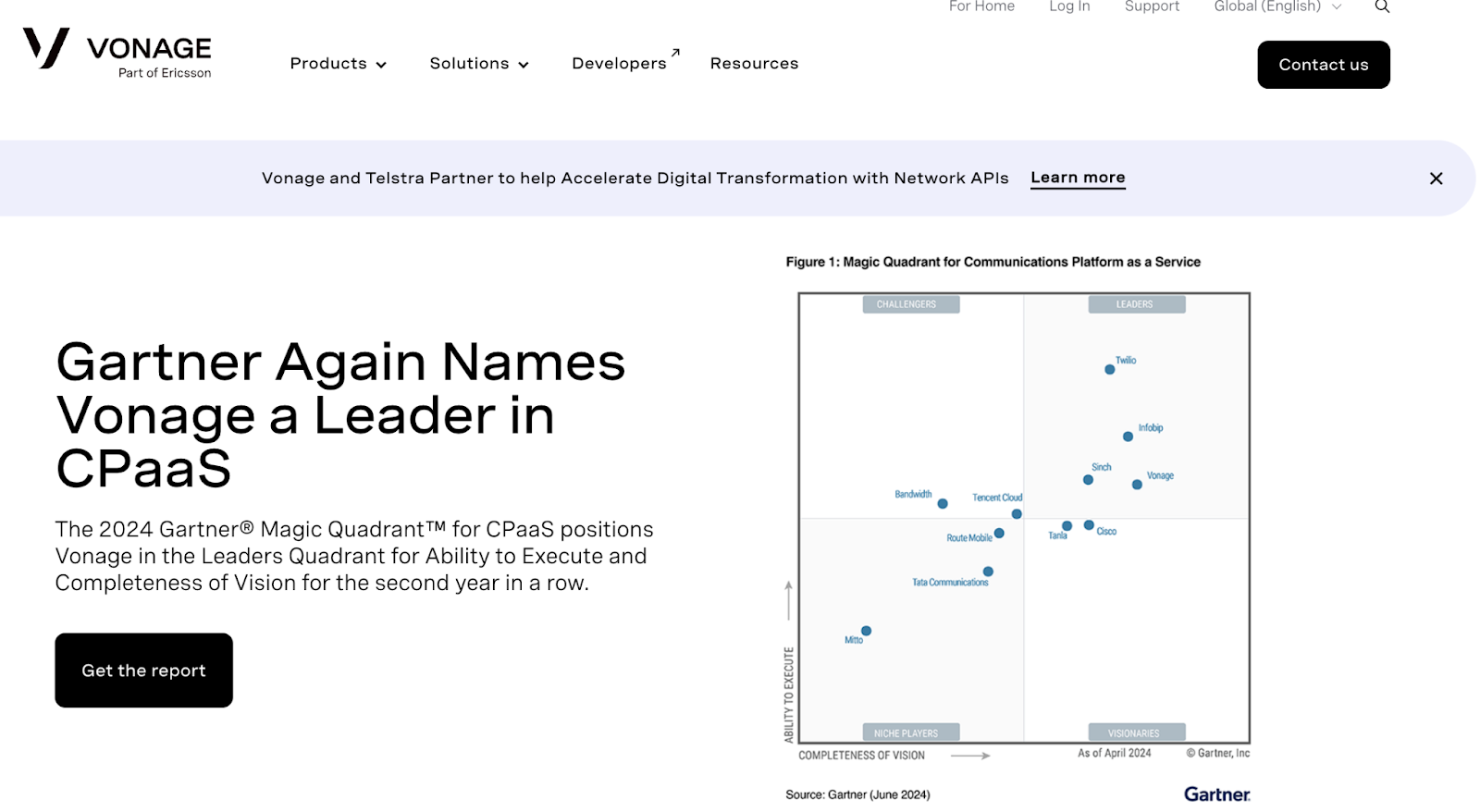
Last but no the least – Vonage, one of the best RingCentral competitors in CPaaS market.
Vonage is a well-established VoIP provider offering a comprehensive suite of cloud-based communication solutions.
Known for its reliable calling performance, Vonage provides voice, video, messaging, and contact center functionalities.
The platform stands out for its extensive API offerings, allowing for deep customization and integration with various business processes.
Pros of Vonage ✅
- Extensive API library: Vonage offers a rich set of APIs for voice, video, and messaging, enabling businesses to create custom communication workflows and integrations.
- Reliable call quality: The platform is known for its consistent and clear voice quality, leveraging a robust global network infrastructure.
- Advanced call management: The system includes features like call queues, IVR, and call recording, suitable for complex business requirements.
- Strong video conferencing capabilities: Vonage’s video solution offers high-quality, feature-rich conferencing options integrated within the platform.
Cons of Vonage ❌
- Complex initial setup: Users frequently report that the initial configuration and deployment process is complicated, especially for their features.
- Steep learning curve: The extensive feature set and customization options can be overwhelming for new users, requiring significant time investment to master.
- Inconsistent customer support: Some customers have reported varying experiences with Vonage’s customer support, particularly during peak times.
- Mobile app limitations: Their mobile app lacks parity with the desktop version in terms of features and UX.
- Potential for hidden costs: Some users have noted that certain advanced features or usage beyond plan limits can lead to unexpected charges.
Vonage plans and pricing
Vonage has a 2 tier pricing plan for with quote based pricing model.
To know about the pricing details, users have to fill up their “Contact Us” form with all details.
______________________
RingCentral alternative #8: Zoom Phone
- G2 Rating: 4.5/5
- Best for: Seamless video and voice integration
Zoom Phone is a cloud-based business phone system that integrates seamlessly with Zoom’s video conferencing platform. It’s one of the most popular RingCentral competitors for businesses already invested in the Zoom ecosystem.
The platform offers enterprise-grade calling features, including auto-attendants, call queues, voicemail transcription, and advanced analytics, all within the familiar Zoom interface.
Zoom Phone’s standout advantage is its native integration with Zoom Meetings, allowing users to escalate phone calls to video conferences with a single click. This makes it particularly attractive for hybrid and remote teams that rely heavily on video collaboration.
Pros of Zoom Phone ✅
- Native Zoom integration: Seamlessly escalate calls to video meetings with one click. Perfect for teams that need to quickly share screens or bring in additional participants during customer conversations.
- Familiar interface: Zero learning curve for existing Zoom users. The interface, navigation, and user experience match Zoom Meetings exactly, enabling immediate adoption.
- Cost-effective for Zoom users: Adding phone service costs just $10-15/user/month for existing Zoom customers, significantly cheaper than maintaining separate platforms.
- Superior video capabilities: Support for up to 1,000 meeting participants makes it ideal for webinars, all-hands meetings, and large customer training sessions.
- Unified administration: Manage phone and video from a single dashboard with centralized user provisioning, security policies, and analytics.
- Global coverage: Phone numbers available in 40+ countries with competitive international calling rates and unlimited calling in many regions.
- Advanced call management: Includes multi-level auto attendants, call queues, voicemail transcription, call recording, hot desking, and nomadic E911.
Cons of Zoom Phone ❌
- Requires Zoom Meetings license: Standalone Zoom Phone pricing is higher ($20-30/user/month), reducing cost advantage for non-Zoom users.
- Limited SMS availability: SMS messaging only works in US and Canada, which is restrictive for international businesses or global outreach campaigns.
- Fewer third-party integrations: While Zoom Phone integrates with major CRMs, it has fewer pre-built integrations compared to RingCentral’s extensive marketplace.
- Basic contact center features: Advanced contact center capabilities like workforce management and quality monitoring require expensive add-ons or aren’t available.
- Mobile app inconsistencies: Some users report the mobile app lacks feature parity with the desktop version, particularly for administrative functions.
- Zoom fatigue factor: Teams experiencing “Zoom fatigue” may prefer a different platform to diversify their communication tools.
______________________
RingCentral alternative #9: 8×8
- G2 Rating: 4.2/5
- Best for: Integrated contact center and unified communications
8×8 is a comprehensive cloud communications platform that uniquely combines unified communications (UCaaS) and contact center (CCaaS) capabilities in a single integrated solution. It’s one of the few RingCentral competitors that rivals RingCentral’s breadth while often offering more competitive pricing.
The platform delivers voice calling, video conferencing, team messaging, SMS, and full-featured contact center tools—all built on a single platform rather than stitched together through acquisitions.
8×8’s standout strength is its true omnichannel contact center with advanced workforce management, quality monitoring, and AI-powered analytics. This makes it particularly attractive for businesses that need both internal communications and customer-facing contact center operations.
Pros of 8×8 ✅
- True unified platform: Native integration between UCaaS and CCaaS eliminates data silos. All communications flow through one system with unified reporting and administration.
- Comprehensive contact center: Advanced omnichannel routing, workforce management, quality monitoring, and AI analytics included in mid-tier plans rather than expensive add-ons.
- International calling value: X4 plan includes unlimited calling to 48 countries, making it highly cost-effective for global businesses compared to per-minute international rates.
- Advanced AI analytics: Built-in speech analytics, sentiment analysis, and predictive insights help teams optimize performance without third-party tools.
- Higher video capacity: 500-participant video meetings support large webinars and company-wide events without needing separate webinar platforms.
- Flexible deployment: Cloud and hybrid options accommodate specific regulatory or data residency requirements for regulated industries.
- Integrated team collaboration: Native team messaging with channels, threads, and file sharing, no need for separate Slack or Teams licenses.
Cons of 8×8 ❌
- Complex interface: The platform’s extensive features can feel overwhelming. New users often report a steeper learning curve compared to simpler alternatives.
- Inconsistent customer support: Reviews frequently mention variable support quality, with slower response times and difficulty reaching knowledgeable representatives during peak periods.
- Mobile app limitations: The mobile experience lags behind the desktop version. Some advanced features aren’t available or don’t work as smoothly on mobile devices.
- Setup complexity: Initial configuration and deployment can be challenging, particularly for contact center features. Many businesses require professional services or dedicated onboarding.
- Occasional reliability issues: Some users report intermittent call quality problems, dropped calls, or platform outages, though 8×8 advertises 99.999% uptime.
- Limited CRM integrations: While 8×8 connects to major CRMs like Salesforce and Microsoft Dynamics, it offers fewer pre-built integrations compared to RingCentral’s extensive marketplace.
8×8 plans and pricing
8×8 offers 4 pricing tiers for unified communications
- Express pricing starting at $24/user/month
- X2 pricing starting at $44/user/month
- X4 pricing starting at $57/user/month
- X6 pricing starting at $85/user/month
10 Factors to look for in an RingCentral alternative platform
While choosing from the list of RingCentral alternatives given above, take the below factors into consideration –
Factor #1: Cost-effectiveness
Seek transparent, scalable pricing models that bundle essential features at competitive rates.
Prioritize flexible payment terms without long-term commitments, allowing for easy plan adjustments as your business evolves.
Factor #2: User-friendly interface
Focus on platforms with intuitive, clean interfaces that minimize learning curves.
Look for customizable dashboards and easy navigation between communication functions to boost adoption rates and reduce onboarding time.
Factor #3: Reliability and quality
Evaluate software with multiple data centers and robust failover systems.
Assess uptime guarantees, performance metrics, and conduct trials to ensure consistent call quality across different locations.
Factor #4: Feature set
Ensure core functionalities like advanced call routing, voicemail-to-email, video conferencing, and team messaging are included.
Consider future needs and choose a platform that allows for easy feature expansion.
Factor #5: Integration capabilities
Prioritize solutions offering seamless integration with your existing business tools.
Look for pre-built integrations with popular CRM systems and productivity suites, as well as open APIs for custom integrations.
Factor #6: Scalability
Select a platform that can grow with your business, supporting easy addition of users, features, and communication channels without significant disruption or cost increases.
Factor #7: Customer support
Look for providers offering responsive, multi-channel support with 24/7 availability.
Consider the quality of self-service resources like knowledge bases and community forums to expedite issue resolution.
Factor #8: Security and compliance
Ensure the RingCentral alternative meets industry security standards, including end-to-end encryption and multi-factor authentication.
Verify compliance with relevant regulations like HIPAA or GDPR if applicable to your industry.
Factor #9: Customization options
Choose RingCentral competitors that allow tailored call flows, and detailed reporting and analytics.
Factor #10: Online reviews
Check the reviews of the RingCentral alternative you choose. Search it on platforms such as G2, Product hunt, Capterra etc.
Also, keep an eye out for Reddit threads, LinkedIn posts and Quora answers to find unbiased and raw user testimonials that would help you with buying decision.
What is the best RingCentral alternative for your team?
Choosing the best RingCentral alternative depends on your specific business needs, team size, and budget.
Each platform we’ve discussed offers unique strengths: Dialpad AI excels in AI-driven insights, Nextiva provides robust analytics, Google Voice offers seamless integration with Google Workspace, Grasshopper caters well to small businesses, and Vonage stands out for its API capabilities.
For sales teams looking to get serious results from their outbound efforts, SmartReach.io is a no-brainer.
Ultimately, the best choice will align with your communication priorities, whether that’s advanced AI capabilities, ease of use, scalability, or sales-specific functionalities.
I recommend thoroughly evaluating your requirements and taking advantage of free trials to find the perfect fit for your team.
RingCentral alternatives: Frequently Asked Questions
Who are RingCentral’s top competitors for sales teams?
Top RingCentral competitors for sales include SmartReach.io (unlimited calling), Dialpad AI (AI transcription), Nextiva (VoIP quality), and Zoom Phone (video integration). Sales-focused alternatives prioritize features like power dialers, call scripts, and CRM syncing over general business communications.
What is RingCentral best used for?
RingCentral is a cloud-based unified communications platform offering voice calls, video conferencing, team messaging, and contact center tools. It’s designed for enterprises needing all-in-one business communications with advanced call routing, analytics, and integrations across departments.
Is RingCentral free to use?
No, RingCentral requires a paid subscription after the free trial. Plans range from $20-35 per user monthly (annual billing) for small businesses, with enterprise plans requiring custom quotes. Free trials typically last 14-30 days for testing features.
How does RingCentral pricing compare to competitors?
RingCentral costs $20-35/user/month (annual billing), higher than Nextiva ($19.95) or Google Voice ($10). However, it includes more features bundled. Sales-specific tools like SmartReach.io offer unlimited calling at $39/month flat-rate, better for high-volume teams.
What are the main reasons businesses switch from RingCentral?
Businesses switch from RingCentral due to high per-user costs ($30-45/month), complex feature tiers requiring expensive add-ons, and limited sales-specific tools. Teams focused on outbound calling prefer alternatives with unlimited dialing, AI coaching, and multichannel automation.
Can I port my existing phone number to a RingCentral alternative?
Yes, most RingCentral alternatives support number porting. The process typically takes 7-14 business days and requires submitting a Letter of Authorization (LOA) and recent phone bill. Providers like SmartReach.io, Nextiva, and Dialpad all offer porting assistance.
Which RingCentral alternative is best for small teams?
For small teams (5-20 users), Google Voice ($10/user/month) and Grasshopper ($26/month flat) offer affordable basics. For sales-focused teams, SmartReach.io ($39/month unlimited calling) provides better ROI with multichannel outreach, call recording, and CRM integrations.
Do RingCentral alternatives integrate with CRM systems?
Yes, most alternatives offer CRM integrations. SmartReach.io integrates with Salesforce, HubSpot, and Pipedrive. Dialpad connects to Salesforce and Zendesk. Nextiva supports Salesforce, Microsoft Dynamics, and ServiceNow. Check each platform’s integration marketplace for specific CRMs.
What security features should I expect from RingCentral alternatives?
Standard security features include end-to-end encryption, SOC 2 compliance, HIPAA compliance (for healthcare), and multi-factor authentication. Enterprise alternatives offer additional features like single sign-on (SSO), role-based access controls, and dedicated data centers for regulated industries.
How does RingCentral’s pricing and features compare to other cloud-based communication tools for small businesses?
RingCentral offers tiered plans from $20 to $35/month per user (annual billing) with unlimited US/CA calling, SMS, video meetings (100-200 participants), AI tools, and advanced call management. It costs more than Nextiva ($19.95) or Zoom Phone ($19.99) but delivers broader functionality in one platform.
What are some alternatives to RingCentral for cloud-based communication and collaboration?
Top alternatives include Zoom Phone, Microsoft Teams, Google Voice, 8×8, and Nextiva. These platforms offer VoIP calling, video conferencing, team messaging, and CRM integrations. Zoom excels in video quality, Teams in Microsoft 365 integration, and Nextiva in contact center features.
Who owns RingCentral?
RingCentral is a publicly traded company (NYSE: RNG) with approximately 90-96% of its shares held by institutional investors, around 2-12% by insiders (including cofounder Vlad Shmunis), and a negligible percentage by retail investors.