How to Keep Email List Clean and Up to Date (No BS Guide)
On this page
Maintaining a clean and up-to-date email list is essential for anyone running email campaigns.
Poor list hygiene leads to higher bounce rates, spam flags, and wasted email effort.
This guide offers a practical, step-by-step process to keep your email list clean, reduce bounces, and improve email campaign performance.
These tips and strategies will help both cold emailers and email marketers who regularly run email campaigns.
If you’re new to this and need help with building an email list from scratch, you can check out this article first “7 Ways to build and grow a business email list from scratch”.
TL;DR – How to keep email lists clean and updated
Why the email list quality matter for email campaigns
A poorly maintained email list will cost you more than you think, for example –
- High and soft email bounce rates damage sender reputation.
- Reduced open rates and reply rates from the campaign
- Spam traps and invalid emails lower inbox placement.
- Unengaged email information wastes time and budget
- Reduces ROI from the email campaign
If you’re sending cold emails, your goal is to reach real decision-makers.
And clean email data ensures you’re contacting active, valid, and relevant people.
Platforms like SmartReach.io help enforce this hygiene automatically by identifying and filtering invalid emails before your campaigns go live.
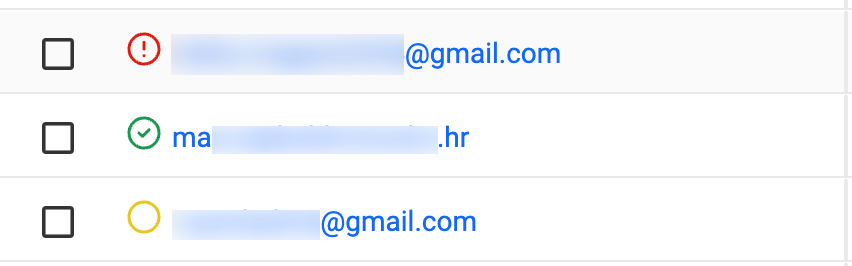
*Green= passed validation, *Yellow= yet to be validated & *Red= failed validation
If you’re serious about email outreach volume and deliverability, email list validation is non-negotiable.
How to clean and update campaign email lists?
Here’s a step-by-step process to clean email list for maximizing email deliverability –
Step 1 → Remove hard bounces
Hard bounces are emails that cannot be delivered because the address is invalid, fake, or the domain no longer exists.
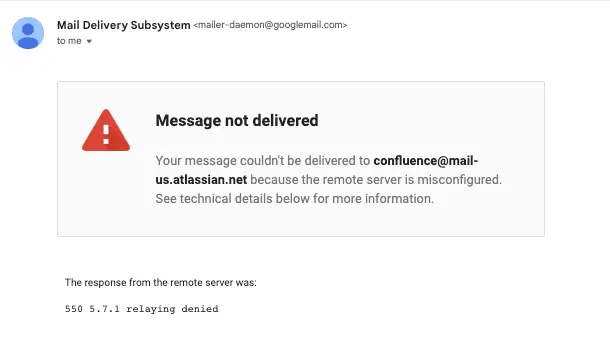
When you send emails to such email addresses, you usually see a message like this ⤵️
✅ Actionable steps:
- After every campaign, export bounce reports
- Delete all emails marked as “hard bounce” they’re damaging your sender reputation.
- Set up auto-removal rules inside your email platform to avoid sending to them again.
�� Pro tip: Even one hard bounce per 100 emails can affect your deliverability. So, clean early.
🎁 Free resource: Bounce Rate Cheat Sheet
__________
Step 2 → Filter out inactive leads from the list
If a lead hasn’t opened or clicked in any of your email sequences the last 60 to 90 days, chances are they’re dragging your metrics down and possibly triggering spam filters.
✅ Actionable steps:
- Segment leads who haven’t engaged in the past 60 to 90 days
- Run a re-engagement campaign with a different and strong email subject line (try A/B testing)
- If they don’t engage after 1–2 email follow-ups, remove or archive them from the email list.
💡Practical tip: You can run a re-engagement campaign every quarter. If no reply in the first 2 follow-ups, remove them.
____________
Step 3 → Delete the role-based emails from the list
Email addresses like info@company.com, sales@xyz.com, or support@ABC.com are called “role-based” emails.
They often –
- Don’t belong to a single person(a lead).
- Aren’t checked regularly for business purposes
- Get flagged as spam by most email providers (e.g., Gmail, Outlook, Yahoo etc.)
✅ Actionable steps:
- Use filters in the CRM or Google Sheet to exclude emails starting with info@, admin@, noreply@, etc.
- If you scraped a list, run a role-address detection scan using email validation tools.
- Replace them with direct contact emails if possible.
__________
Step 4 → Run validation on new and old lists
Before uploading any new list into the email tool, validate every address in the list.
Use an email verification tool to automate this process. A good email verification tool will detect –
- Typos or incorrect syntax (e.g., gmial.com)
- Temporary or disposable emails
- Spam traps (used to detect spammers)
- Inactive or deactivated addresses
There are ways to run this email verification manually, which we have also covered in a separate article. (added below!)
Check out: How to Verify Email Addresses for Improved Deliverability & Response
Validation results live directly on the prospect list in SmartReach.io. Each contact carries a validation status icon beside its email, so filtering the risky and invalid ones out of a campaign is a visual sweep rather than an export-and-cross-reference job.
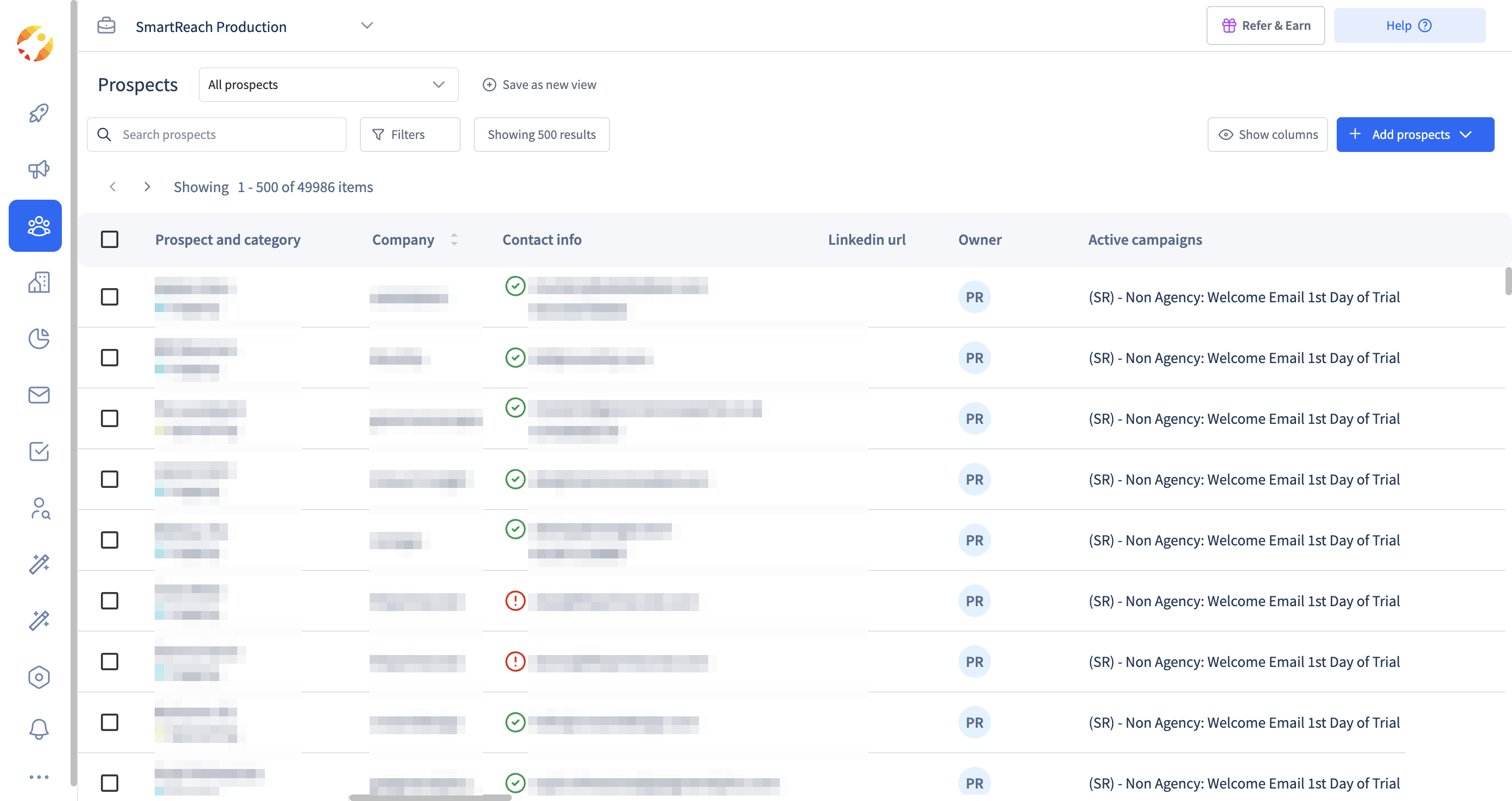 List hygiene at a glance. Valid and failed-validation icons per prospect in SmartReach.io.
Step 5 → Automate bounce handling (Don’t do It manually)
Every email bounce damages your email sender reputation and campaign deliverability.
Instead of manually checking email delivery reports 24×7, let your email tool manage this in real-time.
A lot of email tools especially built for cold emailing can do this.
For example, SmartReach.io auto-detects all the email bounces inside your cold email campaign.
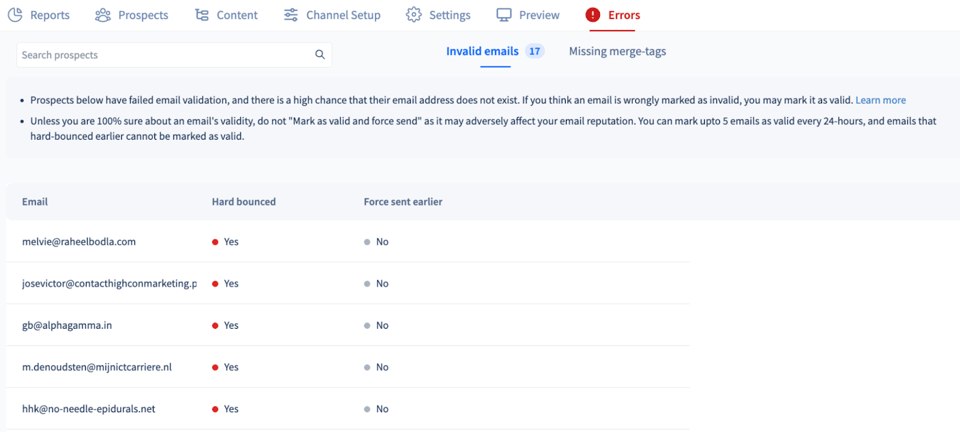
It then pauses your campaign for internal investigation and saves further reputation damage.
Sample email list cleaning schedule
Email data consistency is essential for running email campaigns. A routine cleaning approach keeps your email list information fresh and reliable.
Here’s one sample cleaning schedule that you can use if you are running more than 1 email campaigns per week ⤵️
| Frequency | What to do |
| Weekly | Review & remove new email bounces |
| Monthly | Validate new and existing email contacts |
| Quarterly | Re-engage or archive inactive segments of the email list |
| Before campaign | Full validation of target email lists |
Get verified & accurate B2B email contacts
A clean & accurate email list is vital especially for B2B sales prospecting.
It protects your sender reputation, boosts deliverability, and ensures your cold email campaigns reach real, engaged B2B decision makers.
SmartReach.io’s in-built B2B Lead Finder helps you find verified, accurate B2B contact data including work emails, job titles, company details, and more without needing external tools or integrations.
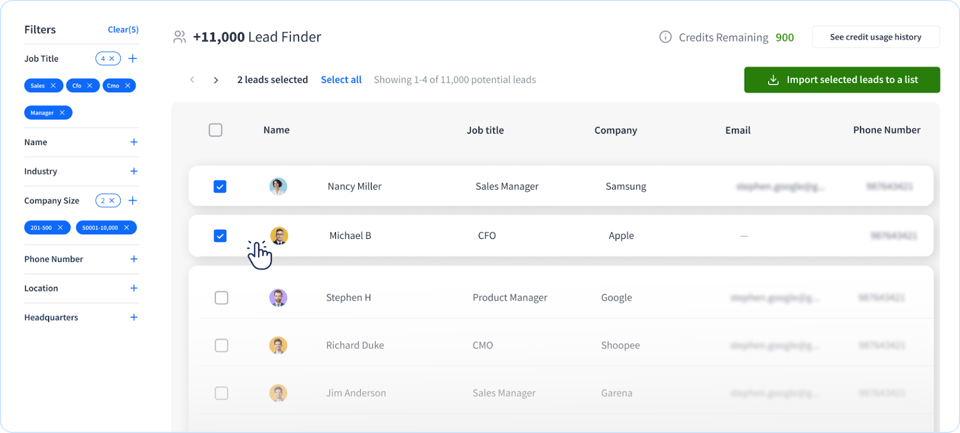
You can discover and build clean lead lists that are ready for outreach, instantly validated, and automatically synced with your cold email campaigns inside SmartReach.io
You don’t need to do more manual research for list building or validating them.
Try this feature inside SmartReach.io for free. (no credit card required)
Frequently Asked Questions
How often should I clean my email list?
Monthly at minimum, or before every major campaign.
What causes high bounce rates?
Invalid emails, disposable domains, stale or scraped lists, and role-based addresses.
Can I use built-in verification in cold email tools?
It’s often insufficient. Use separate tools like ZeroBounce or NeverBounce for accuracy.
Are role-based emails bad for deliverability?
Yes. They rarely convert and increase bounce or spam risk.
How can I automate email list cleaning?
Use platforms or APIs that flag bounces, filter invalids, and manage suppression lists.
Stop juggling tools
Book more meetings on every channel
Join 5,000+ teams running multichannel outreach from one sequence, with deliverability built in.