10 Best HeyReach Alternatives for LinkedIn Outreach

LinkedIn automation got a lot harder. LinkedIn quietly tightened its detection algorithms, and teams using LinkedIn-only tools like HeyReach started running into more account restrictions, pricing hikes of around 25%, and integration bugs that made an already complex workflow even messier. Reddit threads filled up with users saying they spent more time managing the tool than running outreach.
If you’re exploring HeyReach alternatives, here’s what most comparison guides get wrong: they focus on features without telling you which tools actually keep your account safe, which ones have gotten users banned, and which ones go beyond LinkedIn to build a full outreach system.
One important note before we get into the tools: even though LinkedIn states a limit of around 100 connection requests per week, that number is misleading. In practice, accounts that send anywhere near that limit often end up under scrutiny.
The safe approach is to start at 3-4 connection requests per day and scale gradually over weeks, topping out at a realistic maximum of 12-15 per day per account. Any tool that pushes you beyond this without proper warm-up is putting your account at risk.
This guide covers 10 HeyReach alternatives, with real user feedback on safety, limitations, and what each tool actually does well. SmartReach.io leads the list because it handles both full LinkedIn automation and semi-automated outreach, plus it includes ProspectDaddy, a free LinkedIn prospecting tool built in.
HeyReach alternatives: quick tool comparison
| Tool | Best For | Channels | LinkedIn Prospecting | Enrichment | Pricing |
| SmartReach.io | LinkedIn automation + multichannel | Email, LinkedIn, Calls, SMS, WhatsApp | ✅ ProspectDaddy (free) | ✅ Data enrichment 400M+ | From $29/month |
| Expandi | Safe LinkedIn automation | LinkedIn only | ❌ | ❌ | ~$99/mo/account |
| Dripify | LinkedIn + email finder | LinkedIn, Email | ✅ Email finder built-in | Limited | From $99/mo/user |
| Waalaxy | Budget LinkedIn + email | LinkedIn, Email | ❌ | ❌ | From $21/mo |
| MeetAlfred | LinkedIn + email + X/Twitter | LinkedIn, Email, X/Twitter | ✅ Lead Finder | ✅ Basic enrichment | From $29/mo (annual) |
| PhantomBuster | Multi-platform data extraction | LinkedIn, Multi-platform | ✅ Scraping + extraction | ✅ Multi-platform | From $56/mo |
| La Growth Machine | Conditional workflows | LinkedIn, Email, X/Twitter | ✅ Via integrations | ✅ Via integrations | From €50/identity/mo |
| Skylead | All-in-one flat rate | LinkedIn, Email | ✅ Built-in scraping | ❌ | $100/mo/user |
| Kaspr | LinkedIn prospecting + enrichment | LinkedIn (Chrome extension) | ✅ Core product | ✅ 500M+ database | From €0/mo |
| Breakcold | Social selling CRM | LinkedIn, Email, WhatsApp | ❌ | ❌ | From $29.99/user/mo |
1. SmartReach.io – best overall HeyReach alternative
Most tools make you choose: full LinkedIn automation or a safer manual approach. SmartReach.io gives you both, and lets you pick based on who you’re reaching.
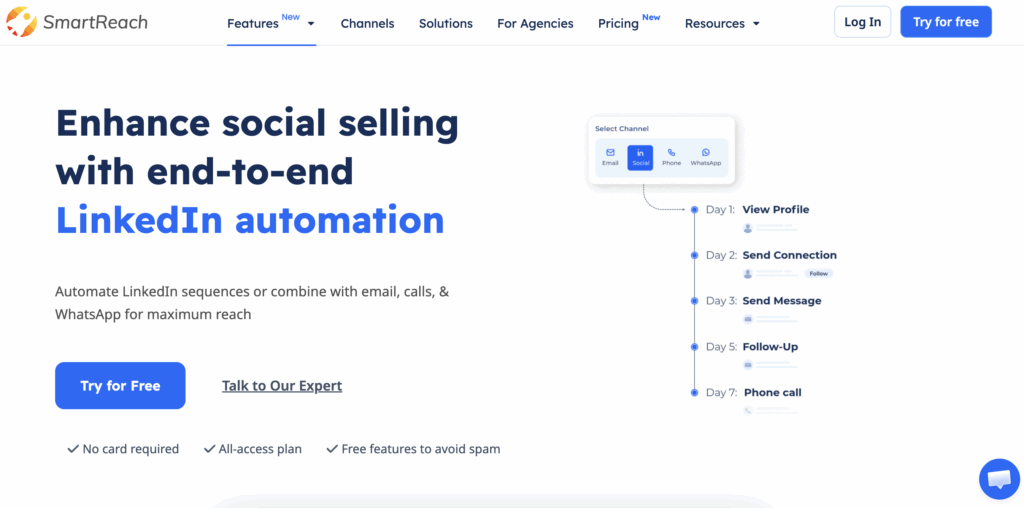
Two ways to run LinkedIn outreach on SmartReach.io
Full automation handles connection requests, profile views, and messages automatically using the SmartReach Chrome extension. Once you’ve set up your campaign and daily limits, it runs hands-off. This works best for large prospect lists where you’re targeting a broad audience with consistent messaging and want volume without manual intervention.
Semi-automated (Co-pilot mode) puts every LinkedIn action into a task manager for you to review and approve before it goes out. You control the timing and can personalize each message before it sends. This is the smarter choice for high-value accounts where a wrong message could cost you a deal, or when you’re working a warm list that deserves more attention.
Most experienced users run both in parallel: full automation for top-of-funnel prospecting, Co-pilot for accounts that have already shown interest. Co-pilot mode is available at no extra cost on the base plan.
For businesses that want a purely task-based approach, reviewing and approving every LinkedIn action without full automation, this makes SmartReach.io one of the most cost-effective options on this list. Manual seats are priced low enough that teams can run a disciplined, human-reviewed LinkedIn workflow without paying for automation they don’t need.
ProspectDaddy – free LinkedIn prospecting built in
SmartReach.io includes ProspectDaddy, a Chrome extension that pulls business email addresses, LinkedIn URLs, job titles, company names, and locations directly from LinkedIn search results.
It processes up to 100 prospects per session and sends them straight into your SmartReach.io campaigns with no separate login or export needed. Credits are included with your subscription, no additional cost.
On top of LinkedIn automation, smartreach.io runs email, calls, SMS, and WhatsApp in coordinated sequences. When a prospect replies on LinkedIn, email follow-ups pause automatically. When a meeting is booked, all outreach stops.
The email deliverability feature (ESP Matching, inbox rotation, global blacklist monitoring) keeps your emails out of spam. A shared inbox consolidates replies from all channels.
- Full LinkedIn automation via SmartReach extension (connection requests, messages, profile views)
- Semi-automated Co-pilot mode for high-value prospects
- ProspectDaddy LinkedIn finder tool – free with subscription
- Reply sentiment classifier: tags responses as interested, out of office, meeting booked
- Out-of-office detection with auto-rescheduled follow-ups
- Unlimited email accounts across all plans
Pricing: Sales Engagement plans start at $39/month. Full LinkedIn automation is an add-on at $29 per LinkedIn account, available on Sales Engagement plans only. Co-pilot mode is included at no extra cost. 14-day free trial, no credit card required.
Ideal users: SDR teams and agencies that want LinkedIn automation (full or semi) plus email in one platform without managing multiple tools.
Strengths: Two LinkedIn automation modes, free ProspectDaddy prospecting tool, strong email deliverability, and full multichannel coordination.
Limitations: Full LinkedIn automation requires the extension and is a paid add-on. Agencies managing 50+ LinkedIn accounts at pure scale may find HeyReach’s architecture more purpose-built for that specific workflow.
2. Expandi – safest cloud-based LinkedIn automation
Expandi is one of the most safety-focused LinkedIn automation tools available. It runs entirely from the cloud with a dedicated IP address per LinkedIn account and uses human-like timing to reduce detection risk. No Chrome extension required.
- Cloud-based automation with dedicated IP per account
- Smart sequences with conditional logic and A/B testing
- Personalized images and GIFs in LinkedIn messages
- Campaign analytics and performance tracking
Real user feedback: Expandi has a stronger safety reputation than extension-based tools. But a 2026 independent review reported that 67% of users experience account restriction issues at some point, and Expandi’s own terms note “use is at your own risk.” The most consistent complaints cover pricing (expensive per account at scale) and slow support response times. Users who follow conservative daily limits generally fare better.
Pricing: ~$99/month per LinkedIn account.
Ideal users: Agencies and SMBs managing multiple LinkedIn accounts who need cloud-based automation with a strong safety track record.
Strengths: Dedicated IP infrastructure, cloud-based, good conditional sequence logic.
Limitations: LinkedIn only – no native email outreach. Costs compound fast at scale. Some users still report restrictions even at moderate limits.
3. LinkedHelper – desktop-based LinkedIn automation with built-in CRM
LinkedHelper takes a different approach from most tools on this list. Instead of running as a Chrome extension or purely in the cloud, it operates as a standalone desktop application, meaning no code is injected into LinkedIn’s page, which is a meaningful safety advantage over extension-based tools. It has been around for 9 years and is trusted by over 300,000 users worldwide, including teams at Microsoft, Amazon, and IBM.
The tool covers the full LinkedIn automation funnel: profile visits, connection requests, message sequences, endorsements, post engagement, InMails, and group/event outreach, all with smart daily limits and human-like randomized timing built in.
- Automated LinkedIn actions: connection requests, messages, InMails, profile visits, endorsements, post likes and comments
- Drip campaign builder with reply detection that stops sequences when a prospect responds
- Built-in CRM to manage leads, add tags, notes, and custom fields directly inside the tool
- Email finder included in subscription (610 credits on Standard, 3,200 on Pro)
- Multi-source targeting: LinkedIn search, Sales Navigator, Recruiter, CSV import, group members, event attendees
- Direct CRM integrations with HubSpot, Pipedrive, Salesforce, Zoho, ActiveCampaign, and more
- Works across LinkedIn Basic, Premium, Sales Navigator, and Recruiter
Real user feedback: LinkedHelper scores 4.8/5 on Capterra, 4.5/5 on G2, and 4.9/5 on Trustpilot, consistently strong across all three platforms. Users frequently highlight the support team (24/7, average response under 20 minutes) and the depth of features relative to price. The most common feedback is that there is a learning curve given the breadth of the toolset, and that it requires the desktop app to stay open while running campaigns, which doesn’t suit every workflow. Because it’s a desktop app and not a Chrome extension, its LinkedIn detection risk profile is lower than most tools in this category.
Pricing: Standard plan at $15/month, Pro plan at $45/month (billed monthly).
Ideal users: SDRs, recruiters, and agencies that want a deep feature set for LinkedIn automation at a highly competitive price point, and prefer a desktop app over a cloud or extension-based tool.
Strengths: One of the lowest price points on this list for the feature depth offered, strong safety profile as a desktop app, excellent support reputation, built-in CRM and email finder included.
Limitations: Requires the desktop app to remain open during campaign execution. Steeper learning curve than simpler tools like Waalaxy or Dripify. LinkedIn-only, no native email outreach sequences.
4. Dripify – LinkedIn automation with a built-in email finder
Dripify is a widely used LinkedIn automation platform with a built-in email finder. It targets individual SDRs who want LinkedIn automation without managing a separate prospecting tool.
- Automated LinkedIn actions: connection requests, messages, profile visits, endorsements
- Smart drip campaigns with conditional branching
- Built-in email finder (100 credits/month on Basic)
- 20+ personalization variables
- A/B testing and performance analytics
Real user feedback: Dripify’s customer support is the most consistent complaint across Reddit, G2, and Capterra – described as “slow and unresponsive” by multiple independent reviewers. More seriously, multiple users report LinkedIn can detect Dripify activity even when no campaigns are active: “LinkedIn can clearly detect when this tool is used, and it blocks you for days even when you have no campaigns running.” The A/B testing feature is also flagged as buggy or non-existent by several users. That said, many SDRs run Dripify safely at conservative limits.
Pricing: From $59/month per user (billed monthly).
Ideal users: Individual SDRs focused primarily on LinkedIn prospecting at moderate volume.
Strengths: Clean UI, built-in email finder, solid automation depth for the price.
Limitations: Poor support record. LinkedIn detection risk. Per-user pricing scales quickly for teams.
5. Waalaxy – best budget entry point for LinkedIn + email
Waalaxy is a Chrome extension-based LinkedIn automation tool with a free plan and some of the lowest pricing on this list. It’s designed for users who want to test LinkedIn automation without a big upfront commitment.
- LinkedIn automation via Chrome extension
- Email outreach with prospect import
- Pre-built campaign templates
- AI message suggestions
- Free forever plan with core features
Real user feedback: Waalaxy’s Chrome extension architecture is its biggest risk factor. Multiple users have reported LinkedIn account suspensions attributed directly to Waalaxy usage – one community thread includes a user posting “LinkedIn account suspended due to use of Waalaxy.” Because the extension operates inside the browser, LinkedIn can more easily flag non-human patterns. Support response is described as inconsistent. Users who stay well within the 3-4 connection requests/day starting range report fewer issues, but the structural risk is higher than cloud-based tools.
Pricing: Starts from $21/month per user (billed monthly)
Ideal users: New SDRs or solo reps testing LinkedIn automation on a minimal budget before moving to a cloud-based tool.
Strengths: Lowest cost entry, free plan, fast setup.
Limitations: Higher LinkedIn detection risk due to Chrome extension. Multiple account suspension reports. Not suitable for sustained high-volume campaigns.
6. MeetAlfred – LinkedIn + email + X/Twitter automation
MeetAlfred has been operating since 2016 and claims to be one of the original multichannel LinkedIn automation tools. It runs from the cloud and handles LinkedIn, email, and X/Twitter in one platform, with post retargeting as a standout feature.
- LinkedIn automation: connection requests, messages, InMail, group and event outreach
- Email and X/Twitter sequences in unified campaigns
- Post retargeting: target people who engaged with specific LinkedIn posts
- Lead Finder for building prospect lists (1k-10k results/month by plan)
- Unified inbox across channels
- White-label option for agencies
Real user feedback: MeetAlfred scores 4.7/5 on Trustpilot (900+ reviews), but Reddit threads and independent reviews tell a more mixed story. Frequent bugs and inconsistent behavior are commonly reported by smaller teams and solo users. Customer service is described as poor across multiple independent review sources. One reviewer noted: “It can streamline outreach up to a point, but overall inconsistency and dissatisfaction overshadow its potential.” Important: new LinkedIn accounts should not use MeetAlfred (or any automation tool) without 3+ months of manual warm-up first. Accounts that jumped straight into automation get restricted quickly.
Pricing: Starts from $59/month per user (monthly)
Ideal users: Small teams and founders wanting LinkedIn + email + X/Twitter in one affordable tool who can tolerate some product instability.
Strengths: Affordable multichannel, post retargeting is a genuine differentiator, long track record, white-label option.
Limitations: Frequent bug reports. Weak customer support. Not for new LinkedIn accounts.
7. PhantomBuster – best for multi-platform data extraction
PhantomBuster is a workflow automation engine with 150+ pre-built “Phantoms” that extract data and automate actions across LinkedIn, Instagram, Twitter, Facebook, and more.
It’s primarily used by developers and technical teams who build or customize their own LinkedIn automation workflows, not a plug-and-play tool for end users looking to run outreach campaigns out of the box. It’s a data-first tool, not an outreach platform.
- 150+ pre-built automation workflows across multiple platforms
- LinkedIn scraping, profile visits, message automation
- Lead extraction and list enrichment at scale
- API integrations for CRM and outreach tools
Real user feedback: PhantomBuster’s review scores vary significantly – 4.6/5 on Capterra (62 reviews) but only 2.4/5 on Trustpilot (73 reviews). The Trustpilot reviews cite bugs, unreliable executions, and slow customer response. For LinkedIn specifically: PhantomBuster’s LinkedIn Phantoms simulate browser actions, which LinkedIn actively detects.
Multiple users report account flags after running LinkedIn scraping Phantoms. PhantomBuster’s own documentation acknowledges users must follow safety guidelines to avoid triggering anti-bot defenses. The tool works well for data extraction; use it cautiously for direct LinkedIn automation.
Pricing: Starter at $59/month (monthly)
Ideal users: Growth teams and ops who need multi-platform data extraction, and then use a separate tool (like smartreach.io) for outreach.
Strengths: Unmatched platform versatility, strong data extraction, good API ecosystem.
Limitations: Not an outreach tool. LinkedIn detection risk is real. Wide gap between Capterra and Trustpilot scores worth taking seriously.
8. La Growth Machine – advanced conditional multichannel workflows
La Growth Machine (LGM) is a multichannel outreach platform combining LinkedIn, email, and X/Twitter with sophisticated conditional workflow logic and direct CRM sync. It’s built for teams who want complex sequences without needing Zapier to connect everything.
- LinkedIn + email + X/Twitter in unified sequences
- Conditional branching: “if connected, send email; if no reply in 3 days, send LinkedIn message”
- Direct CRM sync with HubSpot and Pipedrive
- Data enrichment via integrations
- Agency plan with 20% discount for multi-client management
Real user feedback: LGM is generally well-regarded in the European outbound community. Users praise the conditional workflow depth and the clean CRM integrations. The pricing model (cost per LinkedIn identity) is the most common complaint – costs stack quickly when managing multiple accounts. Account safety issues are less reported than with extension-based tools, as LGM paces LinkedIn activity conservatively by default.
Pricing: From $70/month per identity (LinkedIn account).
Ideal users: European sales teams and agencies needing complex conditional workflows across LinkedIn and email.
Strengths: Best conditional workflow logic on this list, native X/Twitter support, clean CRM integrations without middleware.
Limitations: Identity-based pricing scales similarly to HeyReach for agencies. Euro pricing adds complexity for US teams.
9. Skylead – all features included, one flat price
Skylead’s v4 update in early 2026 removed daily outreach limits, and the flat $100/user/month pricing (everything included, no feature gating) makes it a straightforward option for teams tired of navigating plan tiers.
- Cloud-based LinkedIn automation with gradual warm-up
- LinkedIn + email multichannel sequences
- Smart Inbox for centralized reply management
- Built-in prospect scraping
- Full analytics included
Real user feedback: Skylead has a smaller user community than Expandi or Dripify, which means fewer reported issues but also less community support when things break. Users who follow proper warm-up protocols generally report positive account safety outcomes. The main criticism is cost: at $100/user/month, a team of 5 pays $500/month before any LinkedIn add-ons.
Pricing: $100/month per user. No free plan, all features included.
Ideal users: Agencies and teams wanting predictable all-in pricing for LinkedIn + email automation.
Strengths: Flat all-inclusive pricing, no daily limits post-warmup, solid LinkedIn + email combination.
Limitations: Per-user cost adds up for larger teams. Smaller support community.
10. Kaspr – best for LinkedIn prospecting and contact enrichment
Kaspr is different from every other tool on this list. It doesn’t automate LinkedIn outreach – it finds the contact data for the people you want to reach. Think of it as the layer that comes before outreach: you use Kaspr to build a verified list from LinkedIn, then feed that into your outreach tool.
This is worth including because one of the biggest gaps teams face when leaving HeyReach is the prospecting layer. HeyReach assumes you already have a contact list. Kaspr helps you build one.
- Chrome extension that retrieves contact data from LinkedIn profiles in one click
- 500M+ verified phone numbers and emails from 150+ data sources
- Bulk enrichment for existing lead databases
- GDPR and CCPA compliant
- Integrations with HubSpot, Salesforce, Pipedrive, LinkedIn Recruiter Lite
Real user feedback: Kaspr is rated 4.4/5 on G2 from 750+ reviews – strong for a data tool. Users praise the accuracy of business email data and the clean LinkedIn integration. The main complaints center on the credit system: phone number credits run out faster than expected on lower tiers, and monthly credit limits can bottleneck high-volume prospecting teams.
Pricing: Starter at $65/month per user (billed monthly)
Ideal users: SDRs who need to build verified contact lists from LinkedIn before running outreach campaigns in a separate platform.
Strengths: 500M+ verified database, LinkedIn-native workflow, GDPR compliant, strong G2 rating.
Limitations: Doesn’t do outreach – you’ll need a separate platform for campaigns. Phone credits can run out quickly on lower-tier plans.
How to choose the right HeyReach alternative
If you’re evaluating HeyReach alternatives, you probably started with LinkedIn and realized single-channel outreach has a ceiling. That ceiling is lower in 2026 than it was two years ago – and the answer isn’t just a different LinkedIn tool.
Start with account safety. Cloud-based tools (Expandi, Skylead, MeetAlfred, smartreach.io) carry less LinkedIn detection risk than Chrome extension tools (Waalaxy, some Dripify configurations). Regardless of which tool you choose, start with 3-4 connection requests per day per account. Scale to 12-15 per day over 4-6 weeks. Never jump to limits on day one.
Build your list before you automate. Tools like Kaspr or smartreach.io’s ProspectDaddy help you pull verified contact data directly from LinkedIn before your sequences start. Prospecting into unverified or irrelevant contacts wastes automation capacity and tanks reply rates.
When multichannel outreach becomes the right move: LinkedIn gets prospects aware of you. Email gets them to act. Calls close the gap. The moment you notice LinkedIn connections going cold after the first message, it’s time to add email follow-ups into the same sequence.
A coordinated LinkedIn + email sequence – where pausing and stopping happen automatically based on replies – consistently outperforms either channel alone for B2B outreach.
The honest view: Most teams outgrow LinkedIn-only tools faster than they expect. The account safety concerns, automation limits, and single-channel dependency all push you toward a platform that handles LinkedIn and email together. smartreach.io covers both – full automation and Co-pilot mode for LinkedIn, ProspectDaddy for prospecting, and email deliverability tools that keep your messages out of spam – without requiring multiple subscriptions.
The $29/LinkedIn account add-on for full automation has transparent pricing that scales predictably.
If you want to test it, SmartReach.io’s 14-day free trial lets you run real campaigns before you commit. No credit card, no sales call required.
Frequently asked questions
Is HeyReach safe for LinkedIn automation in 2026?
HeyReach has built-in safety features, but no LinkedIn automation tool is fully risk-free. LinkedIn tightened detection in 2026 and non-compliant tools are seeing account restriction rates near 40%. Start at 3-4 connection requests per day, regardless of which tool you use.
What’s the best HeyReach alternative for LinkedIn outreach?
smartreach.io is the strongest option for teams that need both full LinkedIn automation and a safer semi-automated mode. It also includes ProspectDaddy (free LinkedIn prospecting) and adds email outreach on top. Expandi is the best choice for pure LinkedIn automation with strong account safety.
How many LinkedIn connection requests can I send per day safely?
Start with 3-4 per day per account and scale gradually over 4-6 weeks. A realistic safe maximum is 12-15 per day per account for established, warmed-up accounts. LinkedIn’s stated limit of ~100/week is not a safe target, accounts sending near that limit frequently end up under scrutiny.
How much does HeyReach cost compared to alternatives?
HeyReach starts at $799/month for 50 LinkedIn accounts. Most alternatives are significantly cheaper: smartreach.io starts at $39/month plus $49/LinkedIn account for automation, Waalaxy from $21/month, Kaspr from free, and Skylead at a flat $100/user/month with all features.
Which HeyReach alternative is best for agencies managing multiple LinkedIn accounts?
Expandi and Skylead are strong choices for pure LinkedIn account management at scale. For agencies that run multichannel campaigns across email and LinkedIn, smartreach.io’s agency features, unlimited email seats, and shared inbox make it more complete. La Growth Machine is worth considering for agencies that need complex conditional workflows.