10 Tools To Check Sender Score (Free + Paid)
On this page
Your sender score is a number about your IP address. In 2026, that is a smaller part of the picture than it used to be.
Two things changed. Google retired the reputation grades in Postmaster Tools when v1 shut down in October 2025, so the High / Medium / Low / Bad label that half the internet still tells you to check no longer exists. And most cold email now leaves through Google Workspace or Microsoft 365, where you share outbound IPs with thousands of other tenants, so an IP score is partly a measure of strangers.
None of that makes reputation checking useless. It changes which tools are worth opening. This piece covers ten of them, what each actually reports, what it costs, and where it stops being useful.
TL;DR: which sender score tool to open first
What is a sender score?
A Sender Score is a 0 to 100 rating of a single sending IP address. It is calculated by Validity, which absorbed Return Path in 2019, and it works as a percentile. A score of 85 means your IP behaved better than 85% of the other IPs in Validity's reputation network over the last 30 days.
That last part gets missed a lot. The score is relative, not absolute, and it moves when other senders change as well as when you do.
Why a high sender score matters
A good score does not get you into the inbox. A bad one keeps you out of it, which is why it is worth watching.
Here is what it actually touches.
Inbox placement. Mailbox providers weigh sender reputation when they decide between inbox, promotions, and spam. A weak IP reputation is one of several inputs that pushes mail toward the junk folder.
Delivery, not just sending. Email deliverability measures how much of your mail reaches a real inbox. A falling score usually shows up first as a rising bounce rate, because the same stale list that produces unknown users also drags the score down.
Blocklist risk. Scores under 70 correlate strongly with blocklist entries. A blocklist entry is not a filtering penalty, it is a hard rejection, and it takes a delisting request to undo.
Diagnostics. This is the honest reason to check. The score itself changes nothing, but the component figures behind it (complaints, unknown users, trap hits) tell you which part of your programme is broken.
How is sender score calculated?
Validity does not publish the weighting, but it does publish the inputs. Five indices feed the score, measured over a rolling 30 days.
- Complaint rate. How many recipients hit "report spam". This carries the most weight of anything on the list.
- Unknown user rate. The share of your sends that bounce because the address does not exist. Calculated from 5xx responses against attempted volume.
- Spam trap hits. Both recycled traps (dead addresses reactivated as traps) and pristine traps (addresses that were never real). Pristine hits are the more damaging kind because they mean the list was scraped or bought.
- Rejected messages. Mail the receiving server refused outright.
- External reputation. Whether the IP appears on public and private blocklists.
Note what is not on that list. Content quality is not a Sender Score input, and neither is engagement. No opens, no clicks, no subject-line analysis. Older guides list "content quality" as a factor. It is not one, and chasing it will not move the number.
Volume matters too, but as context rather than a score of its own. Steady sending reads as legitimate. A domain that goes from 200 emails a day to 20,000 overnight reads as compromised, whatever the content says.
What is a good sender score?
Above 80 is healthy. Above 90 is strong. Below 70 means something is actively wrong.
Validity's benchmark research puts numbers on the bands. Senders scoring 91 to 100 got about 92% of their mail to the inbox. The 81 to 90 band got 68%. The 71 to 80 band got 45%. The 2019 Sender Score benchmark report also found that senders above 90 ran an unknown user rate of roughly 1%, which is the cleanest single indicator of a well-maintained list.
Treat those as directional. The study is several years old and every mailbox provider has since rebuilt its filtering around authentication and complaint rate.
Compare all 10 sender score tools
Scroll the table sideways to see all columns →
| Tool | Price | What it scores | Signup | Best used for |
|---|---|---|---|---|
| 1. Sender Score | Free | IP, 0 to 100 percentile | Work email | The headline number and its component figures |
| 2. Google Postmaster Tools | Free | Domain compliance, spam rate, auth | Google account + DNS record | What Gmail specifically thinks of you |
| 3. Microsoft SNDS | Free | IP, complaint and trap data | Microsoft account + IP ownership proof | Outlook, Hotmail and Live delivery |
| 4. Spamhaus | Free | IP and domain blocklist status | None | Checking whether you are blocked right now |
| 5. Cisco Talos | Free | IP and domain, Good / Neutral / Poor | None (free guest account for extras) | A second opinion from a major filter vendor |
| 6. Barracuda Central | Free | IP and domain reputation | None | Barracuda-filtered corporate inboxes |
| 7. mail-tester.com | Free, paid from ~$5/mo | A sent message, scored out of 10 | None | Testing an actual email before you send it |
| 8. IPVoid | Free | IP across 80+ blocklists at once | None | One sweep instead of eight separate lookups |
| 9. SendForensics | From $39/mo | Deliverability, content, DMARC reports | Paid account | Continuous monitoring at real volume |
| 10. TrustedSource | Free | URL and domain categorisation | None | Checking whether your domain is miscategorised |
| ▼ Fixing what the checks find ▼ | ||||
| SmartReach.io | Free tools; platform from $29/mo | SPF, DKIM, DMARC, spam words | None for the free tools | Authenticating, validating and warming so the score stops dropping |
10 tools to check your sender score
1. Sender Score by Validity
Quick facts
- From
- Free
- Best for
- Getting the actual 0 to 100 number, plus the complaint, unknown-user and trap figures that explain it.
 Sender Score takes a domain or IP and returns a 0 to 100 percentile against Validity's reputation network.
This is the tool the term is named after. Enter a sending IP at senderscore.org, register with a work email, and you get the 0 to 100 percentile plus the five component indices behind it.
The component view is the part worth your time. A score of 74 tells you nothing actionable. A score of 74 sitting next to a 2.1% unknown user rate tells you to go and validate your list.
Its limit is that it is IP-only. If you send through Google Workspace or Microsoft 365, the IP you are looking up is shared with thousands of other tenants, and the score partly reflects them.
2. Google Postmaster Tools
Quick facts
- From
- Free
- Best for
- Finding out what Gmail specifically thinks, which matters more than any third-party score if your list is Gmail-heavy.
Gmail is the destination that decides most cold email outcomes, and Postmaster Tools is the only place Google reports back.
What changed matters. Postmaster Tools v1 was retired in October 2025, and the domain and IP reputation labels went with it. v2 replaced them with a Compliance Status page, and a Deliverability Analysis view was added in June 2026. The API reached general availability on 3 February 2026.
You still get the data that actually drives filtering, meaning spam complaint rate, SPF, DKIM and DMARC results, delivery errors and encryption. Google's position, roughly, is that reputation labels were being treated as a target rather than a symptom, and that complaint rate is the number to manage.
Setup needs a DNS TXT record to prove you own the domain, and you need meaningful daily volume to Gmail before charts populate.
3. Microsoft Smart Network Data Services (SNDS)
Quick facts
- From
- Free
- Best for
- Anyone with Outlook, Hotmail or Live addresses in their list, where Microsoft filtering is unusually unforgiving.
SNDS is Microsoft's equivalent of Postmaster Tools, and it is IP-level rather than domain-level. It reports complaint rates, trap hits, sample message data and a traffic-light status per IP.
Two practical notes. Microsoft moved SNDS to a new portal on 8 June 2026, so old bookmarks break. And SNDS pairs with the Junk Mail Reporting Program (JMRP), which you have to enrol in separately to get individual complaint feedback.
The earlier version of this article called it "Service Delivery Networks". It is Smart Network Data Services, and the distinction matters when you are searching for the sign-up page.
4. Spamhaus
Quick facts
- From
- Free (paid data feeds from around $250/year)
- Best for
- Answering the one question that outranks any score. Are you blocked right now, and by which list.
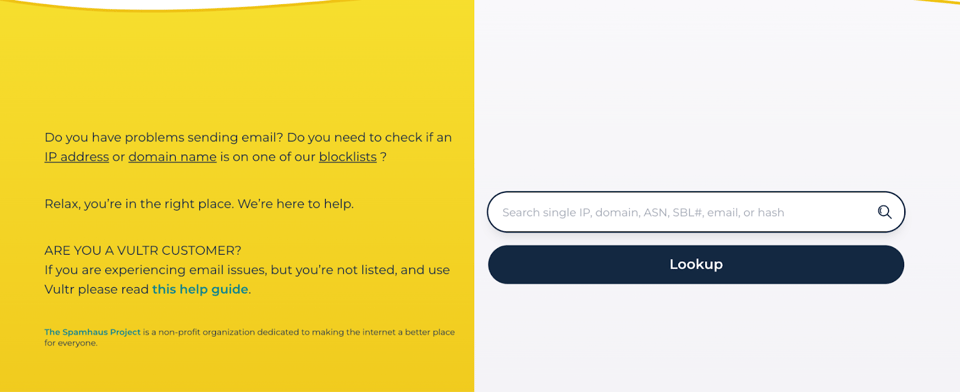 Spamhaus takes an IP, domain, ASN, SBL reference, email or hash in a single lookup box.
Spamhaus is not a scoring tool, it is a blocklist, and being on it is a bigger problem than any score. Its lists (SBL, XBL, PBL, DBL) are consumed by a large share of the world's mail servers, so a listing means outright rejection rather than a spam folder.
The Blocklist Removal Center has been replaced by the IP and Domain Reputation Checker at check.spamhaus.org. It is free, needs no account, and will scan up to a /23 subnet once a month.
Worth stating plainly because scams exist around it. Delisting from Spamhaus is always free. Anyone charging you to remove a listing is running a scam.
Spamhaus is one list among many, so if you want the wider sweep in a single lookup, the free email blacklist checker from SmartReach.io queries a domain and its sending addresses against the blocklists receivers actually consult, returns the operator's own removal link for each listing, and names every list it could not reach rather than counting silence as a clean result.
5. Cisco Talos Intelligence
Quick facts
- From
- Free
- Best for
- A second opinion from the vendor whose filters sit in front of a lot of enterprise mail.
Talos is Cisco's threat intelligence arm, and its Reputation Center gives free email and web reputation for any IP or domain. Cisco's email security appliances use the same data, so a Poor rating here has real consequences for mail heading into large enterprises.
Ratings come back as Good, Neutral or Poor, backed by a numeric score. The data refreshes every three hours.
One correction to the older version of this article. Talos reputation lookup is free, not enquiry-based pricing. A free guest account gets you the extras if you do not have a Cisco CCO ID.
6. Barracuda Central
Quick facts
- From
- Free
- Best for
- Sending into mid-market and corporate inboxes, where Barracuda appliances do the filtering.
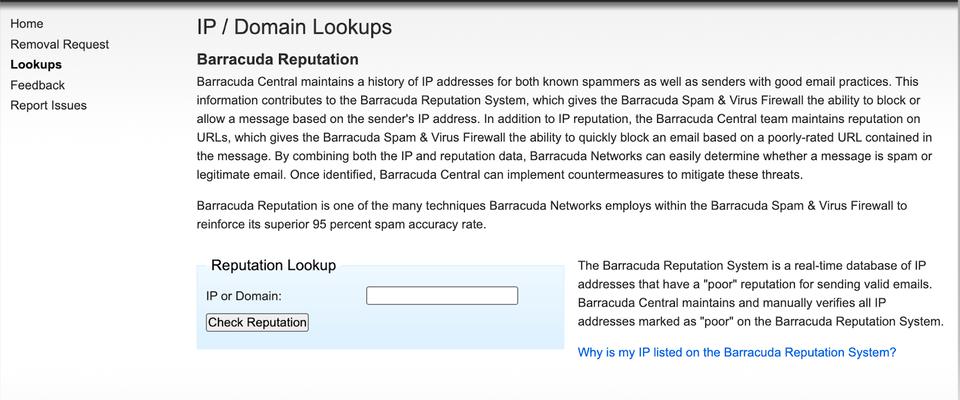 Barracuda Central returns a reputation verdict for an IP or domain, with a removal request path if you are listed.
Barracuda Reputation is a real-time database of IPs with a poor sending history, fed by spam traps and Barracuda's own appliance network. Anything marked poor is manually verified by the Barracuda Central team, which makes false positives rarer than on automated lists.
The lookup is free and needs no account. If you are listed, there is a removal request form on the same site.
The interface is dated, and the report is a verdict rather than a score. It is a five-second check, not a monitoring tool.
7. mail-tester.com
Quick facts
- From
- Free, paid plans from around $5/month
- Best for
- Testing a real message rather than an IP, and catching authentication and content problems before a campaign goes out.
This is the only tool on the list that scores an actual email instead of an address. You send your message to a generated test address, open the results link, and get a score out of 10.
The score combines SpamAssassin output, SPF / DKIM / DMARC results, blocklist status, link checks and HTML structure. That mix makes it the fastest way to find a broken DKIM signature or a subject line that trips a filter rule.
The free tier allows three tests per 24 hours and keeps results for seven days. Paid accounts add usage stats and a 30-day searchable history.
Two cautions. A 10 out of 10 is not a promise of inbox placement, it means you did not trip SpamAssassin. And the tool most people mean here is mail-tester.com, not the similarly named address verification services.
8. IPVoid
Quick facts
- From
- Free
- Best for
- Checking 80-plus blocklists in one query instead of visiting each one separately.
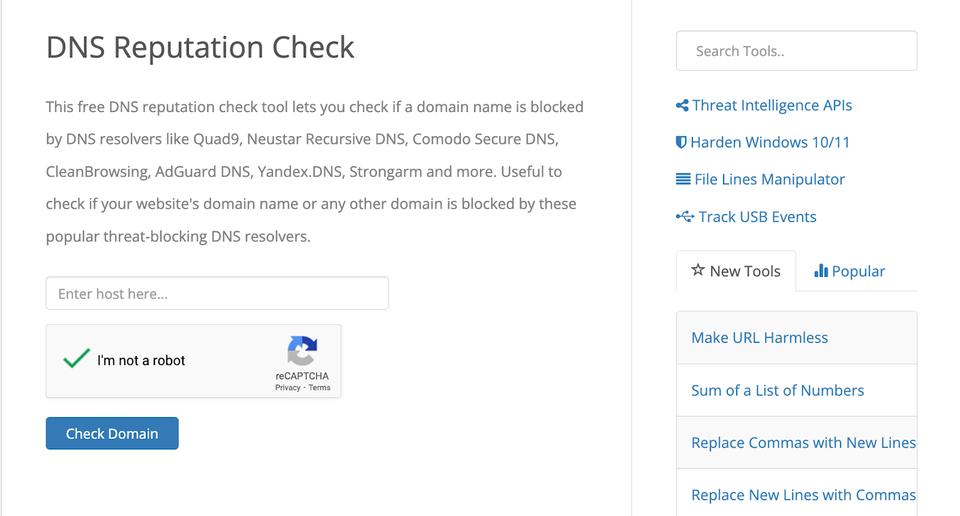 IPVoid runs an address through more than 80 DNSBL and reputation services in a single query.
IPVoid is a straightforward aggregator. Feed it an IPv4 or IPv6 address and it queries more than 80 DNSBL and reputation services at once, then shows which flagged you. There is a companion domain reputation check and a DNS reputation check that covers filtering resolvers like Quad9 and CleanBrowsing.
Everything is free with no registration. It is run by NoVirusThanks, and the paid API sits under the APIVoid brand if you want to automate it.
The breadth is the point and also the catch. Many of the 80 lists are obscure and carry no weight with real mailbox providers, so a single hit on a minor list is usually noise. Look for Spamhaus, Barracuda or SORBS in the results and ignore the long tail.
9. SendForensics
Quick facts
- From
- $39/month (Brand plan, 2 domains)
- Best for
- Teams sending at real volume who need continuous alerting rather than a manual lookup every few weeks.
 SendForensics combines deliverability scoring, seedlist placement testing and DMARC report processing in one dashboard.
SendForensics is the only paid platform in this list and the only one built for monitoring rather than spot checks. It scores message content for spam risk, runs seedlist-based inbox placement tests, tracks domain and IP health, and processes DMARC reports into something readable.
The Brand plan is $39 a month for two domains and two users, including 100,000 DMARC reports and unlimited spam tests under a fair use cap of 1,000 deliverability analyses and 50 placement tests per sending domain per month. The Company plan is $63 a month for five domains.
Whether it is worth it depends entirely on volume. If you send a few thousand emails a month, the free tools above cover the same ground. If deliverability problems cost you real pipeline, continuous alerting pays for itself the first time it catches a drop early.
10. TrustedSource (formerly McAfee)
Quick facts
- From
- Free
- Best for
- Checking whether your domain is miscategorised by a web filter. It is not a sender reputation tool.
Include this one with a clear caveat, because most roundups get it wrong and the earlier version of this article did too.
TrustedSource is a URL and domain categorisation service, not an email sender score tool. It tells you which of 102 content categories a web filter has assigned to your domain, and it lets you dispute a wrong one. What it does not give you is a complaint rate, a trap count, or anything resembling a sender score.
The ownership also moved. McAfee Enterprise split in 2022 into Trellix and Skyhigh Security, and from February 2024 submissions through trustedsource.org stopped routing to Trellix.
It still earns a place here for one narrow reason. If your sending domain gets categorised as malicious or as an unrated new domain, corporate web and mail gateways will treat your links accordingly, and no amount of Sender Score work fixes that.
What a sender score cannot tell you
Every tool above reports on infrastructure. None of them reports on the three things that most often break a cold email campaign.
Whether your domain is authenticated correctly. SPF that exceeds the ten-lookup limit, a DKIM key that was rotated and never updated, DMARC left at p=none for two years. These fail silently and no reputation lookup surfaces them. The measured table of SPF lookup costs from SmartReach.io shows what each provider's include spends against that limit, and when the figure was last checked.
Whether the list is real. Unknown user rate is the fastest way to wreck a score, and by the time it shows up in Sender Score you have already sent to the dead addresses.
Whether the sending pattern looks human. A new domain that starts at 500 emails a day gets filtered regardless of what any tool says, because there is no sending history to judge it against.
That is the honest limit of this whole category. The tools tell you that something is wrong. Fixing it happens somewhere else.
Bottom line
Check Spamhaus first, because a blocklist entry outranks every other problem. Then open Google Postmaster Tools if your list is Gmail-heavy, or Microsoft SNDS if it is Outlook-heavy, because that is where the mailbox providers report back directly. Sender Score is worth a look for the component figures rather than the headline number, especially if you send from IPs you control.
Then fix the inputs. SmartReach.io is a cold email software that runs email, LinkedIn, calls and WhatsApp from one sequence, on Email Outreach and Sales Engagement plans, and the deliverability work that protects a sender score is bundled rather than sold separately. Free unlimited email validation kills the unknown-user bounces, email warm-up builds sending history on new domains, inbox rotation spreads volume so no single mailbox spikes, and blacklist monitoring tells you about a listing before your reply rate does. Plans start at $29 a month with a 14-day free trial and no card required, and SmartReach.io is rated 4.6 on G2 from 60 reviews as of September 2026.
Related reading: 15 tips to improve cold email deliverability and 10 strategies to improve email sender reputation.
Sender score FAQs
What is sender score?
Sender Score is a 0 to 100 rating of a sending IP address, calculated by Validity (the company that absorbed Return Path in 2019). It compares your IP against every other IP in Validity's network over a rolling 30 days, using complaint rate, unknown user rate, spam trap hits, rejected messages and volume. Higher means mailbox providers see you as more trustworthy.
How can I check my sender score for free?
Go to senderscore.org, create a free account with a work email, and enter your sending IP address. The report shows your 0 to 100 score plus the component figures behind it. Spamhaus, Barracuda Central, Cisco Talos and IPVoid all run free reputation lookups too, and none of them need an account.
What is a good sender score?
Above 80 is healthy and above 90 is strong. Validity's benchmark research found senders scoring 91 to 100 got roughly 92% of their mail to the inbox, against 68% for the 81 to 90 band and 45% for 71 to 80. Below 70 usually means something is actively wrong with the list or the sending pattern.
What does a low sender score mean?
A low Sender Score means more of your email gets filtered or rejected. Scores under 70 usually point at a specific cause, normally a stale list producing unknown-user bounces, a complaint rate above 0.3%, or a spam trap hit. Very low scores often come with a blocklist entry, which blocks delivery outright until you get delisted.
Does Google Postmaster Tools still show domain reputation?
No. Google retired the High, Medium, Low and Bad reputation labels when Postmaster Tools v1 shut down in October 2025. v2 replaced them with a Compliance Status page and, since June 2026, a Deliverability Analysis view. You still get spam complaint rate, authentication results and delivery errors, which is the data that actually drives filtering.
Is sender score based on my IP or my domain?
Sender Score is IP-only. That matters if you send cold email from Google Workspace or Microsoft 365, because you share those outbound IPs with thousands of other tenants and the score reflects their behaviour as much as yours. On shared infrastructure, domain reputation and your own complaint rate are the numbers to watch instead.
How do I improve my sender score?
Fix the inputs, not the number. Validate the list to kill unknown-user bounces, keep spam complaints under 0.1%, authenticate with SPF, DKIM and DMARC, warm new domains for two to three weeks, and hold volume steady rather than spiking. SmartReach.io bundles validation, warm-up and inbox rotation on every plan, from $29 a month.
Stop juggling tools
Book more meetings on every channel
Join 5,000+ teams running multichannel outreach from one sequence, with deliverability built in.