How to Create HTML Emails for the Best Deliverability?

On this page
If you are sending HTML email templates, the way you code them can decide whether they land in the inbox or spam.
Poor HTML structure can trigger filters, cause rendering issues, and lower your deliverability rate.
This guide explains why HTML problems affect emails and how to follow proven coding best practices to improve inbox placement.
TL;DR – HTML best practices for email deliverability
What are the most common HTML issues related to emails?
The most common HTML issues in emails often come from poor coding practices or using design tools that generate bloated code. These include:
- Unclosed tags – Leaving <table>, <tr>, or <td> tags unclosed can break rendering.
- Too many nested tables – While tables are common in email design, excessive nesting makes code heavy and harder for clients to render.
- Inline styles with unsupported properties – Some email clients ignore certain CSS properties, causing layout issues.
- External CSS or JavaScript – Most email clients strip these out, leading to broken designs.
- Large images without alt text – Not only impacts accessibility but also spam filter trust.
- Using non-standard fonts without fallback
- Copy-pasted code from Word or Google Docs – Often contains unnecessary formatting tags that trigger spam filters.
Identifying and fixing these issues before sending ensures your email looks correct and avoids spam flags.
Why do the HTML issues in emails push emails to spam?
HTML problems push emails into spam because email spam filters look for patterns that match suspicious or sloppy coding.
If your HTML email copy contains unnecessary tags, outdated attributes, or code copied directly from Word or design tools, it can appear similar to phishing or spam emails.
Email service providers like Gmail, Yahoo, Outlook etc. scan your HTML version before showing it to recipients.
If your code is bloated, broken, or contains non-standard practices, it can trigger filters. For example:
- Broken HTML tags can stop an email from rendering properly.
- Excessive CSS or inline styles may resemble spammy design patterns.
- Missing plain-text versions make emails look suspicious to email security systems.
Even if your email subject line and content are clean, HTML rendering issues can affect trust signals and domain reputation, making it more likely that your emails land in the spam folder.
How to create HTML emails for better deliverability and responses?
Here are some best practices you can follow while setting up your HTML emails for the best email deliverability.
Note: These tips are more suitable for email marketing than cold emails. For cold emails, it’s always recommended to use clean text based emails for the the maximum deliverability and responses.
Tip #1. Use table layouts in the email
Don’t get fancy with CSS grids or flexbox. Most email apps can’t handle them well.
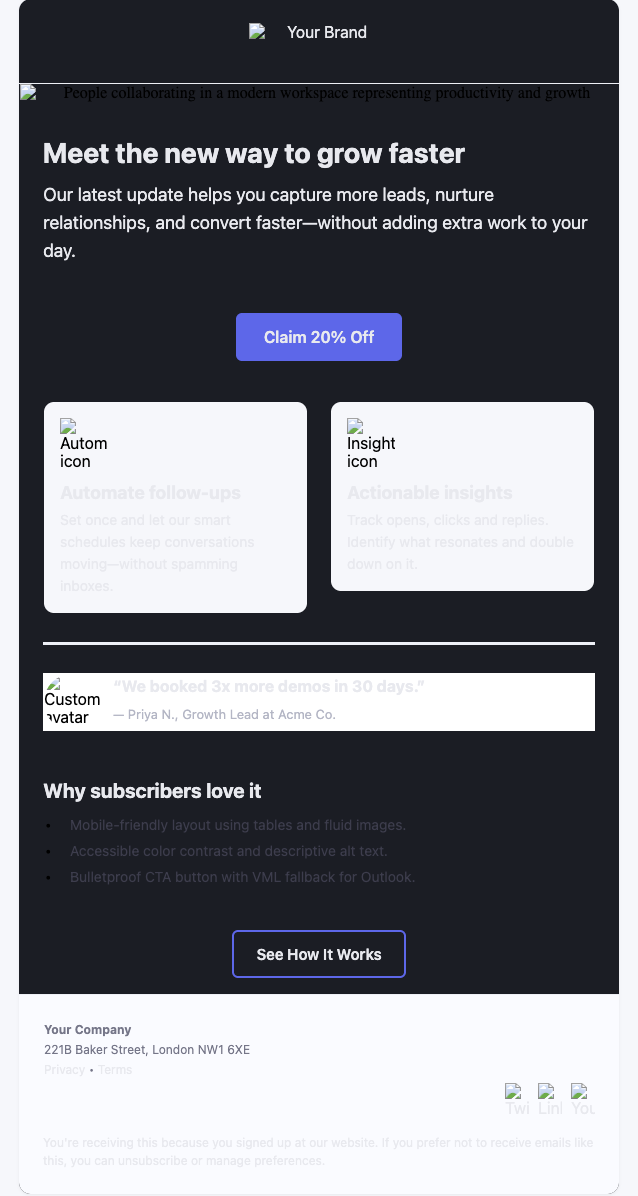
*example of a HTML email template in the table layout style
Stick to basic table layouts, they look boring in code but guarantee your design won’t break in Gmail or Outlook.
Tip #2. Keep the code simple
Every extra layer of styling increases the risk of something breaking.
Use inline CSS only, and keep your HTML lean.
A clutter-free template loads faster and is less likely to be flagged as “suspicious.”
Tip #3. Design for mobile first
More than half of emails get opened on mobile.
Start with a single-column design, large fonts (14–16px), and buttons that are big enough for thumbs.
If it looks great on mobile, it’ll hold up on desktop too.
Tip #4. Limit image dependence in the copy
Email providers often block images by default. So:
- Write HTML copy that makes sense even without pictures
- Add alt text so if the image doesn’t load, the message still comes across.
- Never send image-only emails. They’re almost guaranteed to land in spam.
For more details image usage on emails, check out our detailed guide “How to Balance Images and Text to Keep Emails Out of Spam?”
Tip #5. Stick to safe fonts
Custom fonts look stylish, but they won’t render everywhere.
Stick to basics like Arial, Georgia, or Verdana. If you must use a custom font, always add a fallback option.
Tip #6. Focus on email accessibility
Use proper headings (<h1>, <h2>), good color contrast, and descriptive alt text. Accessibility helps users and improves email deliverability too.
Tip #7. Make unsubscribing easy for emails
It may feel counterintuitive, but a clear unsubscribe link actually protects your sender reputation.
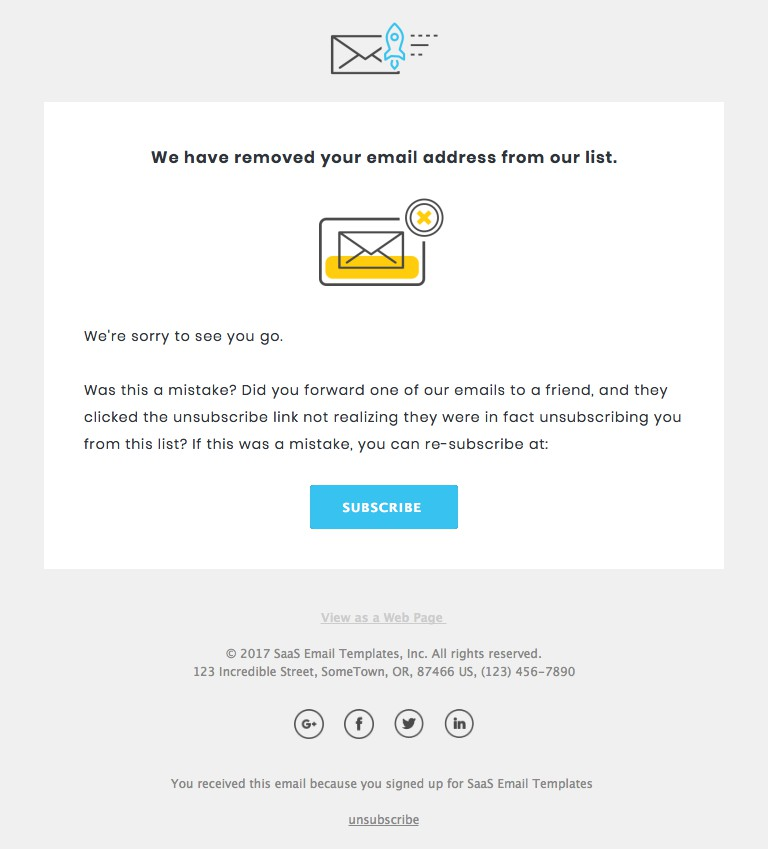
If people can’t find it, they’ll just hit “Mark as Spam,” which hurts your email deliverability in the long run.
Read more: How to Prevent Recipients from Marking Emails as Spam?
Tip #8. Always test the email copy before sending
Your email won’t look the same in Gmail, Outlook, and Apple Mail. Always test in multiple inboxes before blasting it.
Also, run spam filter checks with tools like Mail-Tester for free.
Conclusion
HTML emails work the best when the designs are minimal.
So, follow all the best practices mentioned above while creating these emails.
HTML emails works best for the marketing emails such as product updates, feature launches etc.
If you are sending cold emails, avoid using an HTML copy and use a 100% text based email copy instead.
They offer the best deliverability with the higher likelihood of responses from the recipients.
Use an email automation platform like SmartReach.io.
It has built-in email deliverability tools that protect your cold emails from spam risks and fetch the maximum ROI out of your cold email campaigns.
Try SmartReach.io for FREE. (No credit card required)
F.A.Qs
Does HTML email coding affect deliverability?
Yes, in three separate ways. Poorly coded HTML trips content filters, breaks rendering in clients that strip what you relied on, and drives the complaints and deletes that damage domain reputation over time. Heavy image-to-text ratios and bloated markup are the usual culprits. SmartReach.io flags deliverability problems before a campaign sends rather than after the bounces arrive.
Should I use external CSS in HTML emails?
No. Most email clients strip external stylesheets, so anything you linked to simply will not load and the message renders as unstyled HTML. Inline styles on each element are the only reliable approach, which is why email HTML looks like web markup from 20 years ago. Keep the total message under 102KB as well, because Gmail clips anything longer and hides your call to action.
Is a plain-text version necessary?
Yes. A matching plain-text part improves deliverability, because a multipart message that offers both looks like normal mail rather than a marketing blast, and it is what screen readers and text-only clients fall back to. Make the plain-text version say the same thing as the HTML: a mismatch between the two is itself a spam signal that filters check for.
Stop juggling tools
Book more meetings on every channel
Join 5,000+ teams running multichannel outreach from one sequence, with deliverability built in.