How to Get Proper Consent Before Sending Emails? [Full Guide]

On this page
If you’re sending marketing emails, cold emails or any sort of unsolicited emails without proper consent, you’re putting your brand and deliverability at serious risk.
Email marketing consent is must have for running outbound email campaigns legally and ethically.
Without it, your emails could be flagged as spam, land you fines under laws like GDPR or CAN-SPAM, and kill your campaign deliverability over the time.
In this article, we’ll explain how to get proper email consent, what regulations you must follow, and the best practices to build a trusted email list.
This guide is built for marketers, business owners, and sales teams who want to run compliant, high-converting email campaigns.
Key takeaways
- Get clear permission before sending marketing emails to stay compliant.
- Express consent (e.g., via opt-in forms) is more reliable than implied consent.
- Following GDPR, CAN-SPAM, and CASL laws is critical to avoid fines and maintain deliverability.
- Use transparent opt-in forms, double opt-in methods, and clear privacy policies.
- Always provide an easy unsubscribe option and respect user preferences.
Before going further, let’s understand the basic concept first.
What is Email Consent?
Email consent means that a person has agreed to receive emails from you. It’s the permission someone gives either directly or indirectly that allows you to contact them.
Email consent is important because –
- It builds trust between you and your audience.
- It ensures you’re legally compliant with anti-spam laws.
- It improves your email deliverability and engagement rates.
Without consent, your emails are more likely to be manually flagged by the recipients and sometimes it can trigger hefty fines.
Types of email consent: Implied vs Express
Before you understand how to get consent, you will need to know these 2 concepts.
A) Implied Consent
- Based on a pre-existing relationship (e.g., a customer who made a purchase).
- Valid for a limited time under some laws (e.g., 2 years under CASL).
- Not suitable for long-term email marketing.
B) Express Consent
- The gold standard for email marketing.
- Given when someone actively agrees to receive emails (e.g., by checking a box or filling out a form).
- No expiration unless the user withdraws it.
💡Tip: For long-term email compliance and list hygiene, always aim for express consent from the recipients.
Key regulations for email consent that you must follow for sending emails
To obtain email consent properly, you need to understand the email marketing related laws across the world.
Every law has its own set of requirements for obtaining consent and sending emails.
#1. GDPR
If you target users in the EU or UK, you must comply with the General Data Protection Regulation (GDPR).
Here’s what that means for email consent:
- Email consent must be:
- Freely given – no pressure or incentives.
- Specific – clearly state what they’re signing up for.
- Informed – include your privacy practices.
- Unambiguous – no pre-checked boxes.
- You must record and store consent as proof.
- Users have the right to withdraw consent at any time.
Failing to meet GDPR standards can lead to serious fines—up to €20 million or 4% of global turnover.
________
#2. CAN-SPAM Act Requirements (USA)
If you’re sending emails to users in the United States, the CAN-SPAM Act applies.
Under this, you don’t need prior consent to send emails, but you must:
- Include a clear unsubscribe link.
- Use accurate sender information and subject lines.
- Identify the message as an ad (if applicable).
Violations can cost up to $53,088 per email (according to the FTC).
💡Note: Although it’s less strict than GDPR, it’s still advisable to try opt-in method to collect consent.
__________
#3. CASL in Canada
The Canada Anti-Spam Law (CASL) is one of the strictest anti-spam laws:
- You must obtain consent (implied or express) before sending any marketing email.
- Implied consent expires after 2 years following a purchase and 6 months after an inquiry.
- Like GDPR, CASL also requires – clear disclosures, easy opt-out option, consent record-keeping.
Penalties can go up to $10 million per violation.
I have discussed more such email marketing laws in a this article “Email Compliance Laws: Definitive Legal Guide for Marketers”
Check the specifics from the article on email consent and how to opt for each one.__

Best practices for obtaining email consent for sending emails
Here are some of the best strategies that you can use to collect consent for sending emails.
#1. Use opt-In forms
To collect express consent for sending emails, start with opt-in forms. Keep the form clear, direct, and impossible to misinterpret.
Here’s what to include:
- Never use pre-checked boxes. They are non-compliant under GDPR and CASL. ❌
- Use affirmative, unchecked boxes like: “Yes, I want to receive updates.”
- State exactly what the subscriber is signing up for (e.g., product tips, discounts, weekly blog updates)
- Link to your privacy policy right near the submit button.
- Use straightforward language (especially if your audience includes non-technical users.)
Example of a best-practice opt-in form:
| “Subscribe to get one email per week with actionable sales tips, special discounts, and product news. No spam + unsubscribe anytime. [View our Privacy Policy]” |
💡Tip: You can add a short line in the opt-in form like “We hate spam too.” This humanizes the form and improves conversions.
____________
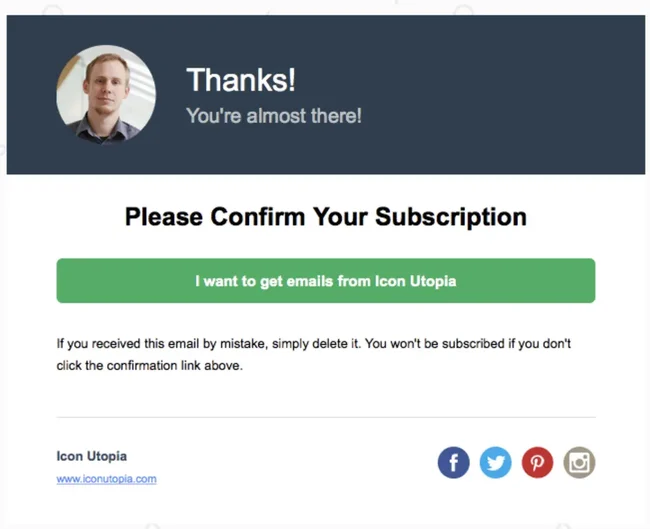
#2. Implementing double opt-in system
A double opt-in process will help in collecting email consent and provides better email list hygiene:
The user submits your form. They receive a confirmation email with a unique link.
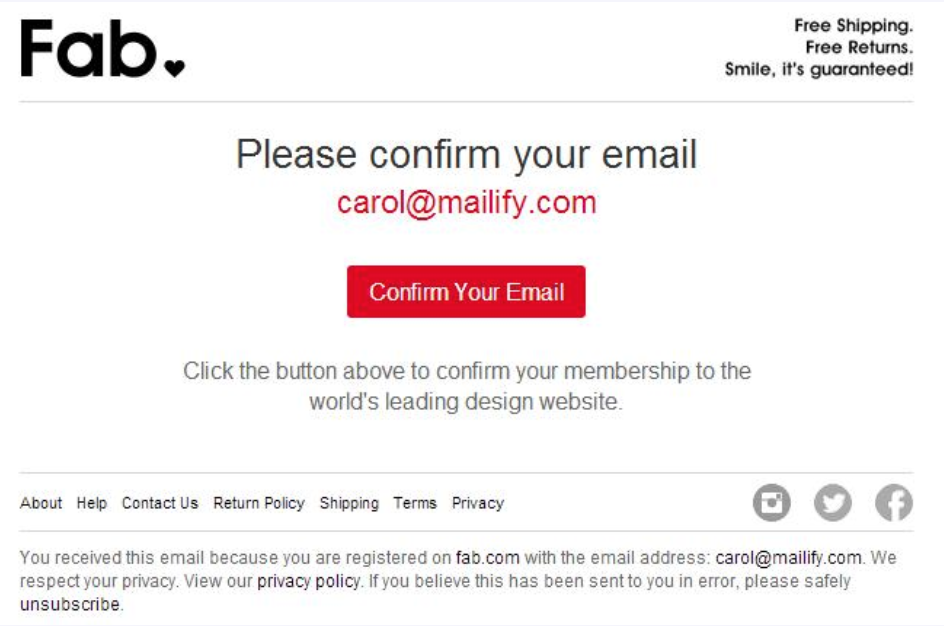
They must click to confirm before being added to your email list.
A double opt-in will help you –
- Confirms the email is valid and belongs to the person signing up.
- Prevents fake or mistyped emails (a big problem for cold outreach).
- Acts as a verifiable audit trail in case of GDPR or CASL investigations.
- Improves engagement, since only genuinely interested users make it through.
- Increase open rates and reduces spam complaints.
- Some businesses only send high-value downloads (e.g., eBooks) after the user confirms via double opt-in. This ensures legitimate interest.
_____________
#3. Ensure transparency & clear communication
Transparency is essential when you are taking consent from the audience to send them emails.
✅ Here’s how to get it right:
- Clearly explain what kind of emails users will get (e.g., newsletters, product updates, special offers).
- Mention email frequency (e.g., “one email per week” or “monthly digest”).
- Explain how to unsubscribe and that they can do it anytime.
- Place a direct link to your privacy policy near the form or checkbox.
❌ Avoid these mistakes:
- Hiding unsubscribe info in footers or fine print.
- Using vague descriptions like “stay in the loop.”
💡Practical tip: Use “unsubscribe anytime” in bold under the submit button to reduce unsubscribes later..
___________
#4. Communicate data protection practices
You can gain email consent by building continous trust by sharing how you protect data:
- Use SSL encryption and secure servers.
- Limit access to data within your company.
- Be clear about data retention periods.
- Inform users about third-party services you use (e.g., email tools, CRMs).
How to manage the email subscriber list?
Only taking email consent is not enough to keep sending emails to the list.
You need to keep them subscribed and it’s an ongoing process.
#1. Maintain email compliance with the email list
Regularly managing your list keeps you compliant and improves email engagement rates.
Here’s what to do:
- Remove inactive subscribers who haven’t opened or clicked in 6–12 months.
- Re-engage stale contacts with a win-back campaign. If they don’t respond, remove them.
- Log all consent data (IP address, date/time, form used, user agent).
- Purge unverified or imported email lists without valid consent.
⚠️ Even if the purchased lists “look clean.” These often lack proper consent and can destroy your email sender reputation.
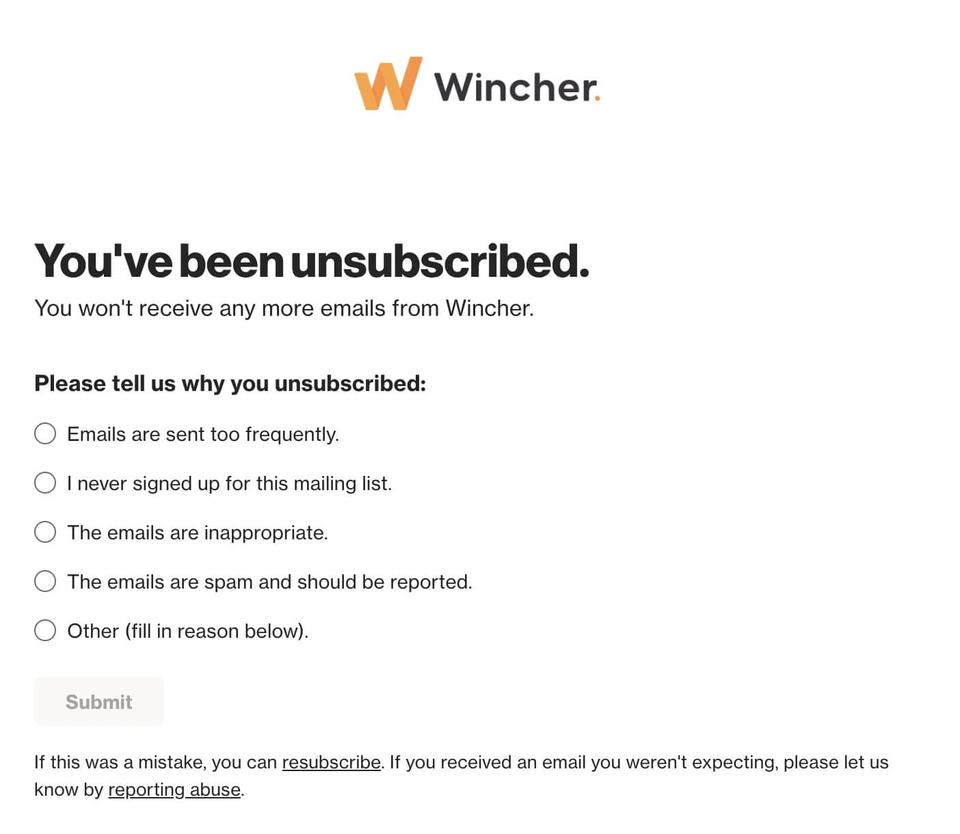
#2 Provide easy opt-out options
Every email you send must include a clear, functional opt-out link.
Make sure the unsubscribe link:
- Is visible and placed in the footer.
- Doesn’t require login to complete.
- Works across devices and email clients.
- Processes the request within 10 business days (per CAN-SPAM).
💡Tip: You can reduce the unsubscription part by adding a “manage preferences” option so users can reduce frequency instead of fully unsubscribing. (image for example below)
Frequently Asked Questions (FAQ)
What is the difference between opt-in and double opt-in?
- Opt-in: A user signs up once (e.g., via a form).
- Double opt-in: The user confirms their sign-up via email.
Double opt-in provides stronger proof of consent and better list hygiene.
How does GDPR affect email marketing outside the EU?
Even if your business is outside the EU, GDPR applies if you collect emails from EU residents. That means you must:
- Collect express consent.
- Store records.
- Allow easy opt-out.
Can I send emails to existing customers without explicit consent?
You can send limited emails under implied consent:
- After a purchase or inquiry.
- For a limited time (e.g., 2 years under CASL).
But express consent is always safer and more sustainable.
What should be included in an email consent form?
Your email consent form should include:
- A clear explanation of what the user is signing up for.
- A checkbox (unchecked by default) for consent.
- A visible link to your privacy policy.
- A submit button labeled clearly (e.g., “Subscribe”).
Stop juggling tools
Book more meetings on every channel
Join 5,000+ teams running multichannel outreach from one sequence, with deliverability built in.