
How to Find Someone’s Email on Twitter [8 Verified Methods]

If you’re looking for a Twitter (X) email finder, you’re in the right place. Finding someone’s email address on Twitter isn’t as straightforward as it used to be, profiles rarely display contact information publicly.
But with the right strategies and tools, you can uncover verified email addresses for creators, brands, influencers, and B2B prospects in minutes.
Why does finding emails from Twitter matter?
Twitter is home to 368 million monthly active users, making it a goldmine for networking, partnerships, and sales outreach. 67% of B2B marketers actively use Twitter for lead generation.
However, Twitter’s character limits and algorithm make it challenging to build meaningful connections through DMs alone. That’s where email outreach becomes your secret weapon.
Email gives you:
- Higher response rates – Professional inbox vs. crowded DMs
- Personalization at scale – Customizable templates and sequences
- Better deliverability – No Twitter algorithm throttling your reach
- Automated follow-ups – Tools like SmartReach.io streamline multi-touch campaigns
In this comprehensive guide, we’ll walk you through 8 proven methods to find anyone’s email on Twitter, from manual techniques to AI-powered tools. Whether you’re prospecting for B2B sales, recruiting influencers, or building partnerships, these strategies will save you hours and unlock new opportunities.
What you’ll learn:
✅ Free manual methods to extract emails from Twitter profiles
✅ Best Twitter email finder tools (free and paid)
✅ Advanced search techniques to uncover hidden contact info
✅ How to verify and use emails ethically
✅ Pro tips to maximize response rates
Let’s dive in and turn Twitter connections into email conversations that convert.
What is Twitter email lookup?
Twitter email lookup refers to the process of discovering a person’s professional or personal email address using their Twitter profile as the starting point. This is often used in B2B lead generation to build high-intent contact lists for outreach.
Why find emails from Twitter for B2B outreach?
Twitter is one of the few platforms where decision-makers, founders, startup owners, CMOs, product heads, openly share what they’re working on and the challenges they face. (You already get high signals for pitching your products/services)
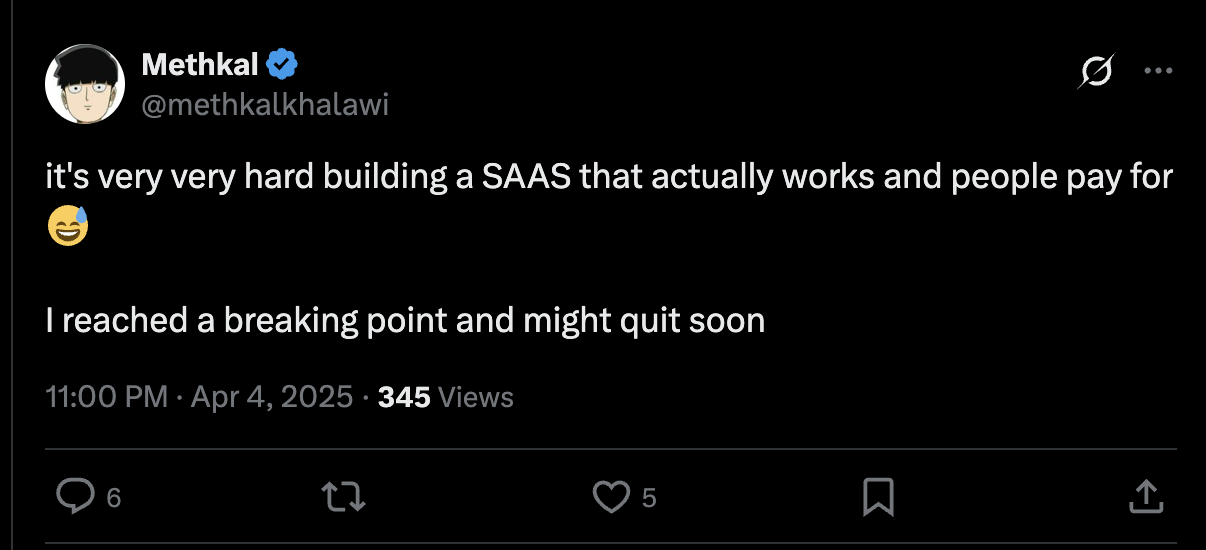
*A signal in X where one user is talking about a pain point in building SaaS which can be pitched
You’ll find a large number of founders, executives, developers, and decision-makers share opinions, launch products, and talk business on Twitter.
In fact, it has been growing at the crazy rate since people started the #BuldingInPublic trend on X for their entrepreneurial ventures. X (Twitter) has over 619 million monthly active users worldwide, making it one of the most active platforms for real-time engagement with decision-makers.
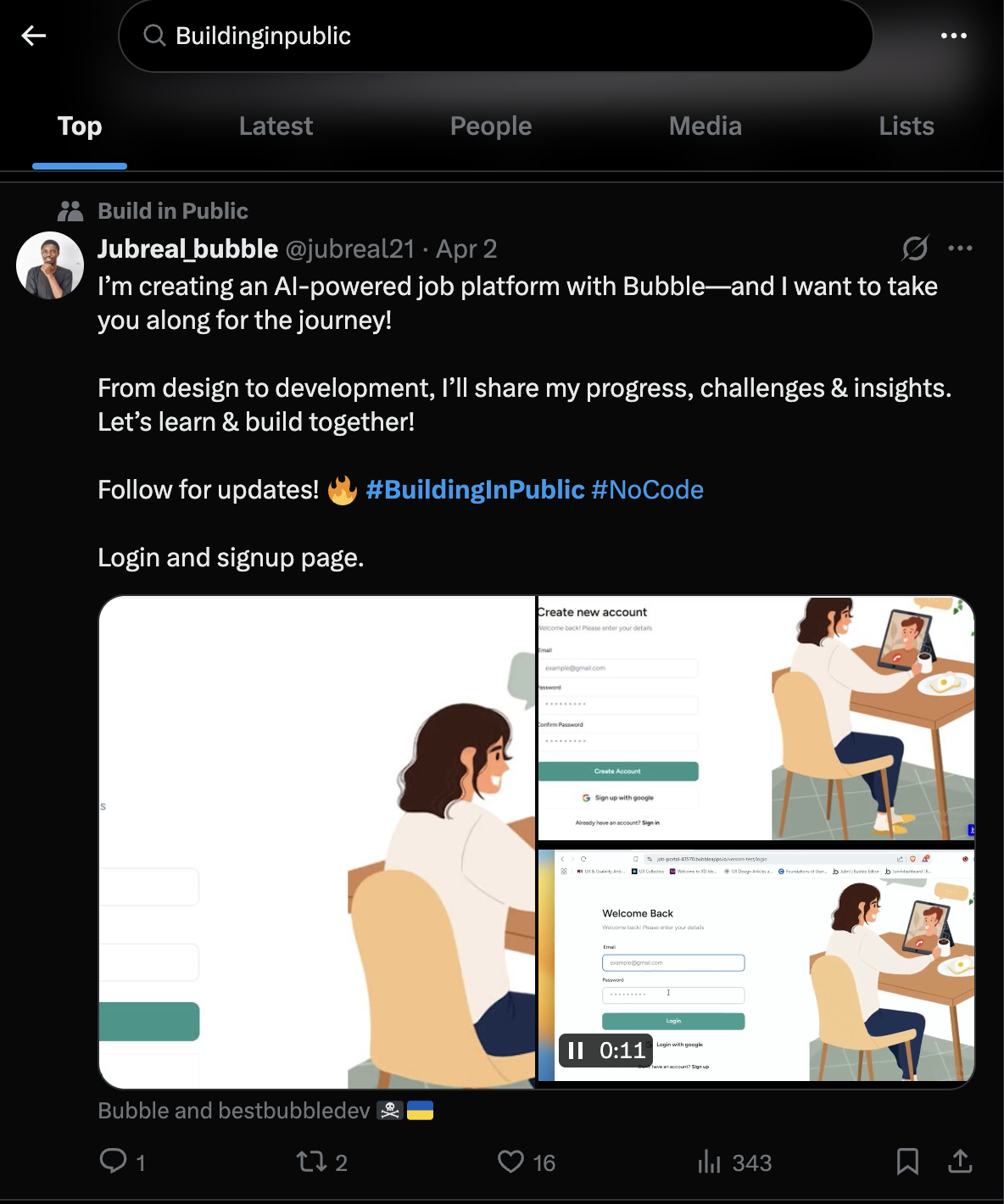
*X floods with #BuildinginPublic trends for entrepreneurial ventures giving high signals for sales teams
That makes it a high-intent space for targeted B2B sales prospecting.
When you find someone relevant, getting their email means you can reach out directly, away from the noise of social media.
It’s especially useful for SDRs building personalized, account-based campaigns from scratch.
4 Challenges of Twitter email lookup for sales teams
Even though Twitter is great for identifying leads, finding the actual email addresses of users isn’t easy.
As an SDR, you will face these 4 primary challenges for email lookup on Twitter ⤵️
1) Most Twitter users don’t share their emails publicly ❌
Even highly active users, like founders or marketers, rarely post their email in their bio or tweets.
When they do, it’s often masked to avoid bots (e.g., name@ domain.com), requiring extra effort to decode manually.
2) No built-In email lookup feature inside the platform ❌
Twitter/X doesn’t allow email search or access through its platform.
You can’t just enter a name or handle and get their email, even if they follow you. Everything has to be inferred or found via external tools.
3) Manual email lookup on Twitter is time-consuming ❌
If you’re trying to prospect leads at scale, checking bios, websites, and LinkedIn profiles one by one is inefficient.
SDRs end up spending more time researching than actually running outreach campaigns.
4) Many email scraping tools violate privacy policies ❌
Some tools promise instant Twitter email lookup but they mostly use shady scraping methods that can breach privacy guidelines or terms of service.
This can expose your team (and brand) to compliance risks, especially if you’re operating in regions with strict email compliance laws like GDPR.
8 proven ways to find someone’s email on Twitter/X
Below are 8 verified methods to find email addresses from Twitter profiles. We’ve ranked them by success rate and ease of use, starting with the quickest wins. For best results, combine multiple methods, if one doesn’t work, move to the next.
#1) Check their Twitter bios and social profile links
Many professionals, especially consultants, indie hackers, startup founders, and creators, include contact info directly in their bio. Look for:
- Full or masked email addresses (john.company.com)
- Newsletters (Substack/Beehiiv)
- Calendly or Notion pages with embedded contact forms
- “Link-in-bio” tools (Linktree, Carrd, Taplink) that often lead to landing pages with emails or business inquiries.
____________________
#2) Check their website attached in the Twitter bio
Many Twitter users don’t directly include an email address in their profile bio but they include their website link there.
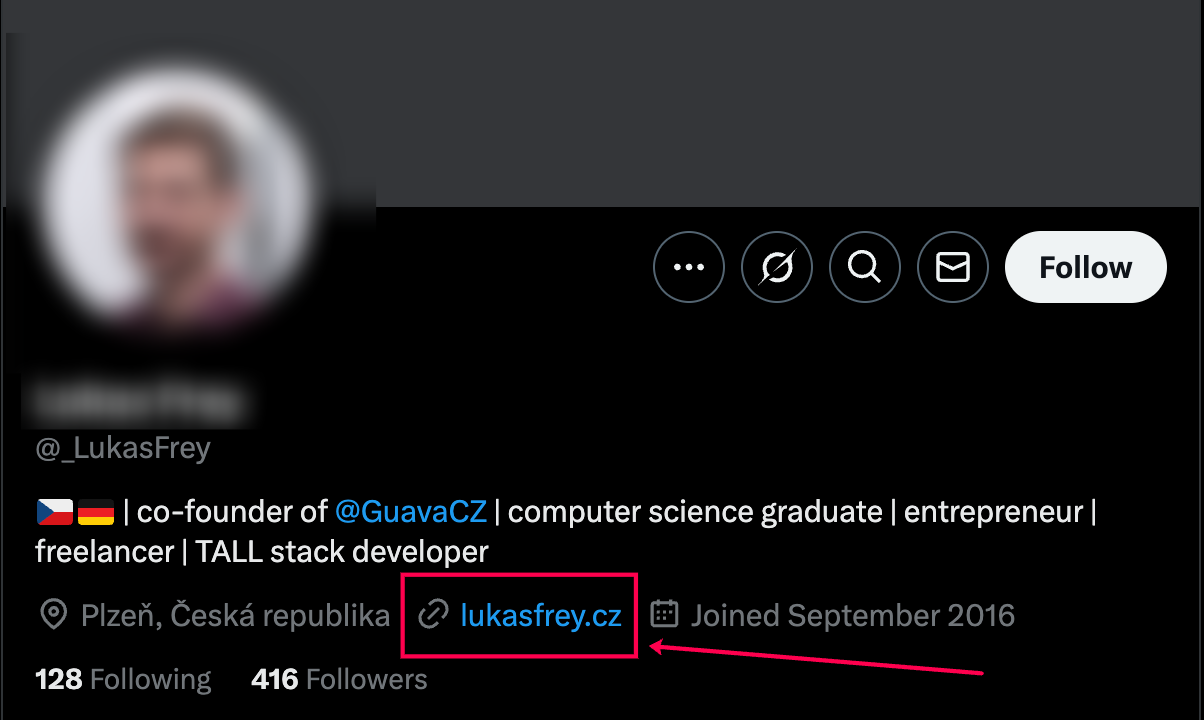
You can easily find their email address from their website. On their website check sections like –
- “Contact,” “About Us,” or “Team” pages
- Scroll to the footer (often includes a general contact email)
- Look for press kits or investor decks that might list founder emails
This method is straightforward and often yields direct contact information.
Also, you will find enough information about their company which will help you in the sales outreach process.
🔧 Pro Tip: If the site uses WordPress, try adding /wp-json/wp/v2/users to the domain. Sometimes it leaks admin contact emails.
____________________
#3 Use AI-Powered Email Finder Tools
Success Rate: Medium | Time Required: 5-10 minutes
Many Twitter users tweet their email addresses in older posts, especially when sharing contact info for collaborations, newsletters, or event RSVPs. Twitter’s Advanced Search feature lets you dig through years of tweets to find these buried gems.
Step-by-Step Process:
- Go to Twitter’s search bar and use this search query format:
from: username (“email” OR “@gmail.com” OR “@company.com” OR “contact”)
Replace username with the person’s Twitter handle (no @).
- Narrow results by date range – Click “Latest” or use filters like:
from: username “email me” since:2023-01-01
- Scan replies and quote tweets – Sometimes people reply with emails when asked for contact info:
to: username “email”
- Look for newsletter signups or event promotions – Many users share emails when promoting webinars, Substack newsletters, or lead magnets.
Pro Tip: Use Twilert (a free Twitter monitoring tool) to set up alerts for specific usernames + keywords like “email me” or “reach out.” This way, you’re notified in real-time when someone tweets their contact info.
____________________
#4 Use AI-Powered Email Finder Tools
If the Twitter account is tied to a company, you can guess their email using email lookup tools like –
- Hunter.io
- Clearbit
- Voila Norbert
- Snov.io
Just input the domain (e.g., company.com) or the name of the Twitter user.
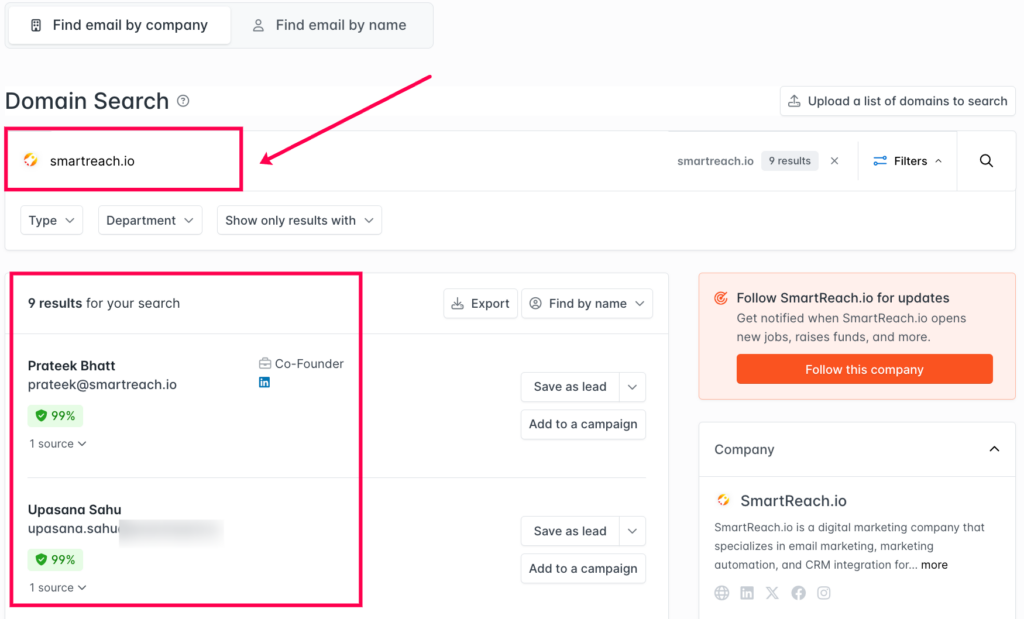
These tools return the most likely email pattern (e.g., [email protected]) and validate email deliverability.
The workflow you can use ⤵️
- Use their Twitter name and company (from the bio)
- Plug into any email lookup tool
- Export verified email → add to your cold outreach list
__________________
#5 Use LinkedIn to find their email addresses
Most Twitter-active professionals such as founders, CXOs etc. also maintain a LinkedIn presence.
Use their Twitter bio to locate their LinkedIn accounts.
Then use a Browser based LinkedIn email scrapper like ProspectDaddy, ContactOut, RocketReach etc. to directly scrape emails from LinkedIn.
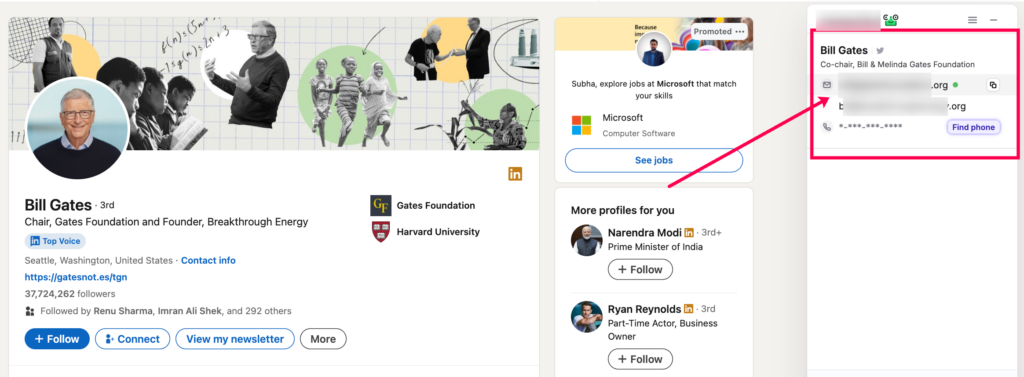
* I used a tool to scrape the email from LinkedIn directly- refer to the above image
These tools will often surface verified emails once you identify the correct person and company.
Do not scrape too many emails at one go. Otherwise, LinkedIn may ban your account for using a third party tool to automate LinkedIn activities.
_________________
#6 Try Twitter email lookup using Google search operators
This sounds simple, but it works, especially for creators, speakers, or founders who’ve done podcasts, interviews, or events.
Try these Google search strings in combination ⤵️
- → “[Name]” + “email” + “Twitter”
- → “[Twitter handle]” + “contact”
- → “[Name] @ [company]” + “email”
- → “[Name]” + “pitch me” + “contact”
I used the 2nd combination and found Mark Cuban’s publicly available email instantly!
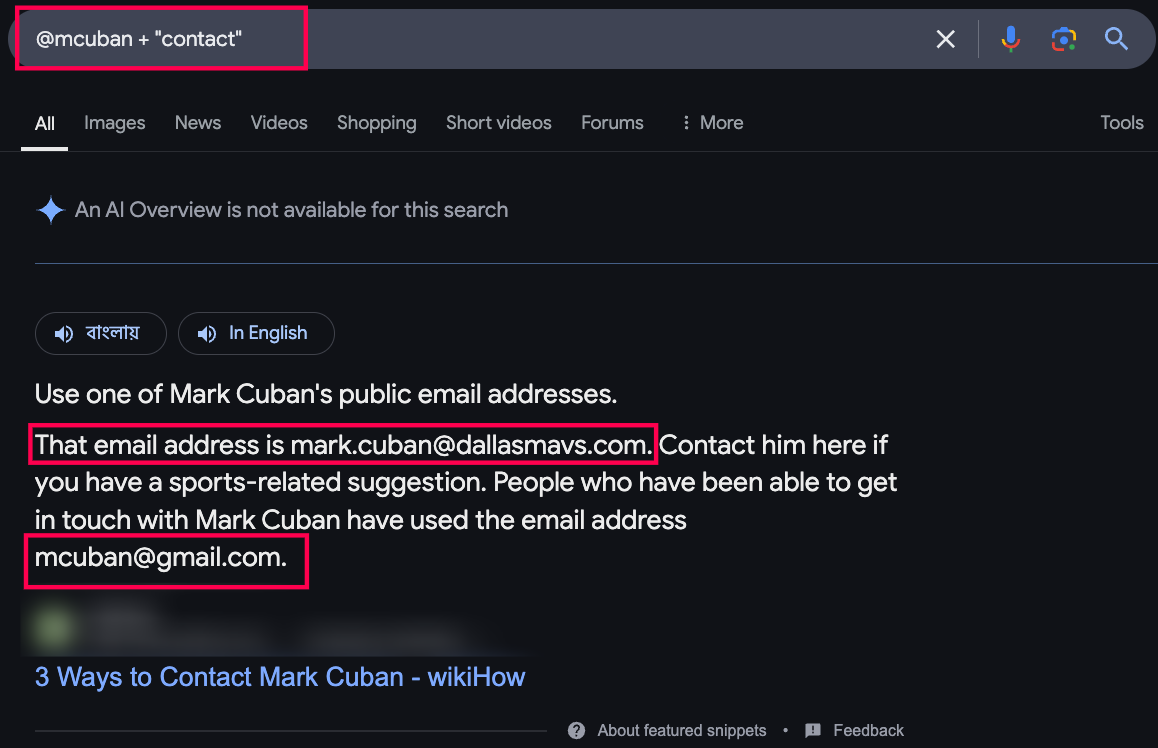
Google often indexes public email addresses on Notion pages, blog posts, or speaker bios.
And you can easily look up email addresses of the Twitter user from there.
_________________
#7 Use Twitter search to find email mentions
Many founders, creators, and professionals occasionally tweet their email when launching a product, doing podcast guest slots, or networking.
Instead of putting it in their bio (where bots can grab it), they tweet it once in context, which makes it less obvious and harder to scrape, but still public.
These tweets are often still live and linkable.
You find their email addresses in these older tweets, replies, or quote tweets when they were open to collaboration, hiring, or partnerships.
But this is NOT a scalable method.
Here’s how to lookup emails on Twitter using Twitter’s advanced search ⤵️
1. Go to Twitter’s the search bar. Try combinations like:
| → (from:@username) (email OR contact OR reach me OR collab OR pitch me) → (from:@username) (“gmail.com” OR “email me” OR “drop me a line”) → (from:@username) (“business inquiries” OR “reach out at” OR “let’s connect”) |
2. Narrow down the search by date, especially if you suspect the tweet was older:
| → (from:@username) (email) since:2019-01-01 until:2021-12-31 |
3. Some users drop their email in replies, especially when someone asks for contact info. Try this variation:
| → (to:@username) (email OR contact OR reach me) |
This finds conversations where they were directly asked for an email and replied with one.
💡 Practical Tip: Use different time ranges to find tweets buried in their history.
To automate some of this, consider using a tool like Twilert. It lets you set up alerts for specific usernames or keywords (like “email me” or “reach out”), so you’re notified when someone tweets relevant contact info in real time.
______________
#8 Run a WHOIS lookup on linked personal domains
Success Rate: Medium | Time Required: 3-5 minutes
If a Twitter user links to a personal website or company domain in their bio, you can often find their email through a WHOIS lookup. This public database shows domain registration details, including email addresses (unless privacy protection is enabled).
How to Do It:
1. Identify their website domain from their Twitter bio (e.g., johnsmith.com)
2. Visit a free WHOIS lookup tool:
• who.is
• ICANN WHOIS (lookup.icann.org)
• DomainTools (whois.domaintools.com)
3. Enter the domain (without https://) and hit search
4. Check the “Registrant Email” field – If privacy protection isn’t enabled, you’ll see the owner’s email
⚠️ Important: If “WHOIS Privacy” or “Redacted for Privacy” appears, skip this method; the owner has masked their details.
Pro Tip: Even if the email is hidden, you might find the hosting provider’s contact info. Visit their website’s “Contact” or “About” page instead.
____________
#9 Send a contextual DM (just ask for the email)
If the person is active on Twitter, the simplest way to get their email is to just ask, but do it smartly.
Firstly make sure your Twitter X account looks credible and trustworthy, you can grow that account from zero.
Start by engaging with a few of their tweets genuinely, then send a short, non-pitchy DM like ⤵️
| “Hey [Name], loved your recent thread on [topic]. Mind sharing the best email to reach out for a quick collab idea?” |
Keep it natural, friendly, and specific, avoid jumping into a sales pitch. This works best when the person already notices you or if you’re in their niche.
Always follow up politely if they don’t respond within a few days.
Here are some DM templates for asking emails on Twitter ⤵️
1. Sales prospecting (B2B SaaS)
“Hey Alex! Been following your insights on SaaS GTM, really sharp stuff. I had a quick idea I think might align with what you’re building. Would it be cool to shoot it over by email?”
2. Agency/Freelancer pitch
“Hey Priya! Love the work you’re doing with personal branding. I run a micro-agency helping creators scale outreach, mind if I send over a short idea on email?”
3. Founder to founder
“Hey Jack! Your thread on bootstrapping was 🔥. I’m working on something in a similar space, would love to bounce a quick idea off you over email if you’re open to it.”
4. Job/Consulting inquiry
“Hi Nisha! I saw your tweet about hiring a content strategist, would love to throw my hat in. Can I send across my details over email?”
5. Investor/Advisor outreach
“Hey Tom, big fan of how you break down startup decks. I’d love to share a quick deck from something we’re building. What’s the best email to reach you?”
Best practices to follow for Twitter DM:
- Engage with 1–2 of their tweets before DMing so your name is familiar.
- Keep it under 300 characters, short, clear, and not pushy.
- Personalize it based on something recent they posted.
- Follow up after 2–3 days if they haven’t seen or replied.
Here’s an overview of different ways you can use Twitter to lookup email addresses –
| Method | Success rate | Best for targeting |
| Bio & Website | 40-50% | Founders, consultants, freelancers |
| Domain email finder | 65-75% | Employees at established companies (CXOs) |
| LinkedIn Email Lookup | 75-80% | Professionals with cross-platform presence |
| Google search | 30-40% | Public figures, speakers, celebs |
| Twitter search | 25-35% | Active, long-term Twitter users |
How to convert Twitter emails into sales opportunities with SmartReach.io
Once you’ve found someone’s email on Twitter, whether through their bio, a WHOIS lookup, or a contextual DM, the next step is making your email outreach count.
This is where SmartReach.io helps you go from just having emails to actually starting running email outreach on those emails.
SmartReach.io is an AI-enabled cold email platform that helps you personalize cold emails at scale with the best deliverability.
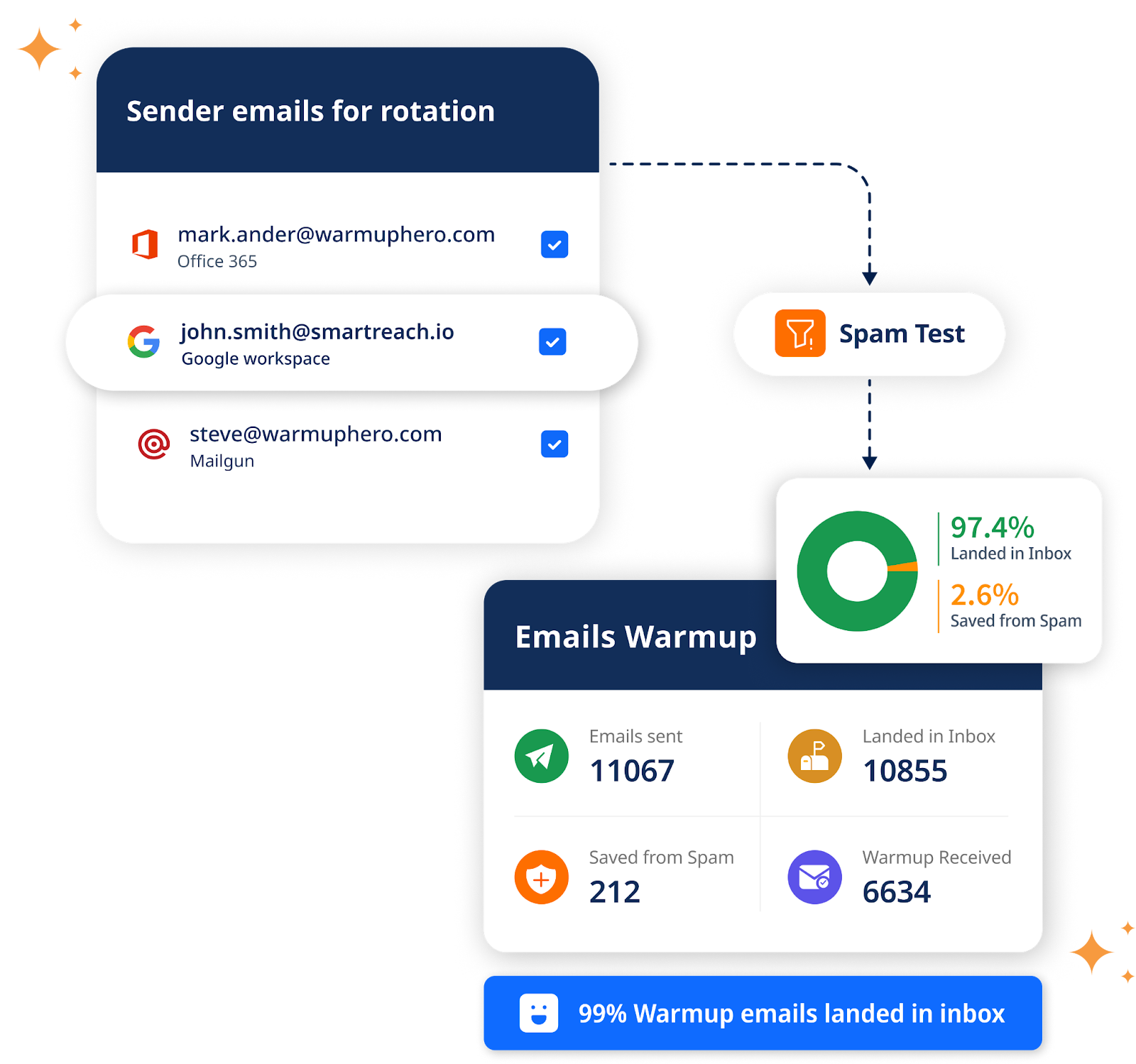
So, instead of sending generic cold emails manually to each prospect, SmartReach.io lets you ⤵️
- Personalise cold emails at scale with custom attributes like name, company, recent tweets, mutual interests mentioned on their profile and more.
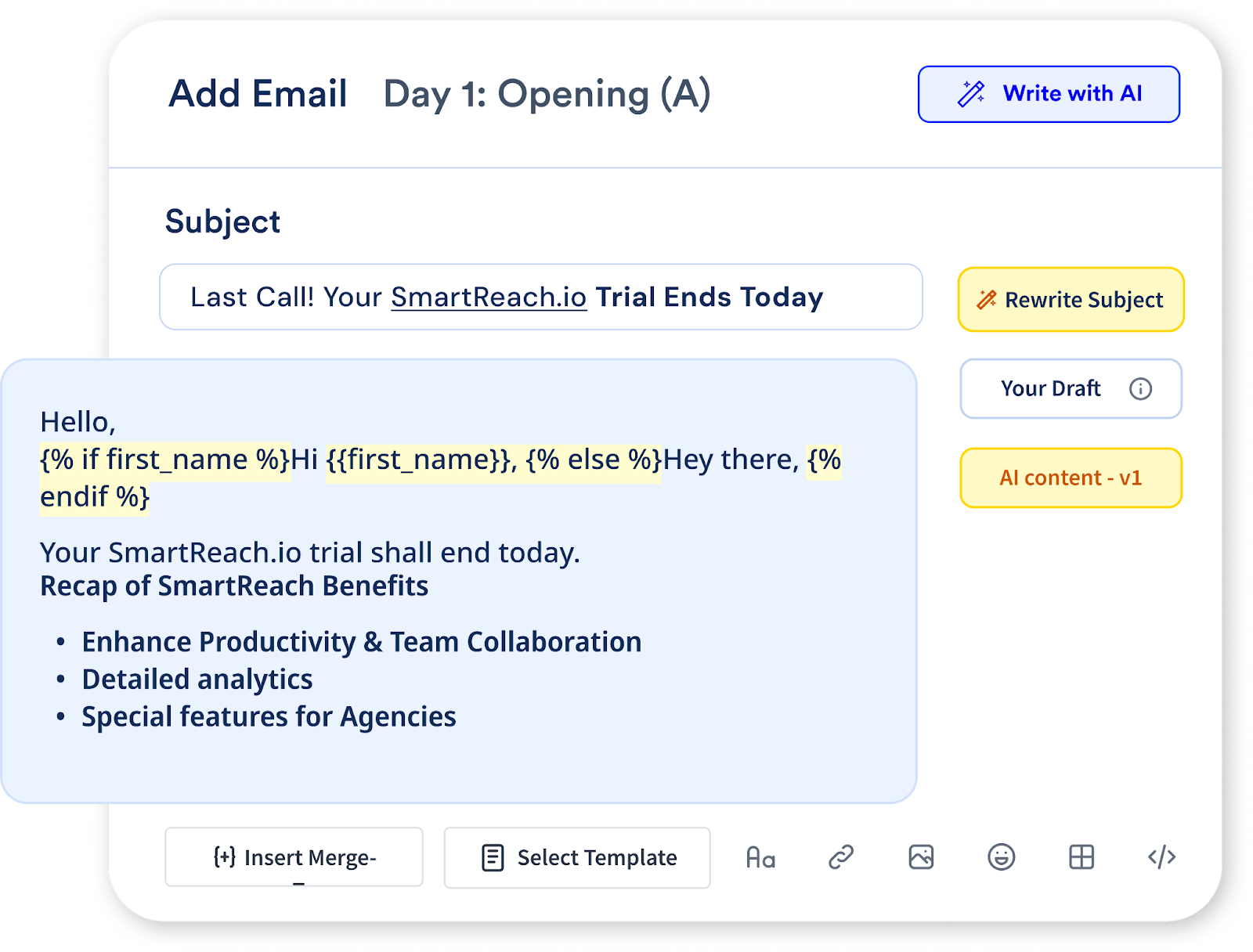
- Automate email follow-ups based on engagement, so you can set email sequences that feel personal, not robotic.

- Use email warm-up and other email deliverability features to make sure your emails land in inboxes, not spam.

- You can also import Twitter-sourced leads into SmartReach.io directly (via CSV or integration), write highly personalized outreach templates, and launch a multi-step campaign in minutes.
Whether you’re reaching out to 5 or 500 Twitter leads, SmartReach.io helps you do it faster, smarter, and more human, without losing that personal touch.
You can get started in minutes with a free trial of SmartReach.io, no credit card needed.
Try SmartReach.io for Email Outreach for FREE
Quick Comparison: Top Twitter Email Finder Tools
| Tool | Best For | Accuracy | Price | Free Trial |
|---|---|---|---|---|
| SmartReach.io | Multi-channel outreach + CRM | High | $29/mo | ✅ Yes |
| Hunter.io | Domain-based email lookup | High | $49/mo | ✅ 50 searches |
| Snov.io | Bulk email finding + verification | Medium-High | $39/mo | ✅ 50 credits |
| VoilaNorbert | Quick individual lookups | High (77%+) | $49/mo | ✅ 50 emails |
| SignalHire | Includes phone numbers | Medium | Custom | ✅ Limited |
Winner: SmartReach.io wins for all-in-one functionality, you get email finding, validation, warm-up, and automated outreach in one platform. No need to juggle multiple tools.
How to use found emails effectively
Finding an email is only half the battle, how you use it determines your success. Follow these best practices to maximize response rates while respecting privacy:
Always verify emails before sending
Why it matters: Sending emails to invalid addresses hurts your sender reputation, triggers spam filters, and wastes your time.
Tools to verify:
- SmartReach.io (built-in free validation)
- NeverBounce (1,000 free verifications)
- ZeroBounce (100 free credits)
Personalize every outreach message
Generic emails get ignored. Reference something specific:
- A recent tweet they posted
- Content they created (blog, video, newsletter)
- Mutual interests or connections
- A specific pain point your solution solves
❌ Bad Example:
“Hi, I saw your Twitter profile and wanted to reach out about our product…”
✅ Good Example:
“Hi [Name], I really enjoyed your thread on [specific topic] last week. Your take on [detail] was spot-on. I’m working on [relevant project] and thought you might find it valuable because [reason]. Would you be open to a quick chat?”
Keep your first email short and clear
The 3-sentence rule:
- Why you’re reaching out (show you did research)
- What’s in it for them (benefit, not your pitch)
- Simple call-to-action (easy yes/no)
Example:
“I noticed you’re building [project]. We just launched a tool that helps [specific benefit]. Would you be interested in an early preview?”
Follow up (but don’t spam)
The data: 80% of sales require 5 follow-ups, but 44% of salespeople give up after one.
Follow-up cadence:
- Day 1: Initial email
- Day 3: Polite follow-up (“circling back”)
- Day 7: Value-add follow-up (share a resource, case study, or relevant article)
- Day 14: Final “breakup” email (“Seems like timing isn’t right…”)
Pro Tip: Use SmartReach.io to automate follow-up sequences while keeping them personalized. The platform rotates through email, LinkedIn, and SMS for multi-channel touchpoints.
Respect privacy and opt-out requests
- Always include an unsubscribe link
- Honor opt-out requests immediately
- Never scrape emails for spam purposes
- Follow GDPR, CAN-SPAM, and CCPA regulations
Golden Rule: If someone explicitly says “not interested,” stop emailing. Persistence ≠ harassment.
Final thoughts: Turn twitter connections into email conversations
If you’re serious about B2B prospecting, finding someone’s email on Twitter is a nice skill to have..
But finding the email is just step one.
With SmartReach.io, you can turn that contact into a tailored, automated outreach campaign that actually gets replies.
Start using Twitter smarter, because your next lead might just be a tweet away.
F.A.Qs on how to find emails on Twitter
How to find someone’s email on Twitter?
Start by checking their Twitter bio, linked websites, or newsletters. Alternatively, Use email LinkedIn finder tools like Hunter.io, Prospectdaddy & Apollo to find professional emails using their name and company domain. You can also use Twitter Advanced Search to find older tweets containing email addresses.
How to find someone on Twitter by email?
Twitter no longer supports searching users directly by email for privacy reasons. However, if the email is associated with a Gravatar or linked online, reverse email search tools may help identify associated Twitter accounts indirectly.
How to find my email on Twitter?
If you’re logged into Twitter, visit your settings to view the email tied to your account. If you’re unsure what email is associated, check your inbox for Twitter notifications or reset your password.
What’s the best tool for Twitter email lookup?
There’s no single “best” tool for Twitter email lookup. Usually using an email finder tool to find the Twitter profile’s email address gives the best results.
Is SmartReach.io a Twitter email finder?
No, SmartReach.io is not a Twitter email finder. It’s a powerful cold email automation platform that lets you run hyper-personalized sequences after you’ve sourced emails using Twitter and other platforms.
What if someone doesn’t list their email anywhere on Twitter?
Try these alternatives:
(1) Send a polite DM asking for their email
(2) Check their LinkedIn profile for contact info
(3) Use email pattern guessing with their name + company domain
(4) Use an AI-powered tool like SmartReach.io that cross-references multiple databases.
How can I improve my email response rates from Twitter contacts?
Personalize every email by referencing their recent tweets or content. Keep your first message under 100 words, lead with value (not your pitch), and include a clear call-to-action. Use tools like SmartReach.io to automate follow-ups across email, LinkedIn, and SMS.
Do Twitter email finder tools work for X (formerly Twitter)?
Yes, all the tools and methods in this guide work for X (the rebranded name for Twitter). The platform’s data structure hasn’t changed, so email finding techniques remain the same whether you call it Twitter or X.





The CBD aggregation – indica gummies offers a assortment of formats that please different preferences, and each harmonious feels well executed. The lubricant appears unsoiled and consistent, the packaging materials sensible of long-lasting, and the connivance is unostentatious besides elegant. The products are foolproof to stock and fraternize with, thanks to sheltered lids and compressed sizing. Overall, the brand delivers a outstanding and carefully crafted sample without dispensable extras.
Your comment is awaiting moderation.